ENEnglish
 LTLietuviškai
 DEDeutsch
 FRFrançais
 RUРусский
 ESEspañol
 PLPolski
 ITItaliano
 UKУкраїнська
 CSČeština
 PTPortuguês
 JA日本語
JA日本語 LVLatviešu valoda
 ETEesti
 HUMagyar
 IDBahasa Indonesia
 TRTürkçe
 HIहिन्दी
 ELΕλληνικά
 ARالعربية
 THไทย
THไทย VITiếng Việt
 RORomână
 MSBahasa Melayu
 BNবাংলা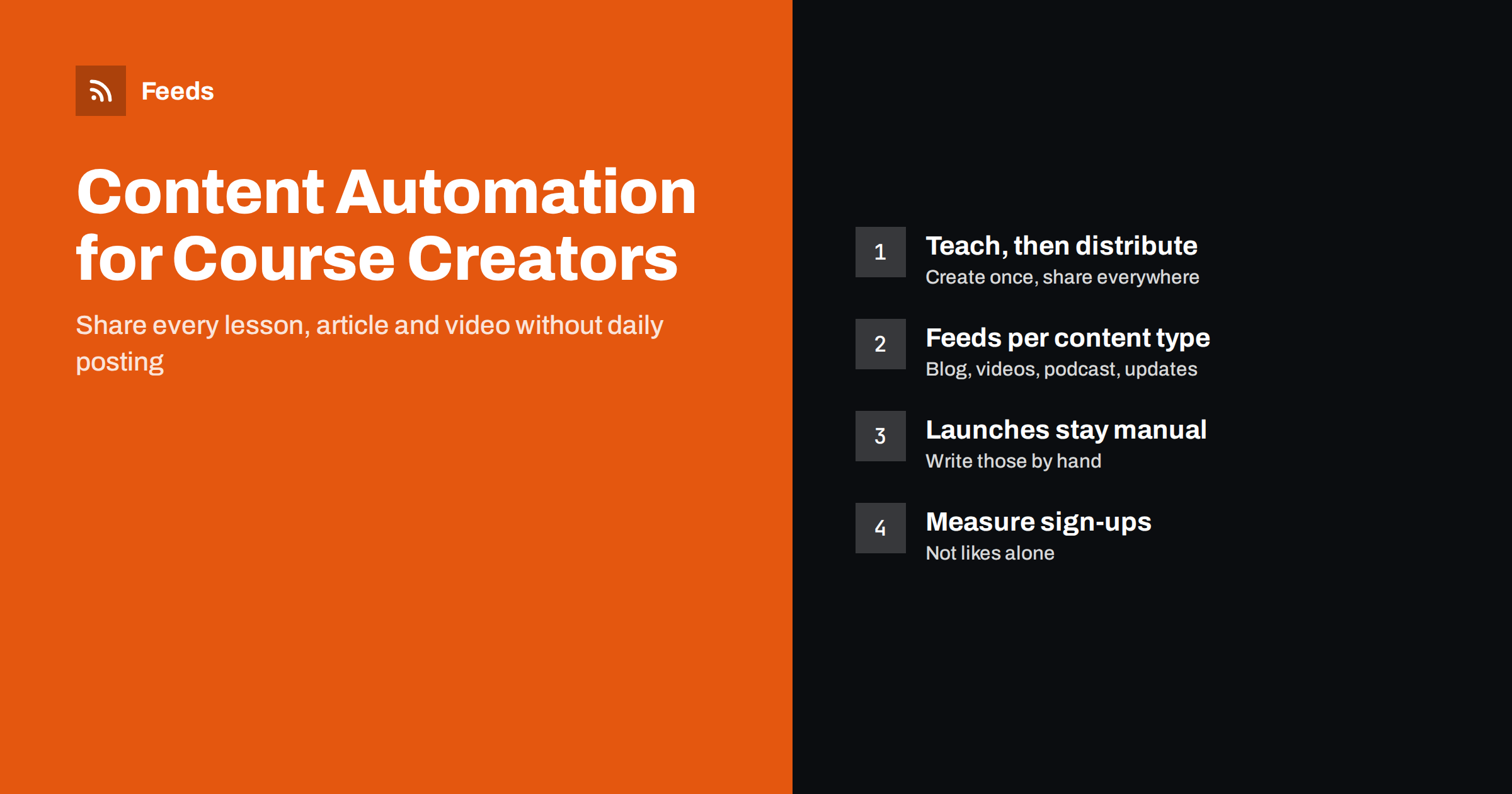
Short answer: Online course creators can automate the distribution of their free content: new blog articles, videos, podcast episodes and public course updates can flow from feeds to social networks and newsletters without manual posting. Keep course launches, student communication and anything with promises or prices written by hand. Build one feed per content type, connect each to the channels where learners are, and measure what brings people to your sign-up or course pages rather than counting likes.
Why course creators need automation
Independent educators wear every hat. They plan curricula, record lessons, answer students, run live sessions, handle payments and try to market their courses at the same time. Free content, such as articles, short videos and podcast episodes, is how most course creators attract learners, but sharing it consistently across several channels takes hours each week.
The usual result is uneven visibility. A new lesson video is posted on one platform and forgotten on the others. A helpful article is shared once and never again. Weeks of silence follow a busy launch period. Learners who would have enrolled never see the content that would have convinced them.
Automation fixes the distribution part without touching the teaching. You create content in the places you already use, and feeds carry it to every channel on a predictable schedule. The time saved goes back into what only you can do: teaching and talking to students.
It also makes the business less fragile. When the person who normally posts is ill, travelling or busy recording a new course, the free content keeps reaching people. Consistency is one of the main reasons audiences grow, and it is far easier to keep when it does not depend on remembering to post every day.
Map your content types
Start by listing everything you publish publicly. Most educators have more sources than they realise, and each can become a feed.
| Content type | Typical source | Feed available? |
|---|---|---|
| Articles and tutorials | Blog on your website | Usually built in |
| Lesson previews and tips | Video channel | Yes, channel feeds exist |
| Interviews and discussions | Podcast | Yes, podcasts are RSS |
| Course updates and new modules | Public news or changelog page | Often needs to be created |
| Live sessions and webinars | Events page or calendar | Often needs to be created |
Blogs, video channels and podcasts usually provide feeds already. A public page that lists course updates or upcoming sessions often does not, but it can be turned into one. See how to get an RSS feed for any YouTube channel and how to create an RSS feed for a website without RSS.
What to automate and what to keep personal
Not all content should be automated. A useful rule is to automate free educational content and keep anything that involves promises, money or individual students under human control.
- Automate: new articles, new videos, new podcast episodes, public event announcements, reshares of evergreen tutorials.
- Review before posting: course update announcements, schedule changes for live sessions.
- Keep manual: launch campaigns, price announcements, student success stories, replies to comments and messages.
Launches deserve particular care. Statements about what a course includes, how long access lasts, refunds or results are commitments to learners, and they should be written deliberately for each launch, not generated from a template. Student testimonials need the student’s consent and must reflect real experiences. For deciding which content needs a review step, see full auto versus an approval queue.
Comments and messages are another place where automation should stop. When an automated post about a lesson brings questions from learners, a real reply from the teacher is what builds trust and, eventually, enrolments. Set aside a short time each day or week to answer, and treat automated posts as the start of a conversation rather than a replacement for it. If you cannot answer on a channel, it is better not to post there at all.
Connect feeds to social networks and newsletters
With the content mapped, connect each feed to the channels that fit it. A practical setup for a course creator might look like this:
- New blog articles go to your professional networks and other social profiles with the featured image and a one-line summary.
- New videos go to social profiles where short educational content performs well.
- New podcast episodes are announced on social and included in the newsletter.
- A weekly or monthly newsletter is built automatically from the blog feed, so subscribers receive a digest of new lessons.
- Evergreen tutorials are reshared every few months to reach new followers.
Each channel needs its own post template. A professional network suits a short insight from the article and a question; a visual network needs the image and a brief hook. Our guides on automating social media posts from an RSS feed and turning an RSS feed into an automatic newsletter cover the setup, and writing post templates for automated feeds helps with the wording.
Course updates and changelogs
Students value knowing when a course improves: a new module, an updated lesson, new exercises or corrected material. Publishing these updates on a public page and turning that page into a feed gives you two benefits. Existing students can follow it in their reader or receive it by e-mail, and prospective learners see that the course is actively maintained.
Keep update entries factual. Describe what was added or changed, and avoid language that promises future updates on a schedule unless you are certain you will keep it. The same principle as a software changelog applies; our article on how to publish a changelog RSS feed customers will follow describes a format that works.
Repurposing lessons into free content
Course material is a rich source of free content, but it should be repurposed thoughtfully rather than copied. A lesson can become a short article explaining one concept, a video clip answering one question or a checklist that summarises a module. Each of these can then enter the automated flow like any other post.
- Share concepts, not the whole course; the free content should help and invite, not replace the paid material.
- Update older free articles when your course content changes, so the two stay consistent.
- Avoid automated summaries of your own lessons without reading them, because errors in teaching content damage trust.
Our guide to automating content repurposing explains which steps can be automated and which need a person.
Measuring what matters
Likes and views are easy to count but say little about whether content brings learners. Add campaign tags to automated links and track how many visitors from each channel reach your course pages, join your newsletter or register for a free lesson. Review the numbers monthly and adjust which content types you share where.
Keep the comparison fair. Compare channels over the same period and with similar content, and remember that educational content often works slowly: an article shared today may bring sign-ups for months through search and reshares. The goal of automation is steady presence, not a spike after each post.
It also helps to look at which topics bring the most engaged visitors. If tutorials about one subject consistently lead to newsletter sign-ups, that is a signal for your next free article and perhaps for a new course module. Automation gives you a steady stream of data about what learners care about, as long as you take a few minutes to read it.
How RSS Feed Creator helps
RSS Feed Creator (Feeds) turns public pages without RSS, such as course update pages, event lists or a school’s news section, into clean feeds with titles, images, summaries and dates, and uses an existing feed when there is one. You can merge several sources, for example your blog, video channel and update page, into one feed, keep only items with your words or drop items you do not want shared, and duplicates are removed automatically. The feed refreshes on its own and works with the tools you use for social posting and newsletters. You can create a feed on the free plan.
Related reading
- How to reshare evergreen content automatically without spamming
- How to promote new podcast episodes automatically
- How to measure whether content automation is worth it
The bottom line
Course creators already produce the content that attracts learners; automation makes sure it is seen. Give each content type a feed, connect blogs, videos, podcasts and update pages to the right channels with good templates, and keep launches, prices, testimonials and student conversations personal. Measure visits to your course and sign-up pages, and let automation provide the steady presence that busy educators struggle to keep up by hand.
الأسئلة الشائعة
Can I automate my course launch posts?
It is better not to. Launch posts contain promises about content, access and prices, so they should be written and checked by you for each launch. Automate the free content that leads up to it instead.
Which content should a course creator automate first?
Start with blog articles and videos, because they usually have feeds already. Connecting them to your social profiles and a newsletter gives the biggest benefit for the least setup.
How do I share course updates with existing students?
Publish updates on a public page and turn it into a feed. Students can follow it in a reader or receive it by e-mail, and the same feed can announce updates on social networks.
Is it safe to automate student testimonials?
No. Testimonials need the student’s consent and should be selected and checked by a person. Automating them risks sharing something out of context or without permission.
How often should automated educational posts go out?
Match your real publishing rhythm. One or two new pieces a week, plus occasional reshares of evergreen tutorials, is enough for most independent educators to stay visible without overwhelming followers.