ENEnglish
 LTLietuviškai
 DEDeutsch
 FRFrançais
 RUРусский
 ESEspañol
 PLPolski
 ITItaliano
 UKУкраїнська
 CSČeština
 PTPortuguês
 JA日本語
JA日本語 LVLatviešu valoda
 ETEesti
 HUMagyar
 IDBahasa Indonesia
 TRTürkçe
 HIहिन्दी
 ELΕλληνικά
 ARالعربية
 THไทย
THไทย VITiếng Việt
 RORomână
 MSBahasa Melayu
 BNবাংলা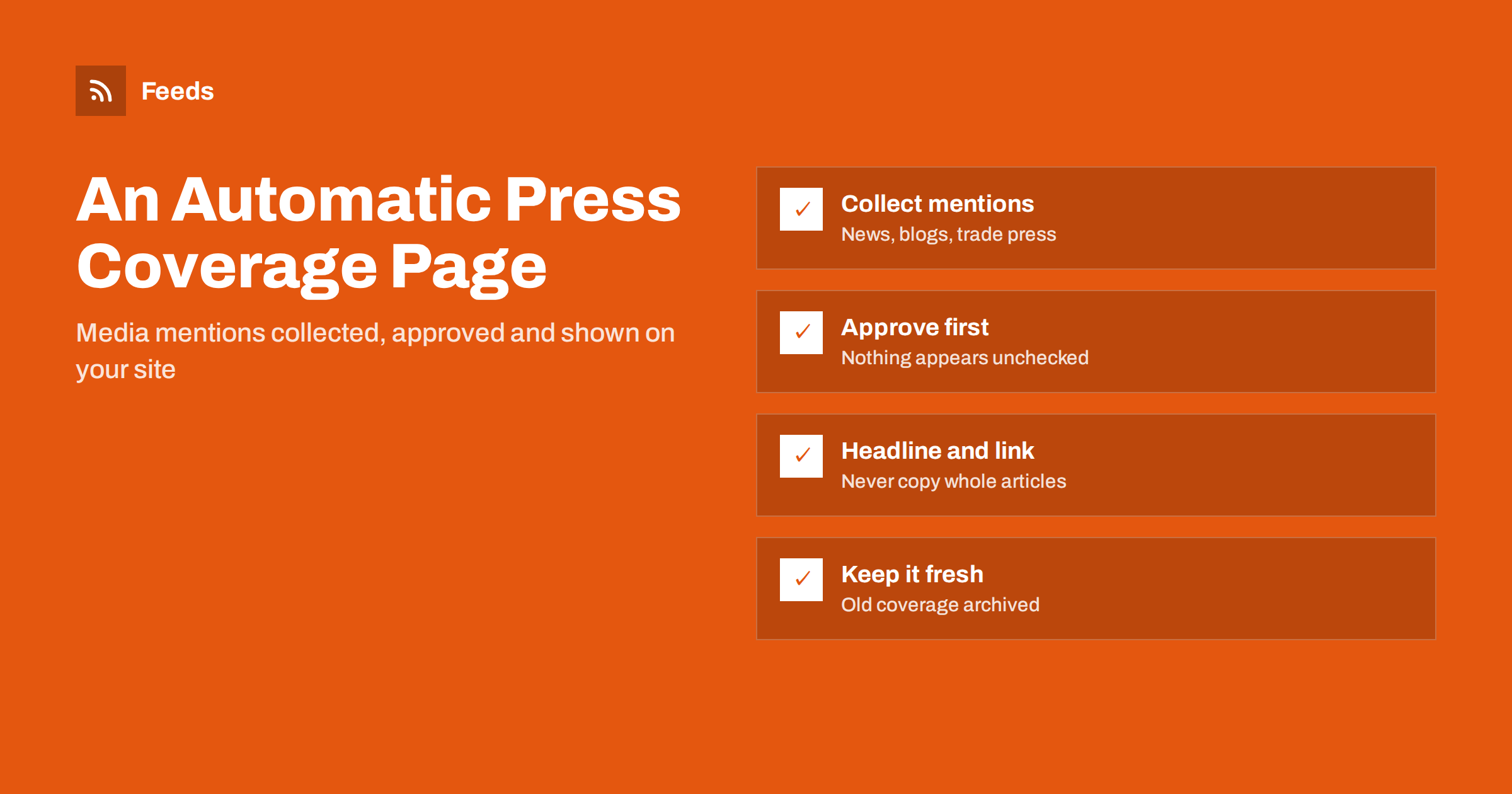
Short answer: An automatic press coverage page collects articles that mention your company from news sites, trade publications and blogs through feeds, passes them through an approval step and displays the approved ones on your website as a list of headlines, publication names, dates and links. Automation handles the collecting and formatting; a person decides what appears. Show only headlines, short descriptions and links to the original, never copied articles, and archive older coverage so the page stays current.
Why companies want a press coverage page
A page that lists where your company has appeared in the media is a simple form of credibility. Prospects, journalists, partners and job candidates look for it. It shows that independent publications have written about you, and it gives journalists a quick overview of past coverage before they contact you.
Yet many such pages are years out of date. Someone added a few articles after a successful launch, and nobody updated the page since. Recent interviews, mentions in trade press and guest articles never appear, and the page ends up suggesting that nothing has happened for a long time.
The coverage itself usually exists. The problem is the manual work of noticing each new article, copying the details and updating the website. That work fits automation well: feeds can find new mentions, and a simple workflow can turn approved mentions into entries on the page.
An up-to-date page also helps internally. Sales teams can point prospects to recent coverage, recruiters can show candidates that the company is active, and management gets a running record of the company’s visibility without asking anyone to compile a report.
How the workflow fits together
An automated press page has four stages. Each can be simple, and together they keep the page current with very little effort.
- Collect: feeds bring in new articles from news searches, trade publications and blogs that may mention you.
- Filter: keyword filters keep only items that mention your company, products or spokespeople.
- Approve: a person checks each match and approves the ones that belong on the page.
- Publish: approved items appear on the website as headline, publication, date and link.
The collecting and filtering stages are the same as in media monitoring. Our guide on media monitoring with RSS explains how to set up sources, and how to build a reputation early-warning feed covers the monitoring side of the same feeds.
Collecting media mentions
Start with the sources where coverage of your company is most likely to appear. For most businesses, that is a mix of general news, trade publications and specialist blogs in your industry.
- News search feeds: searches for your company name in news aggregators or search tools that offer feed output.
- Trade publications: the news sections of the magazines and websites that cover your industry.
- Partner and customer blogs: organisations that are likely to write about joint projects.
- Your own newsroom: press releases, so you can link coverage to the announcements that triggered it.
Trade publications without RSS can be turned into feeds from their news pages. Merge all sources into one incoming feed so there is a single place to review. For alternatives to keyword alert services, see beyond Google Alerts: building source-based alerts with RSS.
Filtering for real mentions
Company names are rarely unique. A filter that only checks for a short brand name may also catch unrelated companies, common words or people with the same name. Good filters reduce the approval work to a few minutes a week.
| Filter | Purpose |
|---|---|
| Full company name | The core match for most coverage |
| Product names | Reviews and mentions of what you sell |
| Spokespeople’s names | Interviews and quotes |
| Exclude words | Remove known false matches, such as another company with a similar name |
Filtering also removes duplicates when the same article appears in several sources, which is common when news is syndicated. More techniques are in how to set up keyword alerts using RSS feed filters.
The approval step
A press page should never be fully automatic. A matching article might be negative, inaccurate, satirical or about something you would not want to promote. Some mentions are simply too minor to list. A short human review keeps the page trustworthy.
- Assign one person, often in marketing or communications, to review new matches weekly.
- Approve articles that are relevant, from credible publications and accurate about your company.
- Skip paid placements unless they are clearly labelled as such on the page.
- Keep a note of negative coverage for internal follow-up, even if it does not appear on the page.
The approval can be as simple as moving approved items to a separate list in a spreadsheet, a reader folder or a content system. That list then becomes the source for the website. For the general pattern, see full auto versus an approval queue.
Agree a few simple criteria in advance, so approval does not depend on one person’s mood: the article must name the company correctly, come from a real publication and be something you would be comfortable showing a customer.
Publishing on your website
Once approved items are in a list or a feed, the website can display them. There are several ways, depending on your platform.
- A feed widget or block: many content systems can display an RSS feed as a list on a page.
- A content type: approved items are added as short entries in your CMS, either manually or by an import automation.
- A simple manual update: the approved list is copied to the page once a month, which is still far less work than finding the articles.
Whatever the method, show the essentials for each entry: the headline, the publication name, the date and a link to the original article. A publication logo can help, but only if you are allowed to use it. Our guide on how to display RSS feeds on your website the right way covers widgets, caching and layout.
Copyright and fair presentation
A press page links to other people’s work. The safe and respectful approach is to show the headline, a short description in your own words or the publication’s own summary, and a link to the article. Do not copy full articles or large excerpts, and do not host copies of paywalled content.
- Link to the original article rather than republishing it.
- Use publication logos only with permission or where the publisher’s guidelines allow it.
- Do not change headlines in a way that misrepresents the article.
- Remove entries when an article is taken down or substantially corrected.
Our article on whether it is legal to create RSS feeds from other websites discusses the broader question of using other sites’ content.
Keeping the page current
A press page should show recent coverage first and keep the list readable. Older entries can move to an archive page or be grouped by year. Review the page once a quarter: check that links still work, because news sites reorganise their archives, and remove or replace broken links.
Use the same feed for a periodic internal report. A monthly summary of approved coverage helps the team see which announcements gained attention and which publications write about you most, which is useful when planning the next press release.
Finally, consider sharing approved coverage on your social profiles. The same approved list can feed a social posting tool, so a new article about your company is shared once it has been checked. Use a template that credits the publication and links to the original.
How RSS Feed Creator helps
RSS Feed Creator (Feeds) turns news pages and trade publications without RSS into clean feeds with titles, images, summaries and dates, and uses a site’s existing feed when there is one. You can merge up to 10 sources into one feed on paid plans, keep only items that mention your company or product names and drop known false matches with exclude words. Duplicates are removed automatically, feeds refresh on their own and the result works in any RSS reader, website widget or automation tool. You can create a feed on the free plan.
Related reading
- Automating press release distribution from your newsroom
- How to automate content curation without losing quality
- How to merge multiple RSS feeds into one clean feed
The bottom line
A press coverage page is valuable only when it is current. Use feeds to collect mentions from news, trade press and blogs, filter them by your company and product names, approve each item by hand and publish approved entries as headline, publication, date and link. Respect copyright by linking rather than copying, check old links regularly and let automation do the searching that used to leave these pages forgotten.
الأسئلة الشائعة
Can a press page update itself completely automatically?
It can, but it should not. Matching articles may be negative, inaccurate or irrelevant, so a short human approval step before anything appears on your website keeps the page trustworthy.
Can I copy articles about my company onto my website?
No, not without permission. Show the headline, a short description and a link to the original article. Copying full articles or large excerpts may infringe the publisher’s copyright.
Where do media mentions come from?
From news search feeds, trade publication news pages, partner blogs and similar sources. Pages without RSS can be turned into feeds and merged into one incoming feed.
How do I avoid false matches for a common company name?
Filter by the full company name, product names and spokespeople, and add exclude words for known unrelated matches. The approval step catches anything the filters miss.
How often should the page be reviewed?
Review new matches weekly and check the whole page every quarter for broken links. Archive older coverage so recent articles stay at the top.