ENEnglish
 LTLietuviškai
 DEDeutsch
 FRFrançais
 RUРусский
 ESEspañol
 PLPolski
 ITItaliano
 UKУкраїнська
 CSČeština
 PTPortuguês
 JA日本語
 LVLatviešu valoda
 ETEesti
 HUMagyar
 IDBahasa Indonesia
 TRTürkçe
 HIहिन्दी
 ELΕλληνικά
 ARالعربية
 THไทย
 VITiếng Việt
 RORomână
 MSBahasa Melayu
 BNবাংলা
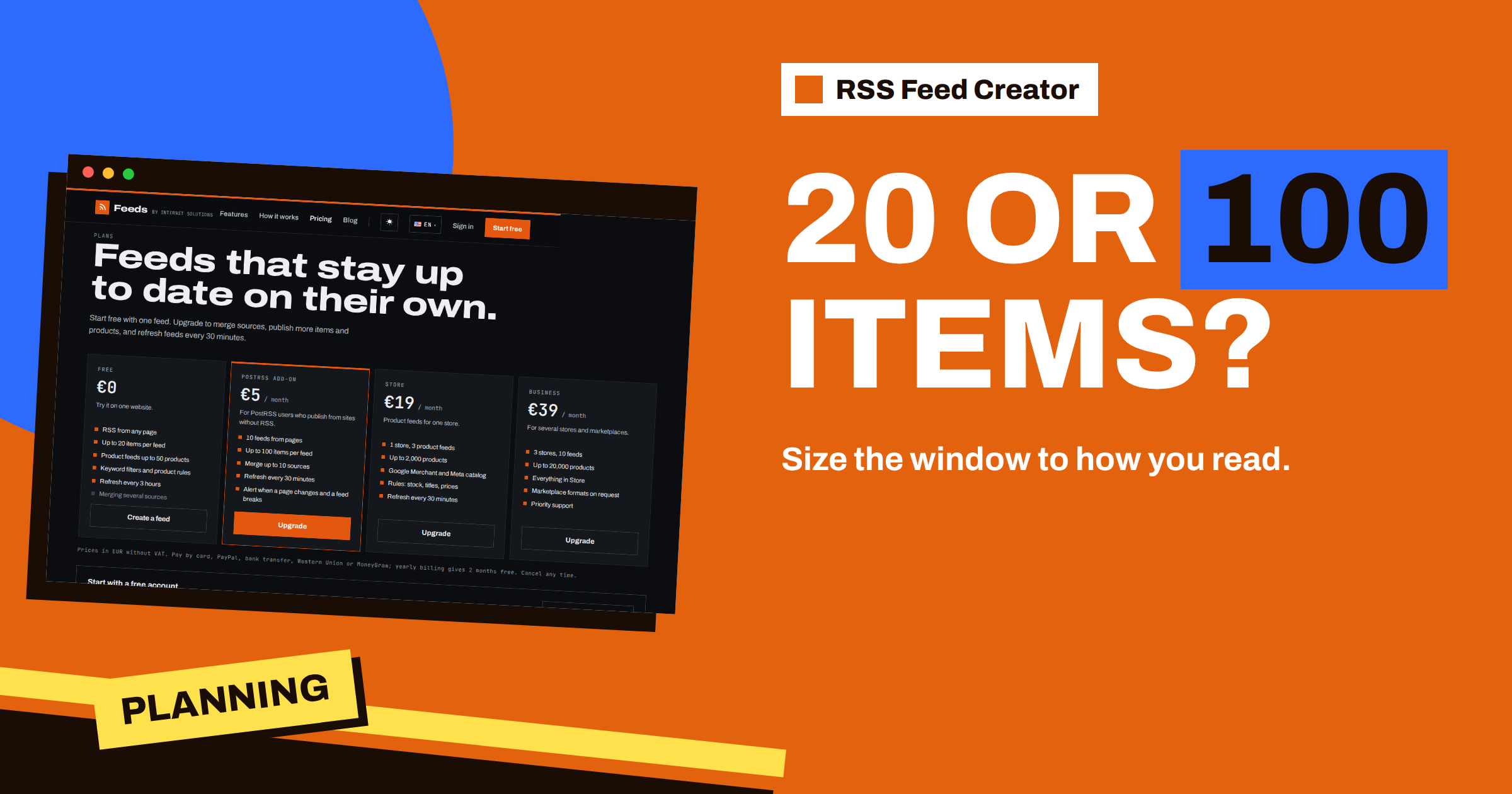
Short answer: A feed made with RSS Feed Creator is a window onto the latest items of a source: up to 20 items on the free plan and up to 100 on paid plans. Older items fall out of the window as new ones arrive. To choose the right size, estimate how many items the source publishes between two moments when something reads your feed. If that number is comfortably below the limit, the window is large enough. If it is not, filter the feed to the topics you need, or move to a plan with the larger window.
A feed is a window, not an archive
Every refresh rebuilds the feed from what the source shows now, and then keeps the newest items up to the limit of your plan. An item that has left the source page, or that has been pushed past the limit by newer ones, is no longer in the feed. This is how feeds work everywhere, and it is not a flaw. Readers, automation tools and posting tools collect the items that pass through the window and keep them on their side, so nothing that was collected is lost.
The consequence is that the size of the window decides how long an item stays available for collection. A window of 20 items on a source that publishes two items a day holds ten days of news. The same window on a source that publishes 40 items a day holds half a day. The first is generous; the second can miss items if nobody collects the feed within twelve hours. That is the whole question, and the rest of this article makes it practical.
The simple rule
Think in three numbers:
- The rate. How many items the source publishes per day, on average. Count a typical week from the source page.
- The gap. The longest time between two moments when something collects your feed. A reader that polls every hour has a gap of an hour. A person who opens a reader on Monday morning after the weekend has a gap of three days.
- The margin. Some room for busy days, because publishing is never even. Double the estimate is a safe margin.
Multiply the rate by the gap in days, double it, and compare with the window. A source with 8 items a day, collected at least once a day, needs about 16 items, so the free window of 20 is enough. A source with 30 items a day, collected every morning, needs about 60, so a 100-item window is the right one. A source with 5 items a day read weekly needs about 70, which fits in 100 but not in 20.
What changes the numbers
| Setting | Effect on the window |
|---|---|
| Keyword filter to keep words | Only matching items count, so the same window reaches further back in time |
| Skip words | Unwanted items do not use up room in the window |
| কয়েকটি উৎস একত্র করা | Items of all sources share one window, newest first |
| Duplicate removal | The same address is kept once, which frees room |
| A paid plan | The window grows from 20 to 100 items |
The order of the work inside a refresh explains the first row. The tool reads the sources, removes duplicates, applies your keep and skip words, and only then cuts the list to the limit. A filter therefore does not waste window space on items you would discard. A free feed that keeps only articles about one topic can hold weeks of that topic, even if the source publishes dozens of other items every day. The filters are explained in keyword filters in RSS Feed Creator: keep only what matters.
How merging affects the window
When you merge sources, which needs a paid plan, the items of all of them are sorted by date, newest first, and then cut at the limit. This has a useful side and a risky side. The useful side is that the window always shows the most recent items across everything you follow. The risky side is that a very active source can fill the window and push out the items of a quiet one. If you follow one busy news site and five small blogs in a single feed, the small blogs may rarely appear, because their items are older than the latest hundred of the busy site.
There are two remedies. Keep the busy source in a feed of its own, with filters, and merge only the quiet ones. Or filter the merged feed with words that fit the topic so that the busy site contributes only the items that matter. The rules for merging, including which copy of a duplicate is kept, are in merge sources in RSS Feed Creator: up to 10 in one feed and how RSS Feed Creator removes duplicates in merged feeds.
The preview is only a sample
The preview on the home page is a sample, not the whole feed. It shows up to 20 items for a page and up to 30 products for a store, whatever plan you are on, and it tells you how many items were found in total. After you create the feed, its size follows the limit of your plan. So do not be alarmed if a paid feed holds more than the preview showed, and do not be surprised if a free feed holds exactly 20. The management page of the feed shows the number of items it holds right now, next to the time of the last update.
It is also worth knowing that the window influences how far the tool goes into a section. A feed that needs more items than the first page offers follows the next pages of the list and then the sitemap, and it stops as soon as the limit is reached. A larger window therefore reads deeper into the section, as described in RSS Feed Creator beyond page one: whole-section feeds. A small window never goes past what it needs.
Refresh and window work together
Two settings protect you from missing items: the refresh interval and the window. The feed is rebuilt every 3 hours on the free plan and every 30 minutes on paid plans, and an out-of-date feed is also refreshed when it is read. The window defines how long an item survives; the refresh defines how soon a new item appears. A fast refresh with a tiny window works for a source that publishes slowly. A slow refresh with a large window works for a source that publishes a lot but is collected rarely. The refresh rules are in how often RSS Feed Creator refreshes your feed.
Do not make the reader poll faster than the feed refreshes. A reader that asks every minute receives the same copy until the next refresh, and the faster polling gives nothing.
Three worked examples
A personal blog follower. A person follows a small blog that publishes three posts a week and reads once a day. The rate is under one item a day and the gap a day. Twenty items hold weeks of posts. The free plan is more than enough.
A news filter. A researcher follows a large news section that publishes about 50 items a day, but needs only items about one theme, which is about four a day, and reads every morning. With a keep filter, the window of 20 holds five days of the theme. No upgrade is needed, only a good filter.
A merged monitoring feed. A team merges eight company news pages that together publish about 40 items a day, and a tool collects the feed every hour. The gap is an hour, so only two items arrive between collections on average, and even a busy hour is far below 100. The 100-item window is mainly a safety margin, and the 30-minute refresh is what makes the feed timely. The plans are compared in which RSS Feed Creator plan fits your feeds, and the numbers are on the pricing page.
A checklist for sizing
- Count how many items the source publishes in a typical week.
- Decide how often something collects the feed, and take the longest gap.
- Multiply, double for busy days and compare with 20 or 100.
- If the number is too big, add keep and skip words before you upgrade.
- For merged feeds, keep busy sources apart from quiet ones.
- After a week, look at the management page and the reader; if you see gaps, review the numbers.
Related reading
- RSS Feed Creator Preview: Check Every Item Before You Create
- Follow Many Sources in One Feed: RSS Feed Creator for Researchers
- Follow Competitor Blogs and News Pages with RSS Feed Creator
The bottom line
A feed is a window of the newest items: 20 on the free plan, 100 on paid plans. Estimate how many items arrive between two collections, double it and compare. Filters stretch the window without paying for more, and merging shares it among sources, so plan with both in mind.
FAQ
How many items can a feed hold?
Up to 20 items on the free plan and up to 100 items on paid plans.
Do old items disappear from the feed?
Yes, when they leave the source page or are pushed past the limit by newer ones. Readers and tools keep the items they have already collected.
Do filters use up the window?
No. Filters are applied before the cut, so only the items that pass them count toward the limit.
Why does the preview show fewer items than my paid feed holds?
The preview is a sample of up to 20 items for a page and 30 products for a store. The created feed follows the limit of your plan.
Should I upgrade only for the larger window?
Only if filters and separate feeds do not solve it. A busy source collected rarely is the main case where 100 items help.