ENEnglish
 LTLietuviškai
 DEDeutsch
 FRFrançais
 RUРусский
 ESEspañol
 PLPolski
 ITItaliano
 UKУкраїнська
 CSČeština
 PTPortuguês
 JA日本語
JA日本語 LVLatviešu valoda
 ETEesti
 HUMagyar
 IDBahasa Indonesia
 TRTürkçe
 HIहिन्दी
 ELΕλληνικά
 ARالعربية
 THไทย
THไทย VITiếng Việt
 RORomână
 MSBahasa Melayu
 BNবাংলা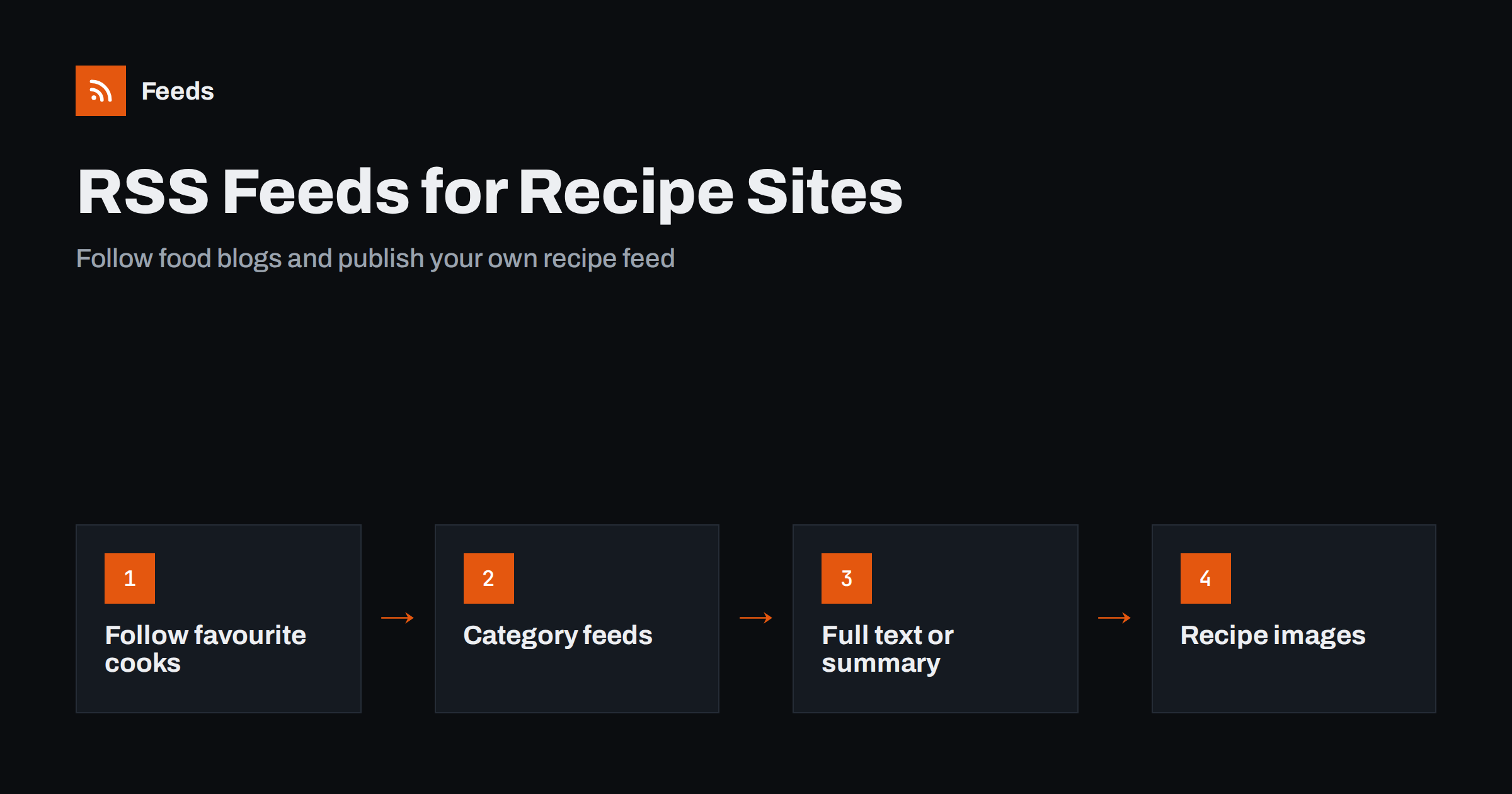
Short answer: Most recipe sites and food blogs run on WordPress or a similar platform and already publish an RSS feed, usually at the site address with /feed/ added. Readers can follow their favourite cooks in one place, or follow just a category such as baking. Food bloggers can use their feed to reach readers directly, to power email and social sharing, and should decide whether it shows full recipes or a summary with a link.
Why recipe sites and RSS suit each other
Recipes are a perfect match for feeds. They are published regularly, they are often seasonal, and readers want to see each new one without remembering to visit. A food blog may publish two or three recipes a week, and a reader who follows twenty blogs would otherwise need twenty bookmarks and plenty of discipline. A feed reader collects them all in one list, in order, with the photo and the first lines of every post.
Feeds also solve a modern annoyance. Many recipe pages are long, with a story before the recipe itself, and cluttered with notices and ads. A reader shows each post in a clean layout, and for many sites you can see the recipe summary without the clutter, depending on how the feed is set up. Followers get what they came for, and bloggers get a loyal audience that does not depend on a social media algorithm.
How to find a recipe site’s feed
Finding the feed takes a minute. Try these in order.
- Look for an RSS icon or a “subscribe” link in the header, footer or sidebar.
- Add /feed/ to the site address. On WordPress sites this almost always works, for example example.com/feed/.
- Paste the site address into your reader. Most readers detect the feed automatically from the page’s code, using the autodiscovery link described in RSS autodiscovery.
- Check the page source for a link with the type application/rss+xml.
If none of this works, the site may have switched its feed off, or it may use a platform with a different pattern. The guide to WordPress feed URLs lists every feed a WordPress site already has, and feeds on Substack, Ghost, Medium and other platforms covers the others.
Following one kind of recipe
Most people do not want every post from every site. You may care about weeknight dinners but not cocktails, or about baking but not grilling. There are two ways to narrow things down.
- Category and tag feeds. On WordPress, every category and tag has its own feed: the archive address with /feed/ added, for example /category/baking/feed/. This is the cleanest option, because the site does the sorting for you. The idea is explained in how to follow just one section or category of a website.
- Keyword filters. If a site has no useful categories, filter the main feed by words such as vegetarian, sourdough or slow cooker. Many readers and automation tools support keyword rules, as shown in keyword alerts using RSS feed filters.
A third option is to merge your favourites into one feed and filter that, so that a single list contains only what you want to cook this month.
Building a seasonal reading list
Recipe interest follows the seasons. In autumn you may want soups and baking, in summer salads and barbecue, and in December biscuits and festive menus. Keyword filters make a changing reading list easy: keep a base feed with your favourite sites and switch the filter words with the season. You can also set up a temporary feed for a project such as planning a party menu, collecting ideas for a month and then deleting it.
Some people connect a feed to a meal planning tool or a notes app, so new recipes land in a list they can sort. The ways to send feed items to other tools are described in sending feed items to a Notion database. The reading side is covered in how to choose an RSS reader.
For food bloggers: full text or summary?
If you publish recipes, the biggest feed decision is how much of each post to include. With full text, subscribers read the whole recipe in their reader, which is convenient, but you lose the page view and the advertising or product sales that go with it. With a summary, the reader sees the title, the photo and a short introduction, and clicks through for the recipe. Many bloggers choose the summary for exactly this reason.
There is no right answer. Think about what your site depends on. If you earn from ads, a summary protects that. If your goal is to build an audience for a cookbook or an email list, full text may build goodwill. In WordPress the setting is found in the reading options. The trade-offs are explained in full text or summary: choosing what your RSS feed shows.
Whichever you choose, make the summary useful. A feed item that says only “Read more” gives nobody a reason to click. A good one has the dish name, one sentence of description, the key detail such as time or serving size, and a good photo.
Images, recipe cards and structured data
Food is visual, so images matter in your feed. Make sure each post has a featured image and that it appears in the feed, since many readers and tools use it as the thumbnail. The guide to adding featured images to your WordPress RSS feed shows how.
Recipe plugins add a structured recipe card to the page, with ingredients, steps and times, and often add structured data that search engines can read. That data lives on the page and in its code. Whether the recipe card itself appears in the feed depends on the plugin and the feed setting, so test your own feed in a reader and see what a subscriber sees. If the card is missing, the summary should still point to it clearly. Structured data and feeds are different layers, as explained in how JSON-LD structured data helps turn pages into feeds.
Sharing new recipes automatically
A feed is also the easiest way to announce new recipes. When a new post appears in your feed, a tool can share it to your social channels, add it to an email digest or send a message to a community group. For food, the most useful channels are the visual ones, and photo-led platforms reward consistency. Pin boards in particular suit recipes, and the approach is covered in auto-pinning new blog posts to Pinterest from RSS. Email works well too, as shown in turning an RSS feed into an automatic email newsletter.
Use a template that includes the dish name, one appetising sentence and the link. Avoid posting the same recipe repeatedly, and leave space for hand-made posts such as behind-the-scenes photos and answers to questions.
Protecting your recipes
Recipe content is often scraped and republished by sites that add nothing of their own. A feed with full text makes this easier. If it matters to you, use summaries, delay the feed slightly after publication, and keep an eye out for copies. The practical steps are in how to stop scrapers republishing your feed content.
How RSS Feed Creator helps
Some recipe sites have no feed, or only one for the whole site. RSS Feed Creator can turn a recipe listing page into a clean RSS feed with titles, images, summaries and dates, and shows you a preview before anything is created. It can merge up to ten sources into one feed and keep only items that contain, or do not contain, the words you choose, which suits a seasonal reading list. Plan limits are on the pricing page.
Related reading
- How to subscribe to RSS feeds: a beginner’s step-by-step guide
- How to merge multiple RSS feeds into one clean feed
- Product feeds for grocery and food stores: what to include
The bottom line
RSS lets readers follow the cooks they like without an algorithm, and it gives food bloggers a direct line to their audience. Readers can follow whole sites or single categories and filter by season. Bloggers should choose full text or summary on purpose, make sure the photo is in the feed, test what subscribers really see and use the feed to share new recipes.
FAQ
Where is the RSS feed of a food blog?
On most WordPress-based blogs it is the site address with /feed/ added. You can also paste the site address into a reader, which will usually detect the feed by itself.
Can I follow only the baking recipes of a site?
Often yes. On WordPress every category has its own feed, which is the category archive address with /feed/ added. If not, filter the main feed by keywords.
Should a food blogger put full recipes in the feed?
It depends on how the site earns. A summary with a photo and a link protects page views and ads, while full text builds goodwill but makes copying easier. Choose deliberately and test the result in a reader.
Why does my recipe card not show in my feed?
Recipe cards are added by a plugin and may not be included in the feed content, depending on the plugin and your settings. Check the feed in a reader and make sure the summary points readers to the recipe on the page.
Can I share new recipes to social media automatically?
Yes. A tool can watch your feed and share each new post with a template that includes the dish name, a short line and the link. Keep some posts hand-made so that the channel does not feel automatic.