ENEnglish
 LTLietuviškai
 DEDeutsch
 FRFrançais
 RUРусский
 ESEspañol
 PLPolski
 ITItaliano
 UKУкраїнська
 CSČeština
 PTPortuguês
 JA日本語
JA日本語 LVLatviešu valoda
 ETEesti
 HUMagyar
 IDBahasa Indonesia
 TRTürkçe
 HIहिन्दी
 ELΕλληνικά
 ARالعربية
 THไทย
THไทย VITiếng Việt
 RORomână
 MSBahasa Melayu
 BNবাংলা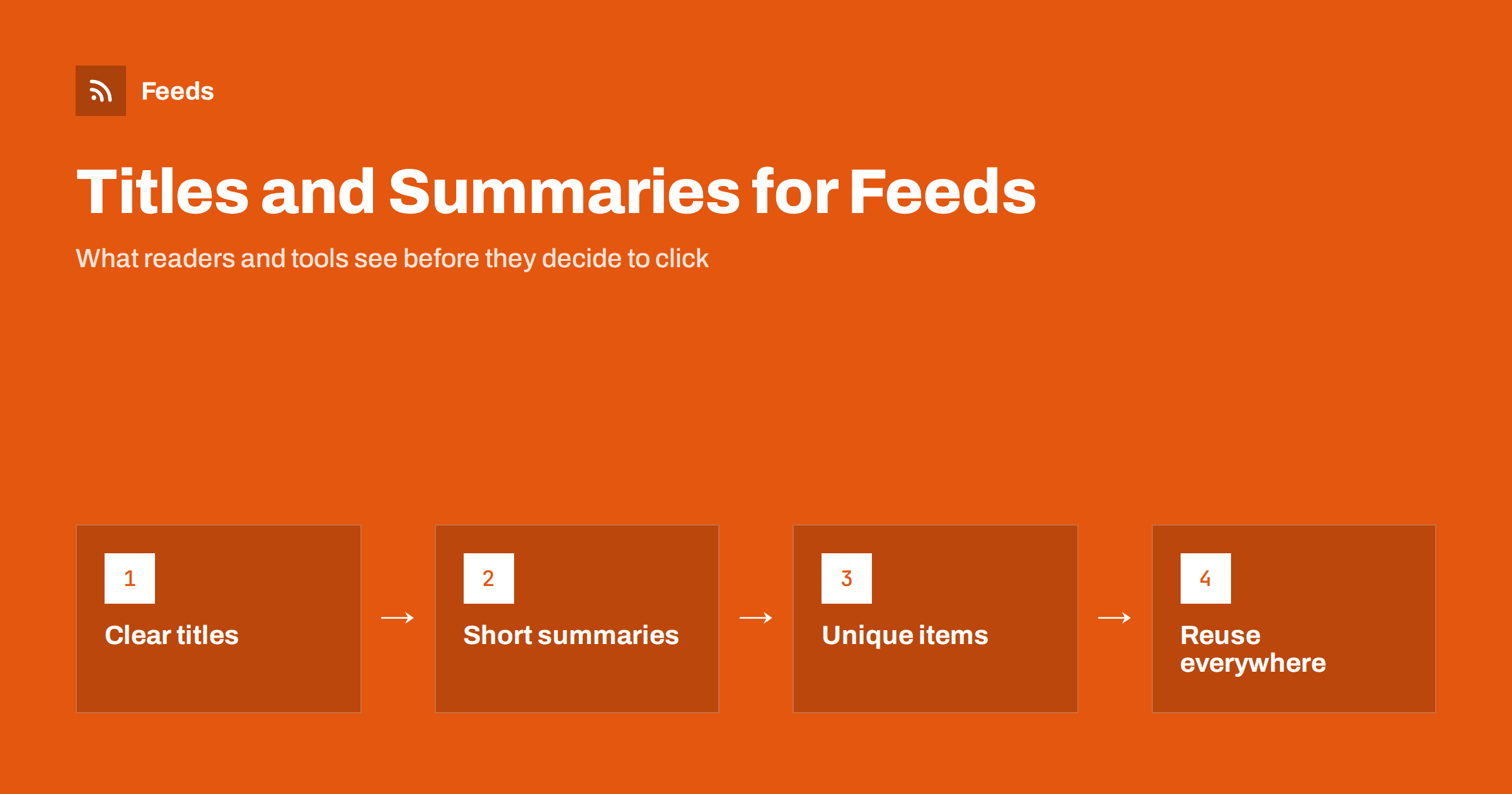
Short answer: In a feed, the title and the summary are all a reader sees before deciding to open an item, and automated tools often use them as the post text too. Write titles that make sense on their own, put the key words first and keep them short. Write a summary of one or two plain sentences that adds something the title does not, and make every item unique so that nothing looks like a duplicate.
Why feed titles matter more than page titles
On a website, a title appears with a design around it: a picture, a section name, a date and often a lead paragraph. In a feed reader, that context is mostly gone. The reader shows a list of titles, perhaps with a short snippet, and the person scrolling decides in a second whether to open one. Email digests and automated social posts work the same way. They take the title and summary of each item, often unchanged, and put them in front of an audience that has never seen your page.
That means a title that works well on your site can fail in a feed. A headline like “Part 2” or “It happened again” makes sense when you arrive from a link in context, and none at all in a list of fifty items. Writing for the feed is mostly about making each item understandable when it stands alone.
Write the title to stand on its own
A good feed title states what the item is about in plain words. If someone read only that line, they should know whether it concerns them. A few rules help with most titles:
- Put the key words first. Readers scan the beginning of each line, and narrow screens cut the end. Lead with the subject, not with a vague opening.
- Keep it short. Around 50 to 70 characters is a safe range for most readers and for social posts. Longer titles are cut off or wrap into several lines.
- Be specific. “New opening hours from 1 March” is better than “Important update”.
- Avoid clickbait. Teasers that hide the point may get a click, but they train readers to ignore you and increase unsubscribes.
- Do not rely on a series name. If a title only works with “Part 3” at the end, put the topic first and the part number last.
Avoid adding the site name to every title. Readers show the feed name next to each item already, and a repeated suffix uses space that the real headline needs. If the suffix comes from your SEO settings, check what your feed outputs, since some systems reuse the page title and some use the post title.
Keep titles unique and stable
Titles that repeat make a feed look like it contains duplicates, even when the items are different. A weekly digest called “Weekly update” every time is hard to tell apart in a long list. Add the date, the main topic or the issue number so each one is clear. For example “Weekly update: spring opening dates” tells the reader what is new.
Titles should also stay stable after publication. Some readers and tools use the title together with other fields to recognise an item. If you change a headline later, a tool may treat the item as new, or may never notice the change. The rules for identifying items are explained in RSS GUIDs and why readers show old posts as new, and the effect of later edits on automated posts is in edited and deleted source items in automated posting.
Write a summary that adds something
The summary, which most feeds carry in the description element, has a different job. It should tell the reader why the item is worth opening, not repeat the title in other words. The first sentence should add context or a reason: who it is for, what changes or what the reader will learn. A second sentence can add a detail or a number.
Keep summaries in plain text, between about 100 and 250 characters. Many readers and tools show only the beginning, and plain text looks the same everywhere. If your system generates the summary from the first words of the article, check that those words are useful. An article that starts with “In this post we will…” gives a poor summary. Rewrite the opening, or write the summary by hand in the excerpt field. In WordPress, for example, the excerpt is used for summary feeds when you provide one.
Decide between a summary and full text
The choice of what the feed contains affects how much the title and summary matter. In a summary feed, they are almost everything, so they need to be strong. In a full-text feed, the reader sees the whole article, but the title still decides whether it gets opened, and automated tools usually take only the first lines. The trade-offs, including effects on traffic and on scrapers, are in full text or summary: choosing what your RSS feed shows.
Whichever you choose, avoid junk at the start of the content. Share buttons, author notes and subscription prompts at the top push the real text down and spoil the snippet. Put them at the end or leave them out of the feed.
Think about where else the text will appear
Feed text is rarely read only in a reader. It travels into email digests, chat channels and social posts, and each of them uses it differently.
- Social posts: platforms cut text at different lengths, so a title that fits in about 70 characters leaves room for a link. Templates often add a short phrase before or after the title, as described in writing post templates for automated social media feeds.
- Email digests: summaries become the teaser lines of a newsletter. The method is in how to turn an RSS feed into an automatic email newsletter.
- Chat channels: a title with a clear topic lets team members decide quickly whether to open a message, as in sending RSS feed updates to a Slack channel.
- Search and AI summaries: clear, factual titles and summaries are easier for any tool to quote correctly.
Write once for the strictest case, which is usually the social post, and the same text will work everywhere else.
Handle special characters and formatting
Titles and summaries travel as text inside XML, so characters such as ampersands, angle brackets and quotation marks must be escaped or wrapped correctly. Otherwise readers may show broken characters or stop reading the feed. Emoji in titles are usually safe in modern readers but can look odd in some tools, so use them sparingly and never as the only carrier of meaning. The causes of broken characters and how to fix them are in RSS feed encoding errors and CDATA.
Avoid HTML tags in titles. Summaries may carry basic HTML in some feeds, but plain text is more reliable across readers and tools.
A quick before-and-after
Consider an item titled “News” with the summary “We have news. Read more on our website.” It tells the reader nothing, and an automated post made from it would look empty. A better version could be “Spring opening hours start on 1 April” with the summary “Our shop opens one hour earlier from Monday to Saturday. Read the full list of changes and holiday closures.” The second version is longer, but each word does some work, and it makes sense without any context.
The effort of improving titles is small compared with writing the content itself, and it pays back every time an item appears in a list. A final tip is to read your last ten items in a reader exactly as subscribers see them. Weak spots tend to be obvious.
How RSS Feed Creator helps
When RSS Feed Creator builds a feed from a page that has none, it takes the title, link, image, summary and date of each item, and shows a preview before anything is created. If the titles look unclear in the preview, you will see it at once and can fix the source. You can also keep only the items that contain, or do not contain, the words you choose. Feeds refresh automatically, and plan limits are on the pricing page.
Related reading
- RSS feed best practices for publishers: a 24-point checklist
- Anatomy of an RSS 2.0 feed: every element explained
- How many items should your RSS feed include?
The bottom line
A feed title and summary have to work without the page around them. Lead with the subject, keep titles short and specific, make every item unique and keep titles stable after publication. Write summaries in plain text that add a reason to click, avoid junk at the start of the content and check how the text looks in a reader, an email and a social post. Small edits here improve every channel at once.
FAQ
How long should an RSS item title be?
Around 50 to 70 characters is a safe range. Longer titles get cut off in many readers and social posts, so put the key words at the start.
Should I include my site name in every title?
Usually not. Readers show the feed name already, and a repeated suffix takes space from the headline. Check what your feed outputs, since it may reuse your SEO title.
How long should the summary be?
One or two plain sentences, roughly 100 to 250 characters. Many tools show only the beginning, so the first sentence must carry the reason to open the item.
Can I change a title after the item is published?
You can, but some readers and tools may treat the change as a new item or never notice it. Fix typos, and avoid rewriting headlines unless you must.
Do emoji work in feed titles?
Most modern readers handle them, but display varies between tools. Use them sparingly and never as the only way to carry meaning.