ENEnglish
 LTLietuviškai
 DEDeutsch
 FRFrançais
 RUРусский
 ESEspañol
 PLPolski
 ITItaliano
 UKУкраїнська
 CSČeština
 PTPortuguês
 JA日本語
JA日本語 LVLatviešu valoda
 ETEesti
 HUMagyar
 IDBahasa Indonesia
 TRTürkçe
 HIहिन्दी
 ELΕλληνικά
 ARالعربية
 THไทย
THไทย VITiếng Việt
 RORomână
 MSBahasa Melayu
 BNবাংলা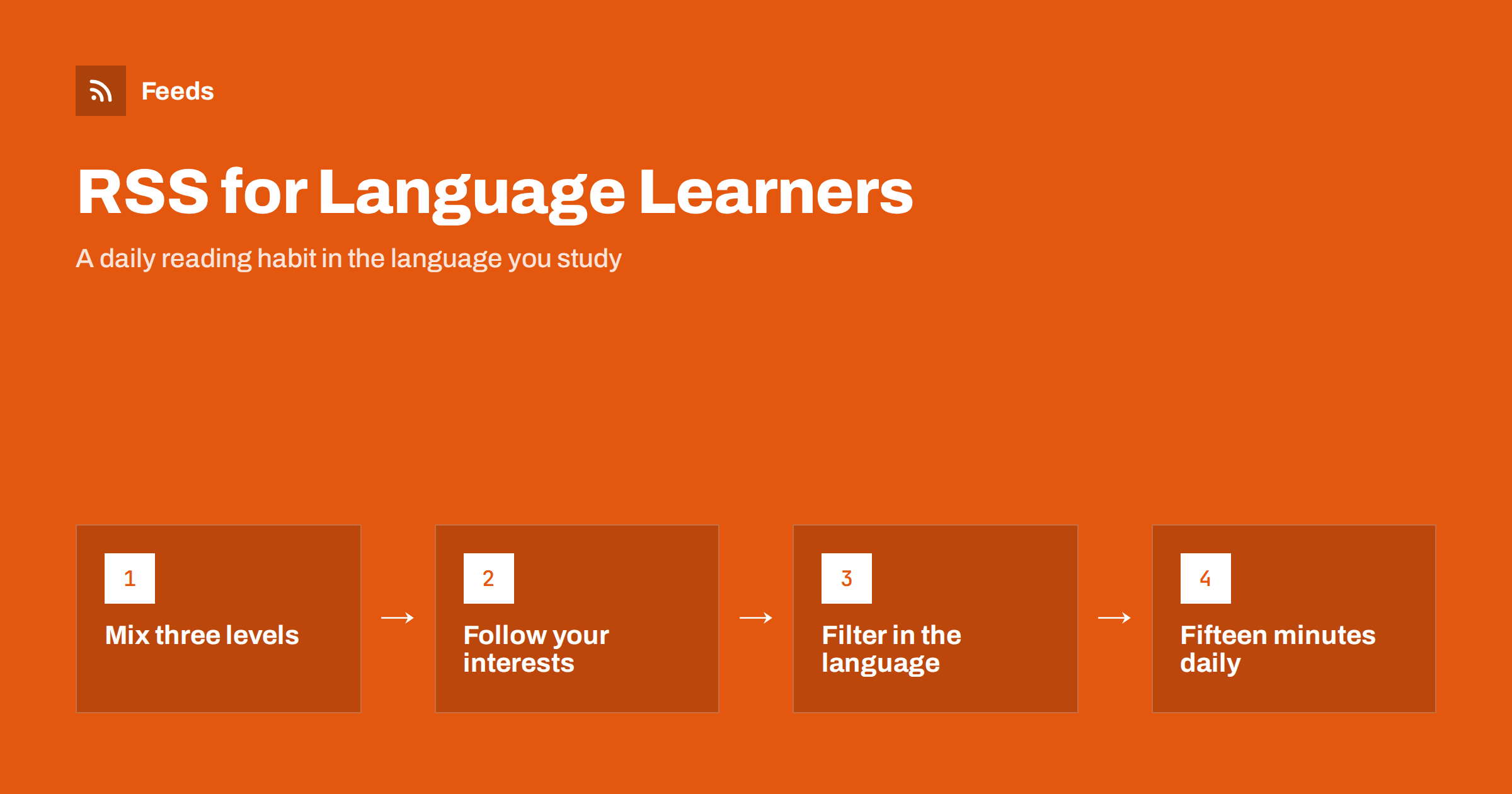
Short answer: RSS helps language learners because it brings short, real texts in the target language to one place every day. Subscribe to a mix of easy-language news, learner-friendly blogs and a few native sources about topics you enjoy, add podcasts for listening, and filter busy feeds by keywords in the language you are learning. Then spend ten to fifteen minutes a day scanning headlines and reading one article properly. Consistent daily input matters more than any single source.
Why RSS works so well for language learning
Most language learners know that regular reading helps. The problem is finding something to read every day without spending half the time searching. Websites in another language are harder to browse, social media mixes a few useful posts with a lot of noise, and newsletters arrive at random times in an inbox already full of work.
An RSS reader solves the practical part. You choose the sources once, and every new article appears in one list with a headline and usually a short summary. Headlines are an excellent learning format in themselves: short, current and full of the vocabulary people actually use. When one catches your interest, you open the full article. When you are tired, you can simply scan headlines for five minutes and still practise.
RSS also keeps you in control. There is no algorithm deciding what you see, so you can keep the balance between easy and difficult material exactly where you want it. If you are new to feeds, start with how to subscribe to RSS feeds.
Choose sources at three levels
The most common mistake is subscribing only to major national newspapers. They are excellent, but for an intermediate learner almost every article is a struggle, and the habit fades within a week. A better approach is to mix three levels:
- Easy level. Many public broadcasters and educational organisations publish news in simplified or “easy” language, written with short sentences and common words for learners and other readers. These are ideal for daily reading.
- Middle level. Blogs, regional news, hobby websites and magazines for young readers use everyday language and familiar topics. They are often easier than national news because the subjects are concrete.
- Native level. One or two major news sites or specialist publications in your field. Read headlines here daily and a full article now and then.
As your level improves, shift the balance: fewer easy sources, more native ones. Because everything lives in one reader, this takes a few clicks rather than a new routine.
Follow topics you already care about
Motivation comes from interest. If you love cooking, football, technology or gardening, find sources about it in your target language. You already know the subject, so you can guess unknown words from context, and the vocabulary you learn is vocabulary you will actually use.
Topic sources also solve the problem of repetitive news. General news in any language can be heavy and repetitive; a feed of recipes, match reports or product reviews gives you variety and lighter reading on days when you need it.
The same approach works for listening. Podcasts are distributed through RSS, so you can follow podcasts in your target language in the same way, either in a podcast app or alongside your reading. Our guide on finding the RSS feed URL of any podcast explains how.
When a favourite site has no RSS feed
Many websites still publish a feed, even if it is not advertised. Try adding the site’s address directly to your reader, which often finds the feed automatically, or look for an RSS icon in the footer. News sites frequently offer separate feeds per section, which is useful when you only want culture or sport.
Some sites, especially smaller blogs and easy-language news pages, do not offer a feed at all. In that case, a page-to-feed tool can turn the list of articles on the page into a feed you can subscribe to, as long as the page is public. The guide to monitoring foreign-language websites with RSS covers this in more depth, with a focus on business sources rather than learning.
Filter busy feeds by keywords in your target language
Large news sites publish dozens of articles a day, and a learner cannot read them all. Keyword filters help: keep only items whose title or summary contains words you care about, written in the language you are learning. A learner of German who loves cycling might keep items with “Fahrrad” or “Radsport”, for example.
This has a useful side effect. Choosing filter words makes you think about vocabulary, and seeing those words in new headlines every day reinforces them. You can also use exclude words to remove topics that you find too heavy or too difficult. The details of include and exclude rules are explained in keyword alerts with RSS feed filters.
A fifteen-minute daily routine
A routine that fits a busy day is more valuable than an ambitious one you abandon. This one works for most learners:
- Scan headlines for five minutes. Read them without a dictionary and try to understand the general meaning. Mark interesting articles with a star or save them.
- Read one article for eight minutes. Choose one at or slightly above your level. Read it once for meaning, then again more slowly.
- Note a few words for two minutes. Write down three to five useful words or phrases in context, not as isolated words.
On weekends, read one longer article from a native source or listen to a podcast episode. If a day is too busy, scanning headlines alone still keeps the habit alive.
Organise your reader for learning
A reader that is overflowing with unread articles becomes stressful, and stress kills learning habits. A few simple settings help:
- Use folders by level, such as Easy, Middle and Native, so you can choose your challenge depending on your energy.
- Mark everything older than a few days as read. News loses its value quickly, and there is always more tomorrow.
- Prefer feeds with summaries or full text so you can read inside the reader without opening many tabs.
- Save long articles for later in a read-later app, where reading is more comfortable.
For more ideas, read how to organise your RSS reader so it never overwhelms you.
Common mistakes learners make with feeds
RSS makes reading easy to start, but a few habits can quietly undo the benefit. Watch out for these:
- Subscribing to too much on day one. Fifty feeds produce hundreds of unread items a day. The reader starts to feel like homework, and you stop opening it. Start small and add sources slowly.
- Reading only what is easy. Easy sources build confidence, but you also need texts slightly above your level to make progress. Keep at least one source that challenges you.
- Translating every word. Looking up each unknown word turns reading into slow decoding. Try to understand the main idea first and look up only words that block meaning or appear repeatedly.
- Ignoring headlines. Headlines are compact and full of current vocabulary. Even on days with no time for articles, scanning them is real practice.
- Never reviewing saved words. Collecting vocabulary is only half the work. Review your notes once a week, ideally with the sentence where you found each word.
Most of these mistakes come from treating the reader as a to-do list. Think of it as a newsstand instead: you pick what interests you today and walk past the rest without guilt.
How RSS Feed Creator helps
RSS Feed Creator (Feeds) turns public web pages without RSS, such as easy-language news pages or small blogs, into clean feeds with titles, images, summaries and dates, and uses a site’s existing feed when there is one. You can merge several sources into one feed, keep only items with your words, or drop items with words you do not want, in any language the page uses. Duplicates are removed automatically, you see a preview before the feed is created, and the feed works in any RSS reader. You can create a feed on the free plan.
Related reading
- How to choose an RSS reader
- RSS reader vs read-later app
- How to monitor foreign-language websites with RSS
The bottom line
RSS gives language learners a steady supply of short, real texts in one place. Mix easy, middle and native sources, follow topics you already enjoy, filter busy feeds with words in your target language and keep a short daily routine. Fifteen minutes a day with headlines and one article builds vocabulary and reading confidence faster than occasional long study sessions.
FAQ
Is RSS useful for beginners in a language?
Yes, if you choose easy-language sources. Simplified news and texts for learners work well from a lower intermediate level. Complete beginners can start by scanning headlines and recognising familiar words.
Which RSS reader is best for language learning?
Any reader that supports folders, shows summaries or full text and works on your phone is enough. Pick one you enjoy opening every day, because the habit matters more than the features.
Can I follow podcasts in my target language with RSS?
Yes. Podcasts are distributed as RSS feeds, so you can subscribe in a podcast app or add the feed to a reader that supports audio.
How many feeds should a language learner follow?
Start with five to ten: a few easy sources, a few on topics you enjoy and one or two native news sites. Add more only when you regularly finish your daily reading.
What if a learning website has no RSS feed?
Try adding the address to your reader first, since many sites have hidden feeds. If there is none, a page-to-feed tool can turn the public list of articles into a feed.