ENEnglish
 LTLietuviškai
 DEDeutsch
 FRFrançais
 RUРусский
 ESEspañol
 PLPolski
 ITItaliano
 UKУкраїнська
 CSČeština
 PTPortuguês
 JA日本語
JA日本語 LVLatviešu valoda
 ETEesti
 HUMagyar
 IDBahasa Indonesia
 TRTürkçe
 HIहिन्दी
 ELΕλληνικά
 ARالعربية
 THไทย
THไทย VITiếng Việt
 RORomână
 MSBahasa Melayu
 BNবাংলা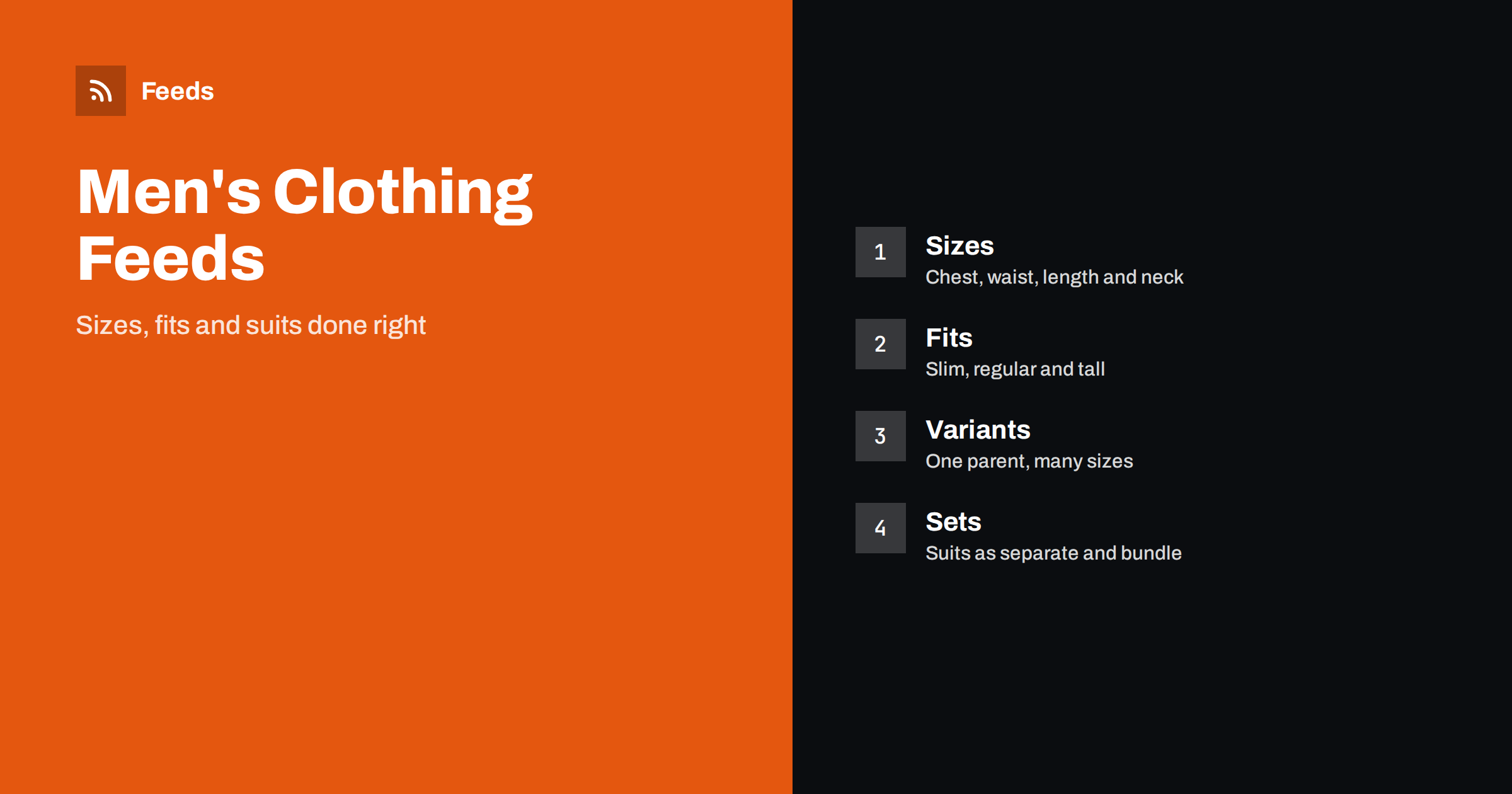
Short answer: Men’s clothing and formalwear shops sell products where size and fit decide the purchase. A good product feed gives each item a title that leads with brand, type and key detail, uses complete size, colour, gender and age group attributes, groups variants under one parent product, describes materials and fit factually and sends shoppers to a landing page that shows the same size, colour and price. Suits, shirts and shoes need their own size systems, so keep them consistent and take the values from the maker’s size chart.
Why this category needs careful feeds
Menswear looks simple, but the data behind it is detailed. A shirt has a neck size and a sleeve length, trousers have a waist and a leg length, a suit jacket has a chest size and a length class and shoes follow yet another system. Shoppers search for exactly these numbers, and returns for wrong sizes are the main cost of the category. A feed that hides or mixes the sizes loses clicks and creates returns.
The demand is also seasonal: weddings, graduations, winter coats, summer shirts and the holiday gift period each have their own peak. The foundations are covered in what a product feed is, and this category simply needs every detail to be precise before the season begins.
Titles that lead with brand, type and key detail
Shoppers search by garment type and a distinguishing detail, for example “slim fit navy suit” or “men’s white formal shirt”. Start with the brand and the product type, then add the detail that matters most, such as fit, material or colour, and add the size only when it is part of the product. “Brand Men’s Slim Fit Wool Blend Suit, Navy” is clear. “The Gentleman’s Choice” is not.
Use the same order across the catalog so that products compare easily, and avoid listing every size in the title. Sizes belong in the size attribute. More formulas and examples are in product feed title optimization.
Sizes, gender and age group
Clothing needs the size, colour, gender and age group attributes, and men’s products normally use the male value for gender and the adult value for age group. Use the size labels exactly as they appear on the product page and keep one size system per product, such as letters, chest numbers or waist and length pairs. When a brand uses a two-part size such as waist and leg length, write it in the same way everywhere and link to the size chart on the page.
The rules are explained in apparel product feeds: color, size, gender and age group. For shoes, product feeds for shoe stores covers sizes and widths. Send only the sizes you actually sell and keep stock accurate at variant level.
Fit, length and cut
Fit is a key search term in menswear: slim, regular, relaxed, tall, short and big sizes are all things shoppers type. Put the fit in the title or the product details where it is a real property of the product, and keep the wording the same as on the product page. Where a brand sells the same model in several fits, treat each fit as a separate product or a clear variant, with its own images and size chart.
Do not describe fit in a way that cannot be checked, such as “fits everyone”. Quote the maker’s measurements and give a short fit guide on the page. The feed should point to the page where the guide appears, and the sizes in the guide should match the sizes in the feed exactly.
Colours, patterns and materials
Use clear colour names that match the product photos, and keep one main colour value per variant. Patterns such as check, stripe or plain are useful in the title when shoppers search for them. For materials, take the composition from the label and the maker’s data, for example the share of wool or cotton, and never round it up to make the product sound better.
Richer fields help here, and product_highlight and product_detail show how to present facts such as care instructions, lining or stretch. Keep claims modest and factual, in line with writing product descriptions for shopping feeds.
Suits, separates and bundles
Formalwear is often sold in pieces and in sets. A suit may be sold as a jacket and trousers that can be bought in different sizes, or as one set with a fixed size. Decide how your shop sells it and make the feed match: separate products for separate pieces, and one product for a set. A set that includes a shirt or tie needs its own listing with its own price and identifier.
The setup is explained in bundles and multipacks in product feeds. The title of a set should say what is included, and the landing page should show the same set at the same price. When a customer can mix sizes for the jacket and trousers, make that clear on the page and keep the stock for each piece correct.
Accessories deserve the same care: belts have a length, ties have a width, cufflinks and watches have materials and sometimes a gift box. For watches and jewellery the same principles are explained in product feeds for jewelry and watches, and for bags in product feeds for bag and luggage stores. Keep each accessory as a separate product with its own identifier and image.
Identifiers, brand and variants
Branded garments usually have a GTIN for each size and colour, and you should send it. For items made for your own label, send your brand and a stable product code, and never invent a number. A wrong identifier is worse than a missing one, because platforms compare it with their own catalog.
Use one parent product with variants for sizes and colours, linked by a shared group ID, and give each colour its own image. The setup is described in how item_group_id works and GTIN, MPN and brand. Avoid mixing different models or fits in one variant group, because shoppers then see sizes that do not belong together.
Images, landing pages and seasons
Use clean photos on a plain background, plus pictures that show the garment worn or the details of collar, lining and stitching. Avoid text overlays and promotional badges. Each colour needs its own image, and the landing page must open the same variant with the same price and availability, as covered in what feed links must lead to and product feed image requirements.
Prepare the catalog weeks before each season. Check prices, stock, delivery times and sale prices, and mark preorders correctly. Preparing your product feed for Black Friday and peak season has a checklist that fits any busy period, and sale_price and effective dates explains how to run clearance sales cleanly. Weekly, review disapproved items and compare the feed with the shop for a few popular sizes.
Returns are part of the category, so make the return policy easy to find and keep shipping settings accurate, as explained in shipping in product feeds. Clear terms before the purchase give customers confidence and reduce disputes. When a size sells out, mark the variant as out of stock rather than leaving it live, as discussed in out-of-stock products in your feed.
How RSS Feed Creator helps
RSS Feed Creator builds Google Merchant Center and Meta catalog XML straight from your store. WooCommerce and Shopify are read automatically, and any other store can use a CSV link. You can skip out-of-stock products, rewrite titles with rules so that brand, type and key detail appear in the same order every time, and adjust prices. Before you submit anything, check the preview and the Merchant Center diagnostics to confirm that sizes, colours and stock arrive as you expect. The free plan includes product feeds with up to 50 products, and the Store plan covers one store with 3 product feeds and up to 2,000 products. The details are on the pricing page.
Related reading
- Apparel Product Feeds: Color, Size, Gender and Age Group
- Product Feeds for Shoe Stores: Sizes, Widths and Systems
- Product Feeds for Workwear and Safety Equipment Stores
The bottom line
Clean feeds for men’s clothing and formalwear come from precise titles, complete size and fit attributes, honest material descriptions, correct variants and sets and a landing page that matches the ad. Check the preview before you submit, fix what the diagnostics report and prepare stock before each season. Accurate sizes reduce returns more than any clever title.
FAQ
Should every shirt size be a separate product?
No. Use one parent product with a variant for each size and colour, linked by a shared group ID, and give each variant its own identifier, price and availability.
How do I list a suit sold as jacket and trousers?
List each piece as its own product if customers can choose sizes separately, and list a set as a separate product with a clear title that says what is included.
Which gender and age group values should I use?
Men’s clothing normally uses the male gender value and the adult age group. Use unisex only for products that are really sold as such.
How do I handle slim, regular and tall fits?
Put the fit in the title or product details when it is a real property of the product and keep the wording the same on the page. Treat different fits as separate products or clear variants.
When should I update the feed for a season?
Several weeks before the peak. Check stock, prices, delivery dates and landing pages for your best sellers, and fix disapproved items early.