ENEnglish
 LTLietuviškai
 DEDeutsch
 FRFrançais
 RUРусский
 ESEspañol
 PLPolski
 ITItaliano
 UKУкраїнська
 CSČeština
 PTPortuguês
 JA日本語
JA日本語 LVLatviešu valoda
 ETEesti
 HUMagyar
 IDBahasa Indonesia
 TRTürkçe
 HIहिन्दी
 ELΕλληνικά
 ARالعربية
 THไทย
THไทย VITiếng Việt
 RORomână
 MSBahasa Melayu
 BNবাংলা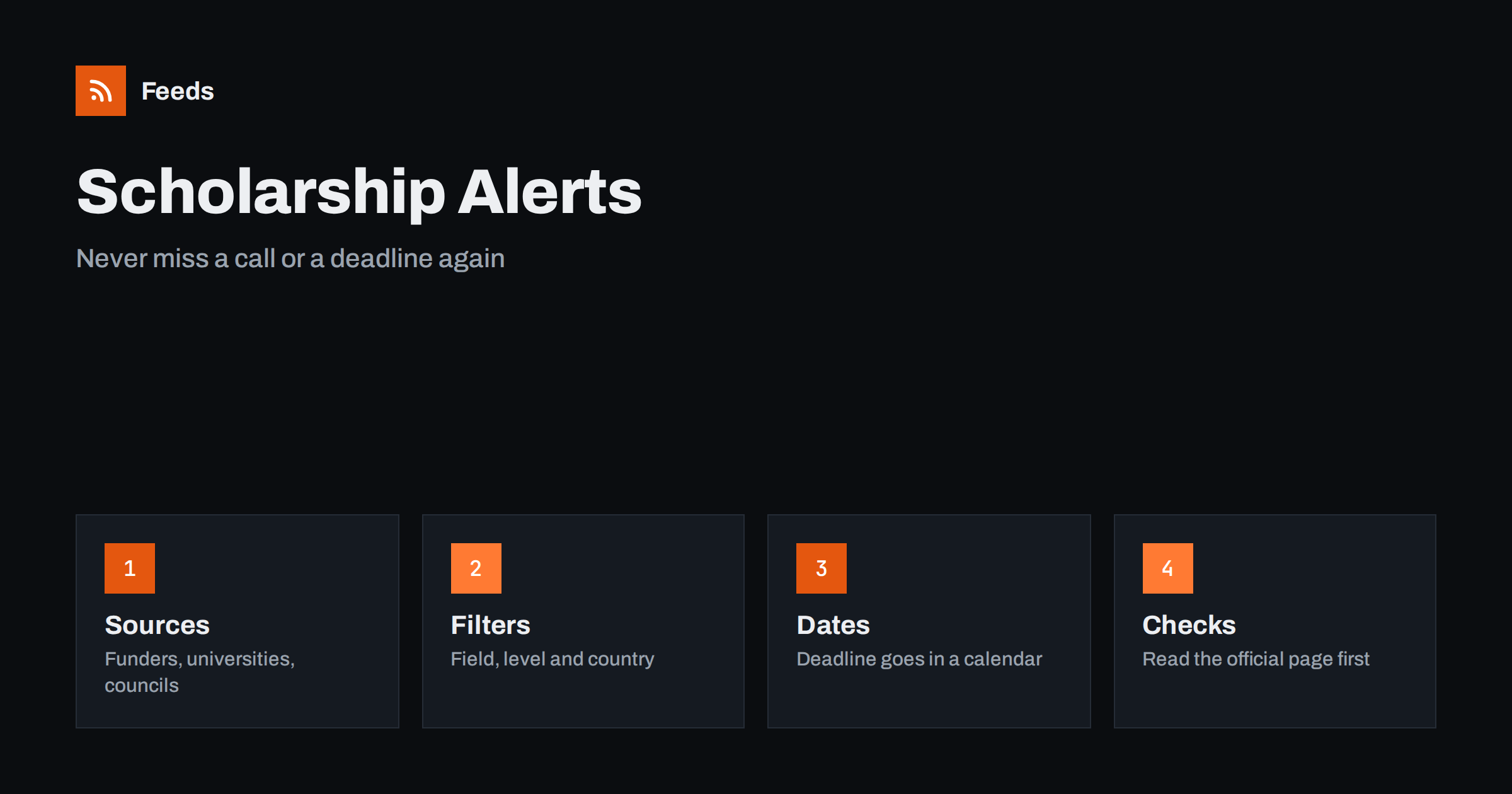
Short answer: Scholarship calls are scattered across university pages, foundations, public bodies and employers, and most of them do not send reminders. An RSS feed lets you collect the announcement pages you care about in one place, filter them by field, level and country, and send the matches to a reader, a chat or your phone. The feed will not tell you whether you are eligible, and it cannot replace reading the official rules, but it makes sure you hear about a call while there is still time to prepare a good application.
Why scholarship deadlines are easy to miss
Most scholarships are announced once, on a page that nobody tells you about. A foundation posts a call in spring, a university adds a new award to its funding page, a city council opens a small fund for local students. Each source has its own calendar and its own habits, and none of them knows who you are. If you only search when you feel the need for money, you will often find that the best calls closed a month ago.
The problem is not a lack of information but a lack of attention at the right time. Applications also take longer than people expect: references, transcripts, a motivation letter, sometimes a proposal. A deadline you learn about two days before it closes is a deadline you will probably skip. A feed of announcements moves the discovery earlier, so that preparation can start while the call is still new.
Which sources are worth watching
Build a short list of sources that actually publish calls, rather than aggregator pages full of old entries. Good candidates include:
- Your own institution. The funding, awards or student services page of a university or college, and the news page of your department.
- Foundations and charities that support your field, region or background. Their news or “apply” pages often announce new rounds.
- Public bodies. Ministries, agencies and local councils that run grants for students, researchers or trainees. The approach for institutional announcements is described in tracking grant and funding announcements with RSS.
- Professional associations that offer student awards, travel grants and bursaries. See following industry associations with RSS.
- Employers and training programmes that publish sponsored places, apprenticeships or scholarships on their careers or news pages.
Start with five to ten sources. It is better to read a small list carefully than to follow a hundred pages and ignore all of them. You can always add sources when you notice a gap.
Turning pages without a feed into a feed
Many of these pages have no RSS feed of their own. A funding page may be a plain list of awards, and a university may publish updates in a section that was never given a feed. In that case a page-to-feed tool reads the list of items on the page from the outside and produces a feed with titles, summaries and dates. How such tools find the items is explained in how a page becomes a feed, and the general method is in creating an RSS feed for a website without RSS.
Check the preview before you rely on a feed. A good preview shows the real award names and dates, not menu links and cookie notices. If the page lists awards with no dates, the feed will tell you that something changed but not when it closes, and you will still need to open the page to read the deadline.
Filter by field, level and country
Scholarship pages mix everything: undergraduate and doctoral awards, travel grants, awards for particular nationalities, subject-specific prizes. After you merge several sources, a keyword filter keeps what applies to you. Typical keyword sets are your subject area, your level of study, your country or region and a few words such as “scholarship”, “bursary”, “fellowship” or “award”. The method is described in setting up keyword alerts with RSS feed filters.
Be generous with the first version of the filter. Missing a call because a keyword was too narrow costs more than reading a few extra titles. Look at what arrives for two weeks, then remove the words that bring only noise. If one funder uses “grant” and another uses “bursary” for the same thing, include both. Merging the sources first, as in merging multiple RSS feeds into one clean feed, means you filter once and read one list.
Put the deadline in a calendar, not in your head
The feed tells you that a call exists. It is your job to turn it into a date. When an interesting item arrives, open the official page, read the eligibility rules and the closing date, and put two entries in your calendar: the deadline itself and a “start preparing” date a few weeks earlier. Add the link to the call and a note about the documents you will need.
A simple tracking list helps. For each call, keep the name, the funder, the closing date, the documents required, who will write your reference and the status: considering, preparing, submitted, result received. After a season you will see which kinds of awards you actually apply for, and you can tighten the filter accordingly. If you work with a team or an adviser, a shared list avoids the situation where two people each believe the other has the deadline. A task tool can help; see turning new RSS feed items into tasks automatically.
Check before you trust any alert
A feed is only a pointer. Scholarship calls change, get extended, get withdrawn or turn out to be open only to a narrow group. Always open the official page and read the conditions before you spend time on an application. Be careful with pages that ask for payment to “unlock” scholarships or that list awards without naming the funder. A real call names the organisation behind it, states the eligibility rules and gives a way to contact a person. If any of those are missing, treat the page with suspicion.
Also remember that a missing item is not proof that there is nothing new. A page may change layout, move to a new address or be updated without a visible date. Once in a while, open your most important sources by hand, just to confirm that the feed still reflects what is on the page. The general discipline for this is covered in monitoring websites for new content automatically.
Delivery and rhythm
For a slow topic like scholarships, you do not need instant alerts. A daily or weekly digest is usually enough, as long as you actually read it. Choose a fixed moment, for example Monday morning, and go through the list. If you prefer a push when something in your exact field appears, send only the narrow, filtered feed to your phone, as described in RSS alerts as push notifications on your phone. Keep the broad feed for your weekly review.
Advisers and student services can do the same for many students: one shared feed for each field, sent to a channel or a newsletter. That turns a lot of individual searching into a single routine. Remember the reading limits of your audience: five well-chosen calls a week are more useful than thirty.
How RSS Feed Creator helps
RSS Feed Creator turns the award list or news page of a funder, university or public body into a clean RSS feed, even when the site has no feed of its own. It reads titles, images, summaries and dates, uses an existing feed when there is one, and shows a preview of the items before the feed is created. You can merge several sources into one feed (up to 10 on paid plans), keep only the items that contain your keywords and have duplicates removed automatically, which suits a themed watch on scholarships in one field. Feeds refresh every 3 hours on the free plan and every 30 minutes on paid plans, and paid plans send an alert when a page changes and a feed stops finding items. The free plan allows up to 20 items per feed, and the details are on the pricing page.
Related reading
- How Parents and Students Can Follow School News with RSS
- RSS Reader vs Read-Later App: How to Use Both Together
- How to Reduce Noise in RSS Alerts Without Missing Anything
The bottom line
Following scholarships with RSS means choosing a short list of real sources, merging them, filtering by your field and level, and turning every promising call into a dated entry in your calendar. The feed finds the announcement early; you read the official rules and decide. Used that way, it replaces a stressful last-minute search with a calm weekly routine.
FAQ
Can RSS tell me which scholarships I am eligible for?
No. A feed reports announcements; it does not read eligibility rules for you. Use keyword filters to narrow the list, then read the official page for each call before you apply.
What if the funder’s page has no RSS feed?
A page-to-feed tool can read the list of awards or news items on the page and build a feed from it. Check the preview to be sure it shows real award names and dates rather than menu links.
How many sources should I follow?
Start with five to ten sources that regularly publish calls: your institution, foundations in your field, public bodies and professional associations. Add more only when you find a gap.
How do I avoid missing a deadline after I find a call?
Open the official page, copy the closing date into a calendar and add a second reminder a few weeks earlier for preparation. Keep a simple list with the documents you need and the status of each application.
Should scholarship alerts be instant?
Usually not. Calls stay open for weeks, so a daily or weekly digest is enough if you read it consistently. Send only a narrow, filtered feed to your phone if you want an immediate notice.