ENEnglish
 LTLietuviškai
 DEDeutsch
 FRFrançais
 RUРусский
 ESEspañol
 PLPolski
 ITItaliano
 UKУкраїнська
 CSČeština
 PTPortuguês
 JA日本語
JA日本語 LVLatviešu valoda
 ETEesti
 HUMagyar
 IDBahasa Indonesia
 TRTürkçe
 HIहिन्दी
 ELΕλληνικά
 ARالعربية
 THไทย
THไทย VITiếng Việt
 RORomână
 MSBahasa Melayu
 BNবাংলা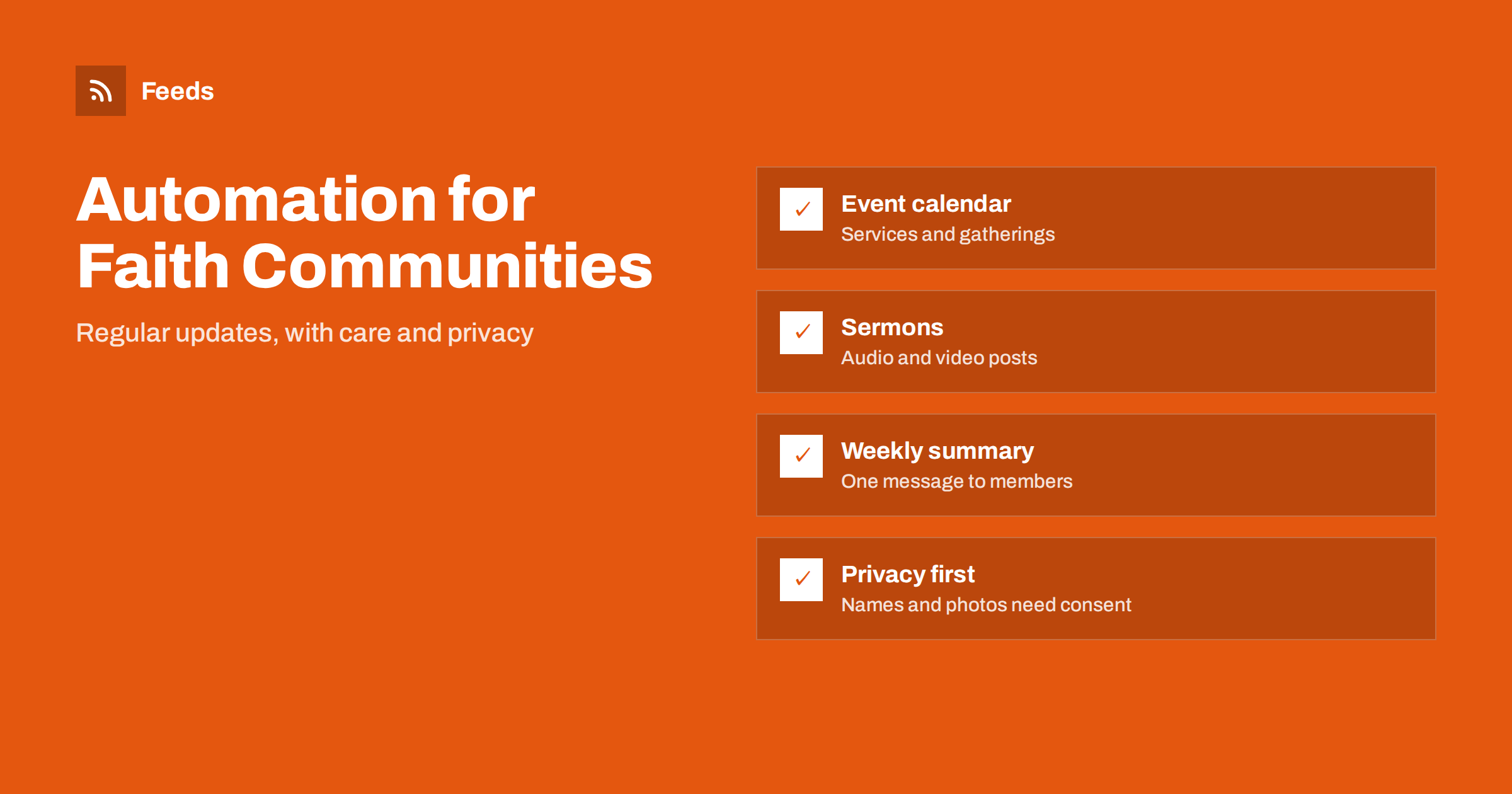
Short answer: Faith communities can automate the regular, factual part of their communication: event notices from a calendar, posts for new sermon recordings, and a weekly summary for members. Anything personal, pastoral or sensitive should stay with a person, including names, health news, funerals, children’s photos and appeals for money. A small, steady routine keeps members informed without adding to the workload of volunteers and staff.
Why communication is hard for volunteer teams
Most churches, mosques, synagogues, temples and other communities run on volunteers. The person who looks after the website or the social page often has another job, a family and a role in the community as well. Services are announced, events are added, rotas change, and every change needs to reach members in several places: the website, a newsletter, a social page, a notice board and a messaging group.
The result is familiar. The website shows last season’s schedule, the social page goes silent for weeks and the same information is typed again and again. Automation does not replace the human side of a community, but it can take over the repetitive typing. A general overview of the idea is in what content automation is.
One calendar as the source of truth
The best starting point is a single event calendar. If every service, class, meal and meeting is entered once, everything else can be built from it: the page that lists upcoming events, a reminder before each gathering and the weekly summary. When a time changes, you change it in one place.
If your calendar page can be read as a feed, it can drive posts and reminders directly. If it has no feed, a page-to-feed tool can read the list of events from the page. Two guides show the method: how to create an event calendar RSS feed and how to promote upcoming events automatically. Make sure each event has a clear title, date, time, place and a short line of text, because those details become the post.
Sermons, talks and recordings
Many communities record their services or teaching and publish them as audio or video. A podcast-style feed makes these recordings available in any podcast app, and each new recording can also trigger a short post on the website and social pages: the title, the speaker, the passage or theme and a link. The mechanics are explained in how a podcast RSS feed works, with posting ideas in how to promote podcast episodes automatically.
Keep the posts short and respectful. A title and a line of context are enough, and the recording speaks for itself. Check permissions: speakers should know that their talk is published, and recordings that include members of the congregation, especially children, need the consent your community has agreed on.
A weekly summary for members
Think about who reads what. Older members may prefer a printed sheet or an e-mail, younger families may follow a social page, and newcomers will look at the website first. One source of information feeding several channels means all of them say the same thing.
Many members do not follow social pages but read an e-mail. A weekly summary that lists the next few events, the latest recording and one or two notices is often the most valued message of the week. It can be assembled from the same calendar and recording feed, then checked and sent by a volunteer. The technique is described in how to automate a weekly link roundup and in turning an RSS feed into an e-mail newsletter.
Keep the summary short. Three to five items are enough: the next gathering, one new recording or reading, one request for help and one notice that everyone should know. A long message is skimmed, and a short one is read to the end.
A fixed day and time helps. If members know that the summary arrives on Thursday evening, they stop searching for information and start relying on it.
Weather, closures and urgent notices
Urgency changes the rules. For a normal weekly post, a delay of an hour does not matter, but a cancelled service needs to reach people before they leave home. Agree in advance who may send an urgent notice, which channels they use and what the wording looks like, so that nobody has to invent it under pressure.
Bad weather, a power cut or a road closure can change a gathering at short notice. These messages must be quick and correct, and they are a good case for a simple, human-written notice posted everywhere at once. Official weather alerts can help you notice a problem early, and weather and hazard alerts with RSS shows how to follow them. Treat alerts as a prompt for a person to decide, not as an automatic post.
What should never be automated
A faith community handles information that is deeply personal. A few areas should always stay with a person:
- Names and personal news. Illness, bereavement, funerals, weddings and baptisms or similar events should only appear with the explicit permission of the people concerned.
- Photos of members, especially children. Publish only with agreed consent, and think about how long an image stays online.
- Pastoral and counselling content. It does not belong in a scheduled post.
- Appeals for money. A fundraising message should be written with care and approved by those responsible. A repeated automated appeal can feel like pressure.
- Political or divisive statements. These need a deliberate decision by the leadership and not a template.
A simple approval step catches most problems: items wait in a queue and a named person clicks to release them. The choices are discussed in full automation vs an approval queue, and the principles of keeping tone safe are in brand safety in automated posting.
Keep accounts and access safe
Accessibility matters in a community of all ages. Use plain language, write the date and time in full and describe pictures in a few words, so that people using screen readers or large text can follow the post. A short, clear message is also easier for volunteers to check before it goes out.
Community pages are often run with a shared password that several volunteers know. That is risky, because people leave and passwords stay. Use separate logins where the platform allows it, remove access when someone steps down and keep a short written list of who can post. The practical steps are in how to secure the accounts behind content automation.
A simple plan for the first month
- Week 1: clean up the calendar so that every future event has a title, date, time and place.
- Week 2: turn the calendar into a feed, or confirm that it already is one, and check the preview.
- Week 3: set up a weekly summary and send the first one to a small group of members for feedback.
- Week 4: add posts for new recordings and decide who approves what.
Review the routine once a quarter. Remove items nobody reads, update the list of people who approve and check that every link still works, especially after the season changes.
After a month, ask a few members what they find useful and what they would drop. A community knows quickly if a message is welcome. For a list of checks, the content automation checklist is a good companion.
How RSS Feed Creator helps
RSS Feed Creator turns the event page, news page or recordings page of a website into a clean RSS feed, even when the site has no feed of its own. It reads titles, images, summaries and dates, uses an existing feed when there is one, and shows a preview of the items before the feed is created. You can merge several sources into one feed (up to 10 on paid plans), keep only the items with your keywords and have duplicates removed automatically. Feeds refresh every 3 hours on the free plan and every 30 minutes on paid plans. The free plan allows up to 20 items per feed, and the details are on the pricing page.
Related reading
- Content automation for nonprofits: a practical plan
- How to follow school announcements with RSS
- How to display an RSS feed on your website
The bottom line
Automation suits the regular part of community communication: one calendar, one feed of recordings and one weekly summary. Keep people, health, children and money in human hands, give each approval to a named person and start with a small plan that volunteers can sustain.
FAQ
Can a church or faith community automate its social posts?
Yes, for the factual parts such as event times, new recordings and weekly summaries. Personal news, photos of members and fundraising appeals should be written or approved by a person.
What is the easiest first step?
Put every event into one calendar with a clear title, date, time and place. Everything else, such as reminders and a weekly summary, can be built from it.
How do I publish sermon recordings so people can subscribe?
Publish the recordings through a podcast-style feed. Each new recording appears in podcast apps, and you can also post a short note on your website and social pages.
Is it appropriate to automate messages about members?
Not without explicit permission. Illness, bereavement and family events are personal, and they should be shared only when the people concerned agree and a person writes the message.
How many volunteers are needed to run this?
One or two people can run a simple routine in under an hour a week if the calendar is kept tidy. Name a backup person so that the routine continues when someone is away.