ENEnglish
 LTLietuviškai
 DEDeutsch
 FRFrançais
 RUРусский
 ESEspañol
 PLPolski
 ITItaliano
 UKУкраїнська
 CSČeština
 PTPortuguês
 JA日本語
JA日本語 LVLatviešu valoda
 ETEesti
 HUMagyar
 IDBahasa Indonesia
 TRTürkçe
 HIहिन्दी
 ELΕλληνικά
 ARالعربية
 THไทย
THไทย VITiếng Việt
 RORomână
 MSBahasa Melayu
 BNবাংলা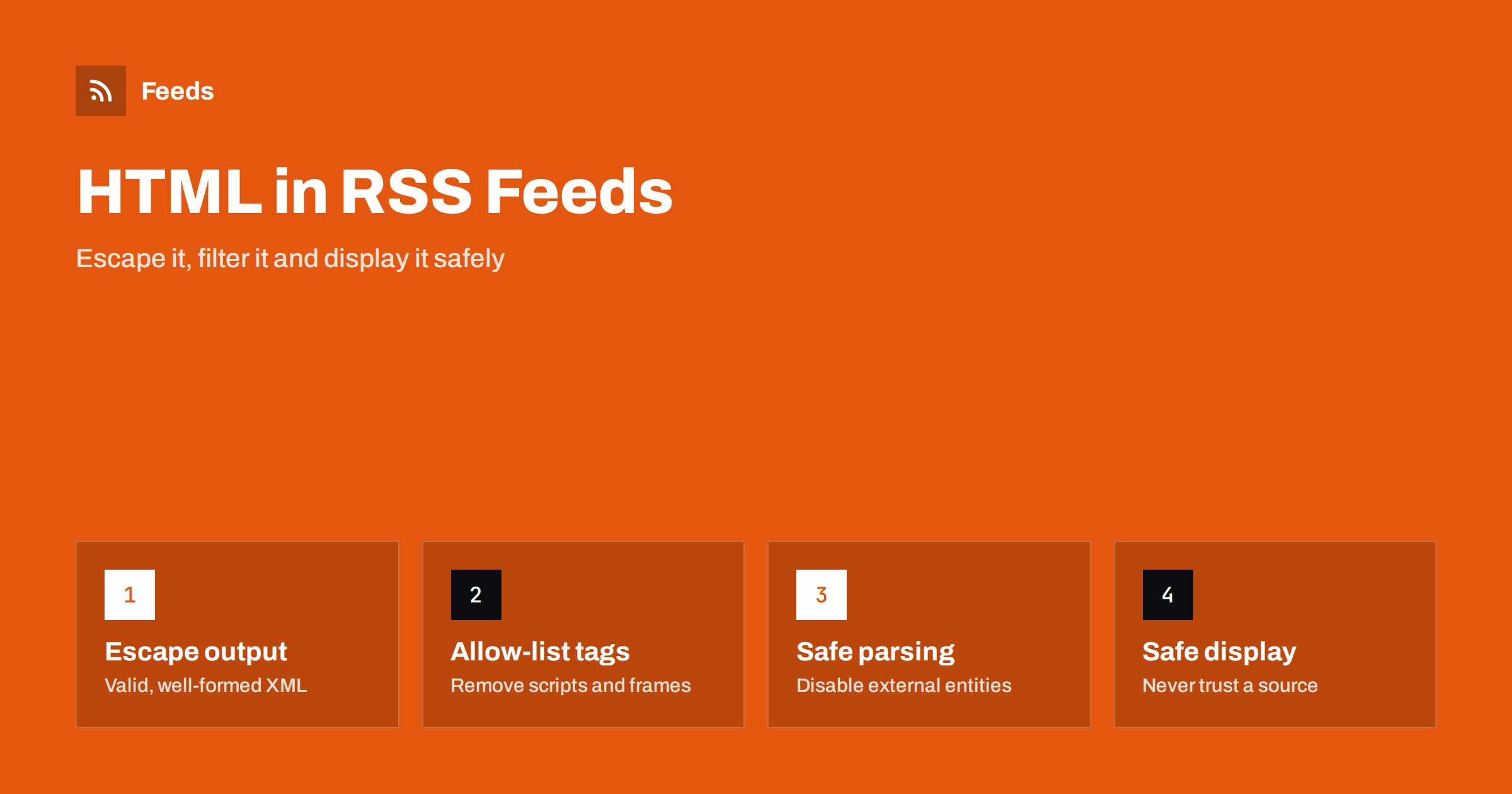
Short answer: A feed item can contain HTML, and HTML from a source you do not control can carry scripts, hidden images and misleading links. If you publish a feed, escape everything that comes from users and keep the markup simple. If you display or process other people’s feeds, treat every item as untrusted: parse it with a safe XML setup, pass the HTML through an allow-list sanitiser, and show it on a page with a strict content security policy.
How HTML ends up in a feed
A feed is XML, but the articles it describes are web pages. To carry formatting such as paragraphs, links and images, publishers place HTML inside the description or in a separate full-content element. Because HTML tags would clash with the XML structure, the markup is either escaped (a less-than sign becomes an entity) or wrapped in a CDATA section. How the two forms differ, and why they sometimes break, is covered in RSS feed encoding errors and CDATA.
The key point for security is that the feed reader or the website that shows the feed receives HTML written by someone else. That someone might be a trusted newspaper, or a blog that was hacked last week, or a comment section that lets anyone post. The standard does not check what is inside, so the responsibility lies with whoever displays it. The choice between a short summary and full content, discussed in full text or summary, also changes how much HTML is exposed.
What can go wrong
Most feeds are harmless, but a few kinds of problems are worth knowing:
- Scripts. A script tag or an event attribute on an image can run code in the reader’s page if the HTML is inserted without filtering. This is known as cross-site scripting.
- Dangerous links. Addresses that start with a script scheme instead of a normal web address can run code when clicked.
- Frames and embeds. An embedded frame can load another site inside your page, for advertising, tracking or phishing.
- Tracking pixels. A tiny image from a third-party server tells that server when an item was opened. The privacy side is described in RSS feed privacy: what readers and publishers should know.
- Misleading content. Hidden text, links that show one address and open another, or huge images can break the layout or deceive readers.
- Broken markup. Unclosed tags can damage the rest of your page, even without bad intent.
For publishers: keep your own feed clean
If you publish a feed, you are the source other people rely on, so make sure that nothing harmful leaves your server.
- Escape output. Titles, authors and any text that comes from a database or a form should be escaped for XML. A single stray ampersand makes the feed invalid, and unescaped markup can be an injection.
- Sanitise user content. If your feed includes comments or user posts, filter them with the same rules you apply on the website, and read whether your website should offer RSS for comments before enabling a comment feed.
- Keep markup simple. Paragraphs, headings, lists, links, emphasis and images cover nearly every article. Avoid scripts, forms, inline styles and embeds in the feed.
- Use absolute URLs. Relative links and images break outside your site, so convert them to full addresses with https.
- Validate. Run the feed through a validator after each change to the template. The common faults are listed in how to validate an RSS feed and fix common errors.
Many content systems offer a feed template or a plugin that adds content to each item. If you change them, as in adding a footer or links to every WordPress feed item, test the result with special characters and with an item that has unusual markup.
For developers: parse the XML safely
Safety starts before the HTML. An XML parser can be tricked by a feed that declares external entities or very large nested structures. Choose a parser or a mode that turns off external entity loading and document type definitions, and set limits on the size of the downloaded file and the time you wait. These measures protect against attacks that read local files or consume memory. Check the default settings of the library you use, because they differ between languages and versions.
If your application fetches feed addresses that users enter, treat the address itself as input. Do not allow addresses that point to internal network resources, limit redirects and set a sensible timeout. Examples of reading a feed in several languages are in how to parse an RSS feed in Python, JavaScript and PHP. Elements from other namespaces, such as the full content element, follow the same rule of untrusted input, as explained in RSS namespaces explained.
For developers: sanitise the HTML
The safest approach is an allow-list. Instead of trying to remove every dangerous tag, you define the small set of tags and attributes you accept and drop everything else. A typical list includes paragraphs, headings, lists, emphasis, links and images, with only the address, the alternative text and the title as attributes. Links get a rule to open safely and to allow only normal web schemes. Images may be limited to https sources.
Do not write this yourself with regular expressions, because filtering HTML that way is notoriously easy to bypass. Use a maintained sanitising library for your language, for example DOMPurify for JavaScript or HTMLPurifier for PHP, and keep it updated. Sanitise on output, at the point where HTML is placed on a page, even if you filtered it when you stored it, because rules and attacks change over time.
Display feeds on a page safely
Even after sanitising, add a second layer. A strict content security policy tells the browser which sources of scripts and images are allowed, so an overlooked tag cannot do much damage. If you embed feed content from a source you only partly trust, show it in a sandboxed frame without script permission. Load images through your own server or a proxy if you want to avoid leaking visitors’ addresses to third parties. The practical side of showing feeds on a website is in how to display RSS feeds on your website the right way.
Limit the amount of content, too. Showing a title, a short plain-text summary and a link to the original is both safer and more respectful to the publisher than copying full HTML. It also keeps your page fast.
Finally, keep a record of what you accept. If a feed starts to include new kinds of markup, such as embedded players or large banners, review it before widening your allow-list. A short note about why each tag is allowed makes later reviews faster and helps a new team member understand the reasoning.
For readers and automation users
If you use a ready-made reader or an automation tool, you rely on its developers for most of this. Choose software that is actively maintained and that strips scripts by default. Be careful with automations that forward feed content into other systems, such as chat tools or email, because they can carry unsanitised HTML along. Protect the accounts and tokens those workflows use, as recommended in securing content automation: accounts, tokens and access. When a feed is republished by others without permission, a different problem arises, which is addressed in how to stop scrapers republishing your RSS feed content.
How RSS Feed Creator helps
RSS Feed Creator turns the article list of a web page into a clean RSS feed, using the titles, images, summaries and dates it finds, and it uses an existing feed when the page has one. You see a preview of the items before the feed is created, and duplicates are removed automatically. You can keep or exclude items by keywords, and merge several sources into one feed (up to 10 on paid plans). Because the feed link is standard RSS, apply the same care described here wherever you display or process it. The free plan allows up to 20 items per feed, and the details are on the pricing page.
Related reading
- RSS feed best practices for publishers: a 24-point checklist
- Anatomy of an RSS 2.0 feed: every element explained
- Media RSS explained: images, video and thumbnails in feeds
The bottom line
A feed is a stream of content from people you may not control, so safe handling is part of using one. Publishers should escape, simplify and validate. Developers should parse with external entities off, sanitise with an allow-list library on output and add a strict content security policy. Readers should choose maintained software. These habits cost little and prevent the rare problems that do real damage.
FAQ
Can an RSS feed contain malicious code?
The feed itself is plain XML, but the HTML inside items can include scripts or hidden elements. Readers and websites that insert it without filtering can be affected.
Is CDATA safer than escaped HTML?
No. Both carry the same HTML, only in different forms. Safety comes from sanitising the HTML when it is displayed, not from the way it is wrapped.
Which tags should I allow when displaying feed content?
Keep a short list: paragraphs, headings, lists, emphasis, links and images, with a few attributes. Everything else, including scripts, frames and forms, should be removed.
Do I need to sanitise my own feed?
Yes, if any part comes from users or from several authors. Escape all dynamic values and filter user content the same way as on your website.
Should I load feed images directly from the source?
It is simple but reveals your visitors’ addresses to the source server. For sensitive sites, serve images through your own server or a proxy.