ENEnglish
 LTLietuviškai
 DEDeutsch
 FRFrançais
 RUРусский
 ESEspañol
 PLPolski
 ITItaliano
 UKУкраїнська
 CSČeština
 PTPortuguês
 JA日本語
 LVLatviešu valoda
 ETEesti
 HUMagyar
 IDBahasa Indonesia
 TRTürkçe
 HIहिन्दी
 ELΕλληνικά
 ARالعربية
 THไทย
 VITiếng Việt
 RORomână
 MSBahasa Melayu
 BNবাংলা
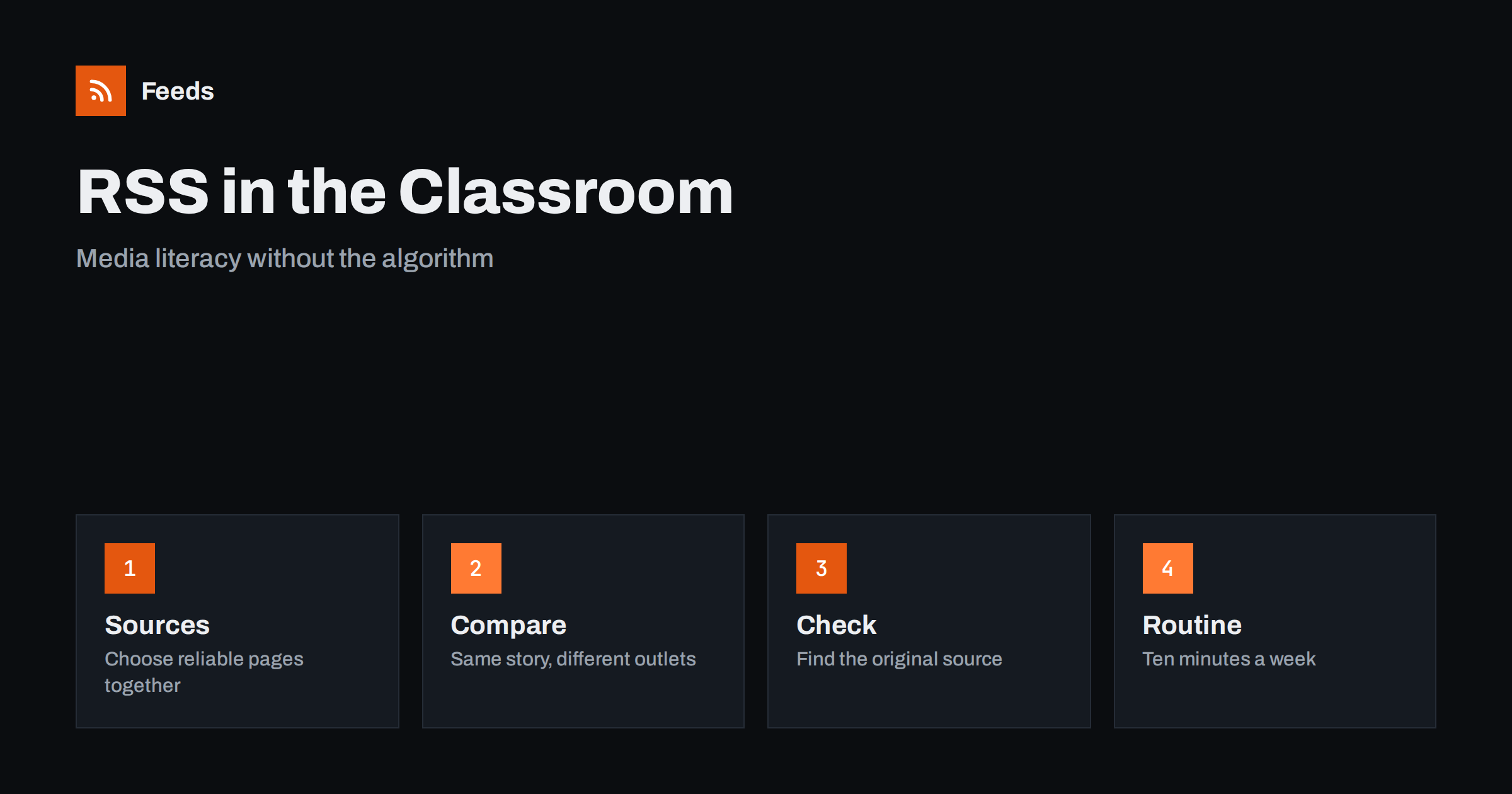
Short answer: RSS gives a class a reading list that is chosen by people, not by an algorithm. A teacher can pick a handful of reliable news and subject sources, collect them in one reader and use the items to teach media literacy: who wrote this, where did the facts come from, how do outlets cover the same event differently and what is missing. Keep the list small, check every source before students see it and treat the reader as a teaching tool, not a news stream to scroll.
Why RSS suits teaching
Students meet news mostly through feeds that are ranked by engagement. They see what is popular, not what is reliable, and the same story can reach them with a different headline each time. A teacher who wants to talk about sources has a hard time showing how a story travels from an original document to a headline to a post.
An RSS reader shows items in the order they were published, without ranking. Each item has a source, a date and a link to the original page. That makes it easy to ask simple questions: who published this, when and what does the original say? The reader also removes distractions such as comments and autoplay videos. If you are new to the idea, what is an RSS feed explains the basics in plain words, and how to subscribe to RSS feeds shows the steps.
Choose the sources together
Start with a short list, perhaps six to ten sources, and let students take part in the choice. Ask what makes a source worth following: does it name its authors, does it correct mistakes, does it link to its evidence, who pays for it? A class that debates this learns more than a class that is simply handed a list.
Mix types on purpose. Include a national news outlet, a local one, a subject source such as a science agency or a museum, an official government page and perhaps a source from another country. Different types make comparison possible. Check each source yourself before the class sees it, and keep the list in a document that students can see, with a note on why each source is there.
Lesson idea: same story, different outlets
Pick a story that several sources in your list cover. Ask students to compare headlines, the first paragraph, the facts that are included and the facts that are missing. Which words are neutral and which carry an opinion? Which source links to the original document or data? Which one only quotes another outlet?
The exercise works with local news too: a council decision, a school event or a sports result. Students see that choice of words, order and emphasis shape a story even when no fact is false. The method of going back to the original is described in fact-checking with RSS: follow primary sources, not screenshots, and it fits a classroom well.
Lesson idea: find the primary source
Give students an item from the reader and ask them to find where the claim came from: a study, a statistic, a court decision, a press release or an interview. They write down the chain: the item, the outlet it cites, the original document. Often the chain ends in a document that says something slightly different from the headline.
Official sources help here. Government, statistics and research pages publish data and documents that can be followed in a feed, and alerts for new statistics and open data releases shows how teachers can bring fresh figures into a maths or social studies class. Teach students to note the date, the sample and the definitions before they trust a number.
Current events as a ten-minute routine
A short, regular routine works better than an occasional big project. Open the reader at the start of a lesson once a week, pick three items together and ask the same questions each time: source, date, claim, evidence. Rotate who leads. Students learn the habit, and the teacher keeps the time cost low.
Language teachers can use the same list to bring real texts into the classroom, as described in RSS for language learners. Subject teachers can add feeds from science, history, geography or economics sources, and keep a separate list for each subject so that the main list stays short.
Keep the reader from becoming a scroll
Any feed can overwhelm if it grows without limits. Set a cap on sources and on the number of items students read, and agree that it is fine not to read everything. Teach students to scan titles, pick what matters and mark the rest as read. RSS triage: a fast daily routine for reading less and how to organize your RSS reader so it never overwhelms you offer methods that work for students as well.
It also helps to talk about the difference between reading for a task and reading to fill time. A reader is a tool for finding what you need, and a class that learns to close it after ten minutes has learned something about attention.
Think about the youngest and the oldest students separately. Younger students need a very short list with simple sources and a teacher who leads each step. Older students can build their own lists for a project, defend their choices and present what they found. Both groups benefit from seeing a real list and from understanding that people chose it. The goal is not to find one perfect source, but to learn how to judge and compare sources.
Privacy, accounts and school rules
Check your school’s rules before you pick a tool. Many RSS readers need an account, and some collect usage data. Choose a reader that does not require students to share personal information, or use a shared class account that the teacher controls, or a reader that runs on school devices. RSS feed privacy: what readers and publishers should know explains what a feed reader can and cannot see.
Be careful with content too. News sources can contain material that is not suitable for every age group, and links in items lead to external pages. Preview the list, use age-appropriate sources and agree rules for what to do when a student finds something upsetting.
Share the list with parents and colleagues
A reading list can also be a communication tool. A class page with the list of sources, and a short note on how you use them, helps parents understand the approach and gives colleagues something to reuse. If your school already publishes news, how parents and students can follow school news with RSS shows how the same technology can serve families, and a feed of your class blog lets parents see new posts without asking.
Review the list every term. Remove sources that stopped publishing, replace those that no longer meet your standard and ask students for suggestions. A list that changes slowly shows students that choosing sources is an ongoing task.
Assessment can be part of the routine. Ask students to keep a short source log: the item, the outlet, the date, the original source they found and a rating of how well the outlet showed its evidence. After a term, the logs show patterns that are easy to discuss, such as which outlets link to original documents and which rely on other outlets. Students often find that the habit of looking for the original changes how they read everything, not only school material.
Finally, give students a voice in how the class uses the reader. Let them suggest sources, justify them in two sentences and retire sources that did not hold up. A class that has built and defended its own list understands that every information diet is a set of choices, and that those choices can be made carefully.
How RSS Feed Creator helps
RSS Feed Creator turns the news, research or announcement page of a source into a clean RSS feed, even when the site has no feed of its own. It reads titles, images, summaries and dates, uses an existing feed when there is one, and shows a preview of the items before the feed is created. You can merge several sources into one feed (up to 10 with the PostRSS add-on), keep only the items that contain your keywords and have duplicates removed automatically, which suits a class list with a few subjects. Feeds refresh every 3 hours on the free plan and every 30 minutes on paid plans, and the PostRSS add-on sends an alert when a page changes and a feed stops finding items. The free plan allows up to 20 items per feed, and the details are on the pricing page.
Related reading
- Fact-Checking with RSS: Follow Primary Sources, Not Screenshots
- RSS for Language Learners: Read Real News Every Day
- How Parents and Students Can Follow School News with RSS
The bottom line
RSS lets a teacher build a small, chosen reading list and use it to teach students how to judge sources, compare coverage and find the original. Keep the list short, check every source, use a ten-minute routine and respect school and privacy rules. The skill that students keep is the habit of asking where information comes from.
FAQ
How many sources should a class list have?
Six to ten is enough for most classes. A short list is easier to check, easier to discuss and less likely to overwhelm students.
Do students need accounts?
It depends on the reader. Choose one that does not require personal information, or use a shared account controlled by the teacher, and follow your school’s rules.
What if a source has no RSS feed?
A page-to-feed tool can read the list of articles on the page and build a feed from it. Check the preview to confirm that it shows real items with titles and dates.
Can I use RSS with younger students?
Yes, with a very short list of age-appropriate sources and a teacher who leads each step. Older students can build and defend their own lists.
How do I keep lessons from turning into news scrolling?
Limit the number of items, use a fixed routine and ask the same questions each time: source, date, claim and evidence.