 ENEnglish
 LTLietuviškai
 DEDeutsch
 FRFrançais
 RUРусский
 ESEspañol
 PLPolski
 ITItaliano
 UKУкраїнська
 CSČeština
 PTPortuguês
 JA日本語
JA日本語 LVLatviešu valoda
 ETEesti
 HUMagyar
 IDBahasa Indonesia
 TRTürkçe
 HIहिन्दी
 ELΕλληνικά
 ARالعربية
 THไทย
THไทย VITiếng Việt
 RORomână
 MSBahasa Melayu
 BNবাংলা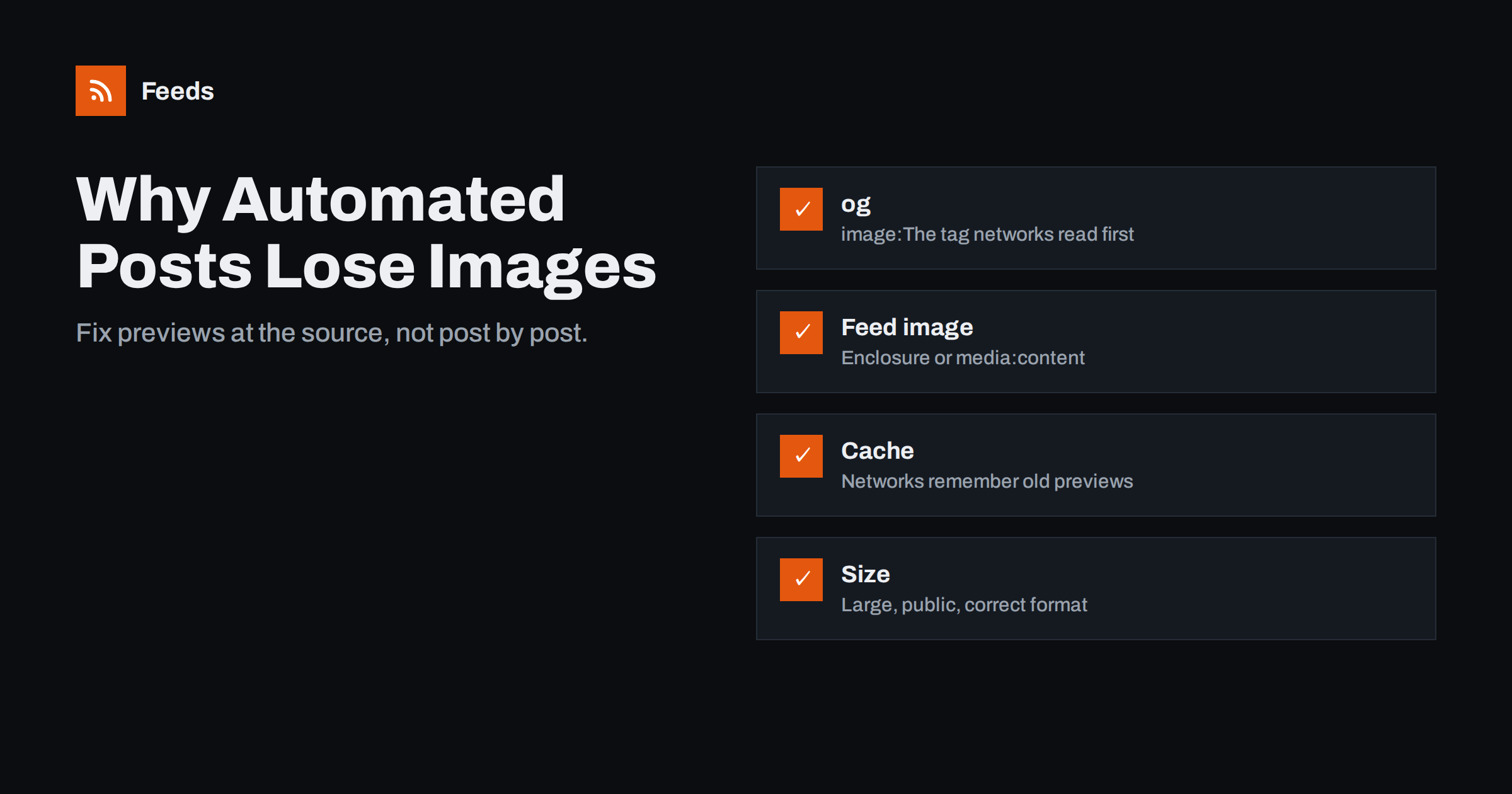
Short answer: Automated social posts lose their images for four main reasons: the article page has no proper og:image Open Graph tag, the RSS feed does not include an image for the item, the social network cached an older preview of the page, or the image itself is too small, blocked or in an unsupported format. Check the page’s Open Graph tags first, then the feed’s image fields, then refresh the network’s cached preview with its debugging tool.
How social networks decide which image to show
There are two ways an automated post gets an image, and knowing which your tool uses is the first step to fixing problems.
Link previews. Most posting tools simply publish the article link. The social network then visits the page, reads its metadata and builds a preview card with a title, description and image. The network, not your posting tool, chooses the image. It relies mainly on Open Graph tags such as og:image, and on X on its own card tags, which fall back to Open Graph when missing.
Attached images. Some tools download an image, usually from the feed item, and upload it as a photo together with the text. Here the image comes from the feed. If the feed has no image for the item, the post has none either, or the tool may fall back to a link preview.
Many tools mix both approaches depending on the network. Instagram, for instance, requires an actual image, while LinkedIn and Facebook usually work with link previews.
Cause 1: missing or wrong Open Graph tags
Open Graph is a metadata standard, originally introduced by Facebook, that tells networks how to represent a page. The key tags are:
og:title: the title for the preview.og:description: the short description.og:image: the full URL of the preview image.og:url: the canonical URL of the page.
If og:image is missing, networks guess. They may pick a logo, an icon, an unrelated image from the sidebar or nothing at all. If it points to a relative URL, a deleted file or a placeholder, the preview breaks.
Fix: view the page source of an article and search for og:image. On WordPress and most modern CMSs, an SEO plugin or the theme generates these tags from the featured image. Make sure every article has a featured image and that the tag contains an absolute HTTPS URL.
Cause 2: the feed has no image
RSS has no single standard image field for items, so feeds carry images in several ways:
- An
<enclosure>element with an image type. - A
<media:content>or<media:thumbnail>element from the Media RSS extension. - An
<img>tag inside the description or content. - No image at all.
Tools that attach images from the feed look for some of these, not always all. Many default CMS feeds include no image in a structured field, only inside the HTML content, and some summary-only feeds include none.
Fix: open the feed and check how items carry images. If they are missing, enable a feed option or plugin that adds the featured image as media:content or enclosure, or switch the tool to link-preview mode where the page’s Open Graph image is used instead.
Cause 3: cached previews
Networks cache previews. If a link was shared, or even just fetched, before the image was set, the network may keep showing the old preview for some time. This is common when automation posts an article within seconds of publication, before an image plugin or CDN has processed the image.
Fix: use the network’s debugging tools to refresh the cache. Facebook’s Sharing Debugger and LinkedIn’s Post Inspector let you enter a URL and fetch it again. For future posts, add a short delay between publication and automated posting, which many tools support.
Cause 4: image size, format or access
Even with correct tags, networks may reject an image that:
- Is too small. Networks recommend large images for full-width cards; around 1200 × 630 pixels is a widely used size for link previews.
- Is too large in file size, or in a format the network does not accept for previews.
- Is blocked for the network’s crawler by robots.txt, a firewall, hotlink protection or a login.
- Is served over HTTP only, or from a server with certificate problems.
- Has an aspect ratio the network crops badly, cutting off text or faces.
Fix: use a consistent featured image size close to the common preview dimensions, JPEG or PNG, served over HTTPS without hotlink restrictions for social crawlers. Keep important text away from the edges, since networks crop differently.
Networks that need an actual image
Link previews cover LinkedIn, Facebook, X, Telegram and most chat tools. A few destinations work differently and need an uploaded image with every post.
Instagram feed posts are image or video first. A link in the caption is not clickable, so a link preview is not an option at all. Automation tools that support Instagram download an image from the feed item or the page and publish it with a caption. If the feed has no usable image, the post fails. Instagram also has aspect ratio limits, so wide blog images are often cropped or rejected.
Pinterest pins are built around an image, ideally in a vertical format, with the link attached to the pin. Horizontal blog images work but tend to look small in a feed of tall pins.
Telegram with photo posts is optional: you can rely on link previews, or send the image as a photo with the headline and link in the caption, which looks more prominent but limits caption length.
For these networks, it pays to have a dependable image field in the feed and images that work in several shapes. A simple habit helps: design featured images with the main subject in the centre and a safe margin around it, so a square or vertical crop still shows what matters. Some teams create a second, square version of each featured image specifically for image-first networks and reference it in the feed.
A troubleshooting routine
- Identify the mode. Is the post a link preview or an attached photo? Look at the post: a clickable card is a preview; a photo with a link in the text is an attachment.
- For previews: check the page’s
og:image, open the image URL directly, then run the URL through the network’s debugger. - For attachments: open the feed, find the item and check whether an image is present in a field the tool reads.
- Compare with a working post. If older posts had images, something changed recently: a theme update, a new SEO plugin, a CDN setting.
- Fix the source, then test with a new article rather than re-sharing the broken one.
Preventing image problems
- Make a featured image mandatory in your editorial checklist.
- Use a template for featured images at a consistent size and style.
- Keep one plugin or system in charge of Open Graph tags, not two competing ones.
- Delay automated posting by a few minutes after publication.
- After theme or plugin updates, share one test link with each network’s debugger.
- Look at the real posts regularly, on desktop and mobile.
Images in feeds created by Feeds
When you follow sites without RSS, image quality depends on how the feed is built. Feeds turns a page that lists articles into a feed with titles, images, summaries and dates, and it reads JSON-LD article data where sites provide it. You see a preview of the found items, including images, before the feed is created, so you can spot sources whose items lack images before connecting them to a posting tool. For product feeds, image links are part of the Google and Meta formats. There is a free plan to try it; see the pricing page for more.
Related reading
- How to Automate Social Media Posts from an RSS Feed
- How to Auto-Post New Blog Articles to LinkedIn
- 12 Content Automation Mistakes and How to Avoid Them
- Full Text or Summary? Choosing What Your RSS Feed Shows
The bottom line
Missing images in automated posts are almost always fixable at the source. Make sure every page has a correct, absolute og:image, that the feed carries images in a field your tool reads, that images are large, public and in a common format, and that networks are not showing a cached preview. Fix it once in the template or feed, and every future automated post benefits.
KKK
What image size works best for social link previews?
A widely used size is about 1200 × 630 pixels, which suits Facebook and LinkedIn previews and works reasonably on other networks. Check each network’s current guidance for exact recommendations.
Why does Facebook show an old image for my link?
Facebook caches previews. Use the Sharing Debugger to fetch the page again, and in future delay automated posts by a few minutes so the image is ready when the link is first shared.
Does RSS support images?
RSS has no single standard image field for items, but feeds commonly include images through enclosure elements, Media RSS tags or img tags inside the content.
My blog posts have images, so why does the preview not show one?
The image in the article body is not necessarily the preview image. Networks read the og:image tag, so check that it exists and points to a valid, publicly accessible image.
Can I choose a different image for social posts than for the article?
Yes. Many SEO plugins let you set a separate social image per post, which is then used in the og:image tag.
Why do images appear on some networks but not others?
Networks read metadata slightly differently, cache independently and have different size and format limits. Test the URL in each network’s debugging or preview tool.


