ENEnglish
 LTLietuviškai
 DEDeutsch
 FRFrançais
 RUРусский
 ESEspañol
 PLPolski
 ITItaliano
 UKУкраїнська
 CSČeština
 PTPortuguês
 JA日本語
JA日本語 LVLatviešu valoda
 ETEesti
 HUMagyar
 IDBahasa Indonesia
 TRTürkçe
 HIहिन्दी
 ELΕλληνικά
 ARالعربية
 THไทย
THไทย VITiếng Việt
 RORomână
 MSBahasa Melayu
 BNবাংলা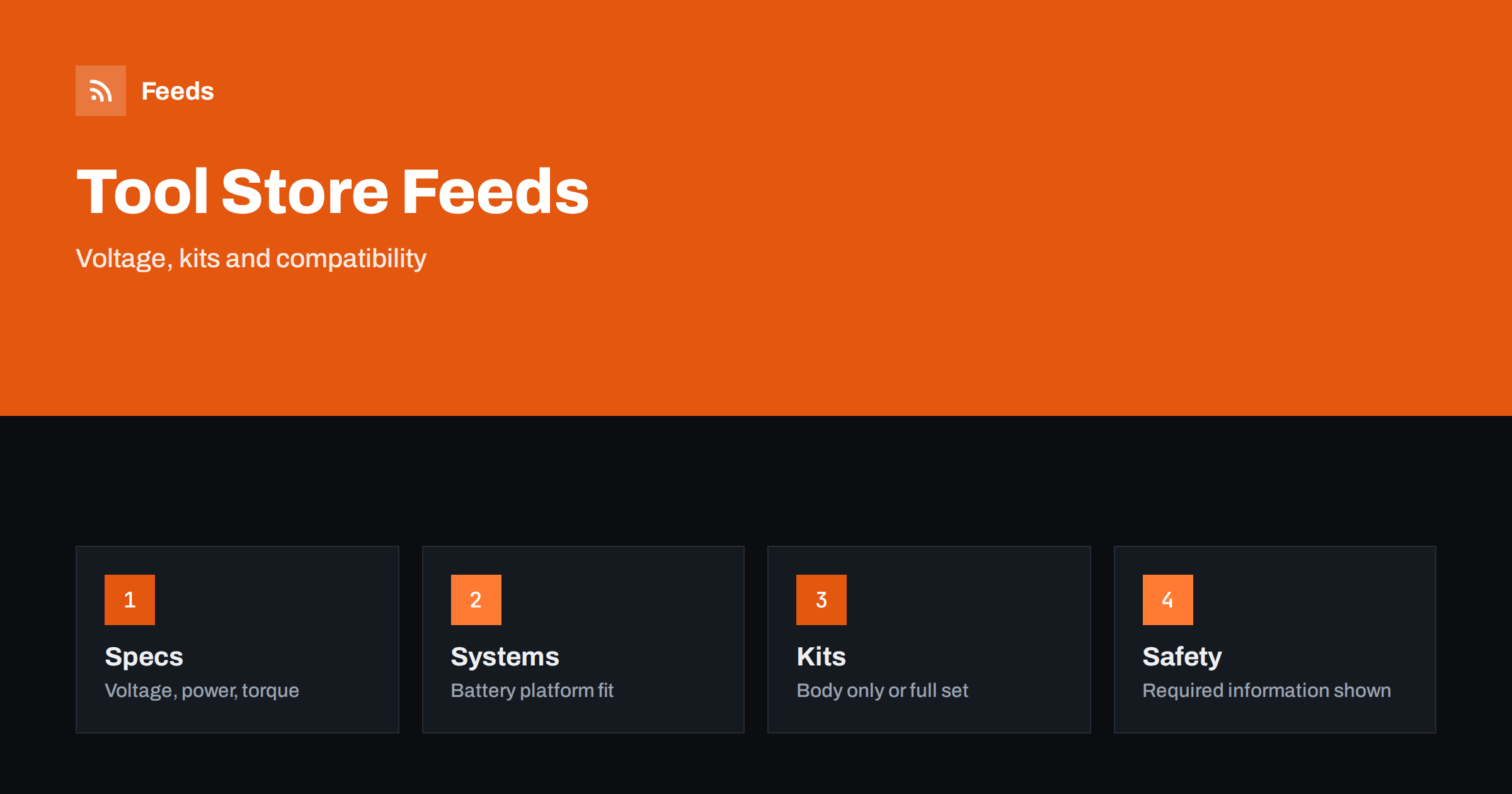
Short answer: Tools are bought by people who know what they need: a 18 V drill with a certain torque, a saw that takes a specific blade size, a set of spanners in the right sizes. A good product feed gives each tool a precise title and structured attributes, shows whether the battery and charger are included, keeps battery platforms and accessories compatible and separate, and carries the safety and regulatory information that the category requires. The feed does not improve the tool, but it decides whether a professional or a home user finds the right model and whether the page matches what the advert promised.
Why tools need careful feeds
Tool buyers search with specifics. They type “cordless drill 18 V brushless”, “mitre saw 254 mm” or “torque wrench 1/2 inch”. Many models look similar and differ only in details such as motor type, battery capacity or whether the battery is included. A wrong guess is expensive: tools are heavy, returns take time, and professionals often buy several units at once.
The category also has strong brand and system loyalty. Someone who owns a battery platform wants tools that use the same batteries, and a feed that fails to tell them which platform a tool belongs to loses the sale. The general structure of a feed is explained in what a product feed is, and the required fields in Google product feed attributes.
Titles that follow the buyer’s order of questions
A useful tool title follows a fixed pattern. For a power tool it may be brand, model number, tool type, voltage and a key feature such as brushless motor or the size of the blade. For a hand tool it may be brand, tool type, size and set contents. Always include the exact model code, because professionals search by it and because many near-identical models exist in a range.
State clearly whether a cordless tool is sold “body only” or as a kit with battery and charger. This single detail is among the most common causes of unhappy customers and returns. Avoid promotional words such as “best” or “pro quality” unless they are part of the official product name, and do not add words that are not true. If your store platform produces titles you cannot change, a feed rule that rebuilds them from attributes keeps them consistent; see product feed title optimization.
Specifications that belong in attributes
Collect the figures that buyers compare and make sure they exist as structured data in your store. For drills and drivers: voltage, torque, speed, chuck size and battery capacity. For saws: blade diameter, cutting depth, power and weight. For sanders and grinders: disc size, power and vibration rating. For hand tools: size, material, drive size and number of pieces in a set. Add dimensions and weight for items that are delivered by freight or carried on site.
Use the same units throughout and state whether sizes are metric or imperial. If you sell in more than one country, voltage and plug type can also differ, and some tools are made for particular mains supplies. Make the supply and plug clear in the title or an attribute, and see multi-country product feeds for the language and currency side. Copy the manufacturer’s figures and test conditions; never inflate a rating.
Battery platforms, kits and accessories
Cordless tool ranges are built around battery platforms. Each tool, battery and charger belongs to a system, and mixing systems does not work. Put the platform name or voltage in the title or a labelled attribute and in the product page, and keep batteries, chargers and accessories as separate products with their own identifiers, so that a shopper can search for “battery for the same system” and find it.
Kits and combos need particular care. A combo of a drill, an impact driver, two batteries and a bag is its own product with its own identifier, a title that lists what is included and a price that matches checkout. Do not reuse the identifier of the body-only tool for the kit, and do not display the kit at the price of one tool. The rules are in bundles and multipacks in product feeds, and the approach to identifiers in GTIN, MPN and brand: product identifiers in feeds explained.
Compatibility and consumables
Many tool purchases are not tools at all: drill bits, saw blades, sanding discs, cutting wheels, replacement batteries, chucks and spare parts. Each is made for specific sizes or models. Put the size, type and compatible models in the title or in a clearly labelled attribute, and avoid vague words such as “universal” unless you can describe exactly what fits.
Give consumables their own identifiers and clear pack sizes, because a pack of ten and a pack of fifty must not be confused. The same approach is covered for car parts in product feeds for auto parts stores and for DIY stores in product feeds for garden, DIY and hardware stores. Where a spare part fits only a certain serial range, say so on the page.
Variants: sizes, sets and plug types
Items often come in several versions: a spanner in different sizes, a bit set with different numbers of pieces, a tool with different plug types for different markets. Each version should be its own item with its own identifier, linked to the others with a shared group identifier, as explained in how item_group_id works. Check that every variant has its own price, availability, image and link.
A common mistake is to link every variant to the same page with the default option selected. A shopper who clicks an advert for a 22 mm socket and lands on a page showing 10 mm will leave. Make sure the link opens the right variant, or at least that the chosen option is obvious, and that the price on the page matches the price in the feed.
Safety information and restricted items
Tools carry safety responsibilities. Manufacturers provide manuals, warnings, protective equipment advice and noise and vibration information, and some countries require specific documentation, labelling or product registration. Put the safety and compliance information that applies to your products on the product page and make it easy to find. Do not claim a certification or a standard that the product does not carry, and never remove a manufacturer’s safety warning to make a description shorter.
Some items have special advertising rules: certain knives and blades, pressurised or gas tools, some chemicals, items that need an age check and equipment restricted in some countries. Platform policies differ by region and change over time, so read the current policies before including such products, and exclude anything you may not promote using the methods in which products to exclude from your feed. If a product is disapproved, the causes and fixes are described in Merchant Center disapproved products.
Stock, images and delivery
Professionals buy tools when they need them, so stock must be accurate. If a popular model is sold out, mark it quickly or remove it, as explained in out-of-stock products in your feed. Show the real product on a clean background, with the kit contents in the picture when it is a set, and avoid text overlays and promotional badges; see product feed image requirements for Google and Meta.
Heavy items such as workshop machines, compressors and tool chests need accurate delivery costs and times. State whether delivery is to a kerb or to a workshop, whether a delivery needs two people and who pays for returns. A surprise at checkout loses the order and can cause disapprovals when the price shown does not match the final cost.
How RSS Feed Creator helps
RSS Feed Creator builds Google Merchant Center and Meta catalog XML straight from your store. WooCommerce and Shopify are read automatically, and any other store can use a CSV link. You can skip out-of-stock products, rewrite titles with rules so that the tool type, voltage and kit contents appear in the same order every time, and adjust prices. The currency is detected automatically. Before you submit anything, check the preview and the Merchant Center diagnostics to confirm that kits, body-only tools and accessories arrive as you expect. The free plan includes product feeds with up to 50 products, and the Store plan covers one store with 3 product feeds and up to 2,000 products. The details are on the pricing page.
Related reading
- Product Feed Checklist: 25 Checks Before You Submit
- Product Feeds for Electronics Stores: Specs, GTINs, Variants
- Product Feed Health Metrics: What to Monitor Every Week
The bottom line
A tool feed works when titles lead with the type, model and voltage, kits and body-only tools are clearly separated, battery platforms and compatibility are stated, safety information is on the page and stock is accurate. Build these basics once, check them before busy seasons and keep restricted items out, and the feed becomes a reliable way for the right buyers to find the right tool.
KKK
What should a cordless drill title contain?
Brand, exact model code, tool type, voltage, a key feature such as brushless and whether it is body only or a kit with battery and charger.
How do I list a tool sold as body only and as a kit?
Create two items with separate identifiers, titles, prices and links, and link them with a shared group identifier. Never reuse the identifier of the body-only tool for the kit.
How should I show battery compatibility?
Put the platform name or voltage in the title or a labelled attribute and on the page, and list batteries and chargers as separate products with their own identifiers.
Do I need to include safety information?
Yes. Put the manufacturer’s safety and compliance information on the product page, do not claim certifications the product lacks and follow the rules of each country you sell in.
Can I advertise knives, gas tools or other restricted items?
Possibly, but rules differ by product and country and change over time. Read the current policies first and exclude anything you may not advertise.