 ENEnglish
 LTLietuviškai
 DEDeutsch
 FRFrançais
 RUРусский
 ESEspañol
 PLPolski
 ITItaliano
 UKУкраїнська
 CSČeština
 PTPortuguês
 JA日本語
JA日本語 LVLatviešu valoda
 ETEesti
 HUMagyar
 IDBahasa Indonesia
 TRTürkçe
 HIहिन्दी
 ELΕλληνικά
 ARالعربية
 THไทย
THไทย VITiếng Việt
 RORomână
 MSBahasa Melayu
 BNবাংলা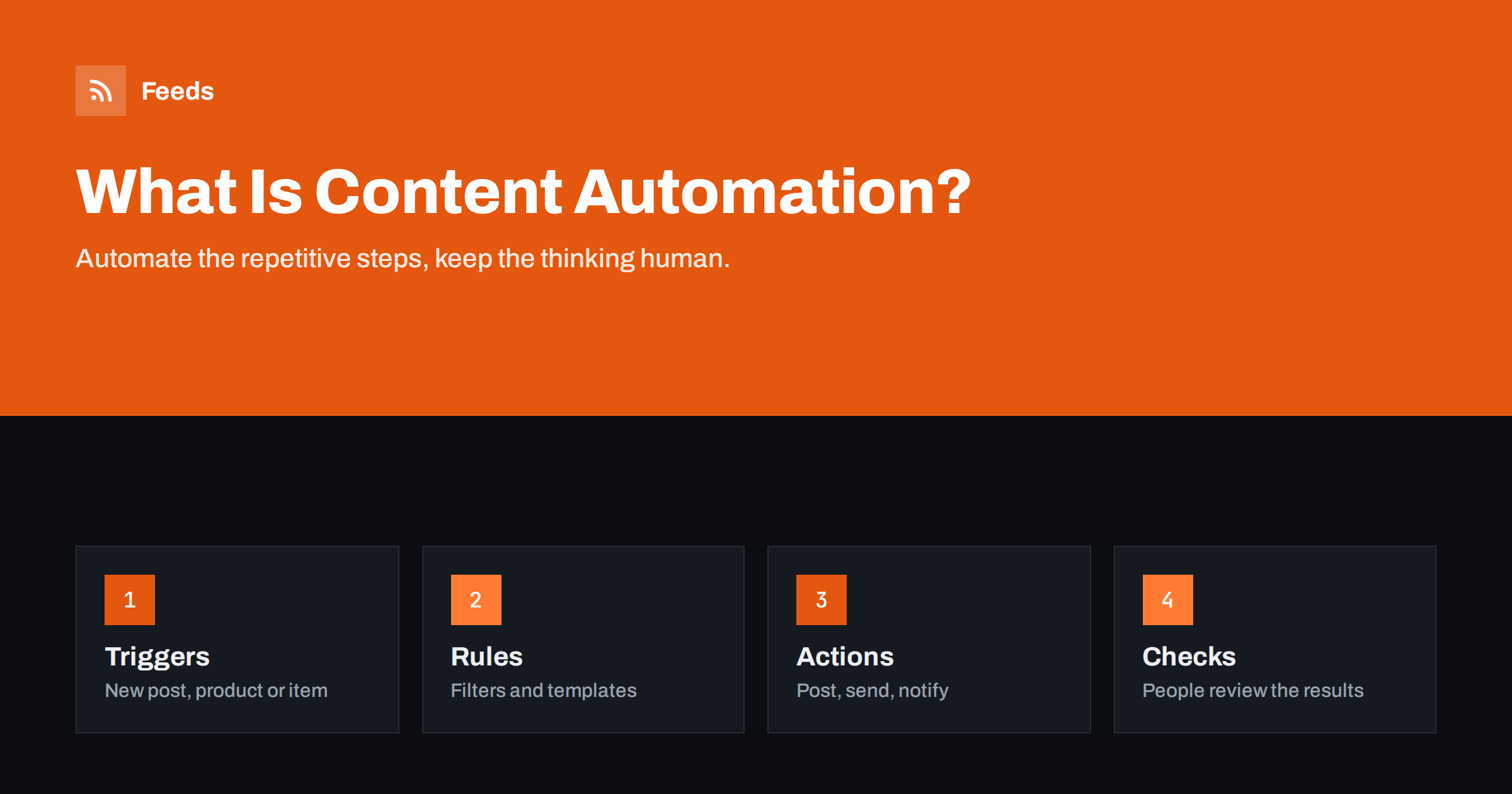
Short answer: Content automation is using software to handle the repetitive steps around content, such as sharing new articles on social media, sending newsletters, notifying teams or keeping product listings in sync, without doing each step by hand. It works through triggers (something new appears), rules (filters and templates) and actions (post, send, update). It is best for distribution and collection; strategy, writing quality and judgment should stay with people.
A plain definition
Every piece of content goes through a life cycle: research, writing, editing, publishing, distribution and measurement. Some of those steps require thinking; others are the same mechanical sequence every time. Content automation takes over the mechanical parts.
A typical example: you publish a blog post. Without automation, someone copies the title and link into LinkedIn, Facebook and the company newsletter tool, posts a message in the team chat and adds a row to a content log. With automation, publishing the post is the only manual step. Everything else happens because software noticed the new post and followed rules you set once.
Content automation is not the same as automatically generated content. Using software to write articles is a separate topic with its own quality and trust issues. This guide is about automating the work around content: collecting it, filtering it, distributing it and keeping it up to date.
The building blocks: triggers, rules and actions
Nearly every content automation, however complex, is built from three parts.
- Triggers start a workflow. The most common trigger is a new item in an RSS feed, because feeds are a standard way for websites to announce new content. Other triggers include a new product in a shop, a new row in a spreadsheet, a form submission or a fixed schedule.
- Rules decide what happens. Filters keep only items that match keywords or categories. Templates decide how a post or email looks. Limits control how often something is posted.
- Actions do the work: publish a social post, send an email, post to a chat channel, update a product catalog, add a row to a spreadsheet.
Once you see workflows this way, it becomes easier to design them and to find problems. If a post did not appear, was it the trigger (no new item detected), the rule (filtered out) or the action (network rejected the post)?
What small teams typically automate
| Workflow | Trigger | Action |
|---|---|---|
| Social sharing | New blog post in the feed | Post to company pages and profiles |
| Newsletter digest | New posts since last send | Send weekly email to subscribers |
| Team news channel | New items in industry feeds | Post to Slack, Teams or Discord |
| Product catalogs | Changes in the shop | Update Google Merchant Center and Meta catalog feeds |
| Content curation | New items from chosen sources | Collect filtered items for review |
| Content log | New post published | Add a row to a spreadsheet |
Most small teams get the biggest return from the first three. They remove daily copy-paste work and make sure nothing published is forgotten.
Three workflows in a little more detail
A local service business
A plumbing company writes a helpful article each month and posts occasional news about offers. It connects the blog’s feed to a social posting tool that shares each new post on its Facebook page and posts updates to Google Business Profile by hand. The owner spends no time on sharing, and the page never goes quiet for months, which customers notice when they check a business before calling.
A small online shop
A shop with a few hundred products wants its Google Shopping and Facebook catalog to match its stock. A product feed is generated from the shop automatically and refreshed regularly, so sold-out items stop being advertised and price changes appear without anyone exporting spreadsheets. The shop also shares new arrivals on social media from a feed of its newest products.
A B2B consultancy
A consultancy with five people follows regulators and trade publications in its field. Their news pages are turned into feeds, merged, filtered by a list of topic keywords and posted as a daily summary into a team chat channel. Once a week, a consultant picks the three most important items, adds a short comment to each, and the selection goes out as a client newsletter. Collection is automatic; the expert commentary is what clients pay attention to.
Notice the pattern: in each case, the automation removes a boring repeated task, while the valuable decisions remain human.
What should stay manual
Automation amplifies whatever you feed into it. That is great for good content and bad for mistakes. Keep these parts human:
- Strategy: deciding what to write about and for whom.
- Quality control: reading the article before it is published, because once it is, automation will spread it everywhere within minutes.
- Responses: replying to comments and messages. Automated replies to real people rarely go well.
- Sensitive topics: anything involving crises, complaints, legal matters or bad news should be posted by a person who has thought about the wording.
- Curation judgment: choosing which third-party content deserves your audience’s attention, when it is published under your name.
A useful rule: automate what is identical every time; keep manual what needs a decision every time.
Benefits and honest limitations
The benefits are straightforward. Automation saves time on repetitive tasks, makes distribution consistent, ensures content is shared even when the team is busy and lets small teams maintain more channels than they otherwise could. It also creates a reliable rhythm, which audiences appreciate.
The limitations are real too. Automated posts are only as good as the source: vague titles, missing images or wrong categories are copied faithfully to every channel. Workflows break quietly when a site changes, a login expires or a platform changes its rules, and nobody notices until someone asks why the LinkedIn page has been silent for a month. And too much automation can make a brand feel impersonal if nobody ever speaks in a human voice.
The answer is not to avoid automation but to design it carefully and check it regularly.
How to start without creating a mess
- List repetitive tasks. For one week, note every content task you do more than twice. The ones that are identical each time are candidates.
- Pick one workflow. Usually “new blog post to social media” or “weekly digest from new posts”.
- Clean the source. Make sure your feed has good titles, images and summaries.
- Set it to new items only. Never let a new workflow publish your whole archive.
- Check the real output. Look at the actual post or email, not only the tool’s log.
- Document it. One line per workflow: what it does, which tool, who owns it.
- Add the next workflow only when the first has run smoothly for a few weeks.
Choosing tools
There are three broad families. Dedicated tools do one job well, such as posting a feed to social networks or sending RSS-based emails. General automation platforms such as Zapier, Make, IFTTT or n8n connect almost anything to anything. Built-in features in your CMS, email platform or shop system often cover simple cases without extra tools.
Start with built-in features and dedicated tools, because they are simpler to maintain. Move to a general platform when you need logic that spans several apps.
Where Feeds fits
Many automations start with a feed, and many useful sources do not have one. Feeds turns any page that lists articles into an RSS feed, merges several sources into one, keeps or drops items based on your keywords and removes duplicates automatically. For shops, it creates product feeds for Google Merchant Center and Meta catalogs from WooCommerce, Shopify or a CSV link, with rules for stock, titles and prices. Feeds refresh on their own, and you see a preview before anything is created. There is a free plan to try it on one website; the pricing page explains the rest.
Related reading
- How to Automate Social Media Posts from an RSS Feed
- How to Turn an RSS Feed into an Automatic Email Newsletter
- How to Automate Content Curation Without Losing Quality
- Zapier vs Make vs IFTTT vs n8n for RSS Automation
The bottom line
Content automation is simply letting software do the repetitive steps around your content: noticing new items, applying your rules and delivering them to the right places. Start with one workflow, usually social sharing or a newsletter digest, feed it clean content, check the real results and keep strategy, writing and judgment in human hands. Built that way, automation gives a small team the reach of a much larger one.
KKK
Is content automation the same as AI-generated content?
No. Content automation is about moving and distributing content automatically, such as sharing new posts or sending digests. Generating the content itself is a different activity with its own quality and trust questions.
What is the easiest content automation to start with?
For most small businesses, automatically sharing new blog posts on social media or sending a weekly newsletter from the blog feed. Both use the feed your site probably already has.
Do I need technical skills for content automation?
Not for common workflows. Dedicated tools and no-code automation platforms work with forms and dropdowns. Technical skills help for custom scripts or complex logic.
Can automation hurt my brand?
It can if it posts broken, irrelevant or badly timed content. Clean sources, sensible filters, frequency limits and regular checks of the real output keep automated posts at the same standard as manual ones.
How often should I check my automations?
Look at the real output after setup and after any website or tool change, and do a quick review at least monthly. Workflows often break quietly, so a routine check matters more than a perfect setup.


