ENEnglish
 LTLietuviškai
 DEDeutsch
 FRFrançais
 RUРусский
 ESEspañol
 PLPolski
 ITItaliano
 UKУкраїнська
 CSČeština
 PTPortuguês
 JA日本語
JA日本語 LVLatviešu valoda
 ETEesti
 HUMagyar
 IDBahasa Indonesia
 TRTürkçe
 HIहिन्दी
 ELΕλληνικά
 ARالعربية
 THไทย
THไทย VITiếng Việt
 RORomână
 MSBahasa Melayu
 BNবাংলা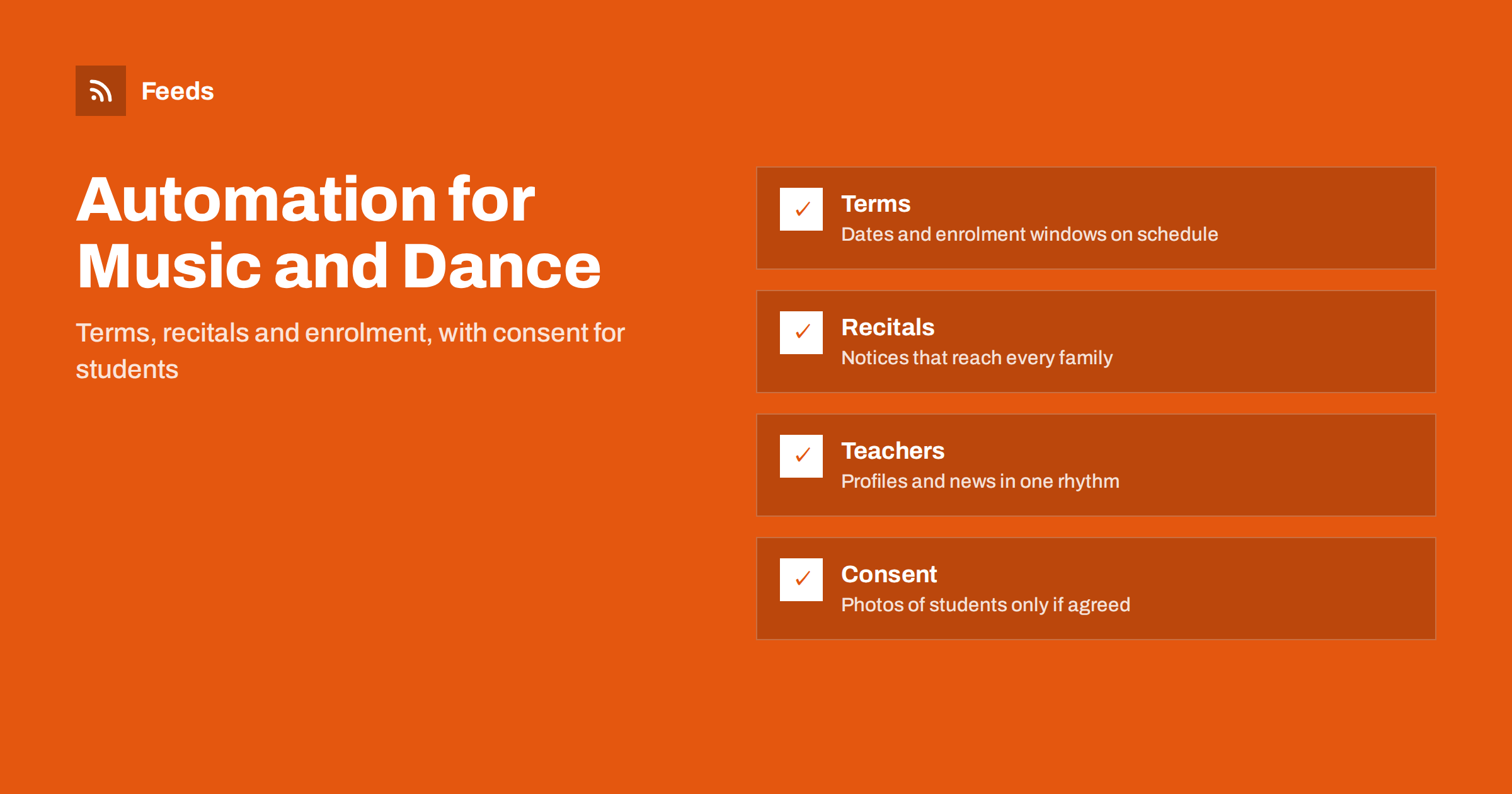
Short answer: A music school or dance studio runs on a calendar: enrolment periods, term dates, exams, recitals, holidays and cancellations. Most of its communication follows that calendar, which makes it a good candidate for automation. Scheduled reminders, a single page of dates that feeds the website, newsletter and social channels, and a filter for external news such as festivals and competitions can save hours every term. Students are often children, so photographs, names and results are shared only with clear consent and after a person has checked them.
A business with a built-in calendar
Few small businesses have a rhythm as predictable as a school of music or dance. Registration opens at certain times, lessons follow terms, the winter showcase is in December, the spring recital in May. Parents and adult learners want the same information again and again: when does the term start, what happens during the holiday, who is teaching which class, what to bring.
The cost is that someone must remember to say it, on time, in several places. A message that goes out a day late can mean empty chairs in a new beginners’ class or a family that missed the date for a performance. Automation does not make the school more creative, but it makes sure that the routine information goes out reliably. If you are building a first stack of tools, see a small business content automation stack.
One page of dates as the source
The most useful step is also the simplest: keep all dates on one page of your website. Term start and end, enrolment deadlines, open days, recitals, exam sessions, closures. When a date changes, you change it in one place. Everything else, from the newsletter to the social posts, draws from that page.
A page of this kind can be published as a feed. A scheduling tool or newsletter service can then pick up new items and send them to the channels you choose, at the times you choose. The approach is explained in promoting an event calendar automatically, and the ideas for the schedule itself in building a content calendar from feeds. Keep the wording factual: date, time, place, who it is for and how to book.
Reminders that families actually need
Think about the questions you answer every term and write the answers once. “Enrolment for the autumn term opens on”, “Bring your instrument and music folder”, “The studio is closed during the holiday week”, “Recital: arrival time and dress code”. Schedule these as reminders a few weeks, one week and one day before the event. The same message can go by email, to a parents’ group if you have one with permission, and onto the website.
Avoid sending too much. Three reminders for a recital are useful. Ten feel like pressure and teach people to stop reading. Adjust the amount based on feedback, and ask a few families what they find useful. If you send an email newsletter, a feed of your own news page can fill it automatically; see sending RSS to an email newsletter.
Teachers, classes and new offers
Parents and adult learners choose a teacher as much as a school. Short profiles that say what the teacher plays or dances, how long they have taught and what they enjoy about teaching a certain age group are valuable content. Write each profile once, with the teacher’s agreement, and add it to the schedule so that one is shared every few weeks. When a new class opens, a short announcement with a clear age range, level and trial lesson, if you offer one, can go out on a date set in advance.
Check each post against the facts: places available, price, days and start date. A post that advertises a class that is already full creates disappointment. The “full” status should be updated on the page first, and the scheduled post should be removed or changed. The discipline of stopping a queue when circumstances change is in how to pause automated posting.
Adult learners are a growing group in many schools, and their needs differ: evening and weekend slots, short courses, taster sessions and flexible catch-up lessons. Give them their own thread in the calendar, with enrolment reminders at times that suit working people, and avoid addressing every message to “parents”.
Students, photographs and consent
This is the part where speed must never come before care. Many students are children, and a photograph or video of a child, a name with a result or a recital recording is personal information. Obtain written permission from a parent or guardian, say clearly what you will use the material for and where it will appear, and respect a refusal or a later withdrawal. Keep a list of students whose images may not be used and check it before anything is scheduled.
Automation can help here, but only in the background: a folder for approved images, a reminder to collect consent forms at enrolment and a queue in which each post waits for a human to approve it. Do not post automatically from a camera roll or a group chat. For the balance between automatic and approved posting, read full automation vs an approval queue, and for a rule set on sensitive topics, brand safety for automated posting. Similar issues arise in content automation for youth sports clubs.
Outside news worth following
Schools of music and dance also benefit from knowing what is happening around them. Festivals and competitions publish dates and entry rules. Local arts councils announce grants, open calls and venues. Examination bodies publish syllabus updates and session dates. Local theatres and halls post their programmes. Many of these sources have no feed, which is where a page-to-feed tool is useful; see how a page becomes a feed.
Merge them into a few themed feeds, such as “competitions and festivals”, “funding and open calls” and “exams and syllabus”, and filter by keywords for your instruments, styles and region. For funding in particular, the article on tracking grant and funding announcements with RSS shows how to catch a deadline before it passes. Check any deadline on the original page before you plan around it.
Social posts without a full-time job
A school does not need a daily post. Two or three a week, planned a term ahead, is enough: a teacher profile, a reminder, a short clip from a rehearsal with consent, a tip for practising, an announcement. Mix scheduled content with timely items from your sources, and let one person approve the week’s queue in ten minutes. The question of how often to post is discussed in how often to post automatically.
Keep the tone of the school. Automation should not make the posts sound like those of a large corporation. A short human sentence from the teacher on the day, added by hand, is worth more than a polished scheduled graphic.
At the end of each term, spend half an hour on a review. Which reminders were opened, which questions still reached the front desk, which posts families mentioned. Move the dates for next term into the calendar page, update the teacher profiles and refresh the evergreen posts. That small routine keeps the automation accurate, and it makes the next term’s start much calmer.
How RSS Feed Creator helps
RSS Feed Creator turns the news page, calendar page or notice board of a festival, arts council or exam body into a clean RSS feed, even when the site has no feed of its own. It reads titles, images, summaries and dates, uses an existing feed when there is one, and shows a preview of the items before the feed is created. You can merge several sources into one feed (up to 10 on paid plans), keep only the items that contain your keywords and have duplicates removed automatically, which suits a themed watch on competitions, funding and exams. Feeds refresh every 3 hours on the free plan and every 30 minutes on paid plans, and paid plans send an alert when a page changes and a feed stops finding items. The free plan allows up to 20 items per feed, and the details are on the pricing page.
Related reading
- Content Automation for Fitness Studios and Gyms
- Content Automation for Event Organizers and Venues
- Content Automation for Online Courses and Training Providers
The bottom line
For a music school or dance studio, automation is a calendar that speaks for itself. Keep dates on one page, schedule the reminders families need, follow festivals, funding and exam news through feeds and treat every image of a student as private until a parent agrees. Reliable information, not volume, is what keeps classes full.
FAQ
What can a music school automate safely?
Reminders about term dates, enrolment deadlines, recitals and closures, newsletters built from your own news page and notices about outside events. Anything showing students needs consent and a human check.
Can I post photos of students automatically?
Only approved ones. Get written permission from a parent or guardian, keep a list of exclusions and let each post wait in a queue for a person to approve it.
How many reminders should I send for a recital?
Usually three: a few weeks before, one week before and one day before. More than that tends to be ignored, so adjust the number based on feedback from families.
How do I find competitions and funding for my students?
Create feeds from the pages of festivals, arts councils and exam bodies, filter by your instruments, styles and region, and confirm each deadline on the original page.
Should classes that are full still be advertised?
No. Update the page first, then remove or change the scheduled post. If you offer a waiting list, say so in plain words.