ENEnglish
 LTLietuviškai
 DEDeutsch
 FRFrançais
 RUРусский
 ESEspañol
 PLPolski
 ITItaliano
 UKУкраїнська
 CSČeština
 PTPortuguês
 JA日本語
JA日本語 LVLatviešu valoda
 ETEesti
 HUMagyar
 IDBahasa Indonesia
 TRTürkçe
 HIहिन्दी
 ELΕλληνικά
 ARالعربية
 THไทย
THไทย VITiếng Việt
 RORomână
 MSBahasa Melayu
 BNবাংলা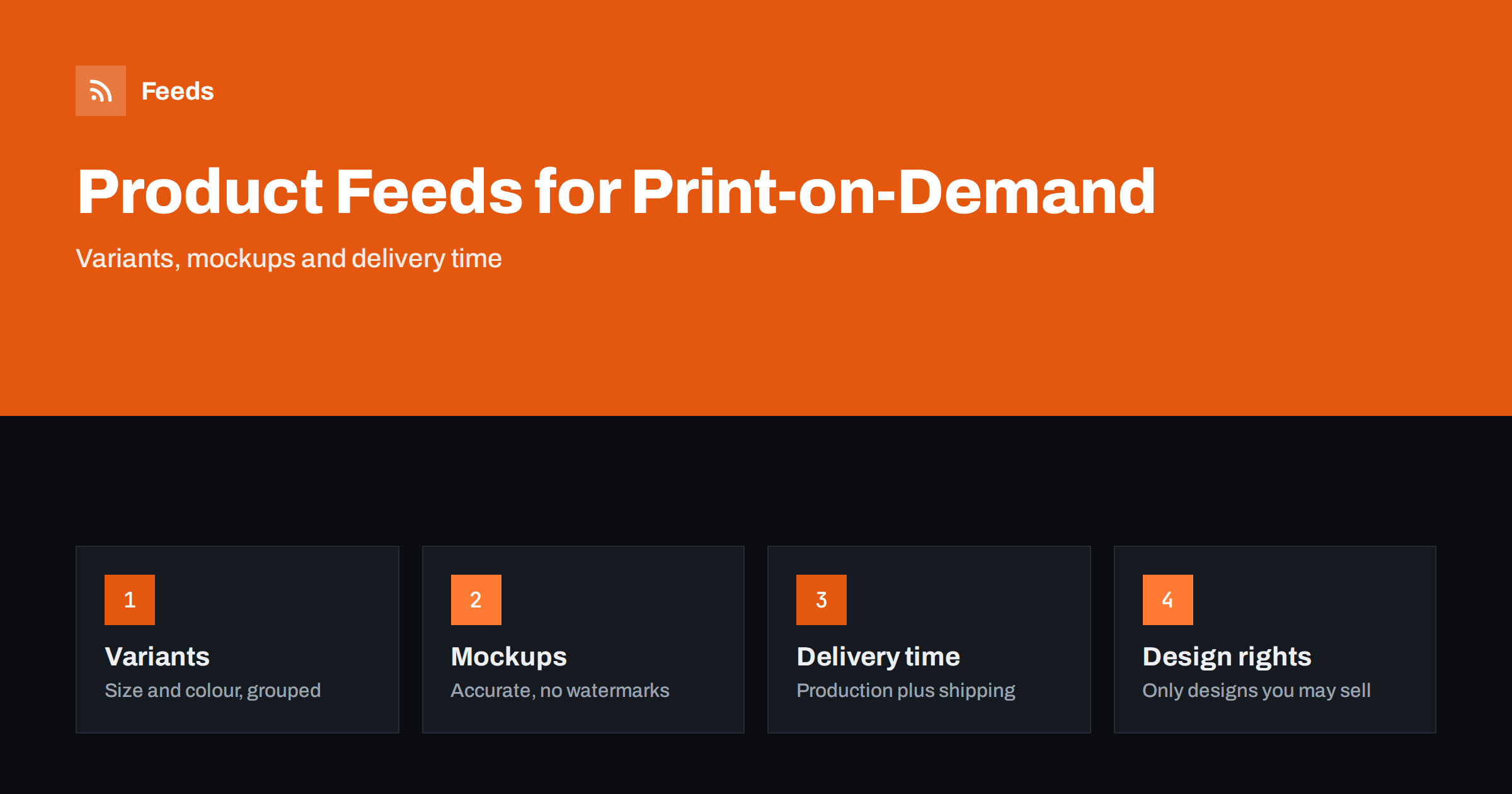
Short answer: A print-on-demand product feed works when each design and product type has a unique title, sizes and colours are grouped as variants, the mockup images show the real product without watermarks, and the delivery time includes production as well as shipping. Because these shops can list thousands of items from a few designs, the main risks are near-duplicate listings, wrong variant data and rights problems, and all three are manageable with clear rules.
What makes print-on-demand feeds different
In a print-on-demand shop, nothing is printed until a customer orders. A single design can appear on a t-shirt, a hoodie, a mug, a poster and a tote bag, and each of those comes in several sizes and colours. Multiply a hundred designs by a dozen product types and several variants each, and a catalog of thousands of rows appears almost overnight.
That scale is both the opportunity and the problem. Shopping platforms reward clear, distinct listings, and punish catalogs full of near-identical items with thin descriptions. The feed is where you decide how that catalog is presented. If you have not built one before, what a product feed is and how it works is a quick introduction.
Give every listing a unique, descriptive title
The same design on twenty products must not produce twenty identical titles. A good pattern is design or collection name, product type, the main attribute and the brand. For example: “Mountain Sunrise Graphic T-Shirt, Unisex Cotton, Brand Name” and “Mountain Sunrise Ceramic Mug, 330 ml, Brand Name”. The shopper sees at a glance what the product is, and the platform can match the listing to searches such as “mountain graphic t-shirt”.
Put the product type near the front, because that is what people search for. A fancy design name alone (“Wild Heart”) tells nobody that it is a hoodie. Keep promotional phrases out of the title. The techniques are covered in how to optimise product feed titles, and many of them can be applied by rules rather than by hand when the catalog is large.
Group variants properly
Variant mistakes are the most visible problem in a large print-on-demand catalog, because a small error in one rule is repeated across thousands of rows.
Sizes and colours should be rows linked by a common group identifier. Without it, a t-shirt in six sizes and four colours becomes 24 unrelated products, each competing with the others. With it, shopping platforms understand that it is one product with options. The rules are explained in how variants and item group IDs work.
For each variant, make sure of the following:
- The size and colour fields are filled in with the same words that appear on the product page.
- The address opens the page with that variant already selected.
- The image shows that colour, not a default colour for every row.
- Each variant has its own price and availability, if they differ.
For clothing, the extra fields such as gender, age group and material matter too. Apparel product feed attributes lists them.
Mockups: accurate, clean and not misleading
Print-on-demand shops usually show generated mockups instead of photos of the real product. Mockups are fine for the shopping platforms as long as they show the actual product, in the colour that is for sale, and do not mislead. Check these points:
- No watermarks, logos or promotional text on the main image. Banners such as “Sale” or “Free shipping” are a common cause of image disapprovals.
- The product is clearly visible and fills most of the frame, rather than a tiny item in a big room scene.
- The colour matches the variant. A black shirt mockup for a white variant is a mismatch.
- The design on the mockup is the design that will be printed, in the same position and size.
Lifestyle and room scenes are good for the product page and for additional images, but the main image is best kept simple. The size rules and the main reasons for rejection are in product feed image requirements.
Identifiers on custom-printed products
Identifiers are the part of print-on-demand feeds that many owners skip, and the one that most often leads to warnings in the diagnostics screen.
Many print-on-demand products are made to order and have no barcode, so there is no GTIN to send. Do not invent one. Follow the platform’s rules for products that have no unique identifier, and make sure the brand field holds your own shop or brand name. If you resell a blank product from a well-known maker and print on it, ask which identifier, if any, is correct before you submit anything. The background is in GTIN, MPN and brand in product feeds.
Delivery time: production plus shipping
A made-to-order product does not ship the same day. It is printed first and then shipped, and the shopper must be told the real timeframe. In the feed and in your shipping settings, include the production time as handling time, and add the delivery time on top. If the product page promises a total of a certain number of days, the platform settings and the checkout should agree with it. The topic is explained in shipping settings in a product feed.
Seasonal peaks change the picture. Before a holiday period, print providers often need more time, and the delivery promise on your listings should be updated before the rush, not after complaints arrive. Check the cut-off dates your provider publishes and adjust the handling time in the feed for the weeks around them.
Returns also need a clear statement. Many custom-printed items cannot be returned if there is no fault, and that must be visible on the site before the order. Hiding it creates disputes and can cause policy problems.
Design rights and what you can list
Print-on-demand makes it easy to list a design, and equally easy to list one you have no right to sell. Use only artwork you made, licensed or bought with clear rights. Avoid logos, characters, team names and song lyrics that belong to someone else, even when a customer asks for them. Marketplaces and shopping platforms act on rights complaints, and one complaint can remove many listings at once, sometimes the whole account. Keep a simple record of where each design came from, so you can respond quickly if there is a question.
Descriptions: write your own
Many print providers supply a default description for each blank product, and thousands of shops copy it. Using it unchanged makes your listings look like everyone else’s. Write a short description for each product type once, adding the material, the size chart, the printing method and care instructions, and then add a line about the design. Keep the facts consistent with the product page. If your products also appear on marketplaces, see marketplace product feeds for how rules differ by channel.
A short list of what to put in each product-type description helps when you have many designs. For apparel, mention the fabric, the fit and the care label. For mugs, mention the capacity, the material and whether the print survives a dishwasher. For posters, mention the paper, the size options and whether a frame is included. These facts answer the questions shoppers actually ask and reduce returns.
It is also worth deciding which products to leave out of the feed. A low-quality design or an unfinished listing hurts the whole catalog, and excluding by rule is easier than fixing hundreds of rows later. How to exclude products from a feed explains the options.
A good habit is to review one product from each type every month: open the listing, the feed row and the checkout side by side, and confirm that title, colour, price, image and delivery time agree. A short monthly review catches rule mistakes before they spread.
How RSS Feed Creator helps
RSS Feed Creator builds Google Merchant Center and Meta catalog XML straight from your store. WooCommerce and Shopify are read automatically, and any other store can use a CSV link. You can skip out-of-stock products, rewrite titles with rules and adjust prices, and the currency is detected automatically. The free plan includes product feeds with up to 50 products, enough to test a first set of designs. The Store plan covers one store with 3 product feeds and up to 2,000 products, and the details are on the pricing page.
Related reading
- Product feeds for dropshipping stores: what to watch
- Product feeds for handmade and made-to-order products
- Product feed checklist: 25 checks before you submit
The bottom line
Print-on-demand feeds need structure more than anything: unique titles, grouped variants, accurate mockups, honest delivery times and only designs you may sell. Write your own descriptions, exclude weak listings and check the feed against the product page before you submit.
FAQ
Can I use mockups in a Google Shopping feed?
Generally yes, if the mockup accurately shows the product that is for sale, in the right colour, and has no watermark or promotional text on the main image. Keep scene and lifestyle images for additional pictures.
Do print-on-demand products need GTINs?
Custom products made to order usually have none, and you should not invent them. Follow the platform rules for products without identifiers and use your own brand name.
How do I avoid thousands of near-identical listings?
Give every product a title that combines design, product type and key attribute, write a real description for each product type and exclude weak or unfinished listings with rules.
How should I state delivery time for made-to-order items?
Include production time in the handling time and add the shipping time on top, so that the total matches the product page and the checkout.
Can I sell designs inspired by popular brands or characters?
Only if you hold the rights. Logos, characters and team names usually belong to others, and rights complaints can remove many listings at once.