ENEnglish
 LTLietuviškai
 DEDeutsch
 FRFrançais
 RUРусский
 ESEspañol
 PLPolski
 ITItaliano
 UKУкраїнська
 CSČeština
 PTPortuguês
 JA日本語
JA日本語 LVLatviešu valoda
 ETEesti
 HUMagyar
 IDBahasa Indonesia
 TRTürkçe
 HIहिन्दी
 ELΕλληνικά
 ARالعربية
 THไทย
THไทย VITiếng Việt
 RORomână
 MSBahasa Melayu
 BNবাংলা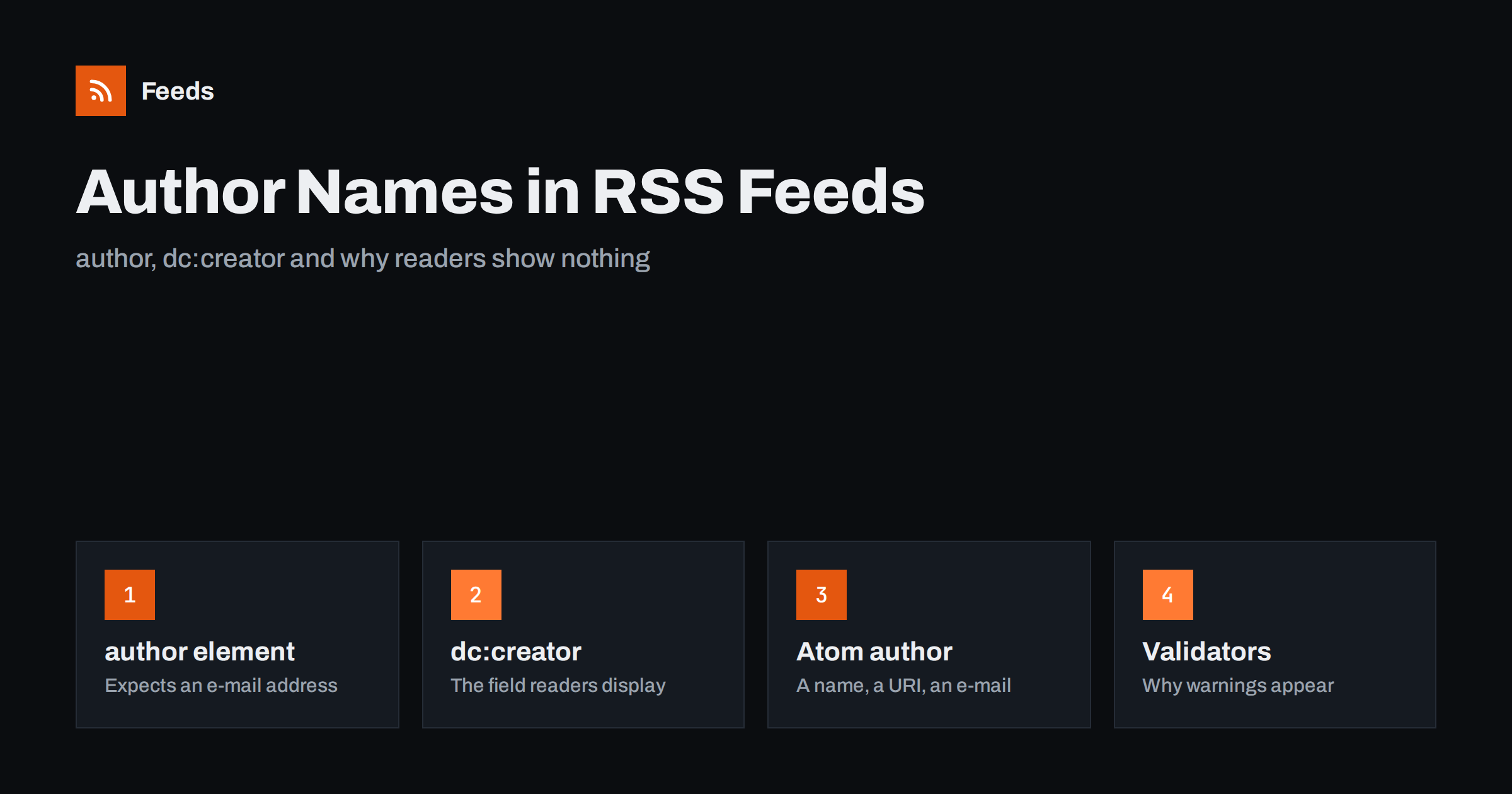
Short answer: RSS 2.0 has an author element, but it is defined as an e-mail address, so most publishers leave it out and readers show no name. The field that readers display is usually dc:creator from the Dublin Core namespace, which holds a plain name. Atom has a proper author block with a name, an optional link and an optional e-mail. If your feed shows the wrong name or no name at all, the fix is almost always to add dc:creator to each item and to declare the namespace at the top of the feed.
Why a feed shows no author
Open almost any RSS reader and you will see that some feeds show a name under each headline and others show nothing, or show the name of the website instead of the person who wrote the article. This is not a bug in the reader. It comes from the way the RSS format handles authorship, which is confusing even for people who publish feeds every day.
The RSS 2.0 specification defines an element called author inside each item, but it says that the content should be an e-mail address, with the name in brackets if you want it. Very few publishers want to put an e-mail address into a public file, so the element is usually omitted. The result is a feed with no author information, and the reader has nothing to show. Readers that do show a name are usually taking it from a different element, which is the topic of this guide. If you want the full map of what an RSS file contains, read the anatomy of an RSS 2.0 feed first.
The author element in RSS 2.0
In RSS 2.0 the author element looks like this: <author>[email protected] (Jane Doe)</author>. The specification is clear that the e-mail address is the required part, and validators follow it. If you put only a name inside, the feed still works in most readers, but a validator will warn that the value is not an e-mail address. Some strict parsers ignore the value entirely when it does not look like an address.
There is also a channel-level pair of elements, managingEditor and webMaster, which again expect e-mail addresses. They describe the people responsible for the feed as a whole, not the authors of individual items, and almost no reader displays them. In practice, the author element is useful only when you are happy to publish an address, for example a shared editorial mailbox.
dc:creator: the field readers actually show
The Dublin Core namespace was designed to describe documents, and its creator element simply holds the name of whoever made the thing. RSS allows extra namespaces, so feed generators adopted dc:creator as the practical way to say who wrote an article without publishing an e-mail address. A typical item contains <dc:creator>Jane Doe</dc:creator>, and most readers display it as the author line.
Two things must be true for this to work. First, the namespace has to be declared on the root element of the feed: xmlns:dc="http://purl.org/dc/elements/1.1/". Without the declaration the file is not valid XML, and some parsers will refuse the whole feed rather than just the one element. Second, the content should be a plain name. Some systems wrap it in a CDATA block, which is fine; others put HTML inside, which is not. The way namespaces are declared and used, with worked examples, is explained in RSS namespaces explained.
WordPress is a good example of the common pattern: its default feed includes dc:creator on every item, set to the display name of the post author. That is why so many feeds show a name even though the RSS 2.0 author element is missing. Other platforms vary, and some omit author data altogether.
How Atom handles authors
Atom solved the problem properly. An entry can contain an author element with three children: name, which is required, and uri and email, which are optional. A feed can also declare an author at the top level, and entries without their own author inherit it. This is why Atom feeds rarely have the missing-name problem: the format asks for a name, and generators provide one.
A common question is whether a feed should contain both author and dc:creator. In RSS 2.0, yes, if you are willing to publish an address in author; if not, dc:creator alone is the normal choice. In Atom, the native author element is enough, and adding Dublin Core on top gains nothing. The differences between the two formats go beyond authorship, and RSS vs Atom covers the rest.
Multiple authors and guest writers
Articles with two or more authors are where the formats diverge most. Atom allows several author elements in one entry and readers generally show them all, joined by commas. RSS 2.0 allows one author per item, and dc:creator is usually treated as a single value, although nothing stops you repeating it. Readers handle repeated dc:creator elements inconsistently: some show the first, some the last, some all of them.
The safe approach in RSS is to put all names into one dc:creator value, separated by commas or the word “and”, exactly as you would print a byline. For guest posts, use the guest’s name, not the editor who pressed publish. If a platform insists on using the account owner as the author of every post, consider whether a byline inside the article text is acceptable, because readers will show whatever the feed says, not what the page says.
Why readers show the site name instead
When a feed has no author data, some readers fall back to the channel title, so every item appears to be written by “Example Blog”. Others fall back to the managingEditor address, which looks odd next to a headline. A few show the domain. All of these are guesses made by the reader to fill an empty line, and the only way to control what appears is to supply a real value in the feed.
Occasionally the opposite happens: the feed contains the correct name but the reader still shows something else. This usually means the reader has cached an older version of the feed, or the feed was changed but the items kept their old guid values, so the reader never re-read them. New items will pick up the new author data; old ones may not until the cache expires.
Encoding, HTML and special characters
Author names contain accented letters, apostrophes and sometimes characters outside the Latin alphabet. The feed must be served in the encoding declared in its XML header, normally UTF-8, and names must be escaped like any other text: an ampersand becomes &, and a name that genuinely contains angle brackets should go into CDATA. Do not put HTML inside dc:creator, such as a link to the author page. It is not allowed, and readers will either show the raw tags or strip the whole value. If you want to link to the author, use the item link or add the link inside the content body.
A quick way to catch these mistakes is to run the feed through a validator after any change to the template. The most common warnings and their fixes are listed in how to validate an RSS feed.
Checking and fixing your own feed
Open the feed address in a browser, use the view-source option and search for creator and author. You are looking for three things: that the Dublin Core namespace is declared on the root element, that each item carries a dc:creator with the right name, and that any author element contains an e-mail address rather than a bare name. If the feed is generated by a CMS, the fix is usually a setting or a template change. In WordPress, the display name of the user is what appears, so changing the user profile changes the feed; a custom feed template can take the name from a co-author plugin instead. The steps for building such a template are in how to create a custom RSS feed in WordPress.
If the feed comes from a page-to-feed tool rather than from the site itself, the author is available only when the page shows it in a consistent place, such as a byline next to each headline. Many listing pages do not show authors at all, in which case the generated feed will not have them either, and the reader will show the channel name. That is normal and does not affect how the feed works.
How RSS Feed Creator helps
RSS Feed Creator turns the article list of a web page into a standard RSS feed with titles, images, summaries and dates, and it uses the site’s existing feed when the page already has one, author fields included. It reads pages from the outside, so you do not need access to the source website, and you see a preview of the items before the feed is created. You can merge several sources into one feed (up to 10 on paid plans) and keep only the items that contain your keywords, which is useful when you follow one writer across several publications. Feeds refresh every 3 hours on the free plan and every 30 minutes on paid plans, and the free plan allows up to 20 items per feed. The details are on the pricing page.
Related reading
- RSS Feed Best Practices for Publishers: A 24-Point Checklist
- Podcast RSS Tags Explained: iTunes and Podcasting 2.0
- How to Create an RSS Feed for a Website Without RSS
The bottom line
RSS 2.0’s author element wants an e-mail address, so most feeds leave it empty and readers show nothing. Add dc:creator with a plain name to every item, declare the Dublin Core namespace on the root element, keep HTML out of the value and validate the feed after the change. In Atom, use the native author block with a name. Do that and every reader will show the right byline.
FAQ
Why does my RSS reader show no author for a feed?
Because the feed has no author data the reader can use. The RSS 2.0 author element expects an e-mail address, so publishers often omit it, and if the feed also lacks dc:creator there is nothing to display. Adding dc:creator to each item fixes it.
Can I put just a name in the RSS author element?
You can, and many readers will show it, but the specification defines the element as an e-mail address, so validators will warn and some strict parsers ignore the value. The accepted way to publish a name without an address is dc:creator.
Do I need to declare a namespace for dc:creator?
Yes. The root element of the feed must include xmlns:dc=”http://purl.org/dc/elements/1.1/”. Without it the feed is not valid XML, and some parsers will reject the whole file rather than just the one element.
How do I list two authors in one RSS item?
Put both names in a single dc:creator value, separated by a comma or “and”, as you would print a byline. Repeating the element is allowed but readers handle it inconsistently. Atom supports several author elements per entry and readers show them all.
Why does the reader show the site name instead of the author?
When author data is missing, some readers fall back to the channel title. It is the reader filling an empty line, not a value in your feed. Supply dc:creator on each item and new items will show the real name once the reader fetches them.