 ENEnglish
 LTLietuviškai
 DEDeutsch
 FRFrançais
 RUРусский
 ESEspañol
 PLPolski
 ITItaliano
 UKУкраїнська
 CSČeština
 PTPortuguês
 JA日本語
JA日本語 LVLatviešu valoda
 ETEesti
 HUMagyar
 IDBahasa Indonesia
 TRTürkçe
 HIहिन्दी
 ELΕλληνικά
 ARالعربية
 THไทย
THไทย VITiếng Việt
 RORomână
 MSBahasa Melayu
 BNবাংলা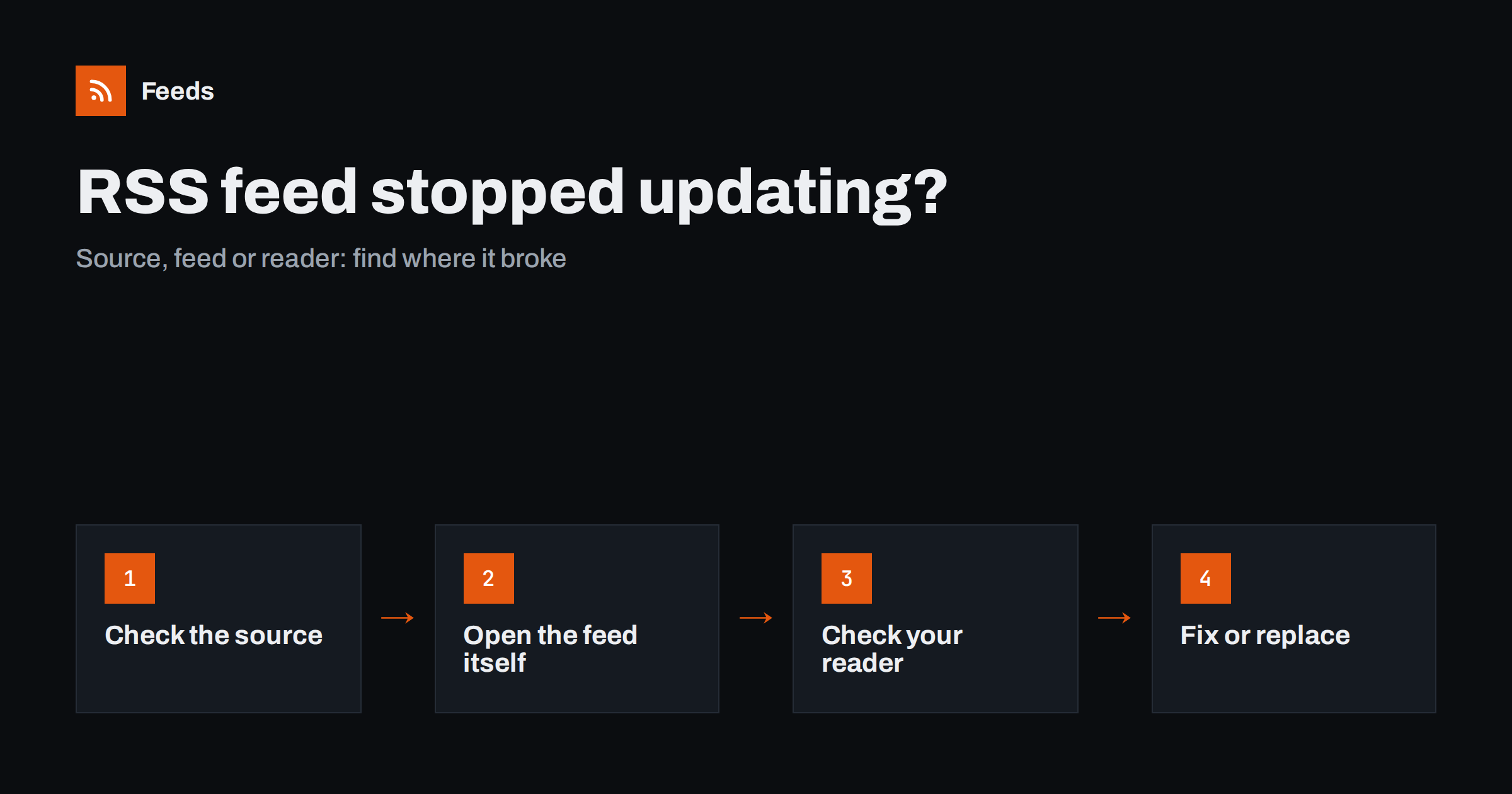
Short answer: When a feed you follow stops showing new items, check three things in order: whether the website has actually published anything new, whether the feed address still returns a valid feed containing those new items, and whether your reader or tool is still fetching it successfully. The fault is almost always in one of those three places, and each takes a minute to check. Generated feeds add one more cause: the source page changed and the feed no longer finds its items.
A silent feed is deceptive. It looks exactly like a source that has nothing to say, so the problem can go unnoticed for weeks. By the time someone asks “did you see the announcement?”, you have missed a string of updates. This guide is for people who follow feeds, not for site owners fixing their own feed output; it walks through a diagnosis you can run on any feed you subscribe to or generate.
First question: is the source really quiet?
Before assuming anything is broken, open the website in a browser and look at the page the feed is supposed to reflect. Compare what you see with the newest item in your reader.
- Nothing new on the site either. The feed is fine. Some sources publish irregularly; a blog that posted weekly may pause for a month. Note the pattern and move on.
- New items on the site, but not in your reader. Something between the site and you is broken. Continue with the next steps.
- The page has moved or looks completely different. The site may have been redesigned or restructured. This is a strong hint, especially for generated feeds.
Make sure you are comparing the right page. If you follow a section feed, such as a category, compare with that section, not the home page.
Second question: does the feed itself contain the new items?
Open the feed address directly in a browser or a feed validator. You are looking for three things.
- Does it load at all? An error page, a redirect to the home page, or a “not found” means the feed address changed or was removed.
- Is it still a feed? Sometimes an address that used to return RSS now returns an ordinary HTML page, for example after a site migration. If you see a web page instead of XML, the feed is gone from that address.
- What is the newest item? Look at the first item’s title and date. If the new articles you saw on the site are there, the feed is fine and the problem is in your reader. If they are missing, the problem is at the source or in the feed generation.
A validator also tells you whether the XML is well formed. A single broken character can make some readers reject an entire feed while browsers display it without complaint.
Third question: is your reader still fetching it?
If the feed contains new items but you do not see them, the reader or tool is the problem. Most readers show some information about each subscription.
- Error indicators. Look for a warning icon, an error message or a “last updated” time that is days or weeks old.
- Manual refresh. Trigger a refresh of that subscription and see whether new items appear.
- Blocked requests. Some websites block or rate-limit certain automated clients. If your reader shows access errors while the feed works in your browser, the site may be refusing the reader’s requests.
- Refresh interval. Some readers poll infrequently, especially on free plans or for feeds that rarely change. The items may simply not have been fetched yet.
- Re-subscribe. As a last resort, remove and add the subscription again. This clears stale state in some readers.
A note on caching
Caching can make a healthy feed look stale for a while. Websites, content delivery networks and feed tools may all keep a copy of the feed for some time before generating a fresh one. If the site published minutes ago, give it a few hours before concluding anything is broken. If the feed is still behind the next day, caching is unlikely to be the explanation.
It also helps to write down what you found at each step, even briefly: “site has three new posts, feed shows none, feed validates”. When you need to ask the site owner or a tool’s support team for help, that short record makes the problem clear at once and avoids a round of basic questions.
Common causes, summarized
| Symptom | Likely cause | What to do |
|---|---|---|
| Feed address shows a 404 or home page | Site migrated, feed moved or removed | Look for a new feed link in the page source; otherwise generate one |
| Feed loads but newest item is old, site has new posts | Feed caching or broken feed generation at the source | Wait a day; if unchanged, use a different feed or generate one from the page |
| Feed is fine, reader shows nothing new | Reader fetch errors, blocking or slow polling | Check reader errors, refresh, re-subscribe |
| Generated feed has zero items | Source page redesigned or moved | Check the page, update the source address, recreate if needed |
| Generated feed shows wrong items | Page now has a different list above the articles | Use a more specific section page as the source |
| Items appear but with old dates | Source shows no dates, or dates changed format | Check a few items on the site; order may rely on first-seen time |
Special case: generated feeds from pages without RSS
If the feed was created from a web page by a page-to-feed tool, there is an extra link in the chain. The tool reads the page and finds the list of items on it. When the site changes, several things can happen:
- The page moved. The section now lives at a different address, and the old address redirects elsewhere or returns an error. Update the source to the new address.
- The page was redesigned. Tools that detect the list again on every refresh often cope with this, but a radical change, such as switching to items loaded only by scripts, can leave the feed with nothing to find.
- The site started blocking automated visitors. Some sites add bot protection that returns a challenge page instead of content.
- The list became paginated or filtered differently. The page now shows a different subset, such as featured items only.
Open the source page, check that the list is still visible without logging in, and preview the feed again. Often choosing a different, more specific page on the same site restores a clean feed.
Prevent silent failures
The best fix is noticing early. A few habits catch stale feeds before they cost you anything:
- Know each source’s rhythm. Note roughly how often each source publishes. Silence far beyond that rhythm is a signal.
- Monthly freshness check. Sort subscriptions by the date of their newest item and look at the ones at the bottom.
- Use health alerts where available. Some feed tools notify you when a feed stops finding items, which removes the need for manual checks.
- Keep a source list. Record the original page each feed comes from. When a feed breaks, you know exactly which page to check.
- Prefer stable sources. A publisher’s own feed or a page with good structured data is usually more stable than a busy home page.
How Feeds helps
Feeds is designed to keep generated feeds working. It uses a site’s own feed when one exists, and when it does not, it detects the list of items on the page again on every refresh rather than relying on fixed rules. An out-of-date feed is also refreshed when it is read. Paid plans send an alert if a feed stops finding items, so a redesign on the source site does not go unnoticed for weeks. If a source page moves, you can check a new address in the preview before switching. See the plans for refresh intervals and alert availability.
Related reading
- WordPress RSS Feed Not Working? Common Problems and Fixes
- How to Create an RSS Feed for a Website Without RSS
- How to Merge Multiple RSS Feeds into One Clean Feed
The bottom line
When a feed goes quiet, check the source, then the feed, then the reader. Each check takes a minute and points to the fix: a new feed address, a new source page, or a reader that needs attention. For generated feeds, remember that the source page itself can change. Knowing each source’s rhythm and using health alerts turns silent failures into quick repairs.
GYIK
Why is my RSS reader not showing new posts?
Either the site has not published anything, the feed does not contain the new posts, or the reader is failing to fetch the feed. Open the site and the feed address directly to see which of these is true.
How can I tell if an RSS feed is broken?
Open the feed address in a browser or validator. If it returns an error, a normal web page instead of XML, or items much older than what the site shows, the feed is broken or has moved.
Why did my generated feed suddenly show zero items?
The source page most likely moved, was redesigned, started loading items only through scripts, or began blocking automated visitors. Check the page in a browser and preview the feed again, trying a more specific section page if needed.
How often do feed readers check for updates?
It varies by reader and plan, from every few minutes to every few hours. Some readers check rarely updated feeds less often, so new items can take a while to appear.
Can I get notified when a feed stops working?
Some feed tools offer alerts when a feed stops finding items or returns errors. Without such alerts, a monthly check of each feed’s newest item date is the simplest safeguard.


