 ENEnglish
 LTLietuviškai
 DEDeutsch
 FRFrançais
 RUРусский
 ESEspañol
 PLPolski
 ITItaliano
 UKУкраїнська
 CSČeština
 PTPortuguês
 JA日本語
 LVLatviešu valoda
 ETEesti
 HUMagyar
 IDBahasa Indonesia
 TRTürkçe
 HIहिन्दी
 ELΕλληνικά
 ARالعربية
 THไทย
 VITiếng Việt
 RORomână
 MSBahasa Melayu
 BNবাংলা
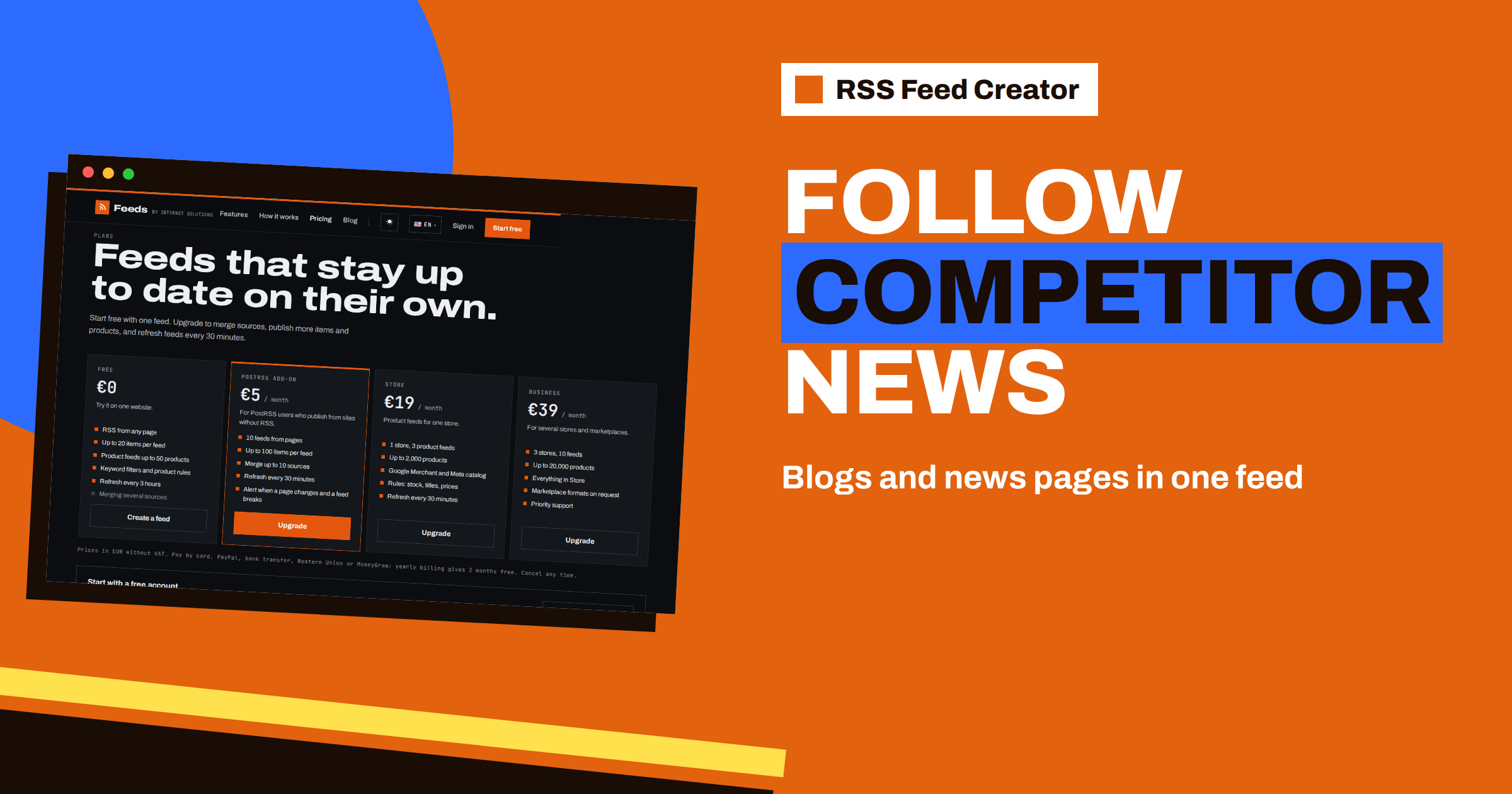
Short answer: Find the page on each competitor’s website that lists their latest blog posts, news or press releases, paste it into RSS Feed Creator, check the preview and create a feed. On the free plan you get one feed per competitor. With the PostRSS add-on you can merge up to 10 pages into one feed, with duplicates removed and the newest items first, and keep only the items that contain your keywords. Then read everything in an RSS reader as a single, quiet stream instead of visiting ten websites.
Why competitors’ pages are worth following
A competitor’s blog and news page is the most honest public record of what they want customers to believe: which products they launch, which markets they enter, which partners they announce, which topics they publish about. Following it takes minutes a week if it arrives in one place, and hours if you have to remember to visit each website.
The obstacle is that many companies have no RSS feed for those pages, or hide it. That is exactly the case RSS Feed Creator was made for: it reads public pages from the outside, like a visitor, and turns the list of items into a clean feed. You do not need any cooperation from the website. The general idea is described in how to monitor websites for new content automatically; this article is the hands-on version for competitor pages.
Choose the right pages
Do not paste a home page. The best sources are pages that already list items in a repeated pattern:
- Blog or insights index. Shows topics and positioning.
- News or press page. Shows launches, awards, partnerships and appointments.
- Product updates or release notes. Shows what actually changed in their product.
- Careers or vacancies list. Shows which teams are growing. The list page can become a feed like any other.
Open the preview for each candidate and look at the cards. If the titles are real headlines and the dates are sensible, the page works. If you see menu items or “read more” links, try the section page one level up or down. The step is explained in the RSS Feed Creator preview, and how RSS Feed Creator finds items on pages without RSS tells you why some pages need a better address.
Free plan: one feed per competitor
On the free plan every feed has one source, and a free account can hold up to 3 feeds in one list. That fits a small set of competitors well:
- Choose “A web page” on the home page and paste the first competitor’s blog or news address.
- Check the preview and press Create.
- Rename the feed on the management page to something recognisable, such as the company name and the section.
- Copy the feed address into your RSS reader.
- Repeat for the next competitor.
Each free feed holds up to 20 items and refreshes every 3 hours, which is more than enough to follow a company that publishes a few times a week. Create a free account first, so that all feeds appear in one list instead of being scattered across bookmarks.
Paid: merge up to 10 sources into one stream
Ten feeds in a reader are manageable, but a single stream is better for a weekly review. The PostRSS add-on at €5 per month allows merging up to 10 sources into one feed. You create the first feed as usual, then use the “Merge another page or feed” box on its management page to add the others one at a time. Each addition triggers an update.
The merged feed behaves in a helpful way. Items from all sources are sorted with the newest first, and an item whose address appears twice, for example the same announcement on a blog and on a press page, is kept only once. The merged feed holds up to 100 items and refreshes every 30 minutes. You can remove a source later with the cross next to it, which is useful when a competitor redesigns its website and the page changes. The feature in detail is in merge sources in RSS Feed Creator: up to 10 in one feed.
Cut the noise with keywords
Competitors publish plenty that you do not need: event invitations, webinar reminders, culture posts. Keyword filters on the management page keep the stream relevant. There are two boxes:
- Only items containing: keep an item only if its title or summary contains one of your words, separated by commas, for example
launch, pricing, partnership, acquisition. - Skip items containing: drop items that contain certain words, for example
webinar, hiring day, newsletter.
Matching ignores capital letters. Start with a loose filter, look at what disappears and tighten it only if the stream is still too busy. Because a save starts an update immediately, you can try a filter, look at the latest items on the page and adjust within a minute. Keyword filters in RSS Feed Creator goes deeper, and how to reduce noise in RSS alerts without missing anything offers a way of thinking about it.
Read it where you already read
An RSS reader is the natural home for a competitor stream: it is quiet, it lets you mark items as read and it does not fill your inbox. Add the feed address to the reader of your choice, put it in a folder called “Competitors” and look at it once or twice a week. If you prefer a different channel, the same address can feed a team chat tool or an automation, since a feed is a plain standard format.
A short routine works well: once a week, open the folder, skim the titles, star anything that deserves a closer look and write down any pattern you notice, such as three posts in a row about a new market. After a month, you will have a good picture of your competitors’ priorities without any special software.
What to look for
A feed is only useful if you know what you are watching for. Competitor pages usually reveal these signals:
- Product launches and updates. The speed and direction of their roadmap.
- Pricing and plan changes. Often announced in a blog post before the pricing page changes. For the pricing page itself, see how to track competitor pricing pages and plan changes.
- Partnerships and customers. Which segments they are targeting.
- Hiring. New roles often foreshadow new products or markets.
- Topics and keywords. What they want to rank for.
A fifteen-minute setup for three competitors
Here is how the whole thing can look in practice. Suppose you sell project software and your three main rivals are Alpha, Beta and Gamma. You create a free account, then open the preview for the blog of Alpha and the news page of Beta. Both give clean cards, so you create two feeds and name them accordingly. Gamma’s site has no usable blog, but its release notes page lists versions with dates, so you use that as the third feed.
You paste the three feed addresses into your reader, in one folder, and that is the setup. Later, when you move to the PostRSS add-on, you merge the three sources into one feed and add a filter for pricing, launch, integration. The reader folder shrinks from three feeds to one, and the feed holds only what matters. Nothing had to be rebuilt along the way, because the source pages stay the same and only the feed settings change.
Limits and good practice
The tool reads public pages only. It does not log in, and it cannot read anything that is not available to a normal visitor. It also reflects what a page shows: if a page lists only titles, the feed items have titles, and if the competitor changes the layout, the list is detected again at the next refresh. Use what you learn the way you would use any public information, and respect the website’s terms.
The plans are summarised on the pricing page: the free plan for single feeds, the PostRSS add-on at €5 per month for 10 feeds, merging and a 30-minute refresh, and you can cancel at any time.
Related reading
- How to Track New Products on Competitor Online Stores
- How Agencies Can Run Client Monitoring with RSS Feeds
- How to Organize Your RSS Reader So It Never Overwhelms You
The bottom line
Competitors’ blogs and news pages are free intelligence, and RSS Feed Creator makes them followable even when the websites have no feeds. Start with one feed per competitor, merge them into a single filtered stream when you outgrow that and review it in your reader once a week.
FAQ
Do I need the competitor’s permission?
RSS Feed Creator reads public pages from the outside, like a visitor, so no cooperation from the website is needed. Respect the website’s terms as with any public information.
How many competitors can I follow?
On the free plan a free account holds up to 3 feeds. With the PostRSS add-on you can have 10 feeds, and each feed can merge up to 10 sources.
Can I keep only product launches?
Yes. Use the include box with words such as launch or release, and the exclude box for words you do not want to see.
What if a competitor redesigns its website?
The list of items is detected again at every refresh. If the list changes shape, check the preview of the new page and update the source.
Can I read the feed somewhere other than a reader?
Yes. A feed is a standard format, so the same address works in readers and in tools that accept RSS.


