ENEnglish
 LTLietuviškai
 DEDeutsch
 FRFrançais
 RUРусский
 ESEspañol
 PLPolski
 ITItaliano
 UKУкраїнська
 CSČeština
 PTPortuguês
 JA日本語
JA日本語 LVLatviešu valoda
 ETEesti
 HUMagyar
 IDBahasa Indonesia
 TRTürkçe
 HIहिन्दी
 ELΕλληνικά
 ARالعربية
 THไทย
THไทย VITiếng Việt
 RORomână
 MSBahasa Melayu
 BNবাংলা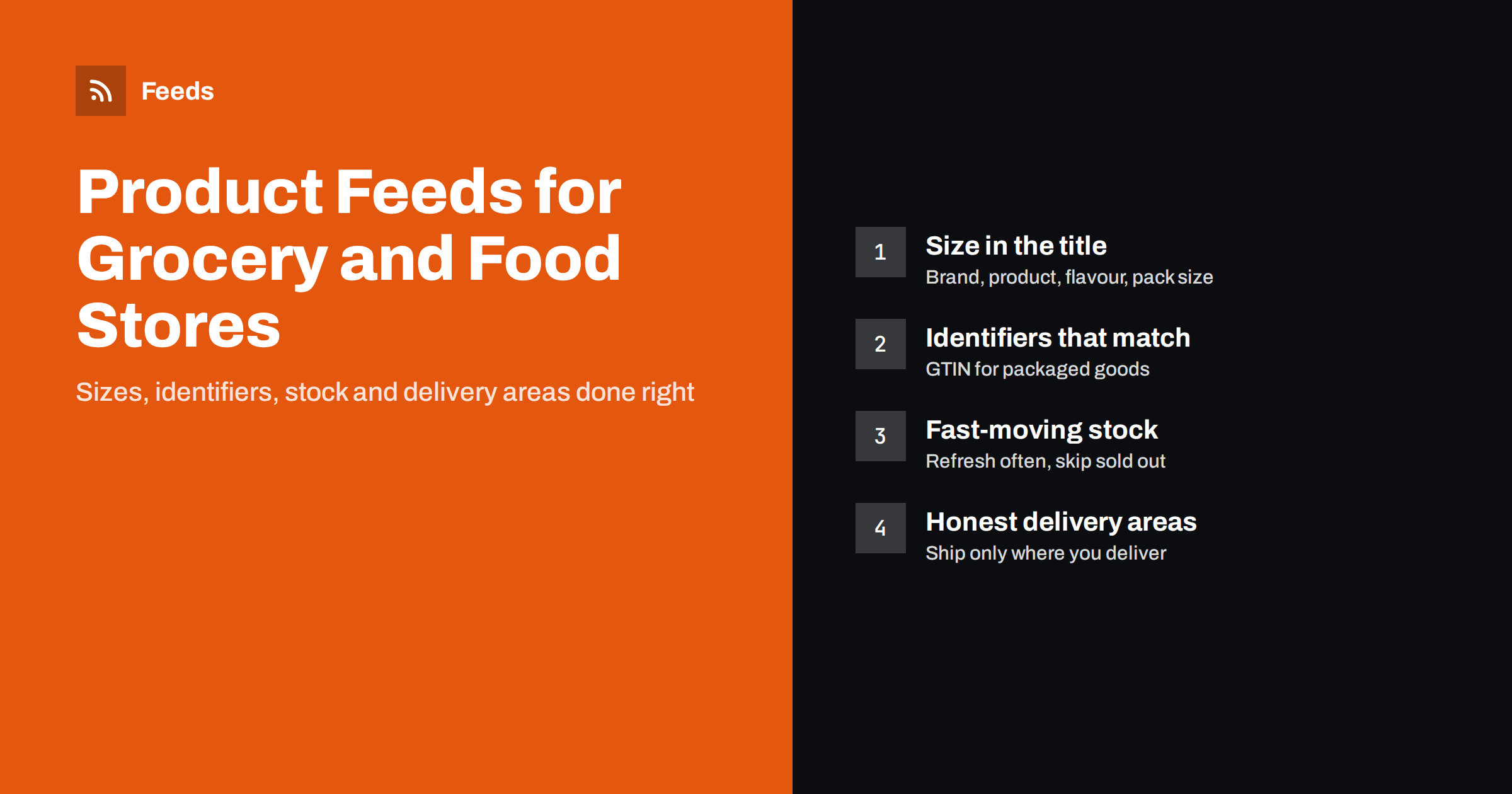
Short answer: A good product feed for a grocery or food store names each item with brand, product, variant and pack size, uses the barcode GTIN for packaged goods, shows unit prices where they are expected, marks multipacks correctly and keeps stock and prices fresh because they change often. Products you make yourself, such as bakery or deli items, can be listed without a GTIN. Delivery areas belong in your shipping settings, so shoppers only see offers you can actually deliver.
Why food products are different in a feed
Food and grocery catalogs look simple, but they break many of the assumptions that product feeds are built on. A clothing store has a few hundred products that change each season. A grocery shop may have thousands of items, many of them almost identical: the same yoghurt in four flavours and three sizes, the same coffee as beans or ground, the same water as a single bottle or a pack of six.
Prices and stock also move faster. Fresh products sell out daily, promotions change weekly and some products are only available in season. On top of that, delivery is often limited to a local area, and some categories, such as alcohol, are restricted on shopping and advertising platforms.
None of this makes product feeds a bad fit for food. It means the feed has to be precise. The general rules in our guide to required and recommended Google product feed attributes still apply; this article covers what is specific to food.
Titles: brand, product, variant and size
Shoppers searching for food are usually specific. They search for a brand and a type of product, often with a flavour, a dietary label or a size. A title that contains these details matches more searches and sets the right expectation before the click.
A practical order for grocery titles is:
- Brand – for example the producer’s name or your own label.
- Product type – oat drink, dark chocolate, olive oil, granola.
- Variant – flavour, roast, fat content or type, such as “unsweetened” or “extra virgin”.
- Important attributes – organic, gluten-free or vegan, but only when it is true and stated on the pack.
- Pack size – 500 g, 1 l, 6 x 330 ml.
Avoid promotional words like “best price” or “fresh today” in titles. Shopping platforms treat them as promotional text, and they age badly in a feed that updates automatically. For more patterns, see product feed title formulas that work.
Identifiers: GTINs, own products and store brands
Most packaged food carries a barcode, and that number is the product’s GTIN. Including it helps shopping platforms understand exactly which product you sell and match it with the right searches. The GTIN must belong to the exact item in the listing: a single can and a pack of six cans have different barcodes.
Many food shops also sell products without a manufacturer barcode:
- bread, cakes and pastries made in your own bakery;
- deli items, salads and ready meals prepared in store;
- cheese, meat or coffee portioned and packed by you;
- gift boxes and hampers you assemble yourself.
For products like these, platforms allow you to say that no identifier exists, for example with identifier_exists set to “no” in Google’s format. Do not invent GTINs or reuse a barcode from a similar product; a wrong identifier causes more problems than a missing one. Our guide to GTIN, MPN and brand in product feeds explains the rules in detail.
Unit prices, multipacks and products sold by weight
In grocery, the price per kilogram or per litre often matters more to shoppers than the shelf price, and in many countries showing it is a legal requirement in the shop itself. Product feeds can carry this information too: in Google’s format the unit_pricing_measure and unit_pricing_base_measure attributes describe the pack size and the unit to compare by. See unit pricing in product feeds for examples.
Multipacks need special care. A pack of six bottles is one product with one price, one GTIN and one title that clearly says “6 x 500 ml”. Use the multipack attribute where the platform supports it, and keep the single item and the pack as separate products. Mixed boxes and hampers are bundles rather than multipacks; our guide to bundles and multipacks in product feeds explains the difference.
Products sold by exact weight, such as cheese cut to order, are the hardest case. A feed item needs a fixed price, so list a fixed pack size, such as 250 g, rather than “price per kg, final weight may vary”. If your shop only sells such items by weight at the counter, it may be better to leave them out of the feed.
Fresh stock and frequent price changes
A feed that says a product is in stock when it is not leads to disappointed shoppers and, on some platforms, to warnings about availability mismatches. Food stores feel this more than most, because fresh items and promotions change daily.
- Refresh the feed often. Use the most frequent schedule your plan and platform allow, and let the platform fetch the feed regularly.
- Skip or mark out-of-stock items. Short-lived gaps can be shown as out of stock; products that will not return should leave the feed.
- Keep sale prices in sync. If a promotion ends in the shop but stays in the feed, the platform sees a price mismatch.
- Remove seasonal items cleanly. When a seasonal product is gone for months, take it out of the feed rather than leaving it as out of stock.
Read availability mismatch in Merchant Center if you already see these warnings.
Delivery areas, local pickup and restricted products
Many grocery shops deliver only within a city or a set of postal codes. That limitation belongs in the account’s shipping settings, where most shopping platforms let you define delivery regions, costs and minimum order values. A feed that suggests nationwide delivery when you only deliver locally creates clicks you cannot turn into orders. See shipping settings vs shipping attributes for how the two levels work together.
If you also have a physical shop, local inventory programs can show shoppers nearby what is in stock today. They need their own setup and data, explained in our guide to local inventory feeds.
Some food-related categories are restricted. Alcohol is the most common example: shopping and ad platforms allow it only in some countries and under extra conditions. Check the current policy for each platform and country before including such products, and exclude them from the feed if you are unsure.
Images and descriptions that sell food
Food images should show the actual product the shopper will receive, usually the pack on a plain background, with the flavour or variant clearly visible. Avoid images with price stickers, promotional badges or text added on top, which platforms often reject. For products you make yourself, a clear, well-lit photo of the real item works better than a styled lifestyle shot.
Descriptions should give the facts a shopper needs to decide: ingredients or main components, allergens where relevant, storage, origin and the exact pack size. Keep them accurate and consistent with the product page, because the landing page and the feed are checked against each other. The product feed image requirements guide covers sizes and common rejections.
Categories and product types for a large food catalog
Google’s product taxonomy has a dedicated Food, Beverages and Tobacco branch, and choosing the right category helps platforms apply the right rules. Your own product_type can follow the structure of your shop, such as Dairy > Yoghurt > Plant-based. That structure is useful later, when you want to split campaigns or exclude a group of products.
With thousands of similar items, consistent data matters more than perfect data. Decide once how you write sizes (“500 g”, not “0.5kg” in one place and “500 grams” in another), how you name variants and which dietary labels you use, then apply the same rules everywhere.
How RSS Feed Creator helps
RSS Feed Creator (Feeds) creates Google Merchant Center and Meta catalog XML directly from a WooCommerce or Shopify store, or from a CSV link for other platforms, without plugins or code on your site. The feed uses the Google product XML format with id, title, link, image, price, availability and brand, and Meta reads the same file. You can skip out-of-stock products, rewrite titles, for example to add pack sizes, and adjust prices with rules, while the currency is detected automatically. The feed refreshes on its own. Compare plan limits on the pricing page.
Related reading
- Unit pricing in product feeds
- Bundles and multipacks in product feeds
- Out-of-stock products in your feed
- Product feed checklist: 25 checks before you submit
The bottom line
Grocery and food stores can use product feeds successfully if the data is precise. Put brand, variant and size in every title, use the real barcode for packaged goods and say “no identifier” for your own products, describe multipacks and unit prices correctly, refresh stock and prices often and set delivery areas honestly. Consistent data across thousands of similar items is what keeps the feed accepted and useful.
FAQ
Do I need a GTIN for every food product?
No. Packaged products with a manufacturer barcode should include it. Products you make or pack yourself, such as bakery or deli items, can be listed without one by stating that no identifier exists.
How should I list products sold by weight?
A feed item needs a fixed price, so list a fixed pack size, such as 250 g, with its own price. If an item is only sold by exact weight at the counter, it may be better to leave it out of the feed.
Can I include alcohol in my product feed?
Only where the platform’s policy allows it. Alcohol is restricted on shopping and advertising platforms and the rules differ by country, so check the current policy before including such products.
How often should a grocery product feed update?
As often as your setup allows, because fresh stock and promotions change quickly. At minimum, the feed should update daily, and the platform should fetch it on a regular schedule.
Should a pack of six be a separate product?
Yes. A multipack has its own price, its own GTIN and a title that states the pack, such as 6 x 330 ml. Keep it separate from the single item.