ENEnglish
 LTLietuviškai
 DEDeutsch
 FRFrançais
 RUРусский
 ESEspañol
 PLPolski
 ITItaliano
 UKУкраїнська
 CSČeština
 PTPortuguês
 JA日本語
JA日本語 LVLatviešu valoda
 ETEesti
 HUMagyar
 IDBahasa Indonesia
 TRTürkçe
 HIहिन्दी
 ELΕλληνικά
 ARالعربية
 THไทย
THไทย VITiếng Việt
 RORomână
 MSBahasa Melayu
 BNবাংলা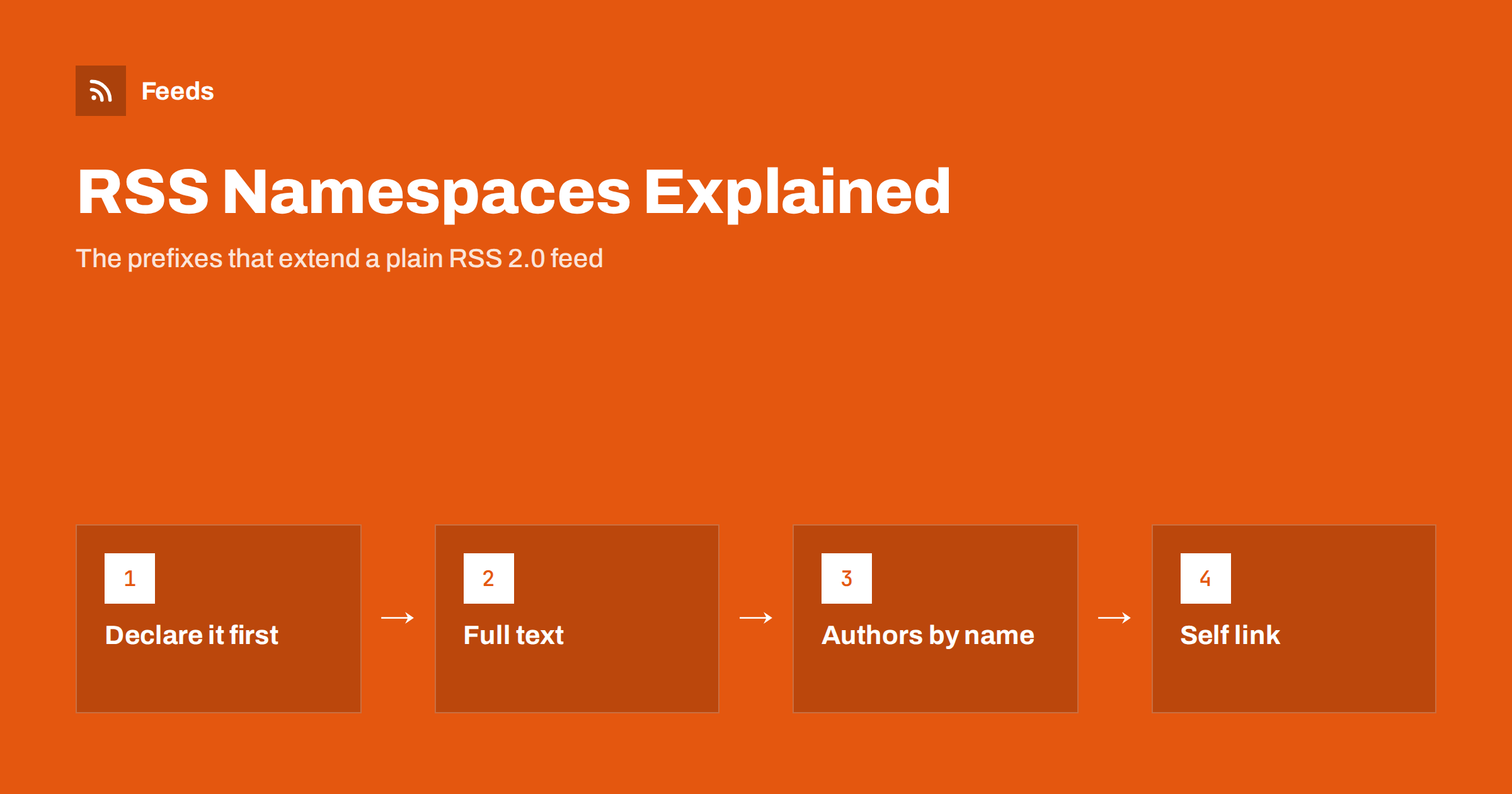
Short answer: RSS namespaces are extensions that add elements the core RSS 2.0 format does not have. Each one is declared once on the <rss> element with an xmlns: attribute and then used with its prefix, such as content:encoded for the full HTML of an item, dc:creator for the author’s name and atom:link for the feed’s own address. Readers that understand a namespace use the extra data, and readers that do not simply ignore it.
What a namespace is and why RSS needs them
RSS 2.0 is deliberately small. It defines a channel with a title, link and description, and items with a title, link, description, publication date and a few more elements. That simplicity is why RSS spread so widely, but it also means many useful things are missing: there is no standard element for the full article HTML, for an author’s name without an e-mail address, or for podcast artwork.
XML namespaces solve this without changing the core format. A namespace is a unique identifier, written as a URL, that says “elements with this prefix come from this vocabulary”. Any feed can borrow elements from any vocabulary, and the prefix keeps them from colliding with RSS’s own elements or with each other. If you want a refresher on the core elements first, read the anatomy of an RSS 2.0 feed.
The result is a format that stays simple for basic readers and grows richer for capable ones. A minimal reader shows the title and description; a modern reader also shows the full text, author, images and media from namespace elements in the same feed.
How to declare and use a namespace
Namespaces are declared as attributes on the root element. The prefix before the colon is chosen by the feed, but conventional prefixes are used almost everywhere and some readers expect them.
<rss version="2.0"
  xmlns:content="http://purl.org/rss/1.0/modules/content/"
  xmlns:dc="http://purl.org/dc/elements/1.1/"
  xmlns:atom="http://www.w3.org/2005/Atom">
After this, any element starting with content:, dc: or atom: belongs to that vocabulary. Three rules prevent most problems:
- Every prefix you use must be declared. An undeclared prefix makes the whole document invalid XML, and many readers will refuse the feed.
- The namespace URL must be exactly right, character for character. It is an identifier, not a link to visit, and a typo creates a different, unknown namespace.
- Declare each namespace once on the root element, not on every item.
content:encoded for full HTML content
The content module is the most widely used RSS extension. Its content:encoded element carries the full HTML body of an item, while the standard description holds a short summary. This lets one feed serve both kinds of reader: summary-only displays use the description, and full-text readers use the encoded content.
<description>A short plain-text summary.</description>
<content:encoded><![CDATA[<p>The full article with <a href="https://example.com/">links</a> and images.</p>]]></content:encoded>
HTML inside the element must be either escaped or wrapped in a CDATA section, otherwise the tags would be parsed as XML. CDATA is the common choice because it keeps the HTML readable. Use absolute URLs for links and images, because readers display the content away from your website. For whether to include full text at all, see full text or summary in your RSS feed, and for character problems inside CDATA see RSS feed encoding errors.
dc:creator and other Dublin Core elements
The Dublin Core vocabulary is a general standard for describing documents, and feeds borrow a few of its elements. The most important is dc:creator, which holds the author’s name.
It exists in feeds because RSS 2.0’s own author element is defined as an e-mail address. Most publishers do not want author e-mails in a public feed, so they use dc:creator with a plain name instead. Many content systems, including WordPress, do this by default.
dc:creator: the author’s name, one element per author if there are several.dc:date: a date in ISO 8601 format, sometimes used instead of or alongsidepubDate.dc:subject: a topic, similar to RSS’scategory.dc:language: the language of an item when it differs from the channel.
If an article has several authors, repeat the element rather than putting all names in one, so readers can show each name correctly. Avoid putting job titles, links or e-mail addresses inside dc:creator; it is meant for the name only. When a feed is produced by a team account, a byline such as the editorial team’s name is better than an empty element, because some readers show “unknown author” otherwise.
atom:link for the feed’s own address
RSS 2.0 has no element that states the feed’s own URL. The Atom vocabulary does, and feed validators recommend adding it to RSS feeds:
<atom:link href="https://example.com/feed/" rel="self" type="application/rss+xml" />The self link tells readers and services the canonical address of the feed, which helps when a feed is reached through redirects or copied. The same vocabulary is used for WebSub hub links, which allow instant update notifications; see WebSub explained for how that works. The href must match the address where the feed is really served.
Media, podcast and other common namespaces
Beyond the basic three, a handful of namespaces appear often enough to recognise:
| Prefix | Namespace | Typical use |
|---|---|---|
| media | http://search.yahoo.com/mrss/ | Images, thumbnails and video for items |
| itunes | http://www.itunes.com/dtds/podcast-1.0.dtd | Podcast artwork, categories, explicit flag, episode data |
| podcast | https://podcastindex.org/namespace/1.0 | Podcasting 2.0 features such as transcripts and chapters |
| sy | http://purl.org/rss/1.0/modules/syndication/ | Hints about how often the feed updates |
| slash | http://purl.org/rss/1.0/modules/slash/ | Comment counts |
| wfw | http://wellformedweb.org/CommentAPI/ | Link to an item’s comment feed |
Media RSS is how many feeds attach a featured image that readers and automation tools can pick up reliably; it is covered in Media RSS explained. Podcast feeds rely heavily on the itunes and podcast vocabularies, described in podcast RSS tags explained. The sy elements are hints only; readers decide for themselves how often to check a feed.
Common namespace mistakes and how to fix them
Namespace errors are among the most frequent reasons a feed fails validation, and they are usually easy to fix once you know what to look for.
- Undeclared prefix. A plugin adds
media:contentbut the theme’s feed template never declaresxmlns:media. The feed becomes invalid XML. Add the declaration to the root element. - Wrong namespace URL. A trailing slash missing or
httpsinstead ofhttpcreates an unknown namespace. Copy the exact URL from the specification. - Raw HTML in content:encoded. Unescaped tags break the XML. Wrap the content in CDATA.
- Self link pointing elsewhere. An
atom:linkthat still points to an old domain or an HTTP address confuses readers. Update it after any move. - Duplicate data that disagrees. A
pubDateand adc:datewith different values leave readers to guess. Keep one, or make both match.
A validator will point to most of these within seconds. Our guide on how to validate an RSS feed and fix common errors walks through the process.
How readers and tools use namespace data
Support varies. Almost every reader understands content:encoded and dc:creator. Most handle Media RSS images. Podcast apps depend on the itunes elements. Less common vocabularies are ignored by many tools, which is harmless: an unknown element is skipped, not treated as an error, as long as the namespace is declared.
Automation tools are often stricter than readers. A social posting tool may look for an image only in a media element or an enclosure, and ignore images inside the HTML content. If your automated posts appear without images, check which element the tool reads before changing anything else.
The same applies in reverse. When you add a new namespace to your feed, test it in the two or three tools that matter most to you, such as your own reader, your newsletter tool and your social posting tool. A feed that validates perfectly can still look different in each of them, and it is better to find that out before readers do. Keep a copy of the previous feed template, so you can roll back quickly if a change causes trouble.
How RSS Feed Creator helps
RSS Feed Creator (Feeds) turns web pages without RSS into clean, valid feeds with titles, images, summaries and dates, so you do not have to write namespace declarations by hand. It uses a website’s existing feed when there is one and can read JSON-LD article data from pages. You can merge several sources into one feed, keep or drop items by keywords, and duplicates are removed automatically. The finished feed works in any RSS reader or tool. You can create a feed on the free plan.
Related reading
- RSS vs Atom: which feed format should your site publish?
- WordPress RSS feed URLs: every feed your site already has
- JSON Feed vs RSS: is the newer format worth publishing?
The bottom line
Namespaces are how RSS stays simple and still carries rich data. Declare each one exactly once on the root element with the correct URL, use content:encoded for full HTML in CDATA, dc:creator for author names, atom:link for the feed’s own address and Media RSS for images. Validate after every change, and remember that tools ignore elements they do not understand.
FAQ
What is content:encoded in an RSS feed?
It is an element from the RSS content module that holds the full HTML body of an item. The standard description element then carries a short summary. The HTML is usually wrapped in a CDATA section.
Why do feeds use dc:creator instead of author?
In RSS 2.0 the author element is defined as an e-mail address. dc:creator from the Dublin Core vocabulary holds a plain name, so publishers can credit authors without exposing their e-mail addresses.
Is atom:link allowed in an RSS 2.0 feed?
Yes. Any namespace can be used in RSS 2.0 once it is declared, and an atom:link with rel=”self” is recommended by feed validators. It states the feed’s own canonical address.
What happens if a reader does not support a namespace?
It ignores those elements and shows the rest of the feed normally. Problems only occur when a prefix is used without being declared, because that makes the XML invalid.
Does the namespace URL have to load in a browser?
No. The URL is only an identifier, and some no longer point to a working page. It must still be written exactly as the specification defines it.