 ENEnglish
 LTLietuviškai
 DEDeutsch
 FRFrançais
 RUРусский
 ESEspañol
 PLPolski
 ITItaliano
 UKУкраїнська
 CSČeština
 PTPortuguês
 JA日本語
 LVLatviešu valoda
 ETEesti
 HUMagyar
 IDBahasa Indonesia
 TRTürkçe
 HIहिन्दी
 ELΕλληνικά
 ARالعربية
 THไทย
 VITiếng Việt
 RORomână
 MSBahasa Melayu
 BNবাংলা
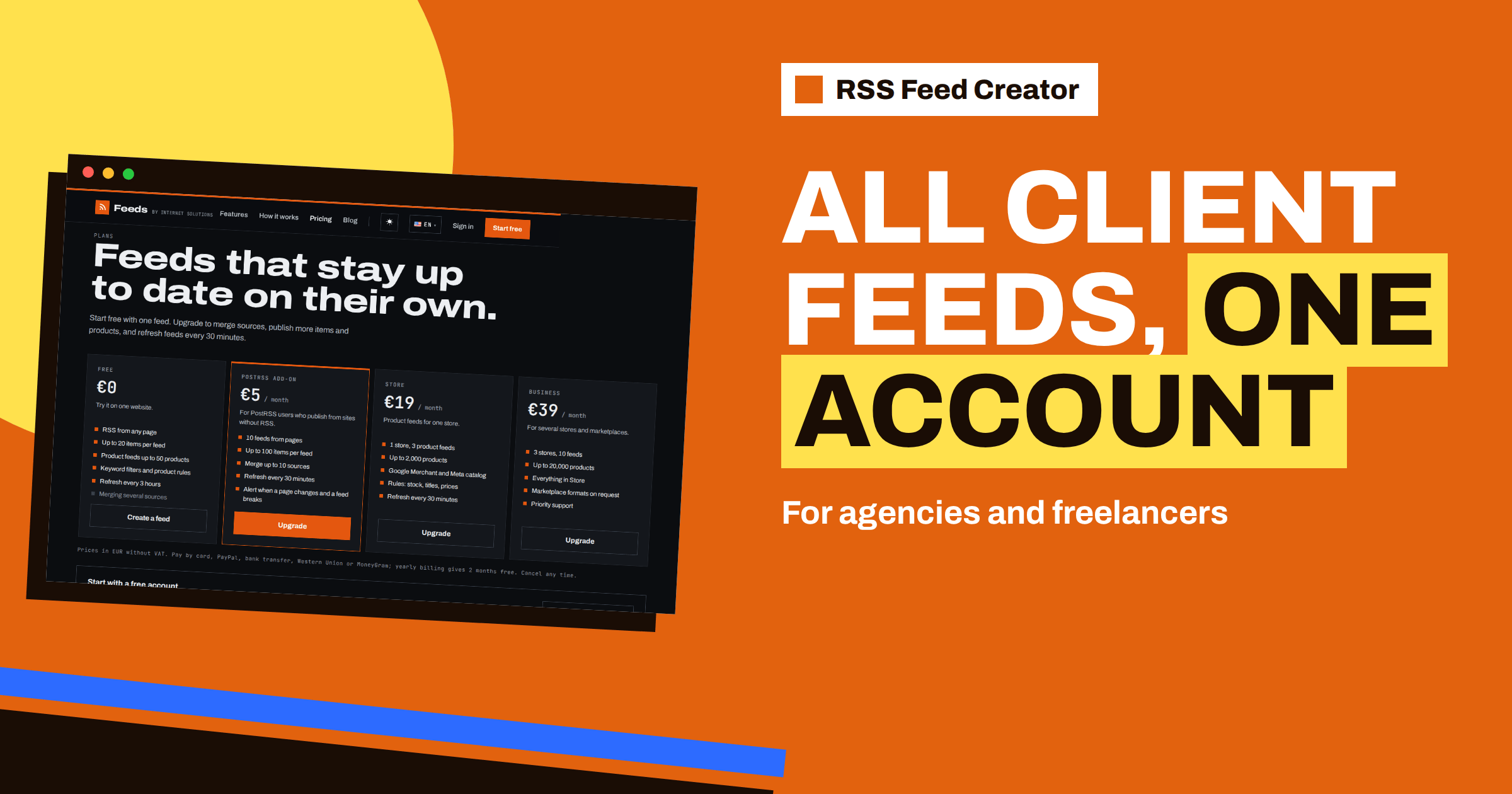
Short answer: An agency can keep all client feeds in one RSS Feed Creator account: each feed appears in a single list with its type, item count, update time and links, and each has its own settings. Use a naming pattern that starts with the client, give every client one merged and filtered feed for content, add product feeds for their stores and use the reads counter as a simple report. The PostRSS add-on at €5 per month allows 10 feeds with merging, and the Business plan at €39 per month covers 3 stores and 10 feeds with priority support.
What agencies need from feeds
Agencies use feeds for three different jobs, often for the same client. The first is monitoring: following news, competitors and industry sources so that the team can brief the client. The second is publishing: turning a client’s blog or partner pages into a stream that a posting tool can send to social profiles. The third is product data: keeping Google Merchant Center and Meta catalogs in sync with a client’s store.
All three jobs are repetitive, and all three break quietly when nobody looks. RSS Feed Creator helps because it needs nothing installed on the source websites or on the clients’ stores, so there is no access to request and no plugin to maintain. The general case for this way of working is made in content automation for agencies managing many clients; this article is about the account itself.
The account as your client list
When you sign in, the “My feeds” page lists every feed in the account with its name, the source address, the type (RSS or Products), the number of items, the time of the last update and links to the XML address and the management page. Three counters sit at the top: how many feeds you have out of the number your plan includes, how many items are in your feeds and how many times your feeds have been read.
That is already a lightweight dashboard. A glance shows whether a feed has stopped updating or has a sudden drop in items, and a click opens the settings. Without an account, each feed lives only at its management page address, which you would have to save by hand, so an agency should always work signed in.
Name feeds so that the list sorts itself
The feed name is the only label you control, and it is the first thing a colleague sees. A consistent pattern pays for itself within a month. A good one is client, then purpose, then source:
- ACME | News | industry digest
- ACME | Competitors | blogs
- ACME | Products | Shopify store
- NORTHWIND | Jobs | careers page
Rename a feed on its management page; the field is called “Feed name”. With a pattern like this, you can find any client’s feeds by eye and spot a missing one at once. Avoid names such as “test” or “feed 2”, because they become mysteries within weeks.
One merged, filtered feed per client
For monitoring and publishing, the most useful structure is one merged feed per client. With the PostRSS add-on you can merge up to 10 sources into one feed: add each page or feed with the “Merge another page or feed” box. The merged feed is sorted newest first, an item that appears in two sources with the same address is kept once and the feed holds up to 100 items. Then apply the client’s words in the include box, for example their product categories, and the skip box for topics the client never wants to see.
The result is one address per client that you can drop into a reader, a team channel or a posting tool. When the client’s priorities change, you change the keywords in one place. The feature is explained in merge sources in RSS Feed Creator: up to 10 in one feed, and the filters in keyword filters in RSS Feed Creator.
Product feeds for client stores
For clients with online shops, create a product feed per store: choose “My store”, enter the WooCommerce or Shopify address or a CSV link, check the preview and create. Rules for stock, titles and prices are set per feed, so each client can have its own conventions. The Store plan at €19 per month covers 1 store with 3 product feeds and up to 2,000 products. The Business plan at €39 per month covers 3 stores and 10 feeds with up to 20,000 products and marketplace formats on request.
Put the feed address into the client’s Merchant Center and Meta accounts, as described in add your RSS Feed Creator feed to Google Merchant Center and Meta, and note which feed belongs to which account in the feed name. Product feed management for agencies: many clients, one process adds a process view.
Handover and access
Because the feed address is permanent for as long as the feed exists, you can give it to a client or to another tool without changing it later. Edits to the settings apply to the same address. Two warnings are worth stating. Deleting a feed makes its address stop working, so never delete a feed that a client’s channel still fetches. And the feeds belong to the account that created them, so if a client wants full control, they can create their own account and feeds, which are free to start with.
Agree this in writing at the start of the relationship: who owns the feeds, who pays for the plan and what happens to the addresses when the contract ends. It is a short conversation and avoids a surprising one later.
Reporting with simple numbers
The list shows three numbers per feed that are useful in a monthly client report: the number of items, the last update and the reads. A rising read count shows that the client’s reader, channel or tool is actually using the feed. A flat count at zero shows that something is not connected. The item count shows whether a source dried up. A short note such as “all 6 feeds updated within the last day, 4 read daily, 1 source changed layout and was repaired” is a credible and cheap report. For repairs, see when a page layout changes: how RSS Feed Creator copes.
A sample setup for three clients
To make this concrete, picture an agency with three clients. Client A is a regional food producer who wants industry news and a social stream. Client B is an online shop on Shopify. Client C is a consultancy that wants to watch four competitors.
For A, the agency creates one merged feed called “A | News | digest” from six industry pages, with a keyword filter for the producer’s product categories, and sends it to PostRSS for posting. For B, it creates “B | Products | Shopify store” with the out-of-stock option on and submits the address to Merchant Center and Meta. For C, it creates “C | Competitors | blogs” by merging four blog pages and skipping words such as webinar and event.
That is three clients and three feeds, plus a few extra sources inside the merged feeds. Everything is visible in one list, each client has its own naming prefix and the monthly report writes itself from the item counts and reads. As the agency grows, the same pattern scales to more feeds without any new method.
Choosing the plan
| Need | Plan |
|---|---|
| Trying the tool, up to 3 small feeds | Free (€0) |
| Content feeds for several clients, merging | PostRSS add-on (€5 per month): 10 feeds, 100 items per feed |
| One client store with product feeds | Store (€19 per month): 3 product feeds, 2,000 products |
| Several stores and priority support | Business (€39 per month): 3 stores, 10 feeds, 20,000 products |
Prices are in euros without VAT, yearly billing gives 2 months free and you can cancel at any time. If you need something beyond the plans, the pricing page names the address to write to, and the pricing page has the full details.
One routine keeps the whole setup healthy: once a month, open the list, scan the update column and look for anything that has not moved. A feed that has not updated, or whose item count has fallen, is the first sign that a source changed or that a client channel was disconnected. Fixing it early keeps the client from ever noticing.
Related reading
- How Agencies Can Run Client Monitoring with RSS Feeds
- Monitoring Hundreds of Sources with RSS Without Chaos
- One Product Feed or Several? When to Split Your Catalog
The bottom line
One account can hold an agency’s whole feed operation: a client-first naming pattern, a merged and filtered feed per client for content, a product feed per store and the reads and update times as a ready-made report. Pick the plan by counting feeds, sources and stores, and keep feeds alive as long as any client channel depends on them.
BUJ
How many feeds can one account hold?
The free plan includes up to 3 feeds, the PostRSS add-on 10, the Store plan 3 product feeds for one store and the Business plan 10 feeds across 3 stores.
Do I need access to my client’s website or store?
No. RSS Feed Creator reads public pages and public store data from the outside, so no login or plugin is needed.
Can I change a feed’s settings without changing its address?
Yes. Settings apply to the same address, and the feed is rebuilt when you save.
What happens if I delete a feed?
Its address stops working, so do not delete feeds that a channel or tool still fetches.
Can clients have their own accounts?
Yes. A client can create a free account and their own feeds if they want full control.


