ENEnglish
 LTLietuviškai
 DEDeutsch
 FRFrançais
 RUРусский
 ESEspañol
 PLPolski
 ITItaliano
 UKУкраїнська
 CSČeština
 PTPortuguês
 JA日本語
 LVLatviešu valoda
 ETEesti
 HUMagyar
 IDBahasa Indonesia
 TRTürkçe
 HIहिन्दी
 ELΕλληνικά
 ARالعربية
 THไทย
 VITiếng Việt
 RORomână
 MSBahasa Melayu
 BNবাংলা
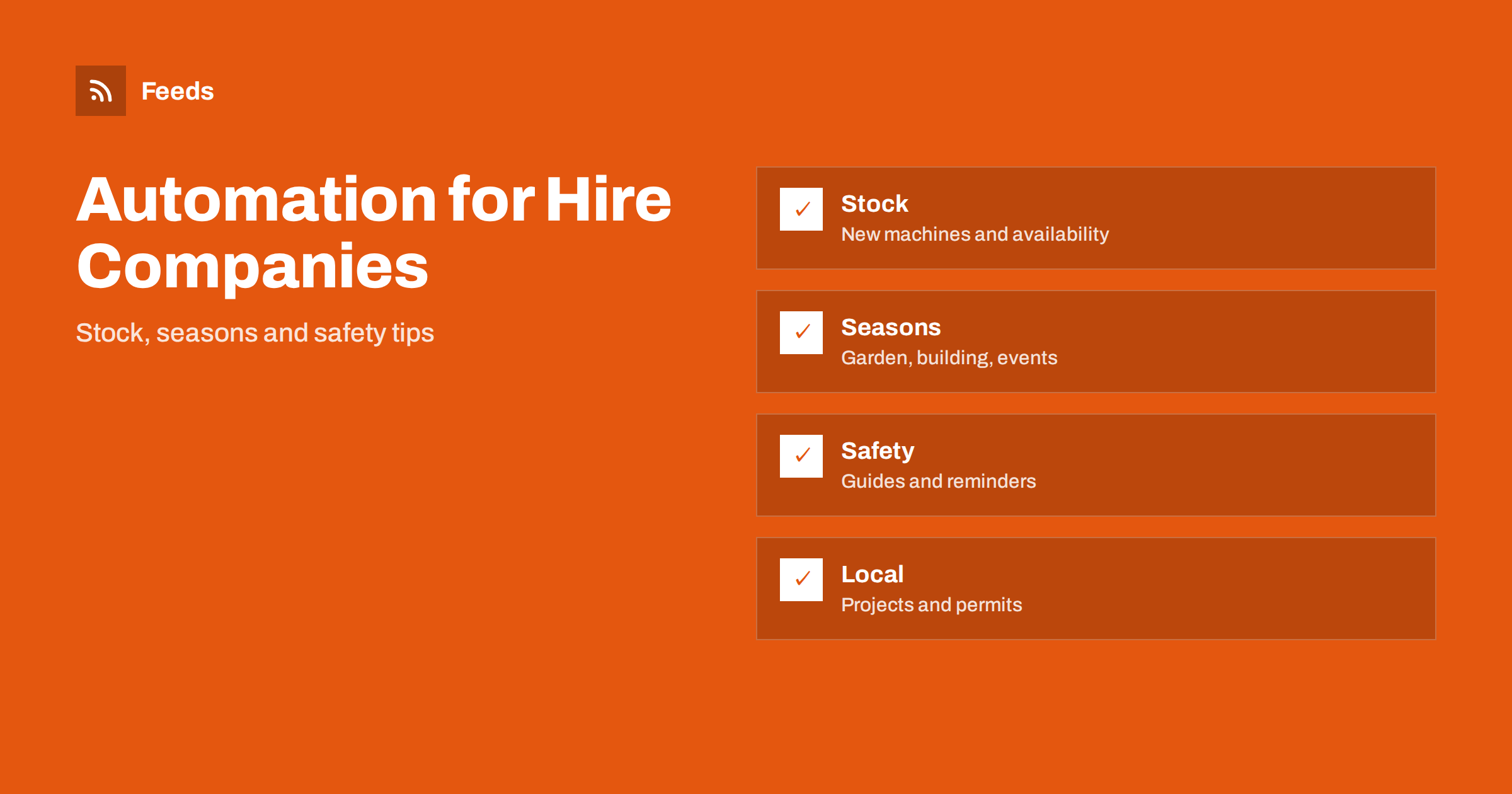
Short answer: Equipment hire and tool rental companies publish the same kinds of content all year: new machines, seasonal reminders, how-to and safety tips, customer projects and local news. Most of it can be prepared in advance and scheduled, while prices, availability and safety instructions stay under human control. Use templates for the repeating parts, feeds for local news and permits, an approval step for anything that makes a promise, and a pause switch for days when stock or weather changes the plan.
What a hire company needs to publish
A hire business sells time on a machine, so its content must answer practical questions fast: what can I rent, how much does it cost for a day or a weekend, where do I collect it, what else will I need and how do I use it safely. Customers often search at the last minute, when a project is already under way, and a shop that answers clearly on its website and social pages gets the call.
Most hire companies are small teams where the counter staff also answer the phone, deliver and service the machines. Marketing is the first job to fall behind. Automation gives you a steady rhythm without a daily effort, and it works best when it is built on a small number of reliable templates. If the idea is new to you, what is content automation explains the basics in plain words.
New stock and machine spotlights
A new machine in the fleet is a natural post: a photo, a short description, what jobs it suits and where to ask for details. Prepare the template once, with fields for the name, the use, the size and the link to the product page, and fill it in whenever new stock arrives. A weekly spotlight of one machine from the fleet, chosen from the list of items you want to promote, keeps the page active without much work.
Keep price and availability out of the automated text unless your system updates them. A post that says “available this weekend” is wrong the moment the last unit leaves, and a price that changed last month is worse. Link to the product page and let the page show the current information. How to share new shop products on social media automatically shows how to turn a product list into posts, and product feeds for power tools and hand tools covers the data side if you also sell equipment.
Event hire follows its own pattern. Weddings, school fairs, festivals and family parties are planned weeks ahead, so publish tent, table, lighting and sound reminders early, ideally six to eight weeks before the busy dates. A short checklist for hirers, covering space, power, access and set-up time, answers questions before they reach the phone and makes the first call more likely to become a booking.
Seasonal reminders that sell themselves
Hire demand follows the calendar. Spring brings lawn, hedge and pressure washing jobs, summer brings events, tents and cooling, autumn brings leaf and clearing work, and winter brings heating, drying and snow tasks. Plan a series for each season, with a few posts that link the job to the right machine and a short tip on how to use it. Write them in advance and schedule them for the weeks when the need begins, not when it peaks.
Weather changes the picture. A sudden storm, flood or cold spell creates a rush for pumps, dryers, generators and chainsaws, and a scheduled post that ignores it can look careless. Follow official warnings in a feed, as described in weather and natural hazard alerts with RSS for businesses, and use a pause switch when a real emergency starts, as in pause automated posting: a crisis and holiday plan.
Keep a log of the questions that staff answer most often at the counter. Each repeated question is a ready topic for a short guide, and the answer already exists in the words your team uses. Review the log every month, turn the top three questions into pages and add them to the queue, so that the content comes from real customer needs and not from guesswork.
How-to guides and safety tips
Customers who know how to use a machine return it in better condition and have fewer accidents. Short guides on choosing the right size, preparing the surface, using the right protective equipment and cleaning the machine after use are cheap to produce and useful for months. Turn each guide into a page on your site and share it several times a year, using the method in how to reshare evergreen content automatically without spamming.
Safety content must be correct. Use the manufacturer instructions and the rules that apply in your country, and have a qualified person approve every safety text before it enters the queue. Do not shorten a warning to fit a post. If a text cannot carry the full warning, link to the page that does. A short list of approved safety messages, reviewed once a year, is the safest base for automation.
Local partners are a good source of content as well. A landscaper, a builder or an event planner who regularly hires from you may be glad to share a finished project, and the post reaches their audience too. Agree on the wording and the credit before you publish, and keep a short list of partners with the contact person and the dates of the last post.
Customer projects and reviews
People like to see what others built with the machines. A photo of a finished terrace, a restored floor or a well-run event, shared with permission, shows the result and makes the next customer think of you. Ask for permission in writing when you collect the photo, credit the customer when they agree and never show a property in a way that identifies it without consent.
Reviews work the same way. Ask for a short review after a successful hire, and share good ones with a link to the original page. Reply to negative reviews politely and personally, and never automate the replies. A clear, calm answer shows future customers how you handle problems.
Local news, permits and contractors
A hire company sits in the middle of local activity: builders, landscapers, event organizers, farmers and home owners. Local news is a good source of topics and leads. Councils publish planning applications and permits, event organizers announce dates and utilities announce works, and a feed of these pages tells you where demand is likely to grow. Track planning applications and building permits with RSS shows how to follow them, and content automation for trades and home service businesses describes the neighbouring audience.
You can also share useful local information with customers, such as road closures near your depot or changes in opening hours around public holidays. Choose items that help your audience, check the original page before sharing and keep the approval step in place.
What not to automate
Keep the following in human hands: prices and offers, availability, damage and deposit rules, safety instructions, replies to complaints and anything about an accident. These items carry legal and financial weight, and an automated mistake costs far more than the time you saved. Use a simple rule: automation prepares and schedules, a person approves anything that makes a promise.
Plan for busy days. When a sale, a storm or a large event stretches the team, the queue should not add to the pressure. Keep a short list of neutral posts for these days, and decide who checks the queue each morning. Full auto vs approval queue and brand safety for automated posting help you set the limits.
Measure what brings enquiries
Look at the numbers once a month: which posts bring calls, which pages are visited before a booking and which seasons need more attention. Use a short tag at the end of each link, as described in UTM tags for automated posts, and ask new customers how they found you. Keep what works, drop what does not and update the templates every season. Post templates for automated social feeds explains how to keep the tone consistent.
How RSS Feed Creator helps
RSS Feed Creator turns the news, permit and notice pages of councils, utilities, event organizers and trade bodies into clean RSS feeds, even when the site has no feed of its own. It reads titles, images, summaries and dates, uses an existing feed when there is one, and shows a preview of the items before the feed is created. You can merge several sources into one feed (up to 10 sources), keep only the items that contain your keywords and have duplicates removed automatically, which suits a feed of local projects and events that signal demand. Feeds refresh every 3 hours on the free plan and every 30 minutes on paid plans. The free plan allows up to 20 items per feed, and the details are on the pricing page.
Related reading
- Content Automation for Trades and Home Service Businesses
- How to Reshare Evergreen Content Automatically Without Spamming
- Full Auto vs Approval Queue: Choosing a Content Workflow
The bottom line
Equipment hire companies can automate the steady parts of communication: machine spotlights, seasonal reminders, guides and local news. Keep prices, availability, safety instructions and complaints with people, put an approval step in front of the queue and keep a pause switch ready. A small set of good templates gives the business a visible rhythm all year.
FAQ
Which posts are safe to schedule in advance?
Seasonal reminders, machine spotlights, how-to guides and customer projects shared with permission, as long as they do not state prices or availability.
Should prices be in automated posts?
Better not. Link to the product page, which shows the current price, and have a person approve any offer before it goes out.
How do I write safe safety tips?
Use the manufacturer instructions and local rules, have a qualified person approve the text and link to the full page when a post is too short for the whole warning.
How often should I post?
Three to five posts a week are enough for most small companies, with more during peak seasons if you can keep the quality.
How do I find local news that matters?
Follow the news and permit pages of the council, utilities and event organizers in feeds, and decide what to share after reading the original page.