ENEnglish
 LTLietuviškai
 DEDeutsch
 FRFrançais
 RUРусский
 ESEspañol
 PLPolski
 ITItaliano
 UKУкраїнська
 CSČeština
 PTPortuguês
 JA日本語
JA日本語 LVLatviešu valoda
 ETEesti
 HUMagyar
 IDBahasa Indonesia
 TRTürkçe
 HIहिन्दी
 ELΕλληνικά
 ARالعربية
 THไทย
THไทย VITiếng Việt
 RORomână
 MSBahasa Melayu
 BNবাংলা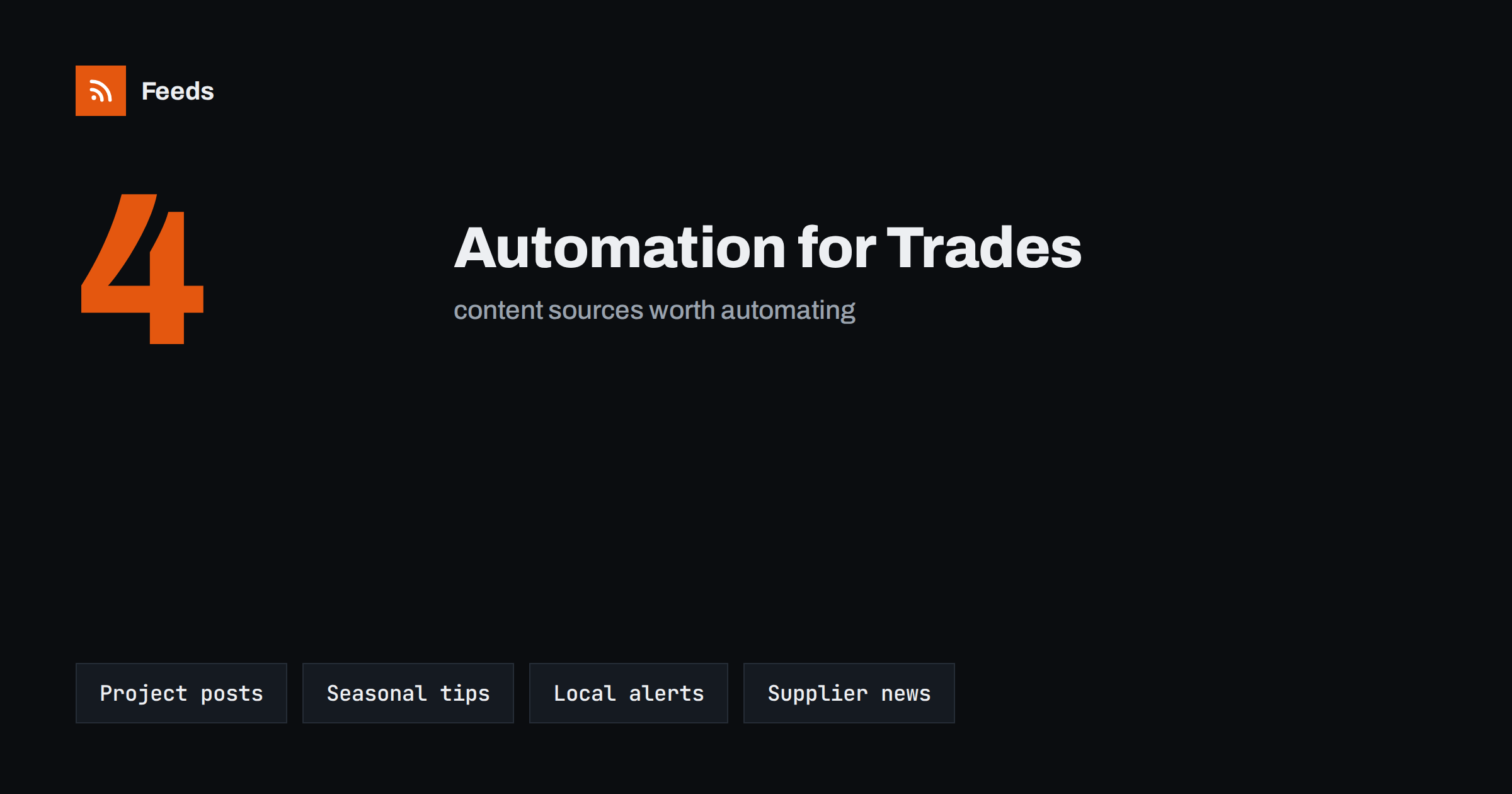
Short answer: A trades or home service business can automate most of its content by connecting four sources: finished projects from its own website, seasonal tips prepared in advance, local alerts such as weather and public notices, and news from suppliers and regulators. Feeds carry these into a queue, templates turn them into short posts, and a quick weekly review keeps the quality high, so the work stays on the tools and not on the keyboard.
People who run a plumbing, roofing, electrical, cleaning or landscaping business rarely have time to write. The day is spent on site, the evening on quotes and invoices, and marketing is what happens when there is a gap. The result is a website that has not been updated in a year and a social profile that posts in bursts. Customers who are choosing between three local firms notice both.
Content automation does not mean letting a machine run your reputation. It means building a small system that turns work you already do into regular, useful posts, with a human check before anything goes out. The general idea is explained in what content automation is, and the guide for firms of this size is content automation for local businesses. This article focuses on what is specific to the trades.
What trades businesses can actually post about
Home service customers look for proof, trust and timing. They want to see that you do the kind of job they need, that you are reliable and that you are available when the problem appears. Four types of content cover this well:
- Finished projects: a short description, a few photos and the area where the work was done.
- Seasonal and practical advice: checking gutters in autumn, bleeding radiators before winter, preparing a garden for spring.
- Local alerts: warnings about storms, frost or flooding, and reminders of what to do about them.
- Industry and supplier news: new products, safety notices and rule changes that affect your customers.
Each of these has a natural source that can feed a queue, which is where automation helps.
Source 1: your own project pages
The best content a trades business has is its own work. If every finished job gets a short entry on your website, with a title, a few photos and two or three sentences, that entry can be shared automatically. Most website tools already publish a feed of new posts or pages. Each time you add one, the feed updates and the queue picks it up.
Keep the entries simple and consistent. A good format is: what the problem was, what you did, how long it took and which area it was in. Always ask the customer before you publish photos of their home, and avoid showing house numbers, vehicles or anything that identifies the property. If you do not have a feed, you can create one from a project page, as explained in creating an RSS feed for a website without RSS.
Source 2: a seasonal calendar written once
Most home services are seasonal. Heating engineers are busy in the first cold week, roofers after storms and gardeners in spring. A seasonal calendar lets you prepare for those peaks. Once a year, write down twelve short pieces of advice, one for each month, and schedule them in advance. Each piece should answer one question a customer is likely to ask at that time of year.
These posts can be recycled with small edits the following year, which is exactly the use case in resharing evergreen content automatically without spamming. They also work well as short pages on your website, which helps customers who search for answers before they call anyone. To plan how they fit into the week, see how often automated feeds should post to social media.
Source 3: local alerts and weather
Local conditions create work, and customers appreciate a timely warning. A feed from your national weather service or local authority can alert you when frost, storms or heavy rain are expected. You can use these alerts in two ways. First, as a prompt for you: when a storm warning appears, you know the phones will ring and you can prepare. Second, as a source for a quick post that reminds customers of simple steps to protect their homes, with a note on how to reach you if they need help.
Take care with tone. Do not use someone else’s disaster to promote your services. A calm, practical reminder is better than a sales message, and in a serious event it may be right to post nothing at all. The approach is described in weather and natural hazard alerts with RSS for businesses, and the plan for pausing is in when to pause automated posting.
Source 4: supplier, regulator and recall news
Suppliers and manufacturers announce new products, changed specifications and safety notices. Regulators publish rule changes that affect your work, such as updates to safety standards. Following these sources keeps you informed and gives you something useful to tell customers. A feed from each source, filtered by the terms that matter to you, can deliver the items directly to a single place.
Safety notices deserve special attention. If a product you install has been recalled, it is both your professional duty to know and a chance to help customers who bought it. See how to track product recalls and safety notices with RSS and how to track government and regulator updates with RSS. If a news item is only for your own information, route it to a private channel instead of publishing it, as in sending RSS feed updates to a Slack channel.
Turn items into posts with templates
Raw items make poor posts, so write a template for each source. A project template might read: “Finished: [title] in [area]. Take a look at the before and after photos.” A seasonal template might read: “[Season] tip: [title].” Keep each template short and put the link at the end. The way to write and test them is in writing post templates for automated social media feeds.
Add your business name or a short phone prompt only if it fits naturally. Too much promotion in every post makes the feed feel like an advert, and customers stop reading. A good balance is around four useful posts for each promotional one.
Keep it local and keep the review step
Trades businesses win customers in a specific area, so the content should be local. Mention towns and neighbourhoods where it is true, and share local news that matters to your customers. Do not publish anything that suggests you serve areas you do not cover.
A weekly review of fifteen minutes is enough for most firms. Look at what is queued, remove anything out of date and check that nothing clashes with a bad-weather warning or a local event. Some owners prefer to approve each post, others only the sensitive ones. The choice is covered in full auto vs approval queue.
What a light week looks like
To make this concrete, picture a small roofing firm with three posts a week. On Monday, the newest finished project goes out with two photos and the town name. On Wednesday, a seasonal tip from the calendar is posted, such as how to spot early signs of a leaking flashing. On Friday, a useful item from a supplier or regulator feed is shared with one sentence on why it matters to homeowners. When a storm warning appears, the owner decides whether a short, calm reminder fits and otherwise leaves the schedule untouched.
Nothing in this week takes more than a few minutes of attention, yet the profile looks active, local and helpful. The same pattern works for plumbers, electricians, cleaners and landscapers by changing the examples. If a week is too busy, drop the weakest slot rather than the review, because a missed review is how mistakes get through. Write the pattern down in one place, with the sources and templates behind each slot, so that a colleague can run it when you are away. A short document is enough, and the guide to documenting your content automations shows what to include.
How RSS Feed Creator helps
RSS Feed Creator turns pages that have no feed, such as a supplier’s news page or a local authority’s notice list, into clean RSS feeds with titles, summaries and dates, and shows a preview before anything is created. You can keep only the items that contain the words you choose, such as the names of the products you install. It reads public pages from the outside, so it needs no access to the source site. Plans and limits are on the pricing page.
Related reading
- Building a content automation stack for a small business
- Can you auto-post to Google Business Profile from RSS?
- Content automation checklist: 30 checks before you go live
The bottom line
A trades business can keep a steady online presence without a marketing department. Share finished projects, prepare a seasonal calendar once a year, watch local alerts and follow supplier and regulator news. Use short templates, keep everything local and review the queue weekly. The tools stay on the job, and the content keeps working in the background.
FAQ
How often should a small trades business post?
Two to four posts a week is plenty. Consistency matters more than volume, so choose a rhythm you can keep up through busy periods.
Do I need to write every post myself?
No. Project entries, seasonal tips and curated news items can fill most slots. Write the templates and the first version of the calendar yourself and let the feeds supply the rest.
Can I share photos of customers’ homes?
Only with the customer’s permission, and avoid anything that identifies the property, such as house numbers or number plates.
Should I post during bad weather or an emergency?
Be careful. A calm, practical reminder can help, but do not use a disaster to promote your services, and pause scheduled posts if the tone could look wrong.
How do I follow suppliers that have no RSS feed?
You can create a feed from the supplier’s news page with a page-to-feed tool, check the preview and use the resulting address like any other feed.