ENEnglish
 LTLietuviškai
 DEDeutsch
 FRFrançais
 RUРусский
 ESEspañol
 PLPolski
 ITItaliano
 UKУкраїнська
 CSČeština
 PTPortuguês
 JA日本語
JA日本語 LVLatviešu valoda
 ETEesti
 HUMagyar
 IDBahasa Indonesia
 TRTürkçe
 HIहिन्दी
 ELΕλληνικά
 ARالعربية
 THไทย
THไทย VITiếng Việt
 RORomână
 MSBahasa Melayu
 BNবাংলা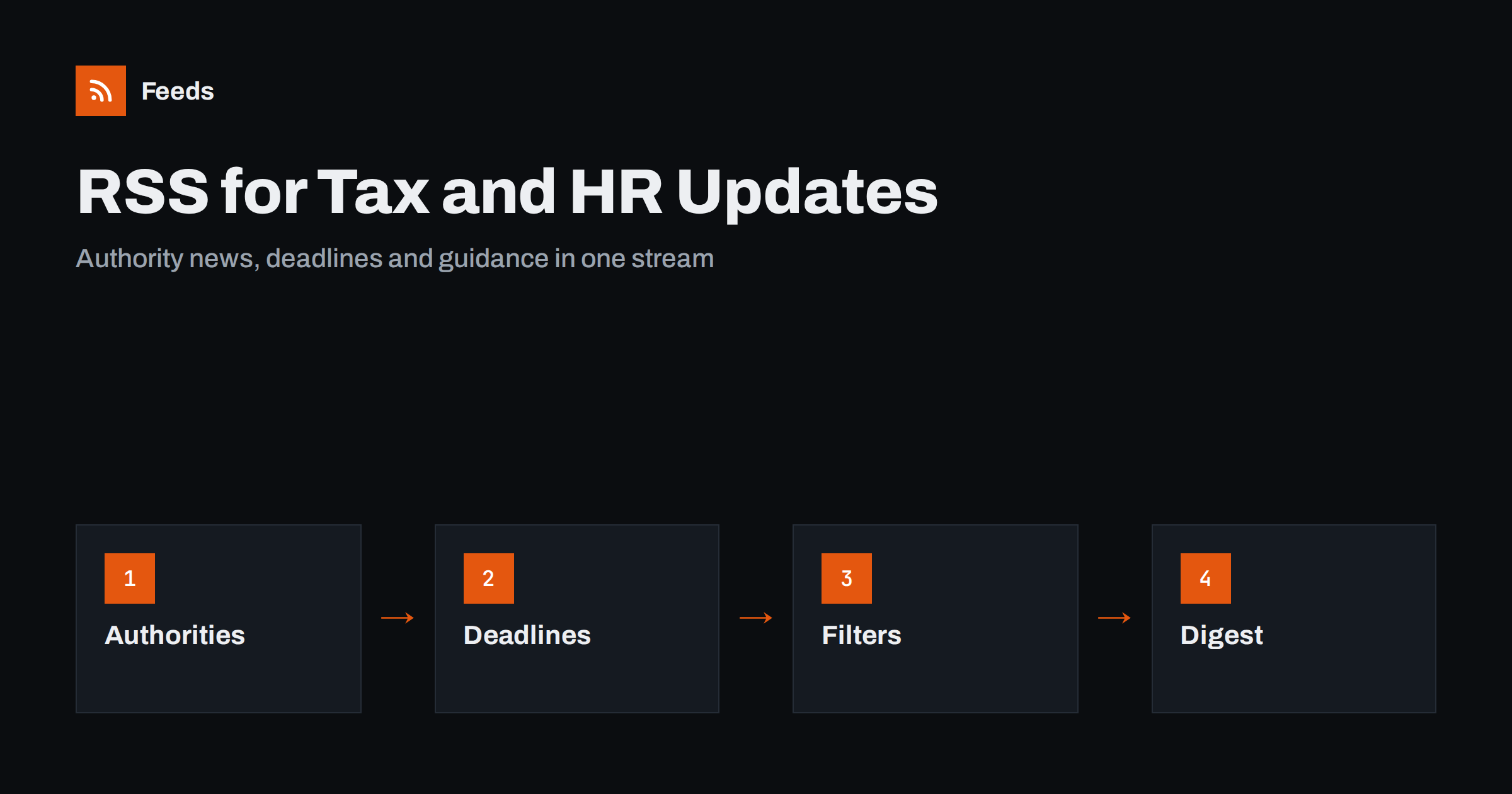
Short answer: Rules about tax, payroll and employment change often, and the first notice usually appears on the website of a tax authority, a labour ministry, a social security office or a professional body. Accountants, bookkeepers and HR teams can follow these pages with RSS, filter them to the topics that matter to their clients or company, and send the results to a shared inbox or a weekly digest. The feed tells you that something changed; a qualified person still has to read the source and decide what it means.
Why rule changes are hard to follow
A small accounting firm or an HR department has to know about many changes at once: rates and thresholds, filing dates, reporting formats, leave entitlements, minimum wages, benefit rules, rules on working time and rules on contracts. Each change is published by an official body, often with a short notice, sometimes with a consultation first, and usually with a date from which it applies. Some are minor, and some change what you do on the first of next month.
The ways of finding out are uneven. Newsletters from professional bodies arrive days after the official page. Social media is noisy. Clients ask about a change before the firm has noticed. The most reliable source is the official page itself, and the problem is that official sites are scattered and rarely built to be followed. An RSS reader or a page monitor fixes that, as long as the sources and filters are chosen with care. For general method, see tracking regulator updates with RSS.
Sources worth following
Build the list by role, not by website. Typical groups for a firm or an in-house team include:
- Tax authority news and guidance. Announcements, rate changes, new forms and notices for each country or region you work in.
- Labour and employment ministries. Changes to minimum wages, working time, leave and contracts.
- Social security and pension offices. Contribution rates, benefit rules and reporting formats.
- Accounting standards bodies. Exposure drafts and updates, where relevant to your clients.
- Professional associations. Summaries, practice notes and deadlines.
- Official statistics. Inflation, wage and unemployment figures that feed into planning; see statistics and open data alerts with RSS.
- Funding and grants. Programmes that clients may apply for, as in grant and funding announcements with RSS.
Many of these bodies provide feeds for news but not for guidance pages, forms or consultations. A page-to-feed tool reads the list of items on such pages and makes a feed from them. Where the page lists documents, the pattern in new documents and reports with RSS applies.
Filters that keep the stream useful
An unfiltered feed from a tax authority contains dozens of items a week, most of which have nothing to do with your clients. Filter by topic. For a payroll bureau, words such as payroll, contributions, minimum wage, leave and withholding. For a bookkeeper serving small shops, words such as VAT, sales tax, invoicing and e-commerce. For an HR team, words such as contract, working time, termination, parental leave and posted workers. Keep exclusion words as well, to remove topics you never handle.
Review the filters after a month. If nothing important was missed and the stream is calm, you have probably got it right. If a relevant change turned up on the official site and not in your feed, add the missing word. The tips in RSS keyword alerts and how to reduce RSS alert noise help with both sides. Merging the sources by jurisdiction, as in how to merge RSS feeds, gives one tidy feed per country or client group.
Turn changes into deadlines and tasks
Information is useful only when it becomes action. A simple routine works for most firms. When a relevant item appears, a named person reads the source, writes two sentences on what it means and records any date in a shared calendar. If clients are affected, a task is created: update the template, send a note, review the contracts affected. Using feed items as the trigger for tasks is described in turning feed items into tasks, and a shared database of notes is possible with sending RSS items to a Notion database.
Keep a register of what you follow and what has changed: the date of the item, the source, the topic, who reviewed it and what was done. It is useful for training, for answering a client who asks “when did that change?” and for showing that the firm monitors the rules that affect it.
A weekly digest for the team and for clients
People do not need every item the moment it appears. Most changes can wait for a weekly note. A short digest, with five to ten items, a line on each and the date from which it applies, gives the team the same picture of the week and avoids the situation where only one colleague knows about a change. Send it on a fixed day, and highlight the items with a deadline in the next thirty days.
Some firms turn the digest into a client newsletter. If you do, add your own comment on why each item matters, and keep it general rather than personal advice. A feed-based newsletter with your commentary is useful to clients; one that only repeats headlines is not. The mechanics are in turning an RSS feed into an email newsletter, and the same approach for several clients is covered in monitoring clients with RSS for agencies.
A starting setup for a small firm
If you are starting from nothing, keep the first version small. Choose the three official sources that matter most to your clients, for example the tax authority, the labour ministry and the social security office. Create one feed for each, or one merged feed if the volume is low, and add five to eight keywords. Send the results to a shared mailbox or a channel that the whole team can see. After a month, look at what you received, what you ignored and what you missed, and then widen the list with professional bodies and statistics sources.
Name one person as the owner of the setup, and one as the deputy. The owner checks once a week that the feeds are still delivering items, and that every source still exists. Without an owner, feeds quietly stop and nobody notices until a client mentions a change first.
Limits and good practice
Be clear about what a feed can and cannot do. It shows that a page has changed or a notice has been published. It does not interpret the rule, does not tell you whether it applies to a given client and does not replace professional judgement. Always read the original source, check the effective date and any transitional arrangements, and confirm with the official guidance before advising anyone. A summary is a pointer, not an authority.
Also expect gaps. Some bodies publish important changes only in a PDF or an email, and a few change addresses without notice. Monitor the sources themselves: if a feed goes quiet for longer than usual, check the site by hand, and keep a second route, such as a subscription to the body’s email list, for the most critical sources. Publication details such as dates can be confusing in feeds, so see RSS dates and time zones before you rely on a timestamp.
When a regulator changes terms or policies that affect your own services, the approach in tracking policy and terms updates with RSS is a useful companion.
How RSS Feed Creator helps
Many official pages list guidance, forms and consultations without offering a feed. RSS Feed Creator turns the list of items on a web page into a clean RSS feed, uses an existing feed when there is one, and shows a preview of the items before the feed is created. You can merge several sources into one feed (up to 10 on paid plans), keep only the items that contain your keywords and have duplicates removed automatically, which suits one filtered feed per jurisdiction or client group. Feeds refresh every 3 hours on the free plan and every 30 minutes on paid plans, and paid plans send an alert when a page changes and a feed stops finding items. The free plan allows up to 20 items per feed, and the details are on the pricing page.
Related reading
- How to Monitor Security Advisories with RSS
- Investor Relations Announcements with RSS: Track Filings and Results
- How to Monitor Hundreds of Sources with RSS Without Burning Out
The bottom line
RSS is a good early-warning system for tax and employment rules. Follow the official sources, filter by the topics your clients or company handle, turn relevant items into dated tasks and share a weekly digest. Keep the final judgement with a qualified person who reads the original source.
FAQ
Can RSS tell me when a tax rule changes?
It can tell you when an official page publishes news or guidance, which is often the first sign. It does not interpret the change, so read the source and confirm how it applies before advising anyone.
What if the tax authority has no RSS feed?
Use a page-to-feed tool that reads the list of notices on the news or guidance page and creates a feed. Check the preview to confirm that titles, dates and links come through correctly.
How do I avoid hundreds of irrelevant items?
Filter by keywords for the topics you handle, add exclusion words for the ones you do not, and merge sources by country or client group. Review the filters after a month and adjust.
How often should the team review updates?
Read urgent items as they arrive, and review the rest in a weekly digest. Highlight anything with a deadline in the next thirty days and record dates in a shared calendar.
Should I rely only on feeds for critical deadlines?
No. Use feeds as an early warning and keep a second route for the most critical sources, such as the body’s email list or a direct check of the page before each filing period.