ENEnglish
 LTLietuviškai
 DEDeutsch
 FRFrançais
 RUРусский
 ESEspañol
 PLPolski
 ITItaliano
 UKУкраїнська
 CSČeština
 PTPortuguês
 JA日本語
JA日本語 LVLatviešu valoda
 ETEesti
 HUMagyar
 IDBahasa Indonesia
 TRTürkçe
 HIहिन्दी
 ELΕλληνικά
 ARالعربية
 THไทย
THไทย VITiếng Việt
 RORomână
 MSBahasa Melayu
 BNবাংলা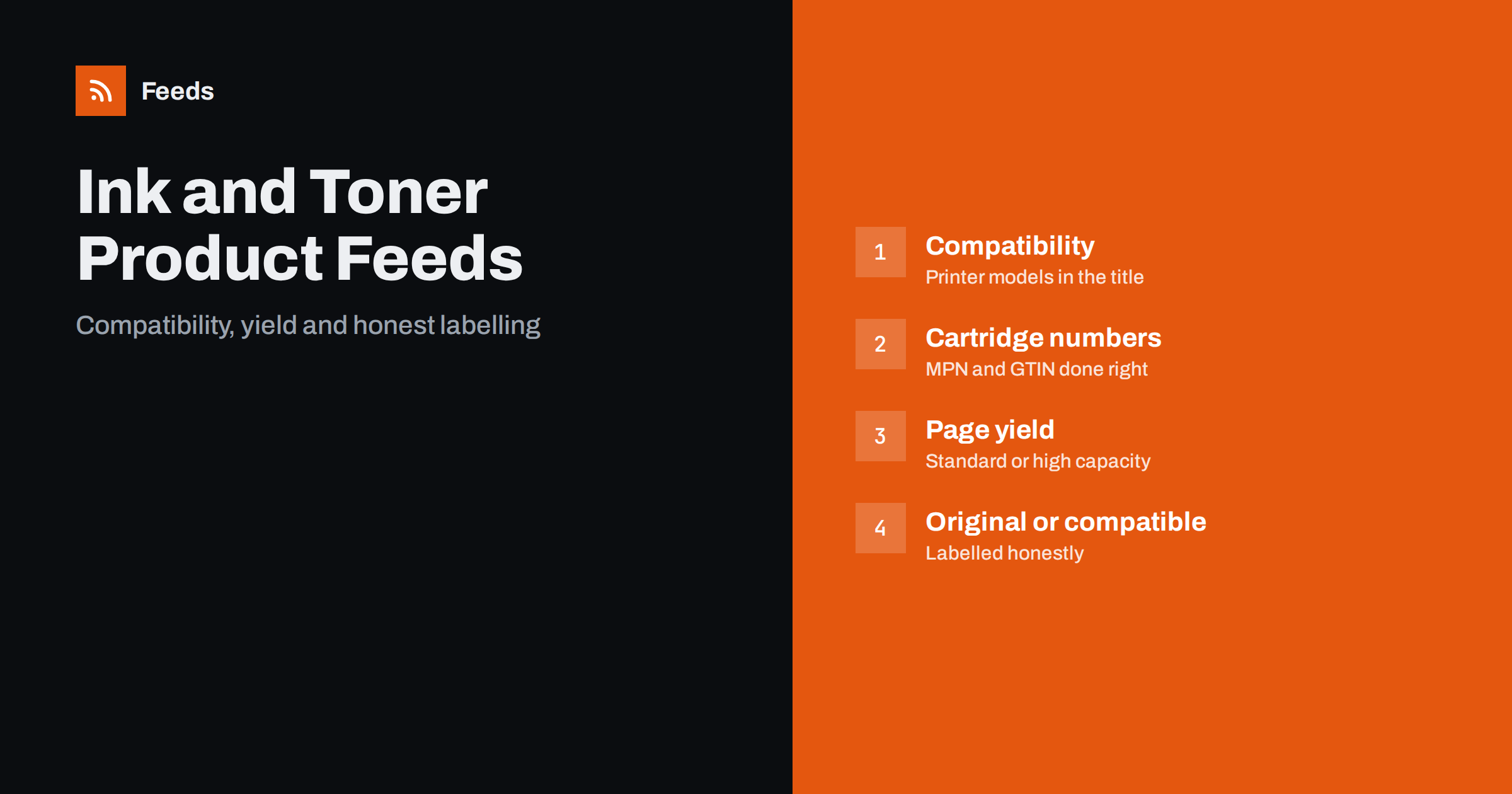
Short answer: Shoppers for ink and toner rarely search for a product name. They search for a cartridge number or for the printer they own, and they buy only if they are sure the item fits. A feed for this niche therefore has to carry compatibility, the exact part number, the colour, the capacity and an honest statement of whether the cartridge is original, compatible or remanufactured. Get those fields right, keep multipacks and single cartridges apart and the feed will match real searches instead of guesses.
What makes consumables different
A printer cartridge is a small, repeat-purchase product with an unusual buying pattern. Customers do not browse; they run out. They go to a search engine with a model number or the printer’s name, click the first result that appears to fit and compare the price. If the listing does not say clearly that it fits their machine, they go to the next one. And because many cartridges look almost identical, a wrong purchase leads to a return, a complaint and a customer who does not come back.
This puts unusual weight on data that other shops treat as secondary. The title must say what the cartridge is for. The identifiers must match the manufacturer’s numbering. The listing must say whether it is original or not. Before the niche details, check the general requirements in Google product feed attributes and the common failures in product feed mistakes.
Titles built around compatibility
The best title for a cartridge begins with what customers search for. A workable pattern is: brand of the cartridge, type, cartridge number, colour, capacity, and the printer family it fits. For example: “Brand Ink Cartridge 123XL Black, High Yield, for Printer Series X”. The title should be as long as it needs to be to be useful, without becoming a list of every model; the general rules are in product feed title optimization.
Many cartridges fit dozens of printers. Do not stuff every model into the title. List the main series or the few most common models there, and put the full compatibility list on the product page, where it can be read and searched. Keep the product type for the category, for instance a path from consumables to ink cartridges, so that the product can be grouped in campaigns. The difference between the product type and Google’s own category is explained in google_product_category vs product_type.
Part numbers, GTINs and brand
For cartridges, the manufacturer’s part number is the key. Customers search for it, and it separates one cartridge from another that looks the same. Put it in the MPN field exactly as printed, and include it in the title. The GTIN, where the box has one, goes in its own field. Original products from big manufacturers nearly always have barcodes; compatible and remanufactured items may have the maker’s own code, or none.
The brand field is easy to get wrong. The brand is the brand of the product being sold, which means the maker of the cartridge, not the maker of the printer it fits. A third-party compatible cartridge must not carry the printer manufacturer’s name in the brand field, even though the printer’s name will rightly appear in the compatibility text. The full guidance on identifiers is in GTIN, MPN and brand in feeds.
Original, compatible and remanufactured
This is the most sensitive question in the niche. Shoppers are entitled to know what they are buying, and shopping platforms enforce this. State the type plainly in the title or the description: original, compatible or remanufactured. Never imply that a compatible cartridge is made by the printer manufacturer. Do not use phrases that suggest an official endorsement that does not exist. The condition field is for new, refurbished or used items, and it should reflect the product’s actual state; the rules are described in used and refurbished products in feeds.
A misleading listing is not only a feed problem. It can trigger account-level reviews, which are far more disruptive than a disapproved product, as covered in Merchant Center misrepresentation. The safe rule is that the feed, the page and the packaging must tell the same story.
Colours, capacities and variants
A set of cartridges for one printer often means four or five products: black, cyan, magenta, yellow and sometimes photo black or a larger-capacity version. Each colour is a separate product with its own part number and often its own GTIN. Use the colour attribute, include the colour in the title and give each variant its own row. If the same cartridge is sold in standard and high-capacity versions, those are different products as well; do not merge them into one listing with a size field. For items that truly are variants of one model, the grouping rules are in product variants in feeds.
Page yield belongs in the title and the description. State the capacity using the unit the manufacturer uses, such as pages for toner or millilitres for ink, and say that yields are approximate and depend on how people print. Do not exaggerate. A cartridge claimed to print twice as many pages as the original draws the wrong sort of attention.
Multipacks and value packs
Multipacks are the most popular items in this category, since a four-colour set saves money and trips. They are separate products with their own identifiers and prices, not a quantity setting on the single cartridge. Say in the title how many are in the pack and what colours they are. If the pack has no GTIN of its own, do not reuse the GTIN of a single cartridge. The details are in bundles and multipacks in product feeds. Unit pricing, where required in your market, helps shoppers compare the cost of a single against a pack; see unit pricing in product feeds.
Stock, discontinued printers and seasons
Consumables sell steadily, but there are peaks: the start of the school year, tax season for home offices and the run-up to the year end for businesses. Keep stock accurate and mark items out of stock as soon as they are, since a shopper who finds the cartridge unavailable at checkout will not return. Cartridges for discontinued printers are a special case: demand falls slowly and the items may become hard to source, so check supplier availability regularly rather than leaving them in the feed by default. The reasoning is in out-of-stock products in your feed.
Images should show the actual product and its packaging, on a plain background. Do not use a generic picture of a printer or a stock image of a different colour; the requirements are in product feed image requirements.
Prices, shipping and returns
Price is the loudest signal in this category, and shoppers compare it constantly. The price in the feed must match the price at checkout, including any multi-buy discounts that are applied automatically, otherwise the listing is disapproved for a price mismatch. The causes and fixes are covered in how to fix price mismatch errors. If you offer a discount for buying a bigger pack, make that a pack with its own price instead of a rule that changes the single cartridge’s price at the basket.
Cartridges are light, so shipping is usually simple, but a free-shipping threshold is common because a single cartridge is cheap to buy and expensive to ship. Make sure the feed and the account settings agree with the checkout. Returns deserve a clear policy as well: opened cartridges that do not fit are the main source of disputes, so say what you accept and how fast.
How RSS Feed Creator helps
RSS Feed Creator builds Google Merchant Center and Meta catalog XML straight from your store. WooCommerce and Shopify are read automatically, and any other store can use a CSV link. You can skip out-of-stock products, rewrite titles with rules so that the brand, cartridge number, colour, capacity and compatibility appear in the same order every time, and adjust prices. The currency is detected automatically. Before you submit anything, check the preview and the Merchant Center diagnostics to confirm that part numbers and variants arrive as you expect. The free plan includes product feeds with up to 50 products, and the Store plan covers one store with 3 product feeds and up to 2,000 products. The details are on the pricing page.
Related reading
- Product Feeds for Stationery and Office Supply Stores
- Product Feeds for Phone Accessories: Compatibility and Variants
- Product Feed Checklist: 25 Checks Before You Submit
The bottom line
In the ink and toner business, the feed has to answer one question: will this fit my printer? Build titles around the cartridge number and the printer family, use the manufacturer’s part number as the MPN, put the maker of the cartridge in the brand field, label original, compatible and remanufactured items honestly and keep every colour and pack as its own product.
FAQ
What should the brand be for a compatible cartridge?
The brand of the company that makes or sells the cartridge, not the printer manufacturer. The printer maker’s name may appear in the compatibility text but not in the brand field.
How do I show which printers a cartridge fits?
Put the main printer series or the most common models in the title, and keep the full compatibility list on the product page. Do not list every model in the title.
Should multipacks be separate products?
Yes. A multipack has its own price, its own identifier and its own listing. Say in the title how many cartridges are included and in which colours, and do not reuse a single cartridge’s GTIN.
Can I call a compatible cartridge an original?
No. State plainly whether the item is original, compatible or remanufactured. Misleading wording can lead to disapproved products and to reviews of the whole account.
How should page yield be written?
Use the unit the manufacturer uses, such as pages for toner or millilitres for ink, state that results vary with use and avoid claims that cannot be supported.