ENEnglish
 LTLietuviškai
 DEDeutsch
 FRFrançais
 RUРусский
 ESEspañol
 PLPolski
 ITItaliano
 UKУкраїнська
 CSČeština
 PTPortuguês
 JA日本語
JA日本語 LVLatviešu valoda
 ETEesti
 HUMagyar
 IDBahasa Indonesia
 TRTürkçe
 HIहिन्दी
 ELΕλληνικά
 ARالعربية
 THไทย
THไทย VITiếng Việt
 RORomână
 MSBahasa Melayu
 BNবাংলা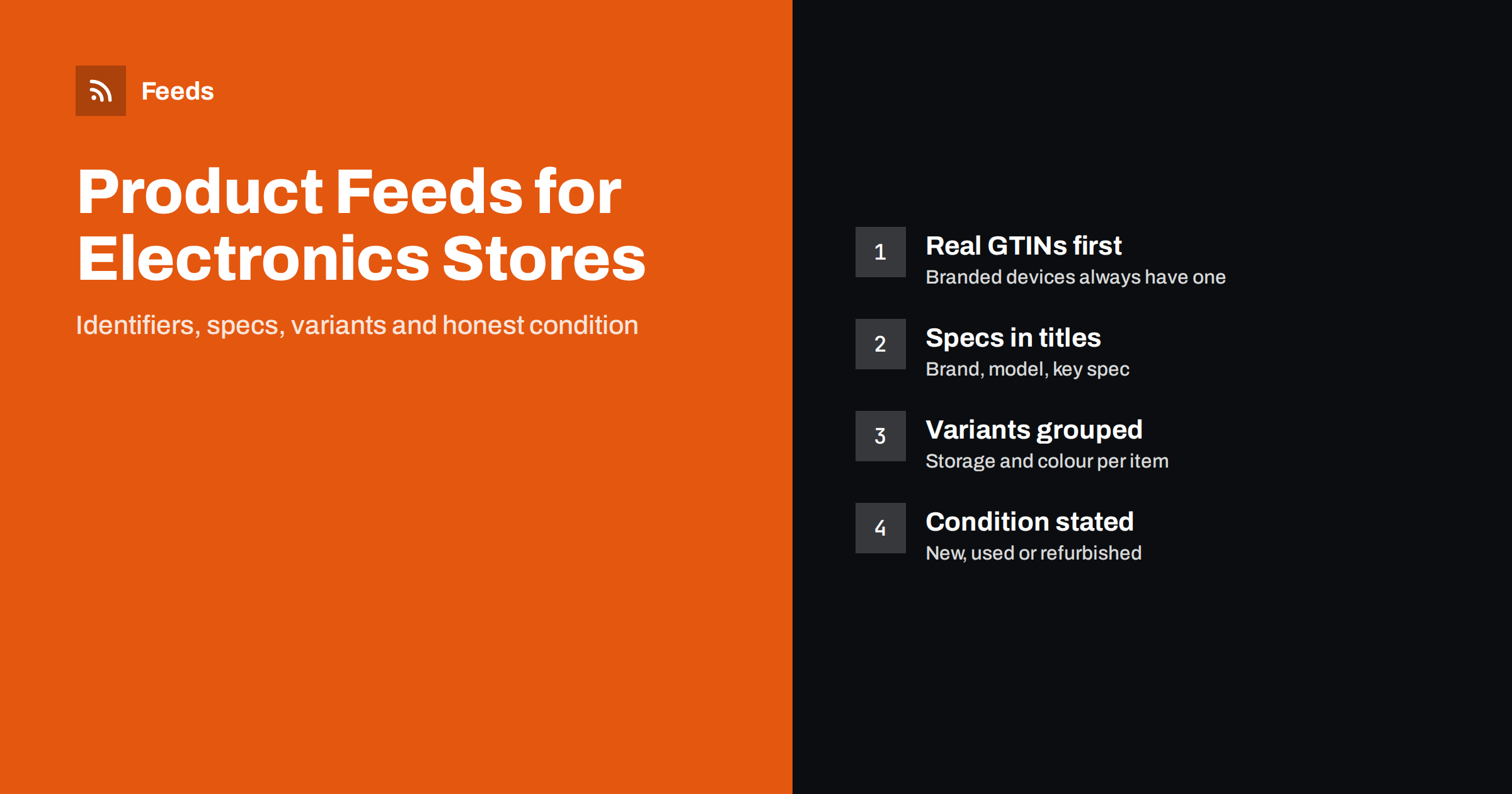
Short answer: Electronics feeds live and die by identifiers and specifications. Every branded device should carry its real GTIN, brand and manufacturer part number, titles should lead with brand, model and the one or two specs shoppers compare, and storage or colour options should be separate items grouped as variants. Condition must be accurate for used and refurbished devices, and accessories and bundles need to be clearly distinguished from the main product.
Why electronics feeds are different
Electronics is one of the most competitive categories in shopping ads and free listings. The same phone, laptop or headphone model is sold by many stores, so platforms match offers to a known product and compare them side by side. When your data matches the catalog the platform already knows, your offer appears next to the others with the right title, images and reviews. When it does not, the offer is shown less often or not at all.
Shoppers in this category also compare precise details. They search for a model number, a storage size or a screen size, not for “a good laptop”. A feed that hides those details in a long description loses to a feed that states them clearly in the title and attributes.
Return rates and trust matter as well. Electronics are expensive, and a shopper who receives the wrong capacity, the wrong plug type or a different colour than the listing showed will return it and may leave a poor review. Accurate feed data is not only about visibility in ads; it is also about sending the right buyers to the right product page in the first place.
Finally, electronics stores sell a mix of new devices, refurbished stock, accessories and bundles. Each of these needs slightly different treatment, and mixing them up is one of the most common reasons for disapprovals in the category.
Identifiers: GTIN, brand and MPN
Almost every branded electronic product has a GTIN, the barcode number printed on the box. Platforms use it to recognise the product, so it is the single most important attribute after price and availability. The brand and the manufacturer part number (MPN) support that match and help when a GTIN is missing from your system.
- Use the GTIN from the manufacturer or the packaging, never a number generated by your store.
- Give each variant its own GTIN; a 128 GB and a 256 GB phone are different products with different barcodes.
- Write the brand exactly as the manufacturer does, without your store name.
- Add the MPN, especially for components, cables and parts where shoppers search by part number.
Store-brand accessories and own-label products may genuinely have no GTIN. In that case, state that no identifier exists rather than inventing one. Our guide to GTIN, MPN and brand in product feeds covers the rules in detail.
A quick way to find gaps is to sort your catalog by brand and look for branded products with an empty GTIN field. These are usually older imports or items added by hand, and fixing them in the store fixes them in every channel that reads the feed.
Titles that lead with specifications
An electronics title should read like the line a shopper would type into a search box. A practical formula is brand, product line and model, then the key specifications, then colour where it matters.
| Product type | Useful title pattern |
|---|---|
| Phones and tablets | Brand, model, storage, colour, connectivity |
| Laptops | Brand, model, screen size, processor, memory, storage |
| TVs and monitors | Brand, model, screen size, resolution, panel type |
| Headphones and speakers | Brand, model, type, wireless or wired, colour |
| Cables and chargers | Brand, connector types, length, power rating |
Keep titles factual. Words like “best”, “cheapest” or “free shipping” do not belong in a product title, and promotional text can cause disapprovals. More patterns are in our article on product feed title optimization.
Variants: storage, colour and configuration
A single product page often offers several storage sizes, colours or configurations. In a feed, each combination is its own item with its own id, price, availability and image, and all of them share one group identifier so platforms know they belong together. This is how a shopper searching for a specific colour and capacity lands on the right option.
Make sure the attributes that differ are actually filled in. If items in a group differ by storage, say so in the title and in an attribute; if they differ by colour, set the colour and use an image that shows that colour. Variants that look identical in the feed confuse platforms and shoppers. The mechanics are explained in product variants in feeds and how item_group_id works.
New, refurbished and used devices
Refurbished and pre-owned electronics are a large and growing part of the market, and condition is where many stores get into trouble. The condition attribute must match reality:
- New means a brand-new product in its original, unopened packaging.
- Refurbished means professionally restored to working order, usually with a warranty.
- Used means previously owned, including open-box items that have been used.
If you grade refurbished devices, such as “excellent” or “good”, put the grade in the title or description, because the condition attribute itself has only a few values. Describe battery health, visible wear and what is included in the box. See used and refurbished products in feeds for more on condition values.
Accessories, bundles and compatibility
Accessories are often matched to the wrong product. A phone case listed with the phone’s brand and model as if it were the phone will be confused with the phone itself. The brand of an accessory is the brand that made the accessory; the phone it fits belongs in the title as compatibility, such as “case for” a given model.
Bundles need similar care. A laptop sold with a mouse and a bag is a bundle, and it should be marked as one, with the main product’s identifiers and a title that makes the extras clear. Platforms treat bundles differently from the product alone, and a bundle price compared against the bare product looks wrong. Our guide to bundles and multipacks in product feeds explains how to list them.
Specifications, warranty and images
Beyond the core attributes, electronics shoppers want details: screen size, battery capacity, ports, compatibility and warranty. Put the most important specifications in the description in plain sentences, and consider product highlights and product details attributes where the channel supports them. They let you present specs as structured points rather than one long paragraph.
- State the warranty that applies, but only if it is accurate for every unit you sell under that item.
- Use clear images on a plain background, showing the actual colour of the variant.
- Add extra images of ports, the back of the device or what is in the box.
- Avoid images with promotional text, watermarks or badges.
Prices, stock and fast-moving models
Electronics prices change often, and new models replace old ones quickly. A feed that updates once a day can show a price or stock level that is already out of date, which leads to mismatch warnings and wasted clicks. Refresh the feed frequently, remove discontinued models promptly and keep sale prices tied to real promotion dates. For timing guidance, see how often a product feed should update.
Launch periods need extra attention. When a new model is announced, stores often list it before stock arrives. If you take orders in advance, mark the item as a preorder with an availability date instead of “in stock”. When the previous model is cleared out, lower its price through a real sale price rather than editing the regular price up and down, so the history stays consistent with what shoppers see on your product page.
How RSS Feed Creator helps
RSS Feed Creator (Feeds) creates Google Merchant Center and Meta catalog XML directly from a WooCommerce or Shopify store, or from a CSV link for other platforms, without plugins or code on your site. The feed uses the Google product XML format with id, title, link, image, price, availability and brand, and Meta reads the same file. You can skip out-of-stock products, rewrite titles to put model and key specs first and adjust prices with rules, while the currency is detected automatically. Attributes such as GTIN or condition can be added in Merchant Center with a supplemental feed. Compare plan limits on the pricing page.
Related reading
- Supplemental feeds in Merchant Center: when and how to use them
- product_highlight and product_detail: richer feed listings
- How to fix price mismatch errors in Google Merchant Center
The bottom line
An electronics feed works when platforms can recognise every product and shoppers can compare it at a glance. Use real GTINs, brands and part numbers, lead titles with model and key specs, list each storage and colour option as its own grouped item, state condition honestly and separate accessories and bundles from the devices they fit. Keep prices and stock fresh, because this category moves fast.
SSS
Do electronics products need a GTIN in the feed?
Branded electronics almost always have a GTIN, and platforms rely on it to match your offer to the right product. Use the real barcode number for every variant. Only own-label items without a barcode should be marked as having no identifier.
Should each storage size be a separate item?
Yes. Each storage size and colour combination has its own GTIN, price and availability, so it should be its own item. Group the items with one item_group_id so they are recognised as variants of the same model.
How do I list open-box products?
If the item has been used or tested by a customer, list it as used and explain the state in the description. Only products restored by a professional process should be listed as refurbished.
What brand should a phone case have in the feed?
The brand of the company that made the case, not the phone brand. Mention the compatible phone model in the title, for example “case for” the model name.
Can I put specifications in the title?
Yes, and you should for the specs shoppers compare, such as storage, screen size or memory. Keep the title factual and within the channel’s length limit, with the most important details first.