ENEnglish
 LTLietuviškai
 DEDeutsch
 FRFrançais
 RUРусский
 ESEspañol
 PLPolski
 ITItaliano
 UKУкраїнська
 CSČeština
 PTPortuguês
 JA日本語
JA日本語 LVLatviešu valoda
 ETEesti
 HUMagyar
 IDBahasa Indonesia
 TRTürkçe
 HIहिन्दी
 ELΕλληνικά
 ARالعربية
 THไทย
THไทย VITiếng Việt
 RORomână
 MSBahasa Melayu
 BNবাংলা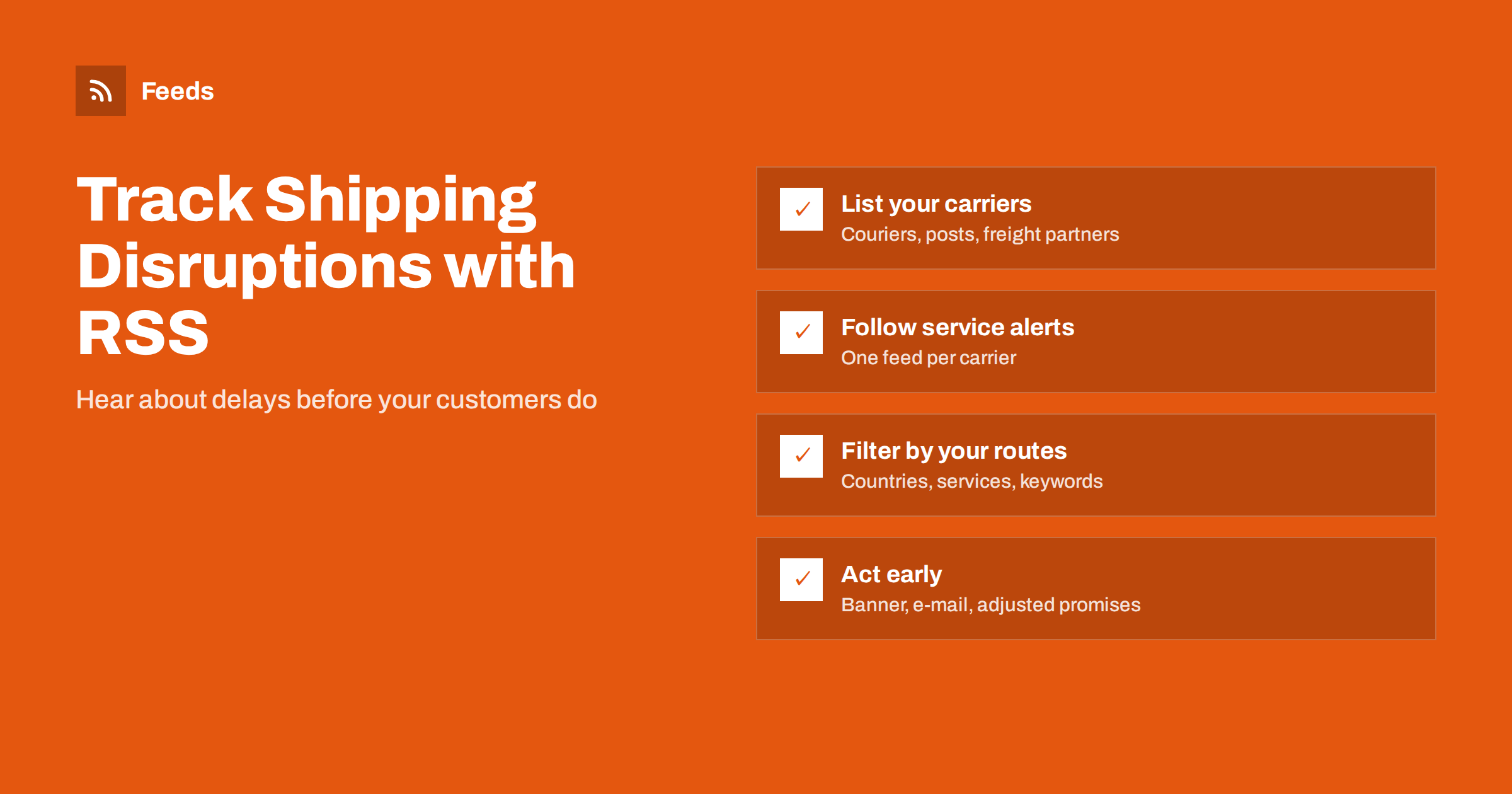
Short answer: Online stores can track shipping disruptions by following the service alert and news pages of every carrier and postal operator they use, plus weather, customs and strike news for their main routes. Where a carrier offers RSS, subscribe to it; where it only has a web page, turn that page into a feed. Merge the sources into one feed, filter it by the countries and services you ship with, and send matches to the person who updates delivery estimates and customer messages.
Why shipping disruptions hurt small stores
Delivery problems rarely start in your warehouse. A strike at a national postal service, a storm that closes a hub, a customs rule that changes overnight or a carrier suspending a route can delay hundreds of parcels without any warning in your own systems. Customers do not see the cause; they see a late order and a store that did not tell them.
Large retailers have logistics teams that watch carrier notices every day. Small and medium stores usually find out from the first angry e-mail or from a tracking page that has not moved for a week. By then, the cost has already arrived: support tickets, refunds, chargebacks and reviews that mention slow delivery.
The information is almost always public before it affects you. Carriers publish service alerts, postal operators announce suspensions to specific countries, and weather services issue warnings days ahead. The problem is that nobody has time to check a dozen pages every morning. RSS makes those pages come to you.
There is also a planning benefit. Disruptions often follow patterns: peak-season surcharges, winter weather in certain regions, recurring strikes in particular countries. A feed that collects these notices over a year becomes a record of what happened, which helps you set realistic delivery promises and choose backup carriers before the next busy season.
Sources worth following
Start with the companies that actually move your parcels, then add the sources that explain why delays happen.
- Carrier service alerts: most couriers and express carriers have a page listing current service disruptions, delays and suspended areas.
- Postal operators: national posts publish notices about international mail suspensions, strikes and changes to accepted items.
- Freight and fulfilment partners: warehouses and freight forwarders often post updates about cut-off times and peak-season capacity.
- Customs and trade authorities: changes to import rules, duties or required documents for your main destination countries.
- Weather and hazard warnings: severe weather affecting key hubs or your own region.
- Marketplace seller news: if you sell on marketplaces, their seller announcements often include delivery and shipping rule changes.
Weather sources are covered in our guide to weather and natural hazard alerts with RSS, and marketplace announcements in how online sellers can track marketplace and platform updates.
Turning carrier pages into feeds
Some carriers and postal operators publish RSS feeds for their news or service updates. Many do not, and their alert pages are simple lists of notices with a date and a title. That structure is exactly what a page-to-feed tool needs: it reads the list, turns each notice into a feed item and checks the page again on a schedule.
- Open the carrier’s service alert or news page and check that it lists notices with titles and dates.
- Look for an RSS icon or a feed link in the page source first; if there is one, use it.
- If there is no feed, create one from the page and check the preview to make sure each notice appears as an item.
- Repeat for each carrier and postal operator you use, so you have one feed per source.
Our guide on how to create an RSS feed for a website without RSS explains the options in more detail. Some alert pages are built with heavy scripts and load their content late; if a page shows nothing in a preview, look for a simpler news or press page from the same carrier.
Filtering for your routes and services
A carrier’s alert page covers every country and every service. You probably ship to a handful of countries with two or three services. Without filtering, the feed fills with notices that do not affect you, and people stop reading it within a week.
| Filter type | Examples of words to keep |
|---|---|
| Hedefler | The countries and regions you ship to most |
| Services | The names of the delivery services you use |
| Disruption words | delay, suspended, strike, closure, weather, backlog |
| Rule changes | customs, duties, prohibited, restricted, surcharge |
Combine the carrier feeds into one, then keep only items that mention your destinations or services, or a disruption word. Exclude-word filters help remove routine notices, such as holiday opening hours in countries you never ship to. For more on writing filters, see how to set up keyword alerts using RSS feed filters, and for combining sources, how to merge multiple RSS feeds into one clean feed.
Start broad and tighten over the first few weeks. It is better to see a few irrelevant notices than to miss the one that matters, and the pattern of noise tells you which words to add or remove.
Getting alerts to the right person
A disruption feed is only useful if someone acts on it. Decide who owns delivery communication in your store, often the person who handles customer service or operations, and send the filtered feed where that person already works: a team chat channel, an e-mail digest or an RSS reader they check every morning.
- Team chat: new items appear in a dedicated channel, where the team can discuss what to do. See how to send RSS feed updates to a Slack channel.
- E-mail digest: a daily summary is enough for most stores and avoids constant interruptions.
- RSS reader: best for people who already follow other business feeds there.
For urgent sources, such as a strike notice from your main carrier, consider a separate feed with immediate notifications, and keep the rest in the daily digest.
What to do when a disruption hits
The point of early warning is to act before customers complain. Prepare a short playbook so the response takes minutes, not a morning of discussion.
- Check impact: which open orders and which upcoming orders use the affected carrier, service or destination.
- Update delivery estimates: change the estimates shown at checkout and on product pages for affected destinations.
- Inform customers: add a site banner and send a short message to customers with orders in transit.
- Switch carrier where possible: route new orders through an alternative carrier for the affected area.
- Pause promises: stop “guaranteed by” or “next day” messages in ads and automated posts until service returns.
- Close the loop: remove banners and restore normal estimates when the carrier announces recovery.
A customer who receives a clear message before asking is far more patient than one who has to chase the order. Proactive communication turns a delay into a minor inconvenience rather than a reason to leave a poor review.
Seasonal planning and peak periods
Carriers often announce peak-season cut-off dates, surcharges and capacity limits weeks in advance, especially before the end-of-year holidays. These notices are easy to miss among daily alerts, so add a filter for words like “cut-off”, “last posting date”, “peak” and “surcharge” and route those items to whoever plans your promotions.
Use the announced dates to set your own last order dates for holiday delivery, and publish them on your shipping page early. Our article on preparing your product feed for Black Friday and peak season covers the product side of the same period.
How RSS Feed Creator helps
RSS Feed Creator (Feeds) turns carrier alert pages, postal notices and other public announcement lists into clean RSS feeds without plugins or code on those websites, and uses a site’s existing feed when there is one. You can merge several carriers into one feed, keep only items with your destinations, services or disruption words, and drop items with words you do not want. Duplicates are removed automatically, feeds refresh on their own, and paid plans send an alert if a page changes and a feed stops finding items. You can create a feed on the free plan.
Related reading
- How to monitor suppliers and partners for early risk signals
- How to follow travel advisories and airline notices with RSS
- How to monitor SaaS status pages and outages with RSS
The bottom line
Shipping disruptions are almost always announced publicly before they reach your customers. Follow the alert pages of your carriers and postal operators, add weather and customs sources, turn pages without RSS into feeds, filter everything by your routes and services and send matches to the person who manages delivery messages. With a simple playbook, a carrier problem becomes a short banner and a polite e-mail instead of a week of complaints.
SSS
Do shipping carriers offer RSS feeds?
Some do for their news or service updates, but many only publish alerts on a web page. Those pages can usually be turned into feeds because they list notices with titles and dates.
How do I avoid alerts for countries I do not ship to?
Filter the merged feed to keep only items that mention your destination countries, your services or disruption words. Add exclude words for routine notices that never affect you.
Who in a small store should receive shipping alerts?
The person who handles customer service or operations, because they update delivery estimates and contact customers. Send the feed to a team channel or a daily e-mail they already read.
How often should a disruption feed be checked?
Once a day is enough for most stores, with immediate notifications only for your main carrier. During peak season or severe weather, check more often.
What should I tell customers during a carrier delay?
Tell them what is happening, which orders are affected and what you are doing, such as switching carriers. Update delivery estimates on your site and remove the message once service is back to normal.