ENEnglish
 LTLietuviškai
 DEDeutsch
 FRFrançais
 RUРусский
 ESEspañol
 PLPolski
 ITItaliano
 UKУкраїнська
 CSČeština
 PTPortuguês
 JA日本語
JA日本語 LVLatviešu valoda
 ETEesti
 HUMagyar
 IDBahasa Indonesia
 TRTürkçe
 HIहिन्दी
 ELΕλληνικά
 ARالعربية
 THไทย
THไทย VITiếng Việt
 RORomână
 MSBahasa Melayu
 BNবাংলা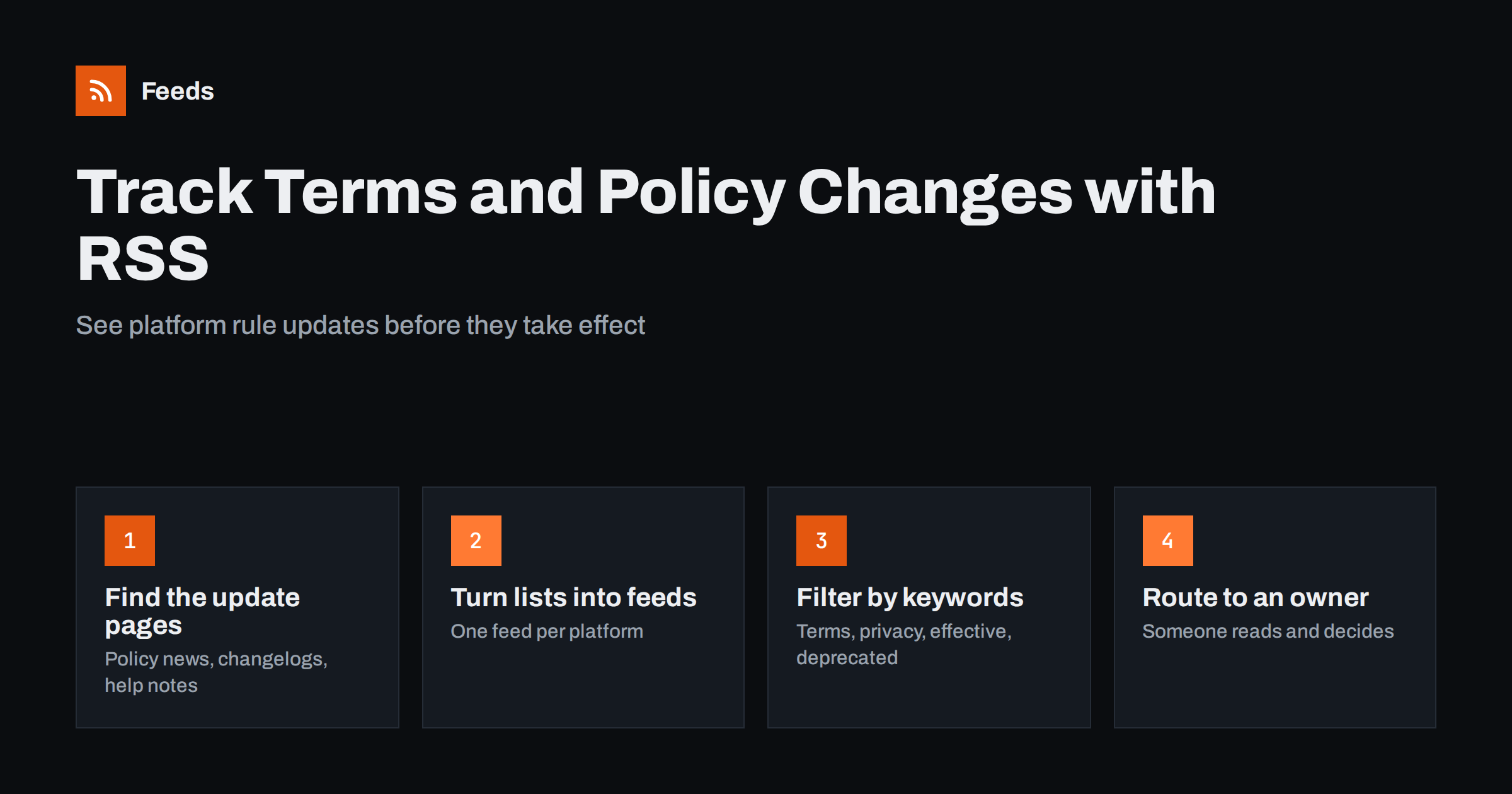
Short answer: To track terms of service and policy changes with RSS, find the pages where each platform announces its rule changes, such as policy update pages, developer changelogs and help center news, and follow them as feeds. Where a site has no RSS, turn the announcement list into a feed, merge the sources into one feed and filter it by words like “terms”, “privacy”, “policy” and “effective”. RSS is ideal for announcements; for edits to the text of a single policy page, add a page change monitor.
Why policy changes are so easy to miss
Almost every business depends on rules written by someone else. Your online store follows the shopping channel’s product policies, your marketing team follows the advertising rules of social networks, your developers follow the terms of the APIs they call, and your company follows the payment provider’s acceptable use policy. Each of these documents changes several times a year, and the changes rarely arrive in a way that is easy to act on.
Notification e-mails go to whoever opened the account years ago. Announcements are posted in a help center that nobody visits unless something breaks. A change that matters to you is mixed with dozens that do not. The result is familiar: a product is disapproved, an ad account is restricted or an integration stops working, and only afterwards does someone find the announcement that was published weeks earlier.
Following those announcements as feeds does not make the rules simpler, but it changes the timing. You learn about a change when it is announced, which is usually before it takes effect, and you have time to read it calmly and decide what to do.
Where platforms announce rule changes
Before setting anything up, list the services your business relies on and find where each one publishes changes. The terms page itself is usually the last place to look. These are better sources:
- Policy update pages. Many large platforms keep a dedicated page that lists upcoming and recent policy changes with dates. Advertising and shopping platforms are good examples.
- Developer changelogs and blogs. API terms, rate limits, deprecations and data rules are often announced here first, sometimes months in advance.
- Help center news or “what’s new” sections. Smaller services often announce changes to their terms in the same list they use for product news.
- Company newsrooms. Large changes to privacy policies are sometimes announced as press releases.
- Status and trust pages. Security and data processing updates, such as a new list of sub-processors, may appear here.
- Regulator pages. When rules change because of new laws, the regulator’s own news page is the original source. Our guide on tracking government and regulator updates with RSS covers those sources in more detail.
Some of these pages already offer an RSS or Atom feed, often hidden in the page source or a footer link. Many do not, especially help centers and policy update pages. For those, a page-to-feed tool can turn the list of announcements into a feed, as long as the page is public and the announcements appear as a list of items with titles and links.
RSS feeds vs page change monitoring for policies
There are two different questions you might want answered. “Has the platform announced a policy change?” is a question about new items on a list, and RSS answers it well. “Has the wording of this exact terms page changed?” is a question about edits to one document, and a page change monitor answers it better. Most teams need the first every week and the second only for a handful of critical documents.
| Need | Best tool | What you receive |
|---|---|---|
| New policy announcements from a platform | RSS feed of the update page | One item per announcement with title, date and link |
| Deprecations and API rule changes | RSS feed of the developer changelog | One item per release note or notice |
| Silent edits to a terms or privacy page | Page change monitor | An alert with the changed text |
| Rules changed by new laws | RSS feeds of regulator news pages | Official announcements and guidance |
If you want to understand the trade-offs in general, read page change monitoring vs RSS feeds. For policy work the practical answer is usually both: feeds for the steady flow of announcements, and a change monitor on the few documents where a single changed sentence could matter.
Setting up policy feeds step by step
- Make a list of dependencies. Write down every platform where a rule change could hurt you: sales channels, ad networks, payment providers, social networks, hosting, e-mail sending and important APIs.
- Find one announcement source per platform. Prefer a page that lists policy updates with dates. If there is none, use the developer changelog or help center news.
- Check for an existing feed. Look for an RSS icon, a “subscribe” link or a feed link in the page source. Use it if it exists.
- Create a feed where there is none. Paste the page address into a page-to-feed tool and check the preview. You should see the announcements as separate items with real titles, not menu links.
- Merge the feeds. Combine all sources into one policy feed so that there is a single place to look, or keep separate feeds per team if legal, marketing and development care about different platforms.
- Filter out the noise. Keep only items with policy words, as explained below.
- Deliver it where people read. Send the feed to a team channel, an RSS reader or a weekly e-mail digest, depending on how urgent the changes usually are.
The first version does not need to be perfect. Start with the five platforms that matter most and add the rest once the habit of reading the feed is in place. Our website monitoring starter plan follows the same approach for other kinds of sources.
Keyword filters that catch policy news
Developer changelogs and help center news mix policy changes with feature launches and bug fixes. A keyword filter keeps only the items that are likely to be about rules. Words that work well include:
- Policy words: terms, policy, policies, privacy, guidelines, requirements, acceptable use, compliance.
- Timing words: effective, starting, beginning, deadline, update to.
- Change words: deprecated, deprecation, retire, sunset, discontinued, no longer, will be removed.
- Data words: data processing, sub-processor, consent, retention, cookies.
Start broad and tighten later. Missing an important change costs far more than reading a few extra headlines. If the feed becomes too busy, exclude words that only appear in feature news, such as “new feature” or “now available”, rather than narrowing the policy words. The guide to keyword alerts with RSS feed filters explains how to combine include and exclude words without losing relevant items.
Who reads the feed and what happens next
A feed that nobody owns is just another inbox to ignore. Decide in advance who reads the policy feed and what they do with an item. A simple process is enough for most small and medium businesses:
- One owner per platform group. Marketing owns ad and social platforms, e-commerce owns shopping channels, development owns APIs, and someone in operations or legal owns payment and data terms.
- A quick triage. For each item, the owner decides: no action, read in detail, or action required. Most items are “no action”, and that is fine.
- A note with the effective date. When action is required, record what changes, when it takes effect and who is doing the work.
- Escalation for legal questions. Feeds tell you that something changed. Whether the change affects your contracts or obligations is a question for a qualified adviser, not for the person reading the feed.
The same structure works for monitoring suppliers and partners, where the question is also “does this affect us, and by when?”
Keep a record of what changed and when
Policy disputes often come down to dates: which version of the rules applied when an order was placed, an ad was approved or data was processed. A feed helps here because every item carries a date and a link to the announcement. Keep the feed history, or copy important items into a simple log with the announcement date, the effective date, a one-line summary and the action you took.
For critical documents, also save a copy of the full page when a change is announced, for example as a PDF or through a public web archive. Announcement pages are sometimes edited or removed later, and a copy made at the time is the most reliable record you will have.
Common mistakes when monitoring policy changes
- Relying on account e-mails. They go to old addresses, land in spam or are sent only to the account owner. Use them as a backup, not as the main channel.
- Following the terms page instead of the announcement page. A feed made from a long legal page rarely produces useful items. Find the list of updates instead.
- Filtering too narrowly. A filter that only keeps “terms of service” misses changes described as “updated requirements” or “new rules for advertisers”.
- Sending everything to one busy channel. Policy items get lost between other alerts. Give them their own channel or a weekly digest.
- Never checking that the feed still works. Help centers are redesigned, and a feed made from an old layout can stop finding items. Use a tool that warns you when a feed stops finding items, and look at each feed’s latest item date now and then.
How RSS Feed Creator helps
RSS Feed Creator (Feeds) turns public announcement pages, changelogs and help center news lists into clean RSS feeds without plugins or code on those websites, and uses a site’s existing feed when there is one. You can merge several platforms into one policy feed, keep only items with your words or drop items with words you do not want, and duplicates are removed automatically. You see a preview of the items before the feed is created, the feed refreshes on its own, and paid plans send an alert if a feed stops finding items. You can create a feed from a policy update page on the free plan and compare limits on the pricing page.
Related reading
- Page change monitoring vs RSS feeds
- How to track government and regulator updates with RSS
- How to follow software changelogs and release notes with RSS
- How to reduce noise in RSS alerts
The bottom line
Terms and policies change constantly, and most businesses find out too late. Follow the pages where platforms announce changes, turn them into feeds where needed, merge and filter them by policy words, and give each platform an owner who reads and decides. Add a page change monitor only for the few documents where the exact wording matters. The goal is simple: hear about a rule change while there is still time to prepare for it.
SSS
Can RSS tell me when a terms of service page is edited?
Only indirectly. RSS reports new items on a list, so it works best with pages that announce policy changes. To catch silent edits to one specific document, use a page change monitor alongside your feeds.
What if a platform has no policy update page?
Use the next best public source: the developer changelog, the help center news section or the company newsroom. If none of them lists updates, a page change monitor on the terms page is the remaining option.
Which keywords should a policy feed filter use?
Start with terms, policy, privacy, guidelines, requirements, effective, deprecated and retire. Begin broad, then exclude words that only appear in feature news if the feed becomes too busy.
How often should someone read the policy feed?
Weekly is enough for most small businesses, because policy changes are usually announced well before they take effect. Teams that depend heavily on one platform’s API or ad account may prefer a daily look.
Does following policy feeds replace legal advice?
No. Feeds make sure you notice a change in time. Whether the change affects your contracts or legal obligations is a question for a qualified adviser.