ENEnglish
 LTLietuviškai
 DEDeutsch
 FRFrançais
 RUРусский
 ESEspañol
 PLPolski
 ITItaliano
 UKУкраїнська
 CSČeština
 PTPortuguês
 JA日本語
JA日本語 LVLatviešu valoda
 ETEesti
 HUMagyar
 IDBahasa Indonesia
 TRTürkçe
 HIहिन्दी
 ELΕλληνικά
 ARالعربية
 THไทย
THไทย VITiếng Việt
 RORomână
 MSBahasa Melayu
 BNবাংলা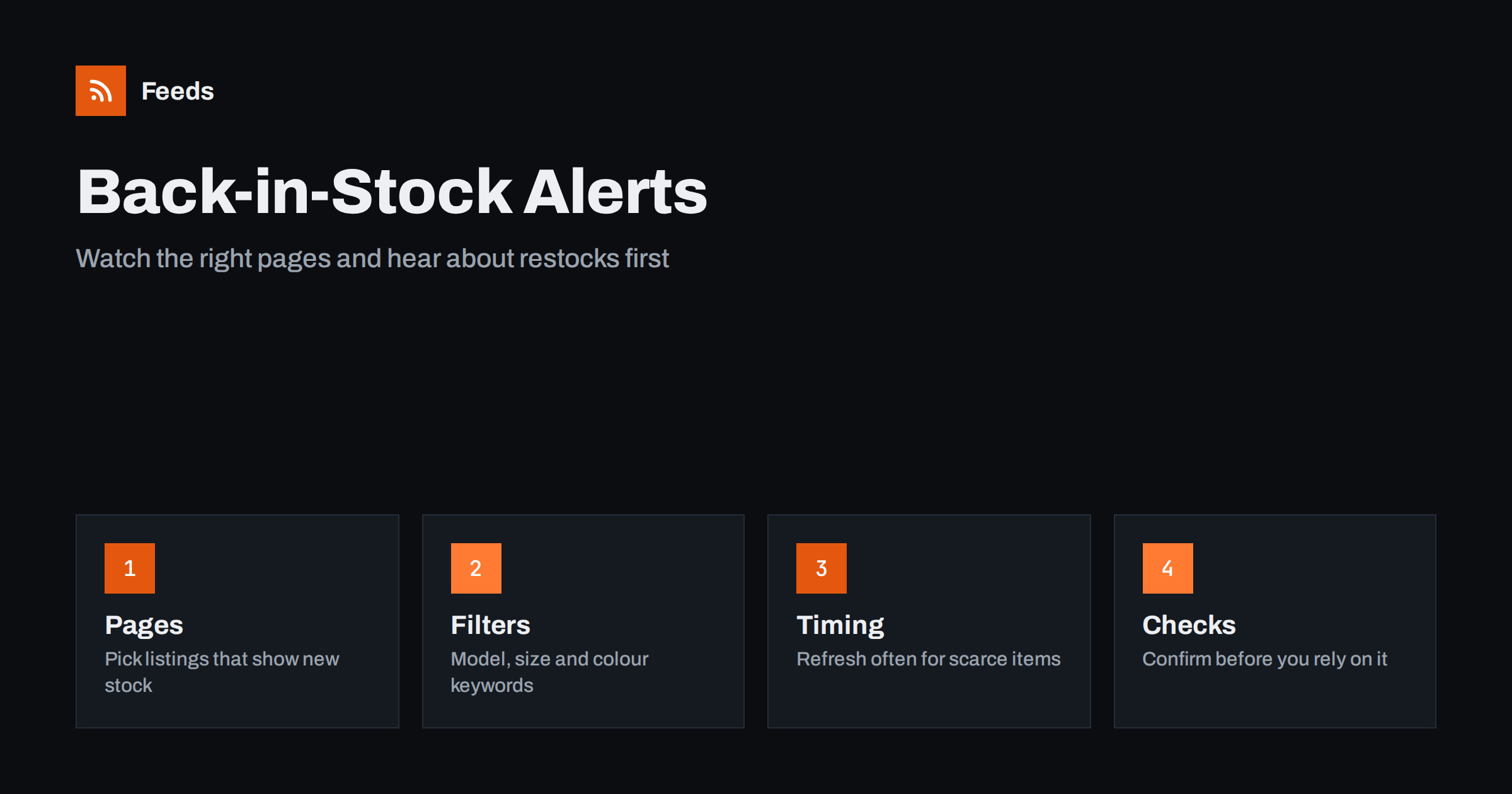
Short answer: Many shops let you sign up for a “notify me” email, but plenty do not, and the emails often arrive after the stock has gone again. An RSS feed gives you another way: watch a category, brand or new-arrivals page, filter the items by model, size or colour keywords, and have the result land in the reader, chat channel or phone notification you already check. It is not magic, because a feed only reports what the page shows, but for sought-after products it can turn a missed restock into a fair chance.
Why restocks are easy to miss
Popular products sell out and come back in small batches: a limited colour, a size that is always short, a console, a replacement part, a seasonal item. Shops rarely announce these restocks. The product page quietly flips from “sold out” to “add to basket”, and the people who happen to look at that moment get the item. Everybody else finds out the next day, when it is gone again.
Checking by hand does not scale. Opening five pages every few hours is tedious, and you will forget on the day that matters. A better approach is to let the pages come to you. If you already follow sources with RSS, adding the pages of your favourite shops is a small step. For the general idea of tracking shop pages, see store new arrivals as an RSS feed.
Which pages to watch
Choose pages where a restock changes what is listed. The right choice depends on how the shop is built, so look at it before you set anything up.
- A category or brand listing. Some shops hide sold-out products from listings. When a product returns, it appears in the list again, which is exactly the signal you want.
- A “new arrivals” or “just in” page. Restocked batches are often shown here, especially in fashion and electronics.
- A shop’s news or drops page. Limited releases are sometimes announced there, with a date and time.
- A filtered search result. If the shop’s search or filter has its own address, for example “size 42, in stock only”, that address can be the source.
Avoid watching a single product page unless it is the only option. A page like that changes for many reasons, such as a new review or a banner, and you will receive alerts that mean nothing. A listing that shows many products is easier to filter and more informative. How a page becomes a feed is explained in how a page becomes a feed.
Filter by what you actually want
An unfiltered listing of a large shop is noise. Narrow it with keywords: the model name, the colour, the size, the brand. A feed that keeps only items whose title or summary contains “trail runner” and “43” is a very different thing from every product in the shoe department. The principle is described in RSS keyword alerts.
Be careful with sizes and short numbers. “43” can match a price, a year or a product code. Use more distinctive words where you can, such as the model name, and accept a few extra items rather than risk missing the one you want. If several shops sell the same product, merge their feeds and filter once, so that the first shop to restock produces the first alert. The method is covered in how to merge RSS feeds.
Choose how the alert reaches you
A restock is time sensitive, so the delivery matters more than the reader. If you check your reader twice a day, you will miss most of them. Send the filtered feed to a place that interrupts you politely: a phone notification, a private chat channel or a team channel for a shared purchase. The routes are explained in RSS push notifications on your phone and sending a feed to a Slack channel.
Think about how much interruption you want. One or two alerts a day for a product you really want is fine. Twenty alerts a day for loosely related items teaches you to ignore the channel. If the volume grows, tighten the filter before you mute anything; see how to reduce RSS alert noise.
Refresh time and realistic expectations
A feed is only as fresh as its last refresh. If a feed is checked every few hours and a popular item sells out within minutes of returning, you will see the alert after it has gone. That is not a failure of the tool, it is the nature of polling. For scarce items, use the shortest refresh interval available to you, and treat the alert as a prompt to look, not a promise of availability. The trade-offs are discussed in RSS feed refresh intervals.
Also be realistic about what the feed can tell you. It reports items that appear on the page. It may not know whether your size is in stock or whether the product can be delivered to your country. Always open the product page and check before you rely on the alert. For a deal rather than a restock, the approach in deals and price drop alerts with RSS is similar.
Respect the shop and the rules
Watching a public page through a feed is the same thing as checking it in a browser, only less often than you would by hand. Do not set the refresh to an extreme, do not watch hundreds of pages for one product and do not use automation to buy items faster than other customers or to resell them. Many shops forbid automated purchasing, and some have rules about limited drops. Read the terms of the shops you follow, and keep your use to what a careful shopper would do. The legal side of using other sites’ content is covered in using other websites’ RSS feeds.
If you run a shop yourself, the lesson is the reverse. Announce restocks on a page or in a feed, so that customers do not have to guess; it saves you support emails and gives loyal customers something to follow. A short “restocked” feed is cheap to publish and appreciated.
A small setup that works
Start with one product you really want. Find the listing page that shows it when it is available, create a feed from that page, filter it with the model name and your size, and send the result to your phone. Test it for a week. If you receive false alarms, adjust the keywords; if you receive nothing and the product was restocked, check whether the shop hides sold-out items at all. When the setup works, copy the pattern for the next product, and remove the old feed once you have what you wanted.
Write down the date you started each watch and what you were waiting for. A note such as “running shoes, size 43, started 3 October” makes it easy to delete a feed when the need has passed. Old watches left running become exactly the clutter that makes people stop trusting their alerts.
Keep the list short. Five well-chosen restock feeds will serve you better than fifty vague ones, and you will remember what each is for.
How RSS Feed Creator helps
Most shops have no feed of their own for restocks. RSS Feed Creator turns the list of items on a web page into a clean RSS feed, uses an existing feed when there is one, and shows a preview of the items before the feed is created. You can merge several sources into one feed (up to 10 on paid plans), keep only the items that contain your keywords and have duplicates removed automatically, which suits a restock watch across several shops. Feeds refresh every 3 hours on the free plan and every 30 minutes on paid plans, and paid plans send an alert when a page changes and a feed stops finding items. The free plan allows up to 20 items per feed, and the details are on the pricing page.
Related reading
- How to Track New Book, Game and Music Releases with RSS
- How to Track Competitor New Products Automatically
- Page Change Monitoring vs RSS: Which Do You Need?
The bottom line
A restock alert is a feed built on the right listing page, filtered with distinctive keywords and delivered somewhere you will see it quickly. Expect a prompt, not a guarantee, check the product page before you act and stay within the shop’s rules. Done modestly, it turns waiting into watching.
FAQ
Can RSS tell me when a sold-out product is back in stock?
Sometimes. If the shop hides sold-out products from a listing and shows them again when they return, a feed built from that listing will report the product as it appears. Always confirm on the product page.
Which page is best to watch for restocks?
A category, brand or new-arrivals listing that shows many products. A single product page changes for many unrelated reasons and produces false alarms.
How fast will I hear about a restock?
As fast as the feed refreshes and the alert reaches you. For scarce products use the shortest refresh interval available and send alerts to your phone rather than a reader you open twice a day.
Is it allowed to monitor shop pages automatically?
Watching a public page at a moderate rate is similar to checking it by hand, but shops set their own terms. Do not use automation to buy items or to get ahead of other customers where the terms forbid it.
How do I stop false alerts?
Use distinctive keywords such as the model name, avoid short numbers that can match prices, and watch listings rather than single product pages. Tighten the filter before you mute the channel.