ENEnglish
 LTLietuviškai
 DEDeutsch
 FRFrançais
 RUРусский
 ESEspañol
 PLPolski
 ITItaliano
 UKУкраїнська
 CSČeština
 PTPortuguês
 JA日本語
JA日本語 LVLatviešu valoda
 ETEesti
 HUMagyar
 IDBahasa Indonesia
 TRTürkçe
 HIहिन्दी
 ELΕλληνικά
 ARالعربية
 THไทย
THไทย VITiếng Việt
 RORomână
 MSBahasa Melayu
 BNবাংলা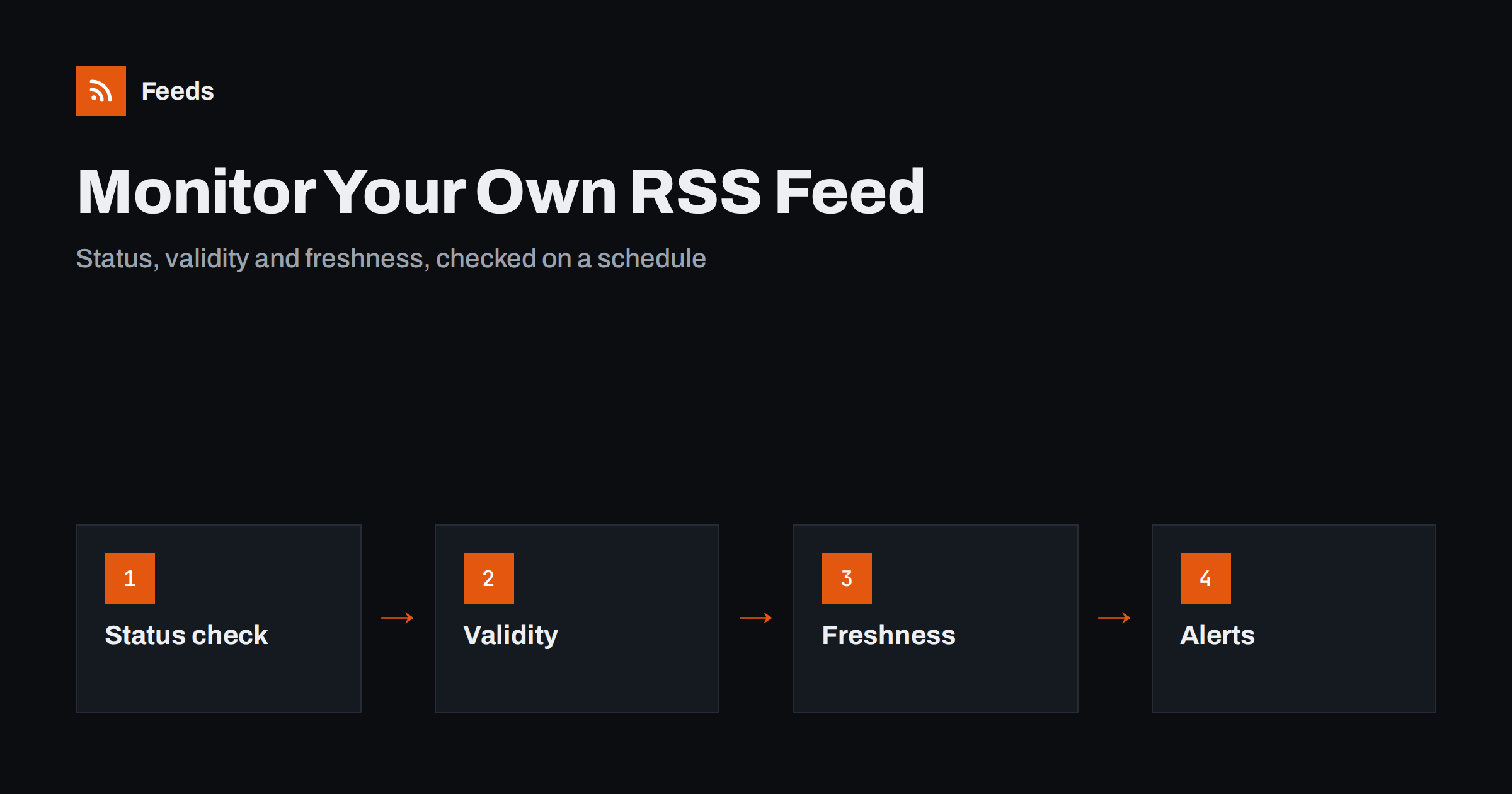
Short answer: To monitor your own RSS feed, check four things on a schedule: that the feed address answers with a normal success status, that the file is valid XML in the expected format, that the newest item is recent enough for your publishing rhythm, and that nothing odd has happened to the item count or the item identifiers. Send an alert when a check fails, so you hear about problems before subscribers and automated tools do.
A feed is one of the quietest parts of a website. Nobody visits it in a browser, so nobody notices when it breaks. A plugin update changes the output, a cache starts serving a copy from last week, a redirect sends the address to the wrong place or a stray character makes the XML invalid. Readers, email digests and social automations that depend on your feed then stop working, and they usually fail silently. The first sign is often a message from a reader asking why nothing has been posted for days.
Monitoring turns that around. A few simple checks, run every hour or so, tell you within minutes. This guide explains what to check, how to do it with basic tools and how to set up alerts that are useful and not noisy. If you are looking at the problem from a reader’s side, see RSS feed stopped updating? how to find out why.
Why your feed deserves its own monitoring
Many sites already use an uptime monitor for the home page. That check proves the web server is alive, but it says nothing about the feed. A site can answer perfectly on its home page while the feed returns an error, an empty file or a page from a cache that stopped refreshing. Feeds also depend on parts that pages do not, such as the XML format, the date fields and the item identifiers.
The people affected are rarely visible. Subscribers in readers, newsletters built from the feed, partners who import your items and social posts created automatically all depend on one file. When the file fails, several channels stop at once. That is a good reason to treat the feed as a product in its own right and keep an eye on it.
Check 1: the address answers correctly
The first check is the simplest. Request the feed address and look at the response. You want a success status, a reasonable response time and a content type that says the file is XML, usually an RSS or Atom type, though some servers send plain XML. Watch for these cases:
- Error statuses: a server error or a not-found status means readers cannot get the feed at all.
- Unexpected redirects: a redirect to the home page, a login page or a different address is a sign that something changed. A planned move should use a permanent redirect.
- Slow responses: a feed that takes many seconds can cause timeouts in readers and tools.
- Certificate problems: an expiring or invalid certificate on a secure address makes many readers refuse the feed.
The correct headers and caching are explained in how to serve an RSS feed correctly: headers, caching and CDNs.
Check 2: the file is valid
A feed that answers can still be broken. A single unescaped ampersand or a stray control character can make the XML invalid, and many readers will then reject the whole file. Plugins and themes sometimes add output before the XML declaration, such as a blank line or a warning message, which has the same effect.
A basic monitor can parse the file and report if it fails. Parsing it with a standard XML parser is enough to catch most problems. For a deeper check, run it through a validator from time to time. The list of common errors is in how to validate an RSS feed and fix the most common errors, and broken characters in particular are covered in RSS feed encoding errors.
Check 3: the feed is fresh
Freshness is the check that finds the most problems. Read the date of the newest item and compare it with the current time. If your site publishes daily, an alert after 48 hours without a new item makes sense. If it publishes weekly, allow ten days. The threshold should follow your normal rhythm, with some margin, so a quiet weekend does not raise a false alarm.
Stale feeds usually come from caching. A page cache or a content network may keep serving an old copy long after the site has published something new. Compare the newest item in the feed with the newest post on the site. If the site is ahead, the cache is the cause. Dates themselves can also cause trouble when the time zone or format is wrong, as explained in RSS dates and time zones: getting pubDate right.
Check 4: the content looks normal
The last group of checks looks inside the file for signs that something has changed without an obvious error.
- Item count: a sudden drop to zero, or a jump to far more items than usual, suggests a configuration change. The usual count is discussed in how many items your RSS feed should include.
- Item identifiers: each item should keep the same identifier over time. If identifiers change, readers show old posts as new, as described in RSS GUIDs and why readers show old posts as new.
- Links and domain: links should point to the live domain, not to a staging address or an old one.
- Size: a file that grows steadily or suddenly doubles in size can slow readers and waste bandwidth.
Keep the last known good values and compare each run with them. A small change is normal, and a big one is worth an alert.
A simple way to run the checks
You do not need special software to start. A scheduled script on any server can fetch the feed, check the status, parse the file and compare dates. The following command shows the status code and the response time of a feed, and it is a good first step before you write anything more complex.
curl -s -o /dev/null -w "%{http_code} %{time_total}\n" https://example.com/feed/Run this every few minutes from a scheduler and send an email or a chat message when the code is not a success or the time is too long. To go further, parse the feed in a script and compare the newest date. Short examples of parsing feeds are in how to parse an RSS feed in Python, JavaScript and PHP.
If you would rather not run your own script, many uptime services can check a web address on a schedule and look for text in the response. They will not understand freshness, but they can catch outages, slow responses and certificate problems.
Send alerts that people will read
The best monitor is useless if its alerts are ignored. Keep the number low and the message clear. Say which feed failed, what the check was and what the value was, for example “newest item is 52 hours old”. Avoid alerts for single failed requests, because networks sometimes fail for a moment; wait for two or three failures in a row.
Send alerts where someone will see them, such as a team chat channel or an email address that is read. The steps for chat are in sending RSS feed updates to a Slack channel. Decide who is responsible, write down what to do first, and keep a short note of past incidents. The advice in how to document your content automations so they last applies to your monitor as well.
Monitor the consumers as well
A healthy feed is only half the picture. If you post from your feed to social networks or send it by email, check that those downstream steps work as well. A simple habit is to look once a week at the latest post on each network and compare it with the newest item in the feed. If they differ, find out why. The diagnosis steps are in RSS automation stopped posting? a step-by-step diagnosis.
It is also worth watching the other side. If your site relies on external feeds, for example to show news, apply the same checks to them. A source that quietly stops updating can leave a section of your site looking abandoned.
How RSS Feed Creator helps
If you follow sources that do not provide a feed, RSS Feed Creator can create one from the page and shows a preview before anything is created. Feeds refresh automatically, and an out-of-date feed is also refreshed when it is read. Paid plans send an alert if a feed stops finding items, which is a form of monitoring for the feeds you create. Plan limits are on the pricing page.
Related reading
- WordPress RSS feed not working? Common problems and fixes
- RSS feed best practices for publishers: a 24-point checklist
- Set up website monitoring with RSS in 30 minutes
The bottom line
Monitor your feed as you would any other service. Check that the address answers, that the XML is valid, that the newest item is recent and that counts and identifiers look normal. Run the checks on a schedule with a simple script or an uptime service, send clear alerts to a place where someone will see them and watch the channels that depend on the feed. A few minutes of setup saves days of silent failure.
FAQ
How often should I check my feed?
Every five to fifteen minutes for status checks, and hourly for freshness checks. Match the frequency to how quickly you would want to know about a problem.
What counts as a stale feed?
One whose newest item is older than your normal publishing rhythm allows. For a daily site, two days without a new item is a reasonable alert threshold.
Why does my feed show old content after I publish?
Usually a cache is serving an older copy. Compare the newest item in the feed with the newest post on the site, then check your page cache and any content network.
Do I need a paid tool to monitor a feed?
No. A scheduled script with a simple status and date check works for many sites, and many uptime services can check an address and look for text.
Should I be alerted for one failed request?
Usually not. Wait for two or three failures in a row before alerting, because brief network problems are common and cause false alarms.