ENEnglish
 LTLietuviškai
 DEDeutsch
 FRFrançais
 RUРусский
 ESEspañol
 PLPolski
 ITItaliano
 UKУкраїнська
 CSČeština
 PTPortuguês
 JA日本語
JA日本語 LVLatviešu valoda
 ETEesti
 HUMagyar
 IDBahasa Indonesia
 TRTürkçe
 HIहिन्दी
 ELΕλληνικά
 ARالعربية
 THไทย
THไทย VITiếng Việt
 RORomână
 MSBahasa Melayu
 BNবাংলা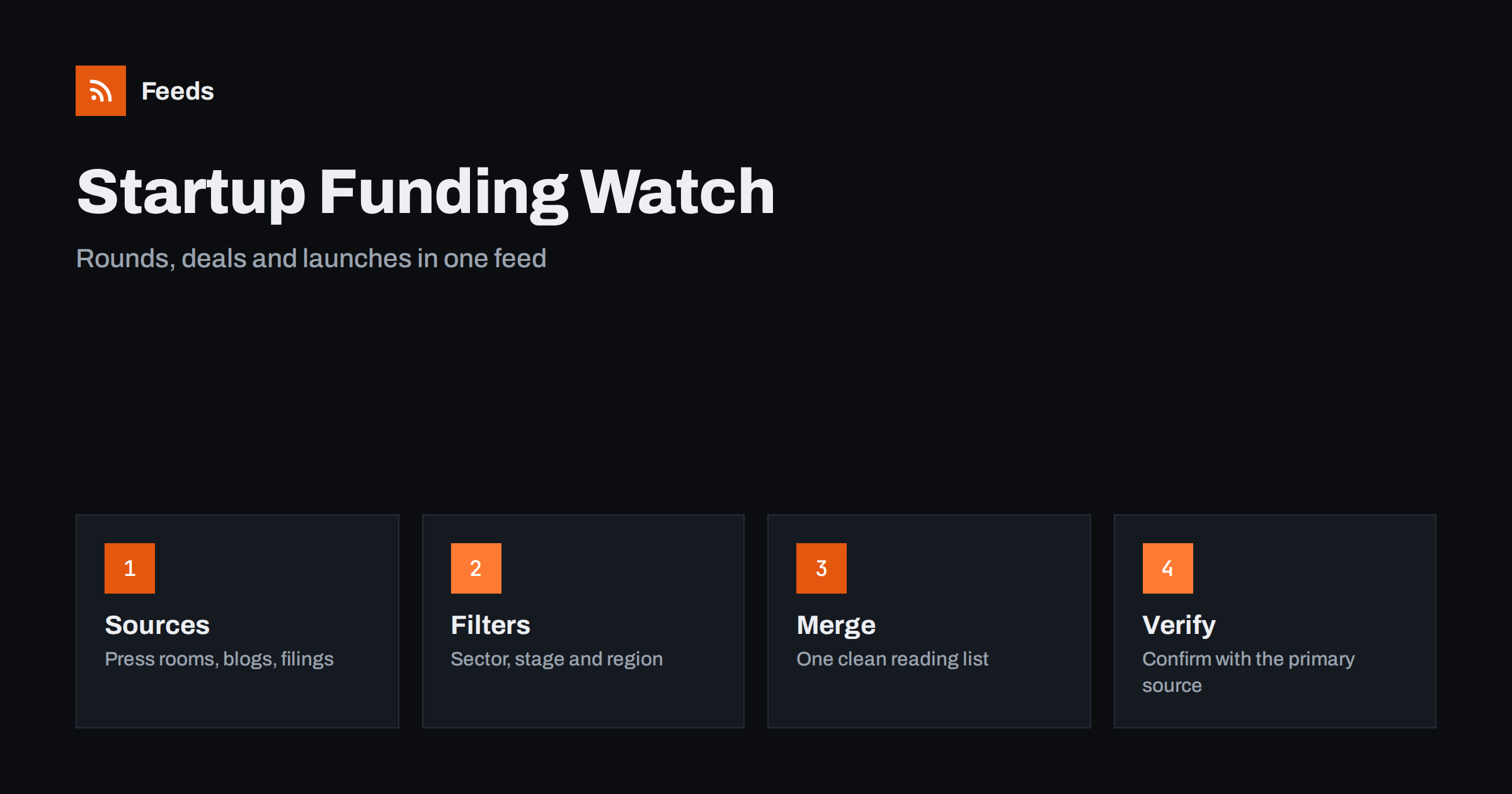
Short answer: Funding rounds and acquisitions are announced in many places at once: company blogs, press releases, investor pages, trade media and public registers. RSS lets you collect the sources that matter to your market into one reader, filter them by sector, stage and region, and read only the items that fit. It will not tell you whether a rumour is true or whether a deal will close, so every important item should be checked against the company’s own announcement or an official record before you act on it.
Why deal news is hard to follow by hand
A single funding round can appear as a founder’s post, a press release, a short item in trade media, a line in an investor’s portfolio page and later an entry in a public register. The same event is repeated in different words, and the details change from one version to the next. If you rely on social media or a general news site, you see whichever version happens to reach your timeline, usually a day late.
The people who need this information have different goals. A founder wants to see what competitors raise and who invests in the sector. An investor wants early signals about new companies and exits. A sales team wants to know which accounts have just received money and may be ready to buy. An analyst wants a clean record of deals for a market map. All of them benefit from the same thing: a small, well-chosen set of sources delivered in one place, in order, without the noise of a general news feed.
Choose sources that announce, not sources that repeat
Start from the origin of the news. The most reliable sources are the ones that publish first:
- Company newsrooms and blogs. Most companies announce a round or an acquisition on their own site, often with the exact amount and the names of investors.
- Investor and accelerator pages. Venture firms and programmes list new portfolio companies and cohorts. Some publish news pages or blogs with a feed.
- Trade and regional media that specialise in your sector. Pick two or three that report original deals rather than rewriting each other.
- Official records and statistics. Company registers and regulators publish filings and notices; see getting alerts for new statistics and open data releases for the general approach.
Avoid aggregator pages that republish everything. They add volume without adding information, and you will see the same item four times. A short list that you actually read is worth more than a long one you mute.
Turn pages without a feed into feeds
Many investor and company pages have no RSS feed. A portfolio page may be a plain grid of logos, and a newsroom may be a list built by a script. A page-to-feed tool reads the repeating items on such a page and produces a feed with titles, links, images and dates. How this works is described in how page-to-feed tools find the articles on a web page, and the full method is in creating an RSS feed for a website without RSS.
Check the preview each time. A portfolio grid that shows only logos produces items without text, which are hard to filter. In that case it may be better to follow the investor’s blog or news page and use the portfolio page only for an occasional manual look. Make sure that the feed shows real deal items, not menu entries, cookie notices or “load more” buttons.
Merge, then filter by sector, stage and region
Once the sources are feeds, merge them so that you read one list instead of twenty. Then apply keyword filters that describe your interest: the sector words that you use in your market, the stage words such as “seed”, “Series A” or “pre-seed”, the words for regions, and deal words such as “raises”, “acquires”, “acquisition” and “funding round”. Merging is covered in merging multiple RSS feeds into one clean feed, and filters in setting up keyword alerts with RSS feed filters.
Keep two lists. A narrow one with strict filters goes to your phone or a chat channel for the items you must see quickly. A broad one with looser filters is for a weekly review where you look at the market as a whole. If the broad list becomes noisy, reducing noise in RSS alerts explains how to tighten it without losing real signals.
Read a deal item the right way
An announcement is written to look good. When you read one, separate the facts from the framing. Look for the amount, the date, the names of the lead investor and other participants, what the company says it will do with the money and whether the deal is a primary round, a secondary sale or a loan. Be careful with phrases such as “up to”, “backed by” and “total funding to date”, which are easy to misread. For acquisitions, check whether the deal is completed or only agreed, whether it needs regulatory approval and what happens to the brand and the team.
Numbers also differ between sources. A trade outlet may round a figure or report a currency conversion, while the company’s own page gives the exact amount. When it matters, note the source next to the figure in your records, and prefer the primary one.
Set a reading rhythm
Deal news feels urgent, but most of it is not. Decide in advance which items deserve an immediate alert, for example a direct competitor raising money or a supplier being acquired, and send only those to your phone. Everything else belongs in a short daily or weekly review. A fixed slot, such as ten minutes after your morning coffee or a Friday round-up, keeps you informed without turning the feed into a distraction. For a routine that scales, see organizing your RSS reader so it never overwhelms you.
Keep a simple record
A feed is a stream, not an archive. If you track deals for a market map or a sales list, copy the important ones into a table with the date, company, type of event, amount if stated, investors and a link. Add a column for how you found it and one for whether you confirmed it with a primary source. After a quarter you will see which investors are active, which regions are growing and which competitors are suddenly well funded.
If you want the items in a spreadsheet automatically, see pulling RSS feeds into Google Sheets with IMPORTFEED. For a team, turning new RSS feed items into tasks can assign a follow-up, such as contacting a newly funded account, to a named person.
Be careful with rumours, embargoes and private information
Not every item you see is final. Trade media sometimes report that a deal is “in talks” or “expected”, and companies later deny or change the details. Treat such items as signals, not facts, and avoid repeating them as confirmed. Do not use a feed to guess at confidential information, and do not reproduce paid content or private newsletters beyond what the publisher allows; see RSS and paywalls for what a feed can legitimately show.
If your work involves regulated investment decisions, remember that a news feed is not advice and not a substitute for due diligence. It tells you where to look. The decision rests on documents, not headlines.
How RSS Feed Creator helps
RSS Feed Creator turns the newsroom, blog or portfolio news page of a company, investor or trade publication into a clean RSS feed, even when the site has no feed of its own. It reads titles, images, summaries and dates, uses an existing feed when there is one, and shows a preview of the items before the feed is created. You can merge several sources into one feed (up to 10 on paid plans), keep only the items that contain your keywords and have duplicates removed automatically, which suits a themed watch on deals in one sector. Feeds refresh every 3 hours on the free plan and every 30 minutes on paid plans, and paid plans send an alert when a page changes and a feed stops finding items. The free plan allows up to 20 items per feed, and the details are on the pricing page.
Related reading
- How to Track Investor Relations Announcements with RSS
- Follow Crowdfunding Campaigns and Product Launches with RSS
- How to Track Customer and Prospect News with RSS for Sales
The bottom line
Following funding and acquisition news with RSS means going to the sources that announce first, merging them into one list, filtering by sector, stage and region, and confirming anything important with a primary source. The feed saves hours of searching and shows you the market earlier; reading carefully and recording what you verify keeps the picture accurate.
FAQ
Which sources are best for startup funding news?
Company newsrooms and blogs, investor and accelerator news pages, a few specialised trade outlets and official registers. Prefer sources that announce first over aggregators that repeat the news.
What if an investor’s page has no RSS feed?
A page-to-feed tool can read the repeating items on the page and build a feed from it. Check the preview to be sure it shows real deal items with titles and dates, not only logos or menu links.
Which keywords should I filter on?
Use words for your sector, the stage you care about, your regions and deal words such as raises, acquires and funding round. Start broad, then remove the words that only bring noise.
Can I trust the amounts reported in news items?
Treat them with care. Outlets round figures or convert currencies, and phrases like “up to” are easy to misread. For anything important, check the company’s own announcement or an official record.
How do I keep a record of deals?
Copy key items into a table with date, company, event type, amount, investors, link and whether you confirmed it with a primary source. A spreadsheet import or a task tool can automate part of it.