ENEnglish
 LTLietuviškai
 DEDeutsch
 FRFrançais
 RUРусский
 ESEspañol
 PLPolski
 ITItaliano
 UKУкраїнська
 CSČeština
 PTPortuguês
 JA日本語
JA日本語 LVLatviešu valoda
 ETEesti
 HUMagyar
 IDBahasa Indonesia
 TRTürkçe
 HIहिन्दी
 ELΕλληνικά
 ARالعربية
 THไทย
THไทย VITiếng Việt
 RORomână
 MSBahasa Melayu
 BNবাংলা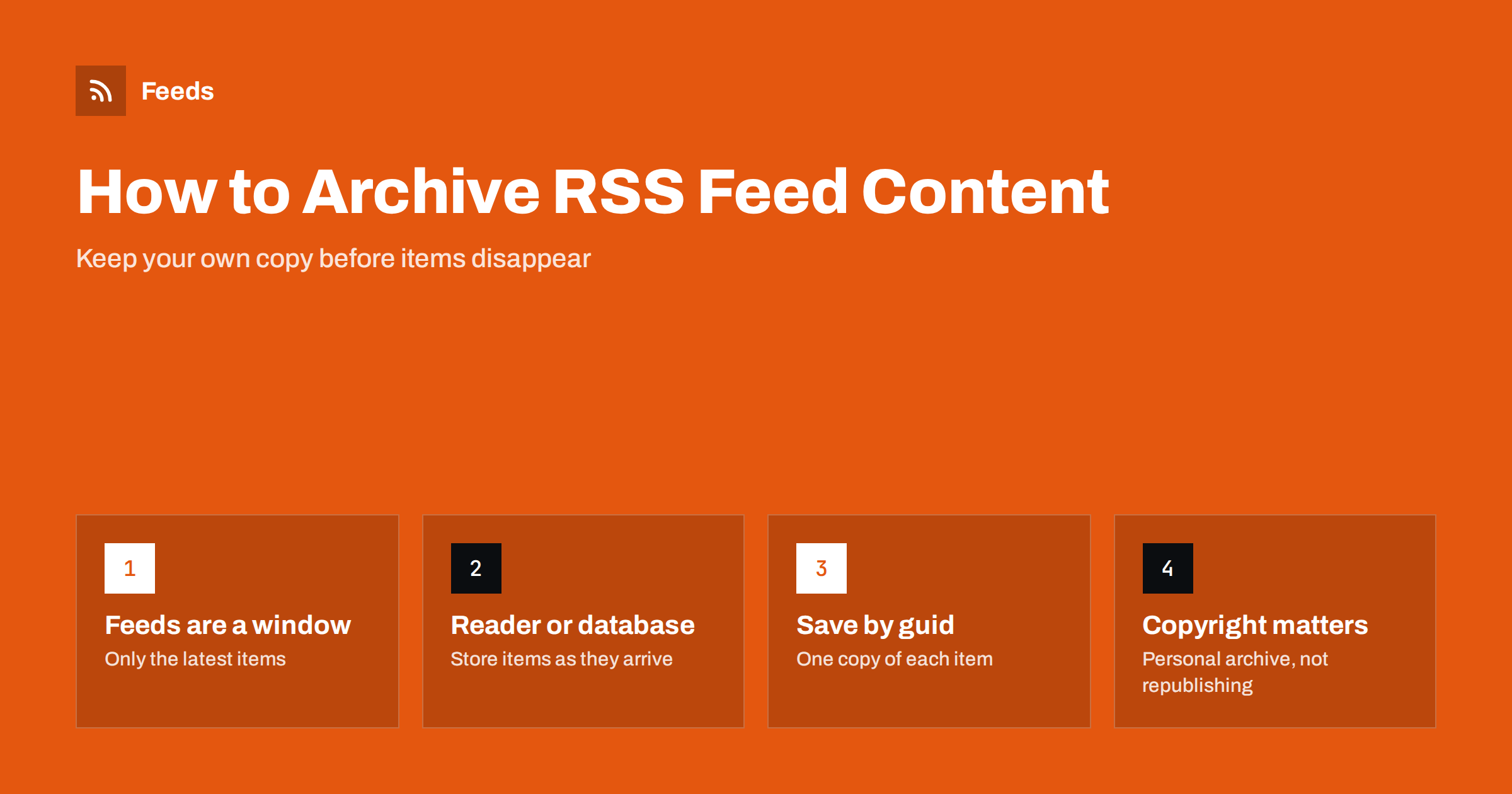
Short answer: An RSS feed is a window onto the latest items, not an archive, so older items disappear as new ones arrive. To keep your own copy, store each item when it arrives: use a reader that keeps history, save the items to a spreadsheet or database with an automation tool, or run a small script on a schedule. Save the item’s unique id to avoid duplicates, and keep the archive for your own use unless you have permission to republish.
Why feeds are not archives
Most people assume that a feed contains a site’s whole history. It does not. A feed normally holds the most recent items, often between 10 and 50, and drops the oldest as new ones are added. If you subscribe today, you see what is in the feed today. If you do not read the feed for a few weeks on a busy site, items can fall out of it before you ever see them.
This matters in several situations: tracking a competitor’s announcements, keeping a record of changes on a government site, collecting research sources, preserving your own published posts or building a dataset of news over time. In each case the feed is a source of new material, and the archive has to be built by you as items arrive. The same limit explains why a brand new reader may show only a few weeks of history for a site you have known for years. More detail on this is in RSS feed paging and archives.
What exactly do you want to keep?
Before choosing a method, decide what you need from the archive. The options differ in effort and in usefulness.
- Just the headlines and links. Enough for tracking when something was published and finding it again later.
- Headlines plus summaries and dates. Good for research notes and for searching your collection by topic.
- The full text of items. Possible only when the feed carries it; many feeds contain only a summary.
- The full web page. A separate step, because the feed only points to it.
Whether the feed has full text depends on the publisher, as explained in full text or summary: choosing what your RSS feed shows. If the feed has only a summary, your archive of the feed will have only a summary too.
Option 1: a reader that keeps history
The simplest method is to use a feed reader and never delete items you care about. Hosted readers keep items for a time that depends on the service and the plan, so check the retention rules before you rely on them. Self-hosted readers such as the ones compared in self-hosted RSS readers compared store items in a database that you control, and many can keep them indefinitely or until you set a limit.
Most readers also let you star, tag or save items. Starred items are generally kept even when ordinary items are cleaned up, which makes them a lightweight personal archive for the articles that matter. Remember that an OPML export, described in OPML files explained, saves your list of subscriptions, not the items themselves.
Option 2: send items to a spreadsheet or database
If you want to search, sort or analyse the items, store them in a table. There are several ways to do this without writing code.
- A spreadsheet can import a feed directly, as shown in how to pull RSS feeds into Google Sheets. This shows the current window, so you need a step that copies new rows into a permanent sheet.
- An automation tool such as the ones in building RSS automation workflows with n8n can trigger on each new item and append a row to a spreadsheet or add a record to a database.
- A notes or database app can receive new items as records, as described in sending feed items to a Notion database.
Choose the columns once: title, link, date, source, summary and the item’s unique id. Add a column for your own tags or notes so the archive becomes a research tool and not just a list.
Option 3: a small script
If you are comfortable with code, a script run on a schedule is the most flexible approach and costs almost nothing. The logic is short: fetch the feed, read each item, check whether its id is already stored, and if not, save it. Storage can be a folder of files, a SQLite database or any other store you like. Several languages can do this in a few dozen lines, and the guide to parsing an RSS feed in Python, JavaScript and PHP shows the first half of the task.
A few habits make such a script reliable:
- run it often enough that no items fall out of the feed between runs, which for a busy feed means every few hours at least;
- keep the raw item data as well as your processed fields, so you can reprocess later;
- handle errors quietly: if the feed is down, try again next time instead of failing loudly;
- be polite to the source by fetching no more often than necessary and by using conditional requests where supported.
Avoiding duplicates with unique ids
Each feed item should have a unique identifier, called a guid in RSS and an id in Atom. Your archive should treat it as the key: if you have seen the id before, skip the item or update the stored copy. Using the link as a fallback is common, but links can change, and some feeds change ids when a post is edited, which creates duplicates. The pitfalls are described in RSS GUIDs explained and in edited and deleted source items in automated posting.
Decide in advance what should happen when an item changes. Many archives keep the first version and add the new one with a timestamp, which preserves a history of edits. This is useful for tracking changes to public statements, but it needs a little more design than simply ignoring known ids.
Saving the pages as well
A feed item usually links to a page, and the page may later change or disappear. If you need the page content, you have to save it separately. Options include a read-later service that stores a clean copy, saving the page as a file, or using a public web archiving service to create a snapshot. Some read-later apps do this automatically when you save an item. The differences between those apps and readers are covered in RSS reader vs read-later app.
For your own pages, the best archive is a backup of your content management system, not a copy of the feed. The feed is a convenient export, but it often omits parts of the content such as custom fields, comments and some media.
Copyright and good manners
An archive for your own research is one thing; republishing it is another. Copying other people’s articles into a public site can infringe copyright, break terms of service and hurt your search visibility. Keep archives private, store links and short excerpts for public use, and credit the source. If you publish a collection, add your own value, such as commentary, curation or analysis. The questions around reusing feeds are covered in is it legal to use feeds from other websites.
Also respect the source technically. Do not fetch a feed every few seconds, honour any limits the site states and identify your script politely where you can.
How RSS Feed Creator helps
An archive is only as good as its sources. Many sites worth archiving, such as news pages of public bodies or company announcement lists, have no feed. RSS Feed Creator turns such pages into clean RSS feeds with titles, images, summaries and dates, and shows a preview before anything is created. It can merge up to ten sources into one feed and remove duplicates, so one archiving job can read a single feed instead of many. The number of items a feed holds depends on your plan, so treat it as a window, not an archive, and store the items yourself. See the pricing page for plan limits.
Related reading
- A short history of RSS: from portals to podcasts and beyond
- Page change monitoring vs RSS feeds: which do you need?
- How to watch Wikipedia articles for changes with RSS
The bottom line
A feed shows what is new, not what has ever been published, so the archive has to be built by storing items as they arrive. Choose the simplest method that fits: a reader that keeps history, an automation that writes to a table, or a small script. Key everything on the unique id, decide how to handle edits, save pages separately when you need them and keep your archive for your own use unless you have permission to publish it.
FAQ
Can I get the full history of a site from its RSS feed?
Usually not. A feed normally contains only the most recent items. To build a history you have to store items as they appear, or use the site’s own archive pages or export tools.
How often should my archiving job fetch the feed?
Often enough that no item drops out between runs. For a busy site that can mean every hour or two, for a quiet blog once a day is enough. Avoid fetching more often than needed.
Does an OPML export back up my feed items?
No. OPML saves the list of feeds you subscribe to, not the items inside them. Use your reader’s own export or a separate archiving method for the content.
How do I avoid saving the same item twice?
Store the item’s unique id, the guid in RSS or the id in Atom, and check it before saving. If a feed changes ids on edit, compare the link as a second check.
Is it legal to keep an archive of other sites’ feeds?
A private archive for research is generally treated differently from republishing, but rules vary by country and by the terms of the source. Keep it private, link back to the source and get permission before publishing copies.