ENEnglish
 LTLietuviškai
 DEDeutsch
 FRFrançais
 RUРусский
 ESEspañol
 PLPolski
 ITItaliano
 UKУкраїнська
 CSČeština
 PTPortuguês
 JA日本語
JA日本語 LVLatviešu valoda
 ETEesti
 HUMagyar
 IDBahasa Indonesia
 TRTürkçe
 HIहिन्दी
 ELΕλληνικά
 ARالعربية
 THไทย
THไทย VITiếng Việt
 RORomână
 MSBahasa Melayu
 BNবাংলা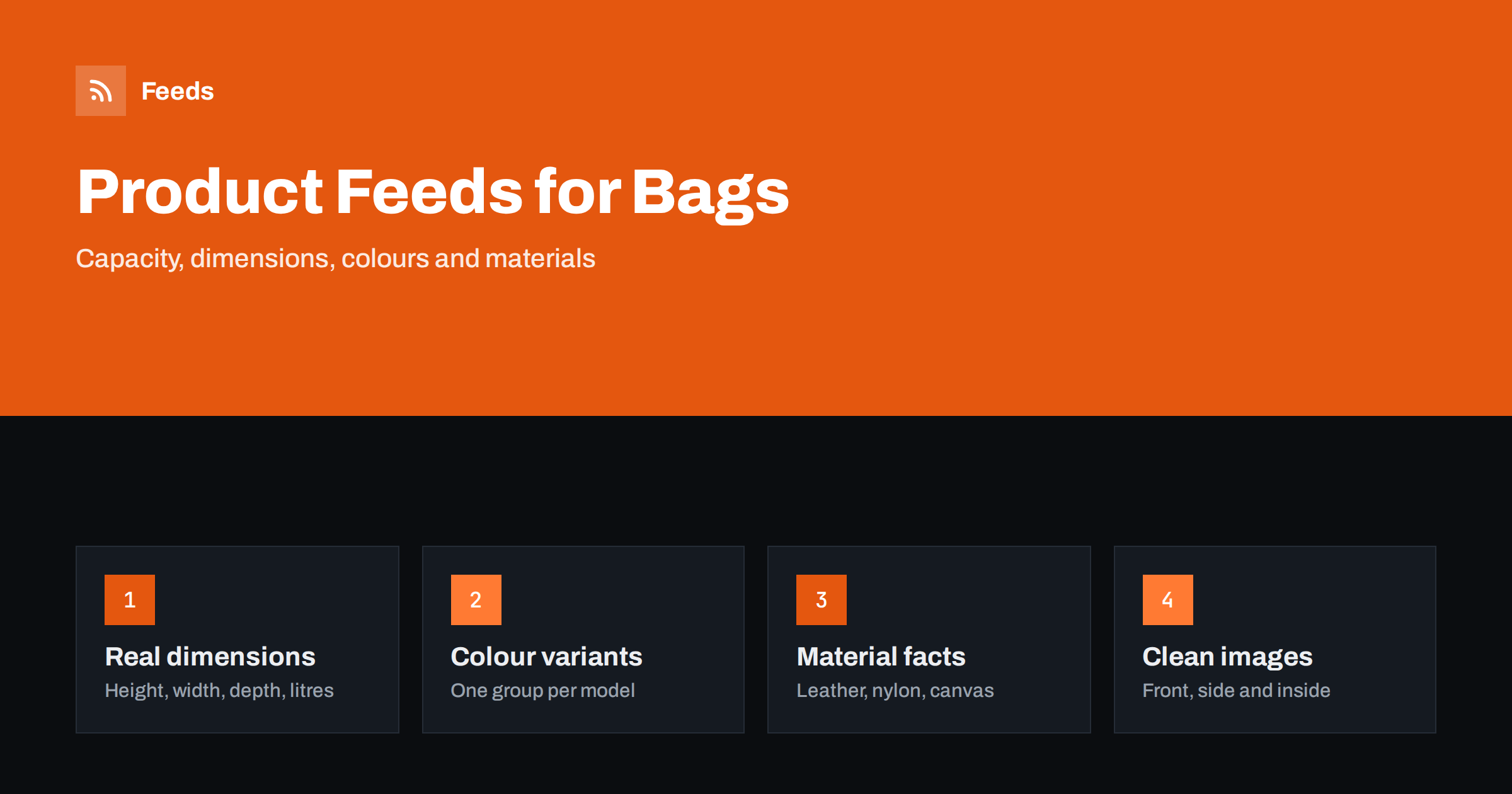
Short answer: A good product feed for bags and luggage describes size in numbers, not adjectives. Give height, width, depth and capacity, group every colour under one model identifier, name the material honestly, use a different image for each colour and keep the title in a fixed order: brand, model, type, size and colour. Check shipping size and weight, because bags are bulky, and keep price and stock in step with the shop.
What shoppers need to know before buying a bag
Bags are bought with the eyes and judged with a tape measure. A shopper who sees a “medium backpack” has no idea whether it holds a laptop, a day of hiking gear or only a lunch box. Buyers of luggage care about volume, weight, wheels and whether it will be accepted as hand luggage. Buyers of handbags care about the size of the strap drop and whether a phone and a wallet fit. Returns in this category are often caused by wrong expectations about size, so a feed that is precise about it lowers your return rate as well as improving your listings.
The feed is the file that tells advertising platforms about every product in your shop. Its basics are explained in what a product feed is and how it works. In this guide we apply them to bags, backpacks, suitcases and travel accessories.
Titles in a fixed order
A good bag title reads like a label. Start with the brand, then the model name, then the type of product and the details that separate this item from its variants. For example: “Brand Trail 30 L Hiking Backpack, Forest Green” or “Brand Cabin Spinner Suitcase 55 cm, Navy”. Put the capacity or size near the front, because it is the first thing many shoppers filter by, and put the colour at the end.
Use the words customers search for. Some say “rucksack” and others “backpack”, and some say “carry-on” while others say “cabin bag”. Choose one version for your market and use it consistently, or use the second term in the description. Avoid promotional phrases and long lists of keywords, which platforms do not accept and which make titles unreadable. More in product feed title optimization.
Dimensions, capacity and weight
Measurements are the core of the data. Give them in a consistent unit for the whole catalog, and say what they mean:
- External dimensions: height, width and depth, with the same order everywhere. State whether wheels and handles are included for luggage.
- Capacity: litres for backpacks and travel bags, as given by the manufacturer.
- Weight: the empty weight, which matters to anyone flying with a baggage limit.
- Compartments: a laptop sleeve and its maximum screen size, number of pockets, whether there is a rain cover.
Product feeds have optional fields for product length, width, height and weight, and you can add further facts as product details. Use them when your platform and store allow it, and repeat the key numbers in the description. If you describe a bag as “cabin size”, say which dimensions you mean and tell customers to check the rules of their airline, because those vary and change.
Colours, patterns and variants
Each colour or pattern is a separate row in the feed with its own identifier, image and stock level. Link them with a shared item group identifier, so that platforms treat them as one model with options. If a bag comes in different sizes as well as colours, each combination is a row. The rules and typical mistakes are in product variants and item_group_id.
Name colours as shoppers see them: “black”, “navy”, “olive”, “tan”, not an internal code. For patterns or two-tone designs, use a short description such as “black/grey”. Do not list a colour that is not available, and make sure the image matches the colour in the title. Mismatches are a frequent reason for complaints and disapprovals.
Think about the type of bag when you choose attributes, because each type has its own questions. For backpacks, shoppers ask about capacity, the laptop sleeve and the back system. For suitcases, they ask about wheels, locks, expandable depth and the material of the shell. For handbags, they ask about the strap length, the closure and whether the bag keeps its shape. For small items such as wallets, card holders and travel organisers, they ask how many cards or passports fit. Add the answers that apply to each type in the title or in the first lines of the description, where both shoppers and platforms can read them.
Gender and age group are other useful attributes, especially for school bags and children’s backpacks. Use them only when they describe how the product is sold, and keep the values consistent. Add a short line on the age range if the manufacturer gives one, and never present safety claims you cannot document.
Materials and care
The material changes both the price and the expectations: leather, canvas, nylon, polyester, recycled fabric, vegan leather and so on. Describe it accurately. Do not call a product “leather” if it is only partly leather or if it is a synthetic material, and use the word “genuine leather” only when the supplier confirms it. Add the lining, the hardware (zips, buckles) and the water resistance as the manufacturer states it. Phrases like “waterproof” are strong claims, and “water-resistant” or “splash-resistant” are often more accurate. If you are unsure, leave the claim out.
A short care note in the description reduces returns and complaints: how to clean it, whether it can go in a washing machine and how to store it.
Images that sell a bag
Use a clean main image on a plain, light background, showing the whole bag from the front, with no text, logos from your shop or watermarks. Add extra images for the back, the side, the inside, a close-up of the zip and a photo that shows scale, such as someone carrying the bag. For luggage, show the open case and the wheels. Each colour needs its own image set. The technical requirements are listed in product feed image requirements.
Check that images are large enough and load quickly. A feed pointing to broken or tiny pictures is rejected or shown poorly.
Identifiers, shipping and policy basics
Provide the brand, the GTIN from the packaging and the manufacturer part number for products that have them. Bags made by small studios or by you may not have a GTIN, and in that case follow the platform rules for items without identifiers instead of inventing numbers. The explanation is in GTIN, MPN and brand in product feeds.
Shipping needs care because suitcases are bulky. Make sure the weight and the package size are right and the shipping cost in the feed matches what the checkout shows. See shipping settings in product feeds. Also, check that the price and availability on the product page match the feed exactly, since mismatches are one of the most common reasons for rejection, as described in Merchant Center disapproved products.
Seasonality matters in this category. Luggage sells before holidays and summer travel, school bags sell in late summer and gift bags sell before year-end holidays. Plan changes to the feed ahead of these peaks: check that stock levels are accurate, that sale prices are set with start and end dates and that the best colours have good images. Review the feed again after the peak, because discount prices left in the data after a sale ends cause price mismatch warnings and unhappy customers.
Finally, test before you scale. Send a small group of products first, such as one backpack range and one suitcase range, and read the diagnostics in your platform for a few days. Fix the patterns they show, then add the rest of the catalog in steps. A calm rollout is faster than correcting thousands of disapproved rows at once.
How RSS Feed Creator helps
RSS Feed Creator creates Google Merchant Center and Meta catalog XML straight from your store. WooCommerce and Shopify are read automatically, and other stores can use a CSV file link. You can skip out-of-stock products, rewrite titles and adjust prices with rules, and the currency is detected automatically. A free plan allows product feeds up to 50 products so you can test a small range first. The Store plan has 3 product feeds and up to 2,000 products for one store. See the pricing page for plans.
Related reading
- Product feed mistakes that cost you impressions and how to avoid them
- Product feeds for handmade and made-to-order products
- When to split one product feed into several
The bottom line
For bags and luggage, accuracy about size is the biggest win. Put real dimensions, capacity and weight in the data, use a fixed title order, group colours under one model, describe materials honestly and give every colour its own images. Check shipping and identifiers, test a small group first and keep the feed refreshed with your store.
FAQ
What should a backpack title include?
Brand, model, capacity in litres, type and colour, in a fixed order. Put the size near the front and avoid promotional words.
How do I describe cabin luggage?
Give the exact external dimensions and weight, and add a note to check airline rules, because limits vary by airline and change over time.
How should I list the same bag in several colours?
Create one row for each colour with its own image and stock level, and give all rows the same item group identifier.
Can I call a bag waterproof?
Only if the manufacturer states it and you can support it. Otherwise use a careful term such as water-resistant, or leave the claim out.
Do bags without barcodes need a GTIN?
No. For items without one, follow the platform rules for products without identifiers instead of inventing numbers.