 ENEnglish
 LTLietuviškai
 DEDeutsch
 FRFrançais
 RUРусский
 ESEspañol
 PLPolski
 ITItaliano
 UKУкраїнська
 CSČeština
 PTPortuguês
 JA日本語
JA日本語 LVLatviešu valoda
 ETEesti
 HUMagyar
 IDBahasa Indonesia
 TRTürkçe
 HIहिन्दी
 ELΕλληνικά
 ARالعربية
 THไทย
THไทย VITiếng Việt
 RORomână
 MSBahasa Melayu
 BNবাংলা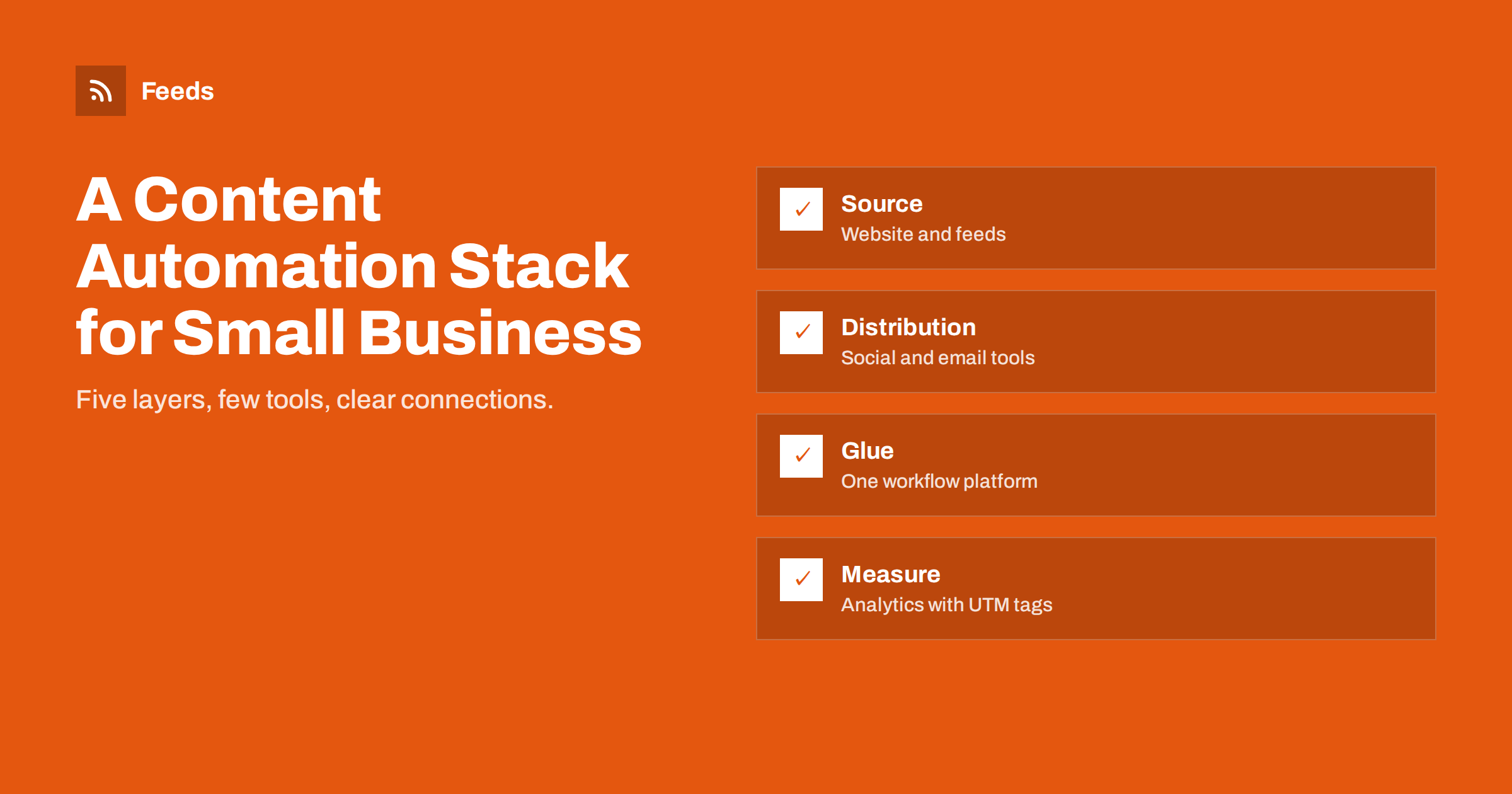
Short answer: A lean content automation stack for a small business has five layers: a website that publishes content and feeds, a social posting tool, an email platform with RSS campaigns, optionally one general workflow platform to connect anything else, and analytics with consistent UTM tagging. Choose one tool per layer, prefer built-in features over extra tools, make sure everything connects through feeds or native integrations, and document who owns each account.
Why think in layers
Small businesses often collect tools one problem at a time: a scheduler here, a newsletter tool there, a free automation account someone created, a plugin that posts to Facebook. After a few years, nobody knows which tool does what, several overlap, and subscriptions quietly add up.
Thinking in layers prevents that. Each layer has a clear job, and each job is done by one tool. When you consider a new tool, you ask which layer it belongs to and whether it replaces or duplicates what you already have. That keeps the stack small, affordable and understandable for whoever maintains it next.
Feeds are what hold the layers together. Content published on the website appears in feeds, and most distribution tools can read feeds, so the connection between layers often needs no custom integration at all.
Layer 1: the source (website and feeds)
Everything starts with content you publish on your own website: articles, news, products, events, jobs. A content management system such as WordPress, or a hosted site builder, typically generates RSS feeds for posts and often for categories and tags. An online shop platform may provide product feeds or collection feeds.
What to check:
- The site publishes feeds for the content types you want to distribute.
- Each item has a good title, link, summary and image.
- Pages have Open Graph tags so links look good on social networks.
- Sources you want to follow or share that lack feeds can have feeds created for them.
If you run several websites, for example a main site and a shop on a different platform, list the feeds from each. They can be merged into one feed for distribution if you want a single stream, or kept separate if each goes to different channels.
This layer is the most important. If the source is clean, everything downstream is easier; if it is messy, every tool inherits the mess.
Layer 2: social distribution
A social posting tool that reads feeds and publishes to your networks is the workhorse of most small-business automation. Look for:
- Support for the networks your customers use.
- RSS or feed support with “new items only”, filters and templates per network.
- Queues, daily caps and posting windows.
- Approval or draft mode for networks where you want to check posts.
- Team access, so more than one person can manage it.
Test the tool with your real feed during a trial. Some tools handle images, long titles or special characters poorly, and you only notice with your own content. Publish a few items to a test page or with posting disabled before committing.
One such tool usually covers all social networks. Avoid running separate tools per network unless one network has a special requirement.
Layer 3: email
An email marketing platform manages your subscriber list, sign-up forms, consent records and sending. For automation, the key feature is an RSS campaign that sends new content from your feed as a digest. Add a welcome email for new subscribers and you have a simple, effective email programme that runs mostly by itself.
Check that the platform supports proper authentication of your sending domain, handles unsubscribes automatically and lets you edit templates easily. Many platforms offer free tiers for small lists.
Keep the email platform as the single home of your subscriber list. Exporting lists into several tools creates consent and unsubscribe problems, because someone who unsubscribes in one place may keep receiving emails from another.
Layer 4: the glue (optional workflow platform)
Sometimes you need connections that no single tool offers: new articles logged in a spreadsheet, feed items posted to a team chat, new product reviews sent to a channel, form entries added to a CRM. A general workflow platform such as Zapier, Make, IFTTT or n8n connects these.
Use it sparingly. Every workflow you build is something to maintain, and task-based pricing grows with volume. If a native integration between two tools exists, prefer it. If you find yourself building many workflows to fix the gaps of another tool, consider replacing that tool instead.
Layer 5: measurement
An analytics tool on your website, combined with consistent UTM parameters on every automated link, tells you what the stack achieves. Define a simple naming convention, such as source for the network, medium for the channel type and campaign for the workflow, and use it in every tool. Review results quarterly: traffic by channel, engagement and conversions such as enquiries, sign-ups or sales.
Social and email platforms have their own statistics too, such as reach, opens and clicks. Use them to improve individual posts and emails, and use website analytics to judge whether each channel brings visitors who actually do something useful.
Costs, ownership and common stack mistakes
A lean stack is also an affordable one, but costs creep up in predictable ways. Watch for these:
- Per-seat pricing. Social and email tools often charge per user. Decide who really needs access and use shared roles where the tool allows it.
- Per-task pricing. Workflow platforms charge by volume. A noisy feed that triggers hundreds of tasks costs more than a filtered one that triggers twenty.
- Forgotten trials. Free trials that turn into paid plans nobody uses are common. Keep a list of subscriptions with renewal dates.
- Annual plans for untested tools. Start monthly until a tool has proved itself for a few months.
Ownership mistakes are even more expensive than subscription waste. The most common is a stack built on one person’s personal accounts: the freelancer’s workflow account, the former employee’s login to the social tool. When that person leaves, workflows stop and nobody can log in to fix them. Register every tool with a company email address, add at least two admins and store credentials in a shared password manager.
The third mistake is complexity. A workflow that chains five tools to do what one tool could do natively will break more often and confuse the next person. Before adding a step, ask whether the same result can be achieved with a setting in a tool you already use.
Finally, write it all down. A one-page map of the stack, listing each layer, its tool, its owner, its cost and what it connects to, makes budgeting, troubleshooting and handovers far easier than any tool feature.
Example stacks
| Doanh nghiệp | Source | Distribution | Glue |
|---|---|---|---|
| Local service company | Website news section | Social tool for Facebook; email platform monthly digest | None needed |
| Small online shop | Shop with product and blog feeds | Social tool; email platform; product feeds for Google and Meta | Workflow for new reviews to chat |
| B2B consultancy | Blog plus curated industry feeds | Social tool for LinkedIn; weekly email digest | Workflow for industry news to team chat |
| Publisher or blog | CMS with category feeds | Social tool with several networks; daily and weekly digests | Workflows for partner feeds |
Where Feeds fits in the stack
Feeds belongs to the source layer. It creates RSS feeds from pages without them, merges several sources into one feed, applies keyword filters and removes duplicates, so the distribution tools receive clean, relevant items. For shops, it generates product feeds for Google Merchant Center and Meta catalogs from WooCommerce, Shopify or a CSV link, with rules for stock, titles and prices. Feeds refresh on their own. Because it improves the inputs, it often removes the need for extra workflows in the glue layer. See the pricing page for plans.
Related reading
- What Is Content Automation? A Practical Guide for Small Teams
- Zapier vs Make vs IFTTT vs n8n for RSS Automation
- How to Measure Whether Content Automation Is Worth It
- Content Automation Checklist: 30 Checks Before You Go Live
The bottom line
A small business needs only a handful of tools for content automation: a website with good feeds, one social posting tool, one email platform, optionally one workflow platform and analytics with UTM tags. Keep one tool per layer, connect them through feeds and native integrations, document ownership and review the results regularly. A lean stack costs less, breaks less and is easy to hand over.
FAQ
What is the minimum content automation stack for a small business?
A website that publishes feeds, a social posting tool that reads them and an email platform with RSS campaigns. Analytics with UTM tags then shows what works.
Do I need a tool like Zapier or Make?
Only if you need connections your other tools do not offer. Many small businesses manage without one by using native integrations and feeds.
How do I avoid paying for overlapping tools?
List every tool by layer once a year. If two tools do the same job, keep the one that fits best and cancel the other.
Who should own the tool accounts?
The business, through shared or company email addresses, with at least two people who can access each tool.
What is the most important layer?
The source. Clean feeds with good titles, links, images and summaries make every other layer work better.
How much should a small business spend on content automation tools?
It varies widely, and many small businesses start on free tiers. The useful test is whether each tool’s cost is covered by the time it saves or the results it brings, reviewed at least once a year.


