ENEnglish
 LTLietuviškai
 DEDeutsch
 FRFrançais
 RUРусский
 ESEspañol
 PLPolski
 ITItaliano
 UKУкраїнська
 CSČeština
 PTPortuguês
 JA日本語
JA日本語 LVLatviešu valoda
 ETEesti
 HUMagyar
 IDBahasa Indonesia
 TRTürkçe
 HIहिन्दी
 ELΕλληνικά
 ARالعربية
 THไทย
THไทย VITiếng Việt
 RORomână
 MSBahasa Melayu
 BNবাংলা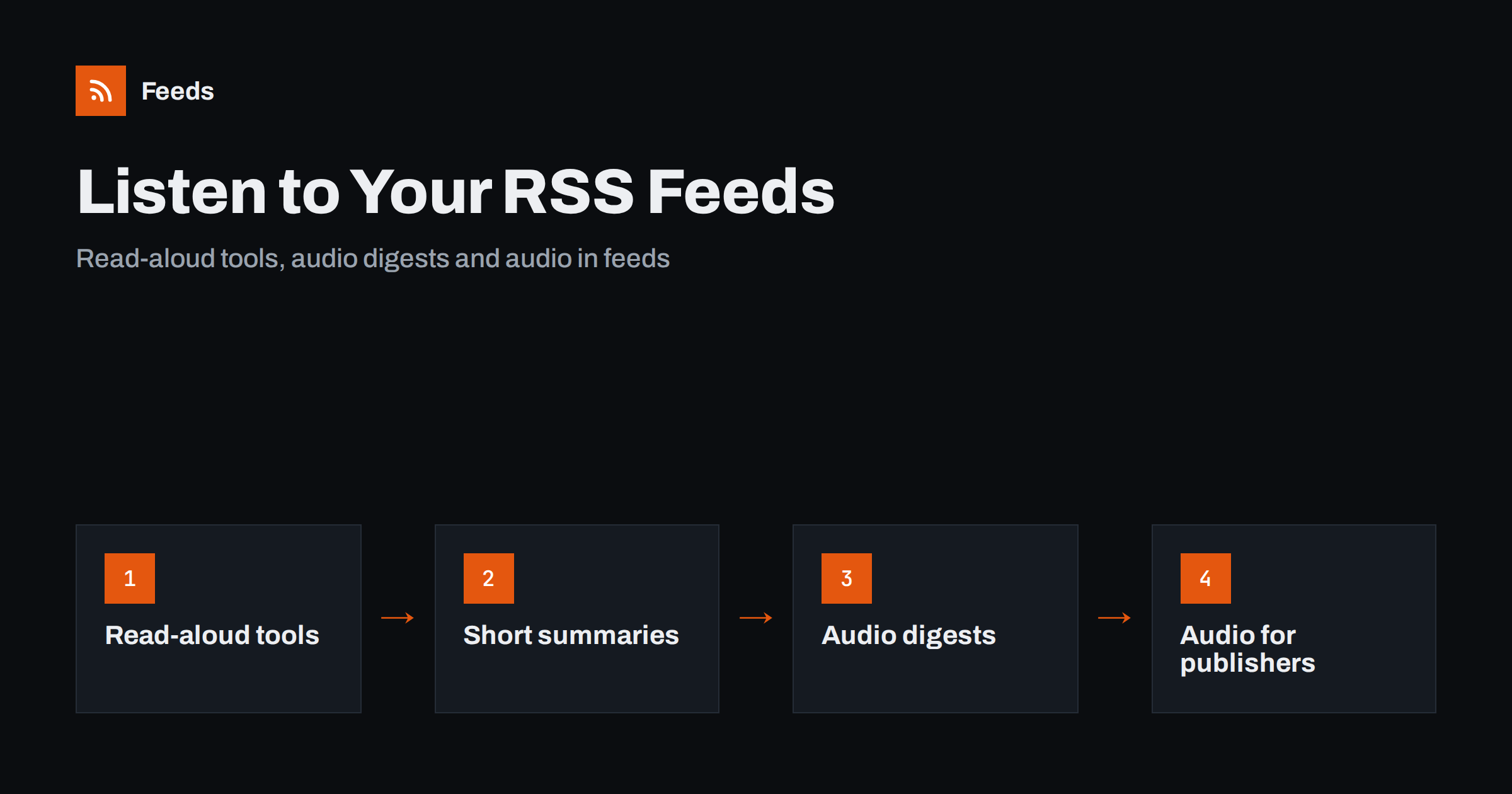
Short answer: You can listen to RSS feeds instead of reading them. Phones and many browsers have a built-in read-aloud function that works on the articles your reader opens, some reader apps include their own text-to-speech, and you can build a daily audio digest from a few feeds. Listening works best with short, clean text, so choose feeds with good summaries. Publishers can go further and add real audio to their items, so that podcast apps play them.
Why listen to a feed
Reading needs eyes and hands, and many people have time only when they have neither: driving, cooking, walking, exercising or doing repetitive work. A feed that you follow for news or research can be turned into something you listen to during these moments. For people with low vision, reading difficulties or tired eyes, audio is not a luxury but a normal way to follow content. A tidy list of headlines and summaries read aloud can replace twenty minutes of scrolling.
Listening is not a replacement for deep reading. Complex tables, code and detailed arguments are hard to follow by ear. A good use is the first pass: hear the headlines and short summaries, mark what deserves attention and read those items later on a screen.
Option 1: built-in read-aloud tools
The simplest way needs no extra software. Modern phones include accessibility features that read the text on the screen. On both major mobile systems you can turn on a speech feature that reads the current page aloud, and you can choose the voice and the speed. Open an article in your RSS reader, start the feature and listen. The steps for setting up feeds on a phone are in how to read RSS feeds on iPhone and Android.
Several desktop and mobile browsers also offer a read-aloud function in their menus. Microsoft Edge is a well-known example. If your reader opens articles in a browser view, you can use that function directly. The quality of the voice depends on the system. Many devices now offer natural-sounding voices that can be downloaded for offline use, which is helpful when you travel.
Setting these tools up takes a few minutes, and they work with any feed, because they read whatever is displayed. The limits are that you must start each article yourself and that the reading may include menus or captions if the page is cluttered.
Option 2: readers with audio built in
Some feed reader apps include text-to-speech, and they can read a queue of items one after another, which is closer to listening to a podcast. When you compare readers, add this to the checklist in how to choose an RSS reader: features that actually matter. Look for these points:
- A playlist or queue, so the app continues to the next item automatically.
- Controls for speed, voice and skipping, and support for the lock screen or car controls.
- Offline downloads, so listening does not depend on a good connection.
- A choice between the summary and the full text.
- Reasonable handling of links, images and lists, which should not be read out as noise.
Test with a few of your own feeds before you commit. Some feeds read well, and others produce strange results, which leads to the next point.
Choose feeds that sound good
Text-to-speech reads exactly what is in the feed. A feed that provides the full article gives you a long reading, while a feed that provides a short summary gives you a quick briefing. For commuting, summaries are often better, and the discussion of the two forms in full text or summary explains what each gives you.
Titles and summaries that are written for people are much easier to follow by ear. Long strings of numbers, addresses, abbreviations and symbols are read badly. A feed with a clear title and a one-sentence summary sounds like a news bulletin. A feed whose summary is cut in the middle of a word or contains leftover HTML sounds broken. If you follow a source that has no good summaries, consider making your own feed from its article list, as explained in how to create an RSS feed for a website without one.
Option 3: an audio digest
If you follow many sources, a digest is a better experience than a long list. The idea is to collect new items from a few feeds once a day, keep only the ones that match your interests, and combine their titles and summaries into a single text. Then a speech tool turns the text into an audio file or reads it on demand. The building blocks are described in how to build an automated daily news digest from feeds and in how to merge multiple RSS feeds into one clean feed.
Keep the digest short. Five to ten minutes is a comfortable length, which means about a dozen items with one or two sentences each. Put the most important topics first, and say the source of each item. If you share the audio with other people, check the terms of the speech tool you use, and the rights to the text. For personal listening this is rarely a problem, but for public distribution it is.
For publishers: add audio to your feed
If you publish a blog or a news site, you can give readers real audio. An RSS item may include an enclosure, which is a link to a media file together with its type and size. A podcast app can download and play it, and a standard reader can offer it as an attachment. The structure is the same one that podcasts use, as shown in podcast RSS feeds explained, and the extra media elements are covered in Media RSS explained.
You can record the audio yourself, hire a narrator, or generate it with a speech tool. If you use a synthetic voice, say so on the page, and review the pronunciation of names and technical terms before you publish. Offer the transcript or the original text next to the audio, so that readers who prefer text still have it. Provide the audio for your best articles first and measure whether people use it, rather than generating audio for the whole archive. Related access points are in accessible RSS feeds: making feed content work for everyone.
Consider privacy and courtesy, too. Use headphones in shared spaces, and keep volume low in public. If you listen while driving, set up the queue before you start and use voice or steering wheel controls, so that you never need to touch the screen on the road.
Practical tips for better listening
- Start with five feeds. A few reliable sources are better than a flood. See organising your RSS reader so it never overwhelms you.
- Use folders. Put the feeds you want to hear in a separate folder, and keep long-form sources for the screen.
- Adjust the speed. A slightly faster voice is comfortable for news, but slow down for unfamiliar topics.
- Download before you travel. Offline audio avoids interruptions in places without a signal.
- Mark and revisit. Save items you want to read properly, and move on.
If you are learning a language, listening to short news items in the target language is excellent practice, and the ideas in RSS for language learners work well with audio.
How RSS Feed Creator helps
Listening depends on good feeds, and many websites do not offer one. RSS Feed Creator turns the article list of a web page into a clean RSS feed, with titles, images, summaries and dates, and uses an existing feed when the page has one. You see a preview of the items before anything is created, and you can merge several sources into one feed (up to 10 on paid plans) and keep only the items that contain your keywords, which is a good base for a short audio digest. Duplicates are removed automatically. The free plan allows up to 20 items per feed, and the details are on the pricing page.
Related reading
- How to read RSS feeds on a Kindle or other e-reader
- How to get RSS alerts as push notifications on your phone
- How to read email newsletters in your RSS reader instead
The bottom line
You do not need special equipment to listen to your feeds. Use the read-aloud tools already on your phone or browser, try a reader with audio queues, follow sources with clean summaries and consider a short daily digest. If you publish, add audio to the items that matter most, label synthetic voices and keep the text available.
الأسئلة الشائعة
Can my phone read RSS articles aloud?
Yes. Both major mobile systems have accessibility features that read the screen aloud, so you can open an article in your reader and listen to it. You can choose the voice and the speed.
Why does text-to-speech sound bad on some feeds?
The tool reads exactly what the feed contains. Cut summaries, leftover markup, long numbers and abbreviations sound odd, while clear sentences sound natural.
Is a summary feed or a full-text feed better for listening?
Summaries suit short sessions such as commuting, and full text suits long listening. Choose by the time you have and the topic.
Can I add audio to my own RSS feed?
Yes, with an enclosure in each item that points to an audio file with its type and size. Podcast apps can then play it.
Do I need to say that audio is synthetic?
It is good practice, and in some places it may be expected. Add a short note on the page and offer the text version beside the audio.