ENEnglish
 LTLietuviškai
 DEDeutsch
 FRFrançais
 RUРусский
 ESEspañol
 PLPolski
 ITItaliano
 UKУкраїнська
 CSČeština
 PTPortuguês
 JA日本語
JA日本語 LVLatviešu valoda
 ETEesti
 HUMagyar
 IDBahasa Indonesia
 TRTürkçe
 HIहिन्दी
 ELΕλληνικά
 ARالعربية
 THไทย
THไทย VITiếng Việt
 RORomână
 MSBahasa Melayu
 BNবাংলা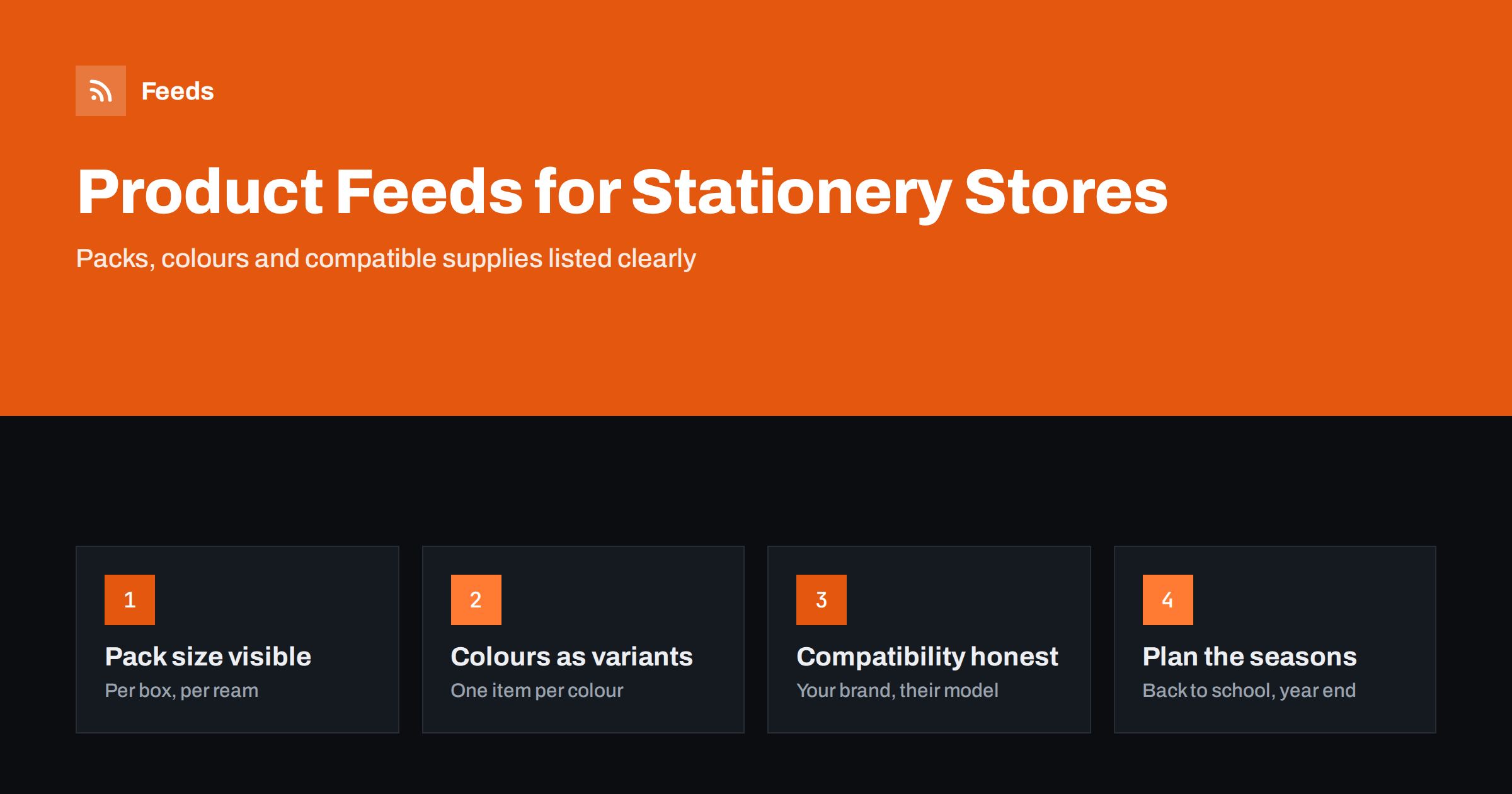
Short answer: Stationery and office supply feeds work when shoppers can compare like with like. Put pack sizes and quantities in titles, list colours and sizes as grouped variants, use unit pricing where it is expected and mark multipacks correctly. For compatible ink and toner, use your product’s own brand and name the printer models it fits in the title, never the printer maker as the brand. Label seasonal products for back-to-school and year-end peaks, and keep business buyers in mind.
Why stationery feeds need care
Stationery and office supplies look simple, but they create surprisingly many feed problems. Products are small and cheap, so shoppers compare prices closely. The same pen comes in ten colours, single or in packs of 4, 10 or 50. Paper comes in different weights, sizes and ream quantities. Printer supplies are sold as originals and as compatible alternatives, with strict rules about how they may be described.
A feed that lists “blue pen” at a price without the pack size looks either very cheap or very expensive next to competitors, and both lead to the wrong clicks. A feed that makes quantities, sizes and compatibility visible lets shoppers compare fairly and reach the product they actually need.
The category also mixes consumers and businesses. Students and parents buy at the start of the school year, offices order regularly in larger quantities and creative hobbyists look for specific brands and colours. Each group searches differently, and a good feed serves all of them.
Because orders are often small, shipping costs weigh heavily in the shopper’s decision. A pack of pens with a delivery charge larger than its price rarely sells, so feeds work best for stores that state their shipping clearly and offer thresholds or bundles that make an order worthwhile.
Pack sizes and quantities in titles
Quantity is the most important detail after the product itself. Put it in the title in a consistent way, so items are easy to compare.
| প্রোডাক্ট | Useful title pattern |
|---|---|
| Pens and markers | Brand, product line, type, tip size, colour, pack quantity |
| Copy paper | Brand, size such as A4, weight in gsm, sheets per ream, number of reams |
| Notebooks | Brand, size, ruling, number of pages, cover type |
| Envelopes | Size, closure type, colour, box quantity |
| Toner and ink | Brand, cartridge code, colour, compatible printer models |
Use the same units as the product page and the packaging. For more on structure, see product feed title optimization.
Variants, multipacks and unit prices
Pens, highlighters, folders and notebooks often come in many colours. Each colour is its own item with its own id, image and availability, and all colours of the same product share one group identifier. Sizes, such as A5 and A4 notebooks, work the same way.
Packs need clear marking. A box of 10 pens made by the manufacturer, with its own barcode, is a product in its own right. A pack you put together from single items is a multipack and should carry the number of units, so platforms compare its price fairly. Mixed sets, such as a desk set with a stapler, tape and scissors, are bundles. Our guide to bundles and multipacks in product feeds explains both.
- Give each colour and size its own item and GTIN where available.
- Use the colour attribute and a colour-specific image for each variant.
- Add unit pricing for products sold by count or measure where it is expected, such as paper by sheet count.
- Keep single items and packs as separate items, never mixed in one listing.
Unit pricing is covered in unit pricing in product feeds: measures and base units, and variants in product variants in feeds.
Compatible ink and toner: the brand rule
Printer supplies are a large part of many office supply stores, and compatible cartridges are where feeds most often go wrong. A compatible or remanufactured cartridge is made by another company than the printer maker. In the feed, its brand must be the company that made the cartridge, or your own brand if you sell it under your label.
- Never put the printer manufacturer’s name in the brand field for a compatible cartridge.
- Name the compatible printer models or cartridge codes in the title using words like “compatible with”.
- Do not use the printer maker’s logo or packaging images for compatible products.
- Use the original cartridge’s GTIN only for original cartridges, never for compatible ones.
Presenting compatible products as originals is misleading to shoppers and is a common reason for disapprovals and account warnings. Clear, honest listing protects both. Remanufactured cartridges are refilled or rebuilt originals; describe them as such, and set the condition according to the channel’s rules. See used and refurbished products in feeds and Merchant Center misrepresentation for the wider context.
Identifiers and brands
Branded stationery almost always has GTINs, including separate barcodes for each colour and pack size. Use them for every item, along with the brand as the manufacturer writes it and the manufacturer’s part number. Office buyers frequently search by product code, especially for printer supplies, paper and filing products, so the MPN is worth including.
Own-label products, such as store-brand notebooks or paper, may have their own barcodes or none at all. If there is no GTIN, use your brand and state that no identifier exists. Do not reuse a manufacturer’s barcode for a similar own-label product. More detail is in GTIN, MPN and brand: product identifiers explained.
Business buyers and large orders
Many office supply stores serve businesses as well as consumers. Business buyers order larger quantities, care about price per unit and often see different prices after signing in. Shopping feeds show public prices, so make sure the price in the feed is the one any visitor sees on the product page.
- Show bulk packs, such as boxes of reams, as their own items with clear quantities.
- Use the price that anonymous visitors see, not account-specific prices.
- Consider whether prices in the feed should include or exclude VAT, according to the rules of your target country.
- Use custom labels to separate business-focused products from consumer ones in campaigns.
Our guides on product feeds for B2B and wholesale stores and VAT and tax in product feed prices cover these points in more depth.
Seasons, images and descriptions
Stationery has clear seasonal peaks: back-to-school, the start of the business year and the gift season with diaries, calendars and premium writing instruments. Use custom labels to group seasonal products so campaigns can be raised before each peak, and make sure dated products, such as diaries and calendars for a specific year, are removed or reduced when their season ends.
Images should show the product and, for packs, the pack as delivered. A single pen image for a pack of 50 pens misleads shoppers. Descriptions should include the practical details shoppers check: paper weight, ink type, tip size, page count, binding and compatibility. Plain, specific sentences help both shoppers and the platforms that read them.
Keep descriptions consistent across colours and pack sizes, changing only the details that differ.
Gift items, such as fountain pens and leather notebooks, are a category of their own. They are bought on appearance and brand, so high-quality images, the finish and material in the title and a careful description matter more than for everyday supplies.
How RSS Feed Creator helps
RSS Feed Creator (Feeds) creates Google Merchant Center and Meta catalog XML directly from a WooCommerce or Shopify store, or from a CSV link for other platforms, without plugins or code on your site. The feed uses the Google product XML format with id, title, link, image, price, availability and brand, and Meta reads the same file. You can skip out-of-stock products, rewrite titles to add pack quantities or compatibility and adjust prices with rules, while the currency is detected automatically. Attributes such as GTIN, unit pricing or multipack can be added in Merchant Center with a supplemental feed. Compare plan limits on the pricing page.
Related reading
- Supplemental feeds in Merchant Center: when and how to use them
- Custom labels in product feeds: a practical guide
- Product feeds for bookshops: ISBN, authors and formats
The bottom line
Stationery and office supply feeds succeed on clarity. Put pack sizes and quantities in titles, list colours and sizes as grouped variants, mark multipacks and bundles, add unit prices where expected, use your own brand for compatible ink and toner, show public prices for business products and plan for the seasonal peaks. Fair, comparable listings win in a category where shoppers compare every cent.
FAQ
What brand should a compatible toner cartridge have?
The brand of the company that made the cartridge, or your own label. Mention the compatible printer models in the title, but never use the printer maker as the brand.
Should each pen colour be a separate item?
Yes. Each colour has its own barcode, image and stock, so it should be its own item. Group the colours with a shared item_group_id.
How do I list a box of 10 pens?
If the manufacturer sells the box with its own barcode, list it as its own product with that GTIN. If you made the pack yourself, mark it as a multipack with 10 units.
Can I show business prices in the feed?
The feed price must match what visitors see on the product page without signing in. Account-specific business prices should not be used in public shopping feeds.
What should I do with last year’s diaries and calendars?
Reduce their price with a sale price or remove them once the season is over. Dated products lose relevance quickly and can disappoint shoppers if they appear in listings too late.