ENEnglish
 LTLietuviškai
 DEDeutsch
 FRFrançais
 RUРусский
 ESEspañol
 PLPolski
 ITItaliano
 UKУкраїнська
 CSČeština
 PTPortuguês
 JA日本語
JA日本語 LVLatviešu valoda
 ETEesti
 HUMagyar
 IDBahasa Indonesia
 TRTürkçe
 HIहिन्दी
 ELΕλληνικά
 ARالعربية
 THไทย
THไทย VITiếng Việt
 RORomână
 MSBahasa Melayu
 BNবাংলা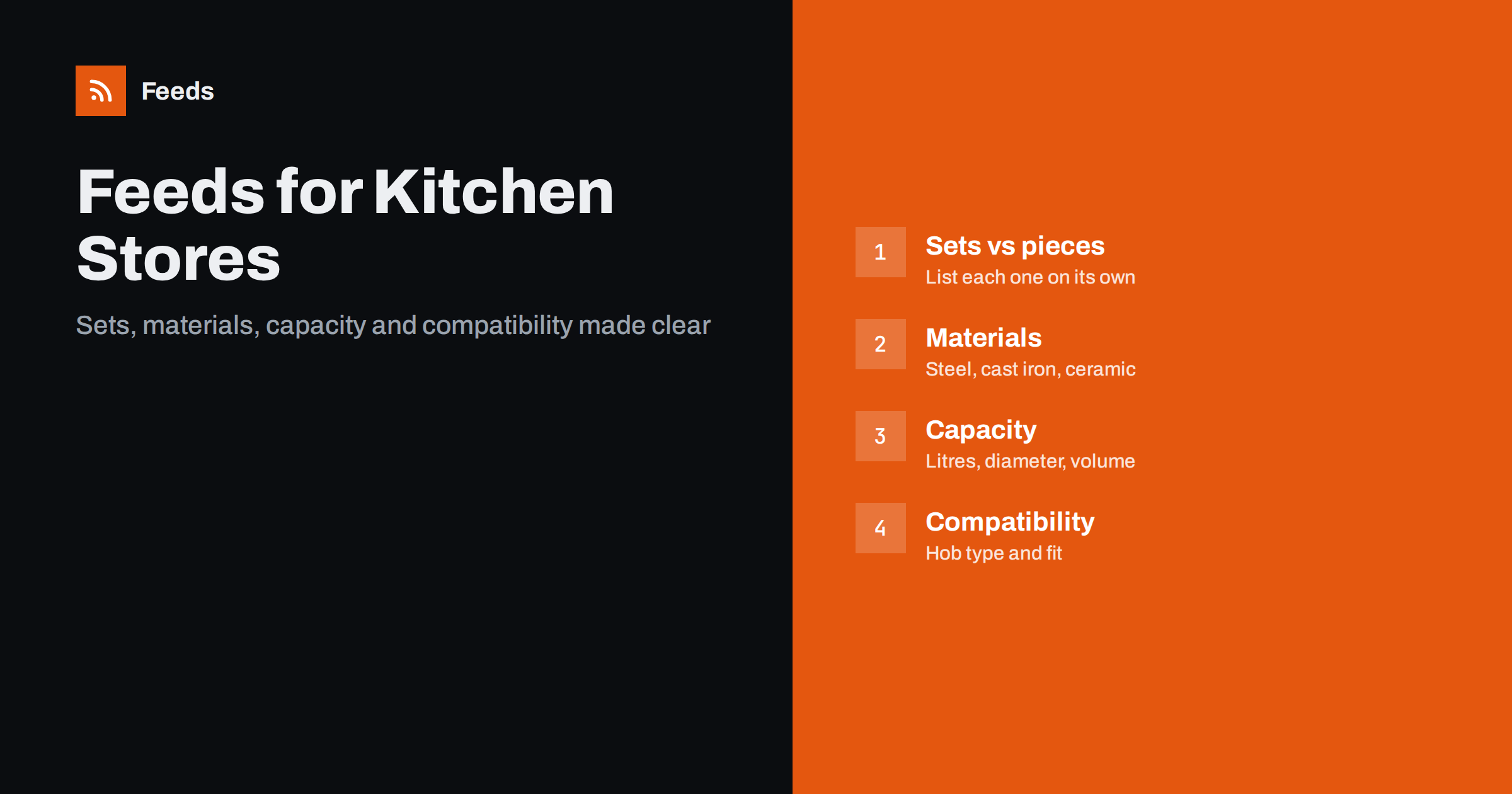
Short answer: A kitchen and cookware feed works when every product states what it is, what it is made of, how big it is and what it works with. Put brand, product type, material, size or capacity and colour in the title, list sets and single pieces as separate items, include barcodes and part numbers, state hob compatibility only when you are sure, and keep stock and prices in line with your store.
Kitchenware is a category where shoppers search by need, not by brand. They look for “28 cm frying pan for induction”, “stainless steel saucepan set” or “5 litre pressure cooker”, and they compare size, material and compatibility before price. A feed that says only “Frying Pan” with a single image leaves out everything they are looking for. A feed that names the material, diameter and compatible hobs matches the searches that turn into sales.
The category also mixes very different products: handmade items, branded cookware, small appliances and large sets with many pieces. Each type needs slightly different data. The general rules for all stores are in the guide to required and recommended Google feed attributes, and this article covers the details that matter in the kitchen.
Titles that answer the first question
Shoppers decide quickly whether a product is the thing they need. A reliable pattern is brand, product type, key feature, material, size and colour. For example: “Brand Non-Stick Frying Pan, Aluminium, 28 cm, Black”. Lead with the words that identify the product, and keep the details that distinguish variants, such as the diameter, near the end.
- Product type: use the common word that people search for, such as saucepan, casserole dish or chef’s knife, and not only a range name.
- Material: stainless steel, cast iron, carbon steel, ceramic, glass or non-stick are often used as search filters.
- Size or capacity: diameter in centimetres for pans, volume in litres for pots and jugs, length for knives.
- Quantity: say clearly if the item is a set, and how many pieces it contains.
Avoid promotional phrases in the title. More on writing titles is in product feed title optimization.
Sets, single pieces and bundles
Cookware is often sold both as sets and as single pieces, and the two should never be confused. A five-piece set is a different product from the frying pan inside it, with a different price, a different barcode and different images. List each set as its own item, with a title that says how many pieces it has, and list the single pieces separately if you sell them.
State what is included in the description, and show the whole set in the main image, not only one piece. If a set includes lids, utensils or a storage rack, say so. The rules for packs and sets are explained in bundles and multipacks in product feeds. Make sure your product page lists the same contents as the feed, since a mismatch is a common reason for complaints.
Materials, size and other attributes
Several attributes carry the information shoppers filter by. The material attribute should name the main material, using plain words, and the colour attribute the main colour of the visible product. Where size or capacity is a variant, put it into the size attribute, and add dimensions and weight where your platform asks for them. These details help platforms to match your product to specific searches and shopping filters.
Product highlights and details are useful in this category, because they let you state facts such as “dishwasher safe”, “suitable for induction” or “oven safe to a stated temperature”. Only include what the manufacturer confirms. The attributes are explained in product_highlight and product_detail: richer feed listings.
Compatibility with hobs and ovens
Compatibility is one of the most important topics in cookware. A pan that does not work on an induction hob is a wasted purchase, and returns are expensive. State the hob types the product works with, for example gas, electric, ceramic and induction, but only when the manufacturer states it. Add oven safety information with the maximum temperature if it is known, and any limits for lids or handles.
If you are not sure, say nothing in the title and leave the details for the product page, where you can explain conditions. Wrong compatibility claims lead to returns and bad reviews, and they can cause problems with platform policies about misleading information.
Small appliances and electrical products
Kettles, blenders, coffee machines and air fryers are electrical products, so more rules apply. Include the brand, model and part number, and give the main specifications in the description: capacity, power and key functions. Make sure the plug type and voltage fit the countries where you sell. In some regions, products must show an energy efficiency class, and platforms may require it in the feed. Check the rules for your market before you submit.
For appliances, accurate model numbers are essential, because shoppers compare the same model across stores. The guide to product feeds for electronics stores covers specifications and variants in more detail, and the rules for identifiers are in the next section.
Identifiers and own-brand products
Branded kitchen products have GTINs, and many have part numbers. Include the GTIN, the brand and the part number for each item. Each variant, for example each size of a pan, normally has its own barcode, and you should send the one that belongs to that exact item. For own-brand products, imported goods without a barcode or handmade items, leave the GTIN empty and mark that identifiers do not exist, rather than making up numbers. The rules are in GTIN, MPN and brand: product identifiers in feeds.
Take extra care with branded goods bought from resellers. Make sure you have the right to sell what you list, and that the products are genuine.
Variants and images
Many kitchen products come in sizes and colours. Each combination is a separate item with its own id, price and availability, and a group id ties them together. A frying pan sold in 24, 26 and 28 cm sizes is one product with three variants. The way this works is explained in product variants in feeds.
Images should show the product clearly on a plain background, without text or promotional badges. Add images that show scale, such as the pan with a hand or the set in use, and close-ups of details like handles and surfaces. Each colour needs its own images. The platform rules are in product feed image requirements for Google and Meta.
Descriptions. A good description in this category is short, factual and organised. Start with what the product is and who it suits, then list the main facts: material, dimensions, capacity, what is included, care instructions and any warranty that you actually offer. Use plain sentences and avoid shouting words, capital letters or promises such as “the best pan you will ever own”. Platforms ignore marketing language, and shoppers distrust it.
Check that the description matches the product page word for word on the facts. If the page says “hand wash only” and the feed says “dishwasher safe”, you will get complaints and perhaps a policy warning. Write the facts once, in your store, and let the feed take them from there, so there is only one version to keep correct. The advice in how to write product descriptions for shopping feeds applies here in full.
Shipping heavy and fragile goods
Cast iron cookware and large sets are heavy, and glass and ceramic items are fragile. Both affect shipping cost and the risk of damage. Make sure your shipping settings reflect real costs by weight and by size, and give realistic delivery times. If you offer free shipping above a certain amount, apply it in the same way in your account settings and on your store. The two ways of setting shipping are compared in shipping in product feeds.
Seasonal peaks matter too, since cookware sells strongly before holidays and weddings. Prepare early, as described in preparing your product feed for peak season.
How RSS Feed Creator helps
RSS Feed Creator builds Google Merchant Center and Meta catalog feeds from a WooCommerce or Shopify store, or from a CSV file link for other platforms. You see a preview before anything is created, and rules for stock, titles and prices help you adjust the feed without editing every product. The same file works for Google and Meta, feeds refresh automatically, and plan limits are on the pricing page.
After the first upload, read the diagnostics in each platform and fix the warnings. Missing identifiers, mismatched availability and image problems are the typical ones in kitchen catalogues.
Related reading
- Product feed checklist: 25 checks before you submit
- Product feeds for furniture and home goods stores
- Merchant Center disapproved products: causes and fixes
The bottom line
A kitchen feed succeeds by answering the questions shoppers ask: what is it, what is it made of, how big is it and will it work with my hob. Put the answers in the title and the attributes, keep sets and single pieces apart, use real identifiers, state compatibility only when it is certain and set shipping that fits heavy and fragile goods. Keep the feed in sync with your store and it will keep matching real searches.
FAQ
Should a cookware set and its single pieces be separate items?
Yes. A set is a different product with its own price, barcode and images. List it separately and say how many pieces it contains.
Do I have to state induction compatibility?
No, but shoppers often filter by it. State it only when the manufacturer confirms it, because wrong claims lead to returns and complaints.
Do small appliances need an energy class in the feed?
In some markets, yes, for certain product types. Check the rules for the countries where you sell and the requirements of each platform.
What if my own-brand cookware has no barcode?
Leave the GTIN empty and state that identifiers do not exist. Do not invent a number, and include a brand and a clear title instead.
How should I list a pan that comes in several sizes?
List each size as its own item with its own id, price and stock, and link all of them with one group id so they appear as variants of one product.