ENEnglish
 LTLietuviškai
 DEDeutsch
 FRFrançais
 RUРусский
 ESEspañol
 PLPolski
 ITItaliano
 UKУкраїнська
 CSČeština
 PTPortuguês
 JA日本語
JA日本語 LVLatviešu valoda
 ETEesti
 HUMagyar
 IDBahasa Indonesia
 TRTürkçe
 HIहिन्दी
 ELΕλληνικά
 ARالعربية
 THไทย
THไทย VITiếng Việt
 RORomână
 MSBahasa Melayu
 BNবাংলা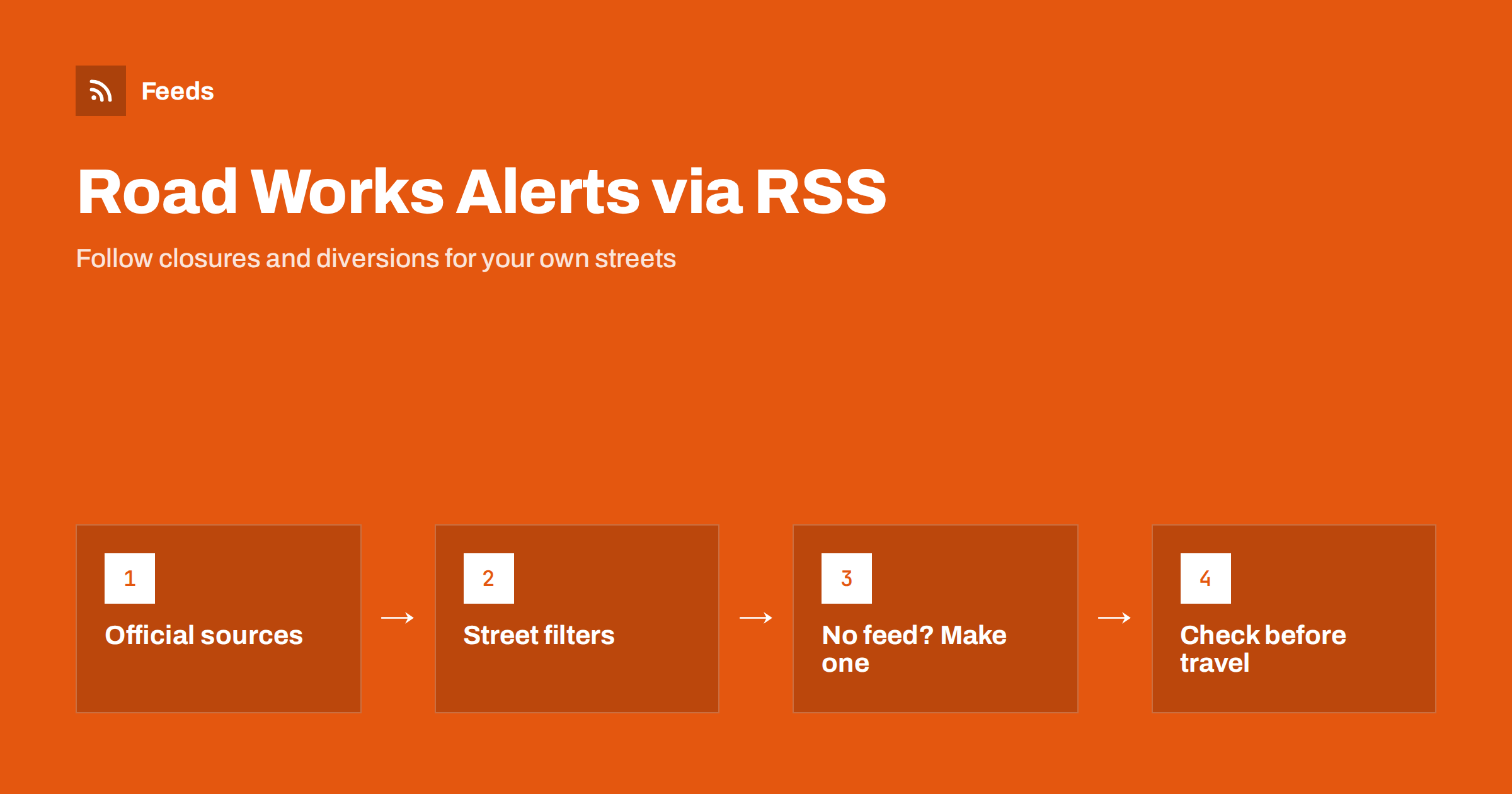
Short answer: Road works and closure notices are usually published on a council, highway authority or transit operator website, often as a list page with no RSS feed. You can follow them by using a feed where one exists, or by creating a feed from the notice page, and then filtering it by street, town or road number so that only relevant items reach you. Use the feed as an early warning, and confirm anything important with the official source before you travel.
Why road disruption notices suit RSS
Road works are announced in advance, change often and affect people in a very local way. A closure on the street that leads to your shop, depot or school matters a great deal to you and not at all to someone in the next town. That is the situation RSS handles well: a stream of short items, each with a title, a date and a link, that you read when it suits you or pass on to a tool that alerts you to the ones you care about.
The people who benefit are many. Delivery businesses plan routes. Shop owners warn customers about access. Event organisers check that the roads near a venue will be open. Residents and school staff want to know about diversions before the morning rush. Journalists follow local infrastructure stories. The principles are the same as for any local alert, and the examples in local news monitoring with RSS and weather and hazard alerts by RSS work the same way.
Where road disruption information is published
There is no single source, and which one is right depends on the road. Look at these in turn:
- Local councils and municipalities: notices about works and temporary traffic orders on local streets, often on a “roadworks” or “traffic” page.
- National or regional highway authorities: major roads, motorways and bridges, sometimes with a live incident list.
- Public transport operators: bus and tram diversions, which are published as service notices.
- Utility companies: water, gas, electricity and telecom works that dig up roads, often on their own notice pages.
- Police and emergency services: incident notices, normally for short-term closures.
- Event organisers: street closures for marathons, markets and parades.
Some of these offer an RSS feed or a data download. Many have only a page with a list or table. The wider group of public pages is covered in RSS feeds for municipalities and public bodies.
Find or create the feed
Start by checking whether the source already has a feed. Look for a feed icon or a link such as “subscribe” on the notices page, or try the methods in RSS autodiscovery link tags, which explain how a feed is announced in a page. If a feed exists, copy its address and you are almost done.
If it does not, look at the structure of the page. A page that lists notices one after another, each with a title, a date and a link to details, is a good candidate for a feed. The page must be public. Pages that need a login, or a map that only loads after you click, are harder, and you should check whether the same list is available in text form elsewhere. The steps for turning a list page into a feed are in creating an RSS feed for a website without one.
Filter by street, town and road number
An unfiltered feed from a council with hundreds of notices will become noise very quickly. The solution is to keep only items that contain the words you choose. Use the words that actually appear in notice titles:
- The street names around your home, work or business.
- Your town, district or postcode area.
- Road numbers or names of main roads you drive on.
- Landmarks that appear in notices, such as a bridge, roundabout, station or school.
Spelling matters. Notices may use abbreviations (“St.” and “Street”) or a local-language name, so start with a wide filter and tighten it as you see what comes through. You can also use the opposite rule to exclude words you never need, such as the names of districts far away. The approach is explained in RSS keyword alerts, and ideas for reducing noise are in how to reduce RSS alert noise.
Combine several sources into one feed
If your daily route crosses a municipality border, you may need two or three sources: one council for each side and a highway authority for the main road. Merge them into a single feed so that you check one place. Duplicates are common, because the same closure may be announced by a council and by a transit operator, so use a tool that removes repeated items. See how to merge RSS feeds for the details.
For a business, a merged feed can be the basis of a small internal routine: a shared channel where new items arrive, and one person who checks them each morning and tells the drivers or the shop team. The pattern is shown in sending RSS feed updates to a Slack channel.
Know the limits of a feed
A feed is only as good as the page behind it. Several limits are worth remembering:
- Delay: a tool checks pages at intervals, so there is a gap between the publication of a notice and the time you see it. For urgent incidents, rely on official live traffic services and radio.
- Changes: dates and details change. A closure can be extended, cancelled or moved, and the original item may not reflect that.
- Completeness: not every closure is published in advance, and not every authority publishes everything.
- Accuracy: a title or summary is not a legal notice. Open the original and read the dates, hours and the area affected.
Treat the feed as an early warning. If a decision depends on it, such as a delivery schedule or a public event, confirm with the authority responsible. Never rely on an automatic alert alone for safety.
Dates deserve a special look. Notices often give a start date, an end date and sometimes daily hours, for example “between 9 and 15 on weekdays”. The feed item may show only the date on which the notice was published, not the dates of the works. When you filter and read items, open the details and note the real dates in your calendar. A few minutes of care here avoids planning a delivery on the one morning a street is closed.
It also helps to keep a short record of the sources you follow, with the page address, the filter words and the date you last checked that the feed still works. Council websites are redesigned from time to time, and a feed that quietly stops finding items is easy to miss. A monthly look at the list is enough, and a tool that warns you when a feed breaks is even better.
Share useful notices with others
Once you have a clean feed, you can pass it on. A shop might post a short note on its social channels when a closure affects its customers, with a link to the official notice. A school or a residents’ association might send a weekly email summary. Keep such messages factual, add the date range and always link to the source, so that readers can check the details. If you post automatically, use a template with a clear prefix, and review items before they go out, since a wrong date can send people the wrong way. Advice on approval is in full automation versus an approval queue.
How RSS Feed Creator helps
RSS Feed Creator finds the list of items on a page and turns it into a clean RSS feed with titles, summaries, images and dates, and it uses an existing feed when there is one. You see a preview of the items before the feed is created. You can merge up to 10 sources in one feed on paid plans, keep items that contain, or do not contain, your words, and duplicates are removed automatically. Feeds refresh every 3 hours on the free plan and every 30 minutes on paid plans, and paid plans send an alert if a page changes and the feed stops finding items. Details are on the pricing page.
Related reading
- Travel advisories and alerts by RSS
- Planning applications and permits by RSS
- RSS push notifications on your phone
The bottom line
Road works and closures are a natural fit for RSS. Find the official sources for your roads, use their feed or create one from the notice page, and filter by street, town and road number. Merge sources if your route crosses borders, accept that a feed has a delay, and confirm anything important with the authority. A small amount of setup replaces the daily habit of visiting several pages.
FAQ
Do councils publish road works as RSS feeds?
Some do, but many publish only a web page with a list. In that case you can create a feed from the page, as long as the list is public.
How do I follow only my own street?
Filter the feed by keywords such as the street name, district or road number. Start broad because notices may use abbreviations, then tighten the filter.
Can I rely on a feed for urgent incidents?
No. Feeds are checked at intervals and can lag behind events. For urgent incidents use official live traffic services, and confirm important details at the source.
What if a closure is extended or cancelled?
The original feed item may not show it. Open the linked notice to read the current dates, and check again before you travel or plan a delivery.
Can I combine notices from several authorities?
Yes. Merge the sources into one feed and remove duplicates, so that a closure announced by a council and a transit operator appears once.