ENEnglish
 LTLietuviškai
 DEDeutsch
 FRFrançais
 RUРусский
 ESEspañol
 PLPolski
 ITItaliano
 UKУкраїнська
 CSČeština
 PTPortuguês
 JA日本語
JA日本語 LVLatviešu valoda
 ETEesti
 HUMagyar
 IDBahasa Indonesia
 TRTürkçe
 HIहिन्दी
 ELΕλληνικά
 ARالعربية
 THไทย
THไทย VITiếng Việt
 RORomână
 MSBahasa Melayu
 BNবাংলা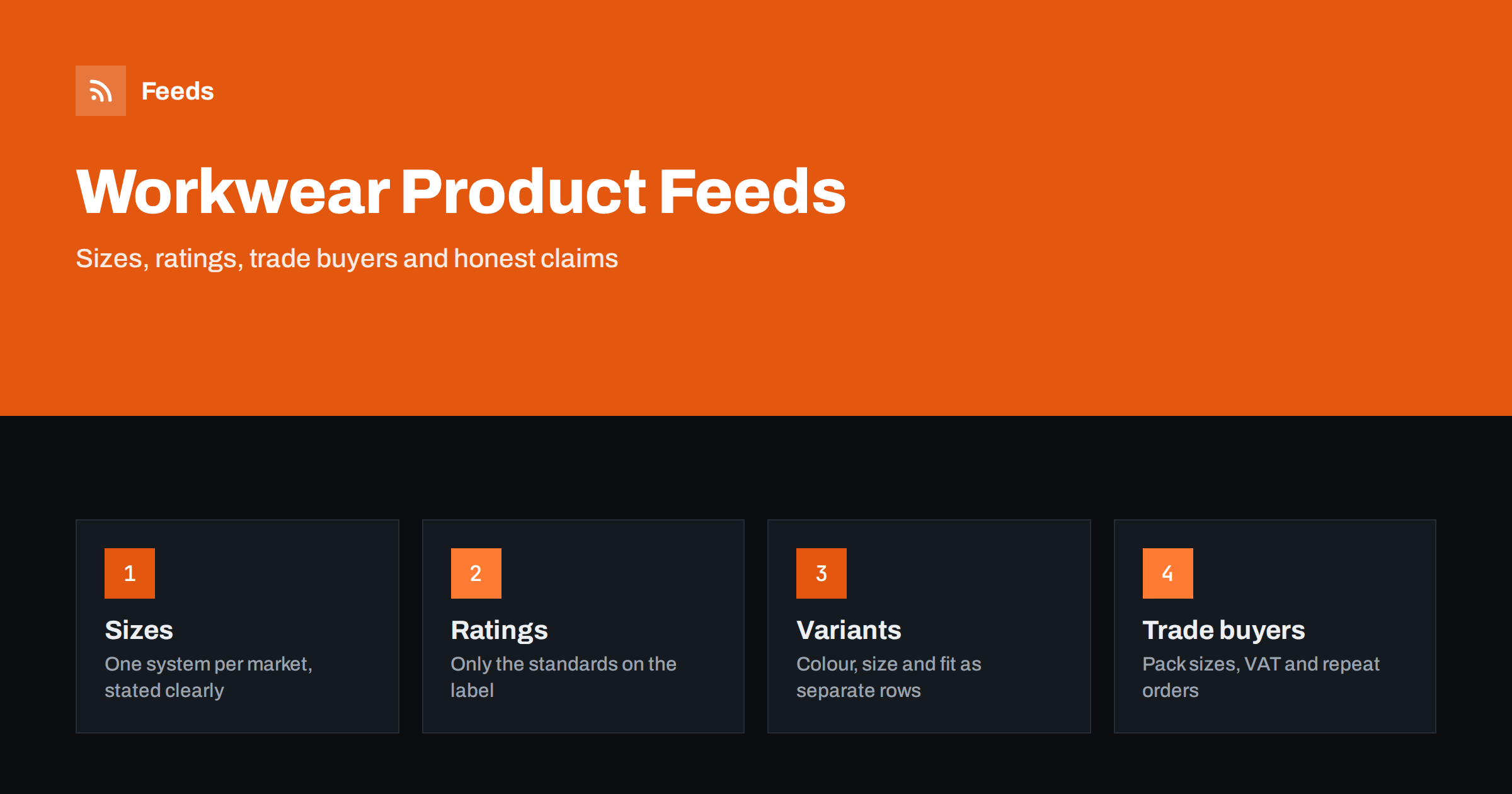
Short answer: Workwear and safety equipment combine fashion-style variants with product claims that must be exact. A good feed lists every size and colour as its own row with a shared group identifier, states the size system for the target country, mentions a safety rating or standard only when it appears on the product label or the manufacturer data, keeps pack sizes and trade prices consistent with the shop and handles VAT correctly for business buyers. Stay factual, avoid promises about protection, and the same feed can serve both tradespeople and the private buyer.
A catalogue that mixes clothing and equipment
A workwear and safety shop sells products that behave in different ways. Overalls, jackets and trousers behave like clothing: many sizes, colours and fits. Boots and gloves have size systems that differ between countries. Helmets, goggles, ear defenders and high-visibility vests behave like equipment: the details that matter are the standard they meet and the use they are made for. Consumables such as dust masks, gloves in boxes and disposable coveralls are sold in packs.
The customer is often a professional buying for a team, or an individual buying on the advice of an employer. In both cases the question is the same: will this product do what the job needs, and will it fit? The feed must answer both without making claims that go beyond the manufacturer’s information. Before you work on the specifics, confirm that the required fields are present using Google product feed attributes.
Sizes, fits and size systems
Apparel attributes apply fully here: size, colour, gender, age group, material and size system. The mistake that costs the most is mixing size systems. A boot sold in the United Kingdom is sized differently from one sold in the United States, and a glove sized in letters may match a different hand measurement from one sized in numbers. State the size system for each target country and make the size values match what the shopper sees on the product page. The general rules are in apparel product feeds, and the points specific to boots are in footwear product feeds.
Workwear also has fits that ordinary clothing does not: tall, short, slim, wide, women’s cuts and sizes for waist plus inside leg. Include the fit in the title and as a size type where it applies, otherwise a tall customer and a regular customer will see the same result and one of them will return it. Keep the title pattern fixed: brand, product type, model, key feature, then colour and size.
One row per variant, one group per product
A pair of work trousers in five colours and twelve sizes is sixty variants. Each variant needs its own row with its own identifier, price and stock level, and all sixty need the same group identifier so that the platform shows them as one product with options. Without it, shoppers see sixty near-identical listings, or the platform rejects some as duplicates. The mechanics are explained in product variants in feeds.
Check that the colour and size shown on the page for a given identifier are exactly what the feed says. A variant whose picture shows one colour while the feed says another is a common reason for rejections. Images should show the actual colour, on a plain background, without watermarks, and each colour should have its own image; the requirements are in product feed image requirements.
Safety ratings and compliance wording
This is where care matters most. Safety products carry marks, categories and standards, and shoppers rely on them. A feed should state a standard or a rating only when the label or the manufacturer’s data sheet states it, in the same wording, and only for the product that carries it. Do not combine ratings from different products, do not round up a protection level and do not imply that a general-purpose item is suitable for a specific hazard.
Do not describe a product as certified, approved or safe for a purpose unless the supplier gives you that information and you can show it on the page. If you are unsure, quote the manufacturer’s text and link to the data sheet on the product page. Platforms may take action against listings that make health or safety claims they cannot support, and the diagnostics will tell you if a product is flagged; the reasons are described in Merchant Center misrepresentation and disapproved products.
Markets differ in the standards they use, and in what they require shops to state. If you sell in several countries, keep a separate wording per market, rather than assuming that one mark means the same everywhere. Check with the manufacturer if you are unsure which standard applies to a product in a given country.
Packs, boxes and trade quantities
Disposable items are sold in boxes, and the title must make the quantity unmistakable: “Box of 100”, “Pack of 10 pairs”. Use the multipack attribute for the quantity and keep it in line with the price on the page. Where you also sell a single pair at a different price, create a separate product, not a variant. Bundles that you assemble yourself, such as a starter set for a new employee, need their own identifier; the approach is in bundles and multipacks in product feeds.
Unit prices may be needed for items sold by quantity in some markets. Read unit pricing in product feeds and check the rules for each country. A clear box price with the number of items is more useful to the buyer than a headline price that hides the quantity.
Trade customers, VAT and repeat orders
Many buyers are businesses, and many of them see prices without tax. Platforms usually expect the price shown in the feed to be the price the shopper pays, including tax where the country requires it; read VAT and tax in product feeds before you decide how to present prices. If you offer trade prices only to logged-in customers, do not put those prices in the feed, since shoppers who click would see a different number.
Business buyers reorder. They value stable titles, stable identifiers and an accurate stock level more than clever descriptions. If your catalogue has a wholesale side, the points in B2B and wholesale product feeds apply, including minimum order quantities and case sizes. Keep the identifier for a product unchanged when the supplier updates the packaging, so that history and campaigns stay attached to it.
Campaign structure and seasonal peaks
Demand moves with the weather and the calendar: waterproofs and thermals in autumn, high-visibility gear when clocks change, light fabrics and sun protection in summer, and a steady stream of boots and gloves all year. Use custom labels to mark seasonal, margin or stock-level groups, so that your campaigns can treat them differently without changing the products themselves. The idea is described in custom labels for shopping campaigns.
Before each peak, review the titles of the products that will sell most, remove discontinued items and check that popular sizes are really in stock. A feed that advertises a size the warehouse does not have turns an ad click into a lost customer. Landing pages must show the same price, sizes and availability as the feed; see product landing page requirements.
How RSS Feed Creator helps
RSS Feed Creator builds Google Merchant Center and Meta catalog XML straight from your store. WooCommerce and Shopify are read automatically, and any other store can use a CSV link. You can skip out-of-stock products, which keeps unavailable sizes out of the feed, rewrite titles with rules so that the brand, product type, size and colour appear in the same order every time, and adjust prices. The currency is detected automatically. Before you submit anything, check the preview and the Merchant Center diagnostics to confirm that variants and sizes arrive as you expect. The free plan includes product feeds with up to 50 products, and the Store plan covers one store with 3 product feeds and up to 2,000 products. The details are on the pricing page.
Related reading
- Product Feeds for Sports and Outdoor Stores: What to Include
- Product Feed Title Optimization: Formulas That Work
- 12 Product Feed Mistakes That Quietly Cost You Sales
The bottom line
A workwear and safety feed wins on accuracy. Give every size and colour its own row, state the size system, quote ratings exactly as the manufacturer does, make pack quantities obvious, handle tax correctly and keep stock honest. Do that and both the professional and the private buyer find the right product.
FAQ
Can I mention a safety standard in my product titles?
Only if the product label or the manufacturer’s data states it, in the same wording. Do not add a standard you assume applies, and do not use certified or approved unless your supplier confirms it.
How should I list boots and gloves that use different size systems?
State the size system for each country you sell to and use the same values as on the product page. Add fit or width to the title when it applies, and keep one row per size and colour.
How do I show a box of disposable items?
Put the quantity in the title, such as box of 100, use the multipack attribute and keep the price in line with the page. Sell the single item as a separate product if you offer one.
Should trade prices appear in the feed?
No, if trade prices are visible only to logged-in customers. The feed should show the price any shopper sees on the page, with tax handled as the destination country requires.
What are the common reasons for disapproval in this niche?
Wrong or missing variants, mismatched prices or availability, unsupported health or safety claims, missing identifiers and images with watermarks. The diagnostics in Merchant Center list the affected products.