ENEnglish
 LTLietuviškai
 DEDeutsch
 FRFrançais
 RUРусский
 ESEspañol
 PLPolski
 ITItaliano
 UKУкраїнська
 CSČeština
 PTPortuguês
 JA日本語
JA日本語 LVLatviešu valoda
 ETEesti
 HUMagyar
 IDBahasa Indonesia
 TRTürkçe
 HIहिन्दी
 ELΕλληνικά
 ARالعربية
 THไทย
THไทย VITiếng Việt
 RORomână
 MSBahasa Melayu
 BNবাংলা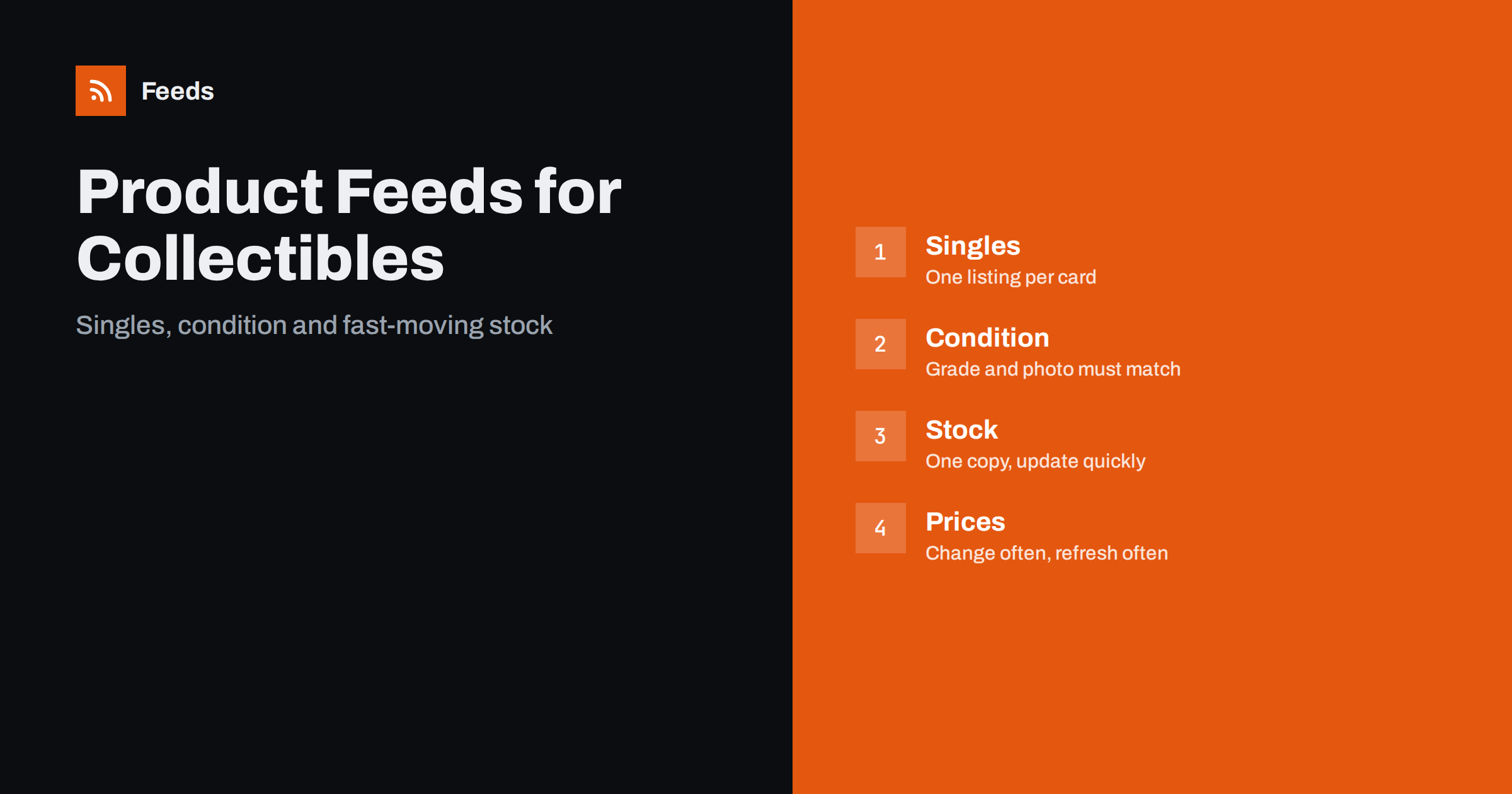
Short answer: A collectibles feed needs three things that ordinary retail feeds do not stress: a clear title for every single item (set, name, number, edition, language and grade), an honest condition field backed by a photo of the real item, and very frequent updates, because one-of-a-kind stock sells out once and prices move quickly. Sealed products behave like normal retail goods and use their barcodes, while singles usually have none.
Two kinds of catalog in one shop
Collectible and trading card stores usually sell two quite different kinds of product. The first is sealed product: booster packs, boxes, starter decks, figures in original packaging. These are standard retail items with a manufacturer, a barcode and many identical copies. The second is singles and one-offs: individual cards, graded slabs, signed items and vintage pieces, where each copy has its own condition and its own price, and often only one exists.
The two need different handling in the feed. If you treat everything the same way, the sealed items look fine while the singles produce warnings and mismatches. Think of them as two sub-catalogs and set rules for each. If you are new to feeds, what a product feed is and how it works gives the basics.
Titles for single cards and one-off items
A card named only “Dragon Knight” tells nobody what they are buying. A shopper searching for a card types the game, the set, the name and sometimes the number or language. Build the title from those parts in a consistent order:
- Game or franchise, such as the name of the trading card game.
- Card name, with the set name and the card number.
- Edition, finish and language, for example first edition, foil or a specific language.
- Condition or grade, for example near mint, or the grading company and grade for slabs.
Keep the order the same on every card, so that your catalog looks tidy and the platform can understand it. Avoid vague claims such as “rare” or “investment” in the title, which cannot be checked and can cause disapprovals. The general principles are in how to optimise product feed titles.
Condition must be honest and visible
Shopping platforms have a field for the condition of the product, usually new, used or refurbished. A sealed box in perfect packaging is new. A single card that has been opened and handled is, strictly, not new, and if you list a played card as new, the listing is misleading. Use the condition field truthfully, and describe the grade in the title and in the description with the scale you use, so that the shopper understands what “near mint” means in your shop. The details are in used and refurbished products in a feed.
Graded items add a second layer. A card in a sealed slab from a grading company shows the company, the grade and a certificate number. Put those facts in the title and description exactly as they appear on the label, and only list the grade if the slab really carries it. Never describe an item as authentic in a way you cannot prove, and do not list reproductions or fan prints as originals. Platforms take counterfeit and misleading listings seriously, and so do collectors.
Photos of the actual item
For singles, a stock photo from a catalog is misleading, because the condition of your copy is the main thing the buyer is paying for. Take a clear photo of the front, and ideally the back and the corners for higher-priced items, on a plain background with good light. The image in the feed should show the exact copy that is for sale. For sealed products, the manufacturer’s image is usually fine as long as it shows the real pack and carries no promotional text. The rules are in product feed image requirements.
Do not add watermarks, price stickers or “sold” banners to the main image. If you want a branded look, add it to additional pictures on the product page rather than the main feed image.
Identifiers: barcodes for sealed, none for singles
Sealed products carry a barcode, and the GTIN should be sent as printed, one per product type. Singles generally have none. Do not make up numbers, and do not reuse the barcode of a sealed product for a single card from it. Follow the platform’s rules for items without identifiers, put the brand or publisher in the brand field, and consider using your own stock code as a stable identifier so that each item can be tracked. GTIN, MPN and brand in product feeds explains the fields.
One-of-a-kind stock sells out once
When you have a single copy, a sale ends the listing. If the feed still says it is in stock an hour later, a shopper may click an ad for something you no longer have, and the platform may flag an availability mismatch. Update stock as often as your system allows, and remove sold singles from the feed at once. The consequences and fixes are described in Merchant Center availability mismatch and out-of-stock products in a feed.
For sealed product with real quantities, keep the usual stock rules. For releases that are announced but not yet shipping, see pre-order and backorder products in a feed, and make sure the release date on the page matches the feed.
Prices that move quickly
Prices of popular cards and collectibles can change within days, and some shops update them daily from a market source. In a feed, the price must match the product page at the moment a shopper clicks. If the price on the site changes and the feed lags behind, the platform can see a price mismatch and hold the listing back. The cause and fix are covered in Merchant Center price mismatch, and the question of how often to update is in how often to update a product feed.
Taxes on second-hand goods can follow special rules in some countries, so check that the price in the feed is shown the way local rules require. VAT and tax in product feed prices explains the basics.
Lots, bundles and variants
Collectors think in sets, series and lots, and the feed should let them browse the same way.
Collectors often buy several items at once. A lot of fifty common cards or a bundle of a box and a set of sleeves is a separate product from either part, with its own price and its own page, and should be labelled as a bundle in the title. The same card in foil and non-foil, or in two languages, is a pair of variants, and each needs its own row and photo. Bundles and multipacks in product feeds and product variants and item group IDs cover the details.
Use the product type field to copy your own structure, such as game, set and rarity, so that you can group campaigns by set or by price band later. The difference between that field and the platform’s category is explained in Google product category vs product type. A tidy structure also makes it easier to exclude low-value singles from paid campaigns, where the cost of a click could be higher than the margin on the card.
Shipping needs a thought as well. Cards travel in sleeves and rigid holders, and valuable items may need tracking and insurance. Make sure the shipping costs in your settings reflect that, as described in shipping settings in a product feed.
How RSS Feed Creator helps
RSS Feed Creator builds Google Merchant Center and Meta catalog XML straight from your store. WooCommerce and Shopify are read automatically, and any other store can use a CSV link. You can skip out-of-stock products, rewrite titles with rules and adjust prices, and the currency is detected automatically. The free plan includes product feeds with up to 50 products, enough to test a first set of items. The Store plan covers one store with 3 product feeds and up to 2,000 products, and the details are on the pricing page.
Related reading
- Product feed checklist: 25 checks before you submit
- Product feed mistakes that cost sales
- Product feeds for handmade and made-to-order products
The bottom line
Collectibles feeds work when titles identify the exact item, condition is honest and shown in real photos, stock is removed as soon as a unique item sells and prices are refreshed as often as they change. Treat sealed products and singles as two catalogs and review the feed against the shop regularly.
FAQ
Do single trading cards need GTINs?
Usually they have none. Do not invent numbers or reuse the barcode of a sealed product. Follow the platform rules for items without identifiers and use your own stock code internally.
What condition should I choose for a played card?
Use used, not new, and describe the grade in the title and description with the scale you use. Listing a handled card as new is misleading.
Can I use catalog photos for single cards?
It is better to photograph the exact copy, because condition decides the value. Catalog images are usually fine for sealed products if they show the real pack and have no promotional text.
How often should the feed update for one-off items?
As often as your system allows, ideally whenever an item sells, because a unique item cannot be sold twice and stale availability causes mismatches.
How should I list graded cards?
Put the grading company, the grade and the card details in the title and description exactly as shown on the label, and only list a grade the slab actually carries.