ENEnglish
 LTLietuviškai
 DEDeutsch
 FRFrançais
 RUРусский
 ESEspañol
 PLPolski
 ITItaliano
 UKУкраїнська
 CSČeština
 PTPortuguês
 JA日本語
 LVLatviešu valoda
 ETEesti
 HUMagyar
 IDBahasa Indonesia
 TRTürkçe
 HIहिन्दी
 ELΕλληνικά
 ARالعربية
 THไทย
 VITiếng Việt
 RORomână
 MSBahasa Melayu
 BNবাংলা
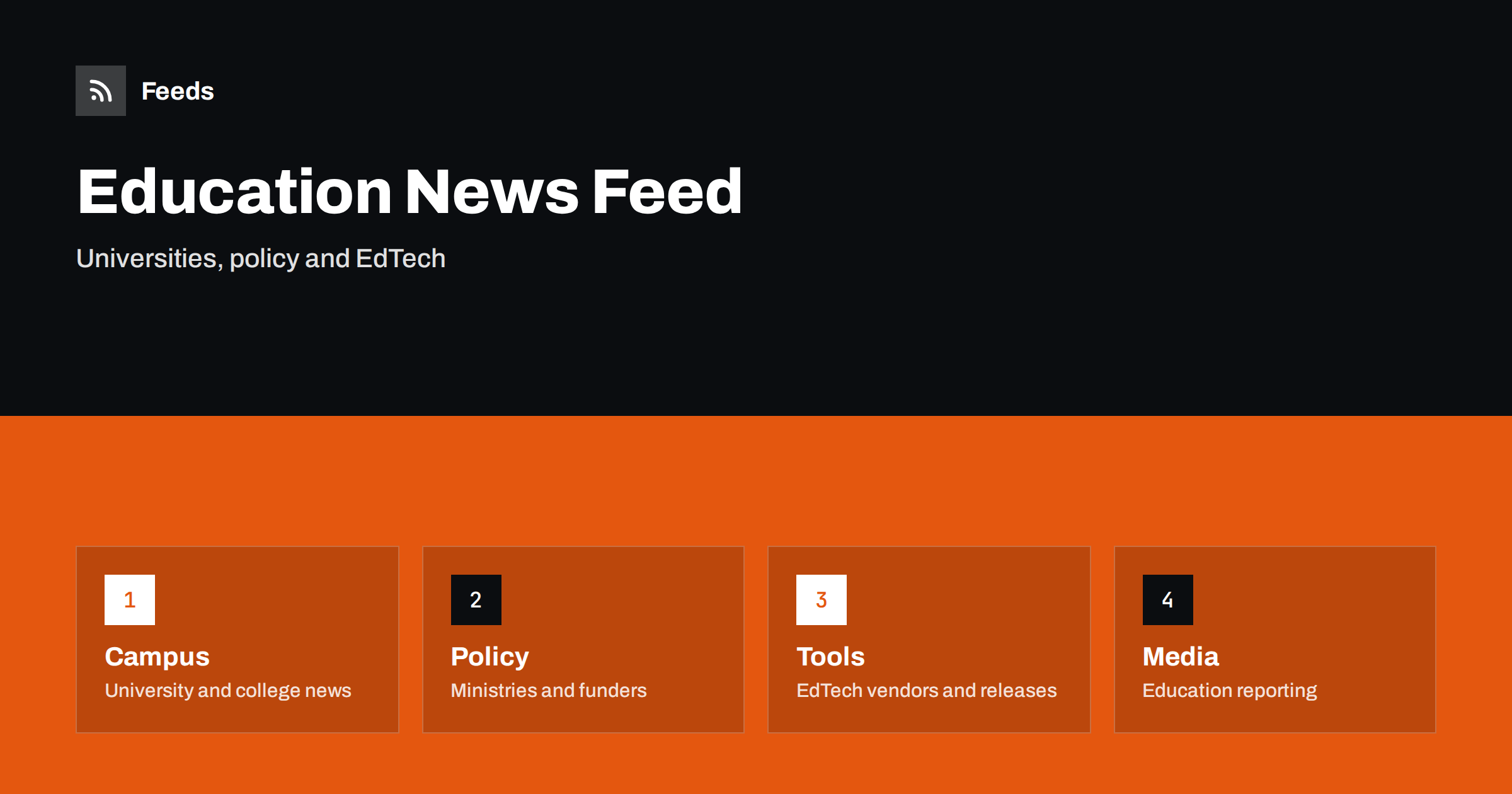
Short answer: EdTech and higher education news comes from universities and colleges, ministries and funders, accreditation and quality bodies, technology vendors, research groups and education media. RSS lets you collect the sources that matter to your work in one reader, filter them by topic, level or region and read them in the order they appear. Use official pages for policy and facts, vendor pages for product changes and media for context, and open the original before you act.
Why this news is hard to follow
Education is a large and varied field. A change in funding rules, a new accreditation requirement, a platform update, a research report on learning outcomes, a university merger and a new course launch are all education news, and they appear on completely different sites. Many institutions publish news in a format that suits their own staff, not outside readers, and some publish only to social media.
The readers are varied as well: lecturers, administrators, instructional designers, EdTech founders, investors, students and journalists. Each needs a narrow slice. If you are new to the idea, what is an RSS feed explains the basics in plain words.
Start with universities, colleges and associations
Institutions publish news about programmes, research, partnerships, admissions and campus changes. Associations of universities and colleges publish position papers, surveys and guidance. Student unions and teaching societies add views from the people who live with the decisions.
Pick a short list to begin with: your own institution, a few peers, the main association in your country and one or two international bodies. Add more only when you find that you keep opening the same pages by hand. Following industry associations and standards bodies with RSS shows how to add associations, and the same method works for education bodies.
Policy, funding and quality bodies
Ministries of education, funding councils and quality agencies publish rules on funding, admissions, accreditation, student support and research assessment. These items often come with consultations and deadlines, and they affect budgets and plans. Follow the official pages directly, read the original text and note the date from which a rule applies.
Grants and funding calls are part of this stream. Track grant and funding announcements with RSS and scholarships and application deadlines: follow them with RSS show how to follow them, and a feed saves you from missing a deadline. For broader government coverage, tracking government and regulator updates with RSS explains the setup.
Follow EdTech vendors and product releases
Learning platforms, assessment tools, video systems and student information systems change often. Vendors publish release notes, security notices and end-of-support announcements, and these items matter to the teams that run the tools. Follow the release notes of the products your institution uses, so that you hear about a change before your colleagues do.
The method is the same as for any software. Follow software changelogs and release notes with RSS explains how, and monitoring SaaS status pages and outages with RSS helps when a tool fails during an exam period. Keep vendor notices in a separate folder from general news so that you can check them daily.
Research on teaching and learning
Studies on learning, assessment, technology use and student outcomes appear in journals, working paper series and institutional reports. A feed helps you see new studies on a topic without checking every site. Be careful with single studies and press summaries. Read the original paper, note the sample, the context and the limits and do not generalise from one setting to another.
Education also has a strong grey area of opinion and marketing. Vendors publish studies about their own tools, and the result may not match what independent research shows. Follow academic journals and research with RSS alerts explains how to collect journal updates, and fact-checking with RSS: follow primary sources, not screenshots offers a method for checking claims.
Education media and trends
Education publications and blogs explain what policies mean in practice, report on trends such as new teaching models, student mobility, credentials and technology, and give a view of the wider field. Add a few respected titles and a couple of specialist writers for your area, for example online learning, vocational training or research management.
Keep the balance in mind. A list that consists mostly of commentary leaves you with opinions about facts you have not seen. Aim to keep at least as many primary sources as commentary sources. A mixed list also works well for teams, and shared RSS reading lists for teams shows how to share it so that everyone works from the same view.
Student-facing news is a stream of its own. Admissions deadlines, exam timetables, campus closures, accommodation notices and library hours are published on pages that students rarely check in time. Staff who support students can follow these pages in a feed and pass on changes, and institutions that publish their own feeds make it easier for students and parents to keep up. How parents and students can follow school news with RSS shows how the same idea works for schools, and it adapts well to colleges.
Find feeds, even when a site has none
Many universities and ministries offer an RSS link, but many do not, or hide it in a news archive. Look for a feed icon, check the page source for an autodiscovery link or try the usual feed paths. Find the RSS feed of any website: 7 reliable methods lists the options in order.
If there is no feed, a page-to-feed tool can read the list of articles or notices on the page and build a feed from it, as described in how to create an RSS feed for a website without RSS. Always check the preview: it should show real items with titles, dates and links, not menu entries or banners.
Filters and a routine that stays short
Keyword filters keep the list narrow. Include your subject areas, level of education, region and tool names, and exclude topics that bring noise. Review both lists every month and test them on ten recent items before you rely on them. Set up keyword alerts using RSS feed filters explains the method, and reduce noise in RSS alerts without missing anything helps when the list grows.
Read vendor and policy folders daily or twice a week, and general news two or three times a week. For each item ask whether it affects a course, a budget or a tool, and what you need to do and by when. Share the useful ones with colleagues in a weekly note. A routine such as RSS triage keeps the habit short, and a monthly review removes feeds that stopped publishing.
Think about international coverage. Many institutions work across borders, recruit students abroad and compare themselves with peers in other countries. Rules on visas, recognition of qualifications and tuition differ, and they change. Add a few sources from the countries that matter to you, and use a feed filter to keep only the items on your topics, as explained in monitoring foreign-language websites and markets with RSS. When you read a translated page, check the original for exact figures and dates.
Finally, remember that education news affects people. Behind every policy and every platform there are students and teachers, and a rumour about a closure or a rule change can cause stress. Share only what you have checked, say where it came from and correct it quickly if it changes. A calm, reliable source of information inside a department or a company is worth more than speed.
How RSS Feed Creator helps
RSS Feed Creator turns the news, notice or release pages of universities, ministries, funders and EdTech vendors into clean RSS feeds, even when the site has no feed of its own. It reads titles, images, summaries and dates, uses an existing feed when there is one, and shows a preview of the items before the feed is created. You can merge several sources into one feed (up to 10 with the PostRSS add-on), keep only the items that contain your keywords and have duplicates removed automatically, which suits a reading list for one subject or region. Feeds refresh every 3 hours on the free plan and every 30 minutes on paid plans, and the PostRSS add-on sends an alert when a page changes and a feed stops finding items. The free plan allows up to 20 items per feed, and the details are on the pricing page.
Related reading
- How to Track Grant and Funding Announcements with RSS
- Scholarships and Application Deadlines: Follow Them with RSS
- How to Follow Software Changelogs and Release Notes with RSS
The bottom line
RSS gives people in education a calm, ordered view of a wide field. Start with institutions and associations, add policy and funding bodies, follow vendor release notes for the tools you use and keep research and media for context. Filter by topic and region, keep vendor and policy notices in separate folders and always open the original source before you act.
FAQ
Which sources should I follow first?
Begin with your own institution, a few peers, the main association in your country and the education ministry. Add vendors and media later.
What if a university site has no RSS feed?
A page-to-feed tool can read its news page and build a feed. Check the preview to confirm that it shows real items with dates.
Can I follow funding calls and deadlines?
Yes. Add the funder’s news or calls page and read the original call for eligibility and dates before you plan an application.
How do I keep vendor claims in perspective?
Read the original study, note the sample and context and compare with independent research before you rely on a claim.
How do I avoid too many items?
Use keyword filters for your subject, level and region, and keep vendor and policy notices in separate folders from general news.