 ENEnglish
 LTLietuviškai
 DEDeutsch
 FRFrançais
 RUРусский
 ESEspañol
 PLPolski
 ITItaliano
 UKУкраїнська
 CSČeština
 PTPortuguês
 JA日本語
 LVLatviešu valoda
 ETEesti
 HUMagyar
 IDBahasa Indonesia
 TRTürkçe
 HIहिन्दी
 ELΕλληνικά
 ARالعربية
 THไทย
 VITiếng Việt
 RORomână
 MSBahasa Melayu
 BNবাংলা
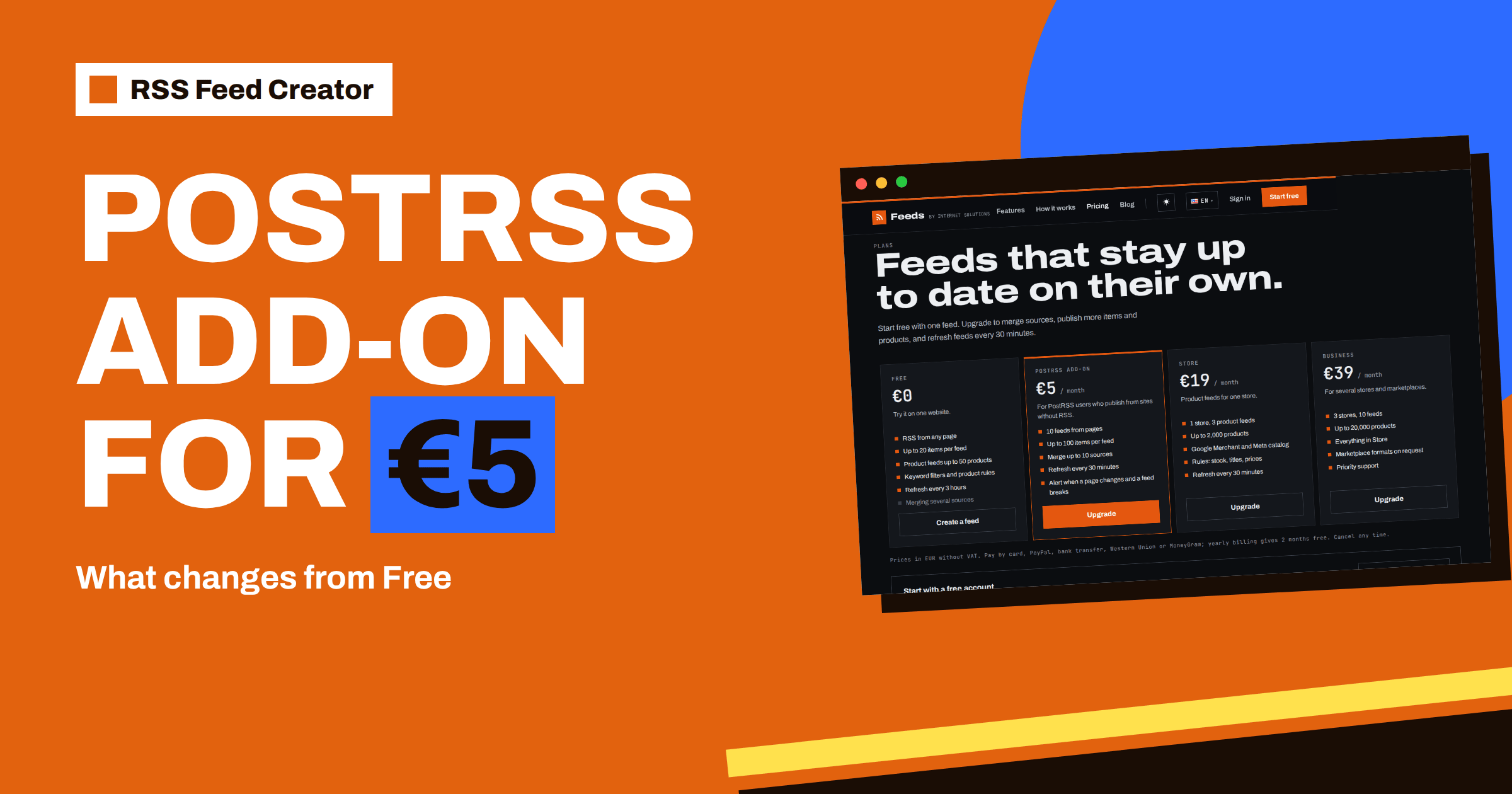
Short answer: The PostRSS add-on costs €5 per month and is built for people who publish from websites that have no RSS. Compared with the free plan it raises the number of feeds made from pages to 10, lets each feed hold up to 100 items instead of 20, allows merging up to 10 sources into one feed and refreshes feeds every 30 minutes instead of every 3 hours. Everything else works as on the free plan, and feeds from your account work in any RSS reader or tool, not only in PostRSS.
Who the add-on is for
Think of it as a small upgrade for people whose work already depends on feeds. If a feed is a side project, the free plan is enough. If feeds are part of how you earn or how you stay informed, the add-on removes the limits you would otherwise bump into within the first month.
The pricing page describes the add-on in one line: for PostRSS users who publish from sites without RSS. A typical user runs social profiles for a business, a brand or a client and wants to post news from partner sites, suppliers, local authorities or industry pages, none of which offer a feed. RSS Feed Creator turns those pages into feeds, and PostRSS publishes each new item to the connected profiles.
But the add-on is not limited to that picture. It also suits researchers, agencies and anyone who follows several sources in a reader, because the limits it raises are about feeds, items, sources and speed, not about posting. The pricing page says it plainly: the add-on is made for PostRSS users, but the feeds work in any RSS reader or tool.
What changes, at a glance
| Gratis | Complemento de PostRSS | |
|---|---|---|
| Price | €0 | €5 per month |
| Feeds | Up to 3 in an account | 10 feeds from pages |
| Items per feed | Up to 20 | Up to 100 |
| Sources per feed | 1 | Merge up to 10 |
| Refresh | Every 3 hours | Every 30 minutes |
Keyword filters are part of the free plan too, so filtering does not need an upgrade. Prices are in euros without VAT, and yearly billing gives 2 months free. The full list is on the pricing page.
More feeds: from 3 to 10
A free account holds up to 3 feeds in one list, which is enough to follow a handful of pages. With the add-on you can have 10 feeds from pages. That gives each topic, client or partner a feed of its own, which keeps your streams separate and your filters specific.
A common pattern is one feed per audience. A local business might keep a feed for the town council’s notices, one for the chamber of commerce, one for the main supplier and one for a regional news page, each with its own keywords and each connected to a different posting rhythm. Ten feeds cover that comfortably, and the list of feeds in your account shows them all with item counts and update times.
Ten feeds also make a tidy division of labour in a small team. One person can own the feeds for news, another the feeds for suppliers, and each can adjust filters without touching the others. Because every feed has its own address, a change to one never disturbs the rest, and because the account list shows item counts and update times, a glance is enough to see that all ten are alive.
Deeper feeds: from 20 to 100 items
The number of items a feed holds is its memory. With 20 items, a busy page can push an item out before your reader or tool has collected it. With up to 100 items, the feed keeps a longer window, so a reader that you open only twice a week still sees everything, and a posting tool that collects in batches does not miss any.
The deeper limit also gives the whole-section logic room to work: when a site has more pages in the list than fit in the first page, RSS Feed Creator follows the next-page links and adds more items up to your limit, as described in RSS Feed Creator beyond page one: whole-section feeds.
Merging up to 10 sources
This is the add-on’s most visible feature. On the management page of a feed, the “Merge another page or feed” box adds another source, and each addition triggers an update. The merged feed is sorted with the newest items first, items with the same address are kept once and your keywords apply to the whole stream. On the free plan the same box tells you that merging is part of the paid plans.
For monitoring and publishing, one merged feed per topic is far easier to manage than ten single feeds. The details, with examples, are in merge sources in RSS Feed Creator: up to 10 in one feed, and the handling of overlaps is explained in how RSS Feed Creator removes duplicates in merged feeds.
A short example shows the value. A tourism board follows the event pages of eight towns, none of which has a feed. Merged into one feed with a filter for festival, market, concert, the eight pages become a single stream of up to 100 items, newest first. The board’s reader shows one folder instead of eight, and its social tool can post from one address instead of eight sources.
A faster refresh
Speed is easy to underrate until the day it matters. A tender notice, a ticket release or a supplier’s price change loses much of its value after a few hours, and a 3-hour interval can turn a useful alert into stale news.
The free plan refreshes feeds every 3 hours, and the add-on every 30 minutes. For a social profile that wants to react to news within the hour, or for an alert that is only useful if it arrives promptly, that is a real difference. It also shortens the time between a source publishing something and your feed showing it, which matters for competitive monitoring.
An out-of-date feed is also refreshed when it is read, so the interval is the longest a copy can stay unchanged. How this works in detail is described in how often RSS Feed Creator refreshes your feed.
How it fits with PostRSS
On the management page of every page-based feed, a note suggests adding the feed address as a new source in PostRSS to publish every new item to your social networks. The steps are simple: copy the address from the management page, add it in PostRSS as a source, choose the pages and profiles to post to and let new items be posted by themselves. If you use another tool, any RSS-capable tool can use the same address. The wider workflow is in from pages without RSS to social posts with RSS Feed Creator.
How to upgrade and pay
The add-on does not require a contract. You decide per month or per year, and nothing about your existing feeds has to be rebuilt after upgrading: they keep their addresses and settings and simply start using the larger limits.
Upgrading takes a few minutes. Sign in, open the billing page of your account and choose the plan. You pick monthly or yearly billing, with 2 months free on the yearly option, and a payment method. Card and PayPal activate the plan at once, and a bank transfer activates it when the payment arrives. The pricing page lists card, PayPal, bank transfer, Western Union and MoneyGram as ways to pay.
You can cancel at any time, and your feeds keep working within the free plan limits. That makes the add-on easy to try for a month: if you do not need it, nothing breaks.
Plan the first week after upgrading. Create the extra feeds you have been wanting, merge the sources that belong together, and use the include and skip boxes to cut the noise. Then look at the reads and update times after a few days. If a feed is not being read by anything, it is a candidate for deletion, which frees a slot for something more useful. Remember that deleting a feed makes its address stop working, so delete only feeds that nobody fetches.
When the free plan is enough
Be honest with yourself before you upgrade. If you follow one to three pages, the newest 20 items are enough and a 3-hour delay does not matter, the free plan is the right place to stay. The add-on pays off when you hit one of its four limits: you need a fourth feed, you want one feed from several sources, your feed drops items before you collect them or you care about the speed of updates.
Related reading
- Content Automation for Agencies Managing Many Clients
- How Often Should Automated Feeds Post to Social Media?
- How to Monitor Websites for New Content Automatically
The bottom line
The €5 add-on is about reach and speed: 10 feeds, 100 items each, 10 merged sources and a 30-minute refresh. If you publish from pages without RSS, or you follow many sources, it is a small step up from the free plan and easy to cancel.
FAQ
Do I need a PostRSS account for the add-on?
The add-on is made for PostRSS users, but the feeds work in any RSS reader or tool.
What does the add-on cost?
€5 per month, in euros without VAT. Yearly billing gives 2 months free.
What happens if I cancel?
Your feeds keep working within the free plan limits.
Are keyword filters part of the add-on?
No. Keyword filters are included in the free plan as well.
How can I pay?
By card, PayPal, bank transfer, Western Union or MoneyGram. Card and PayPal activate the plan at once.


