ENEnglish
 LTLietuviškai
 DEDeutsch
 FRFrançais
 RUРусский
 ESEspañol
 PLPolski
 ITItaliano
 UKУкраїнська
 CSČeština
 PTPortuguês
 JA日本語
JA日本語 LVLatviešu valoda
 ETEesti
 HUMagyar
 IDBahasa Indonesia
 TRTürkçe
 HIहिन्दी
 ELΕλληνικά
 ARالعربية
 THไทย
THไทย VITiếng Việt
 RORomână
 MSBahasa Melayu
 BNবাংলা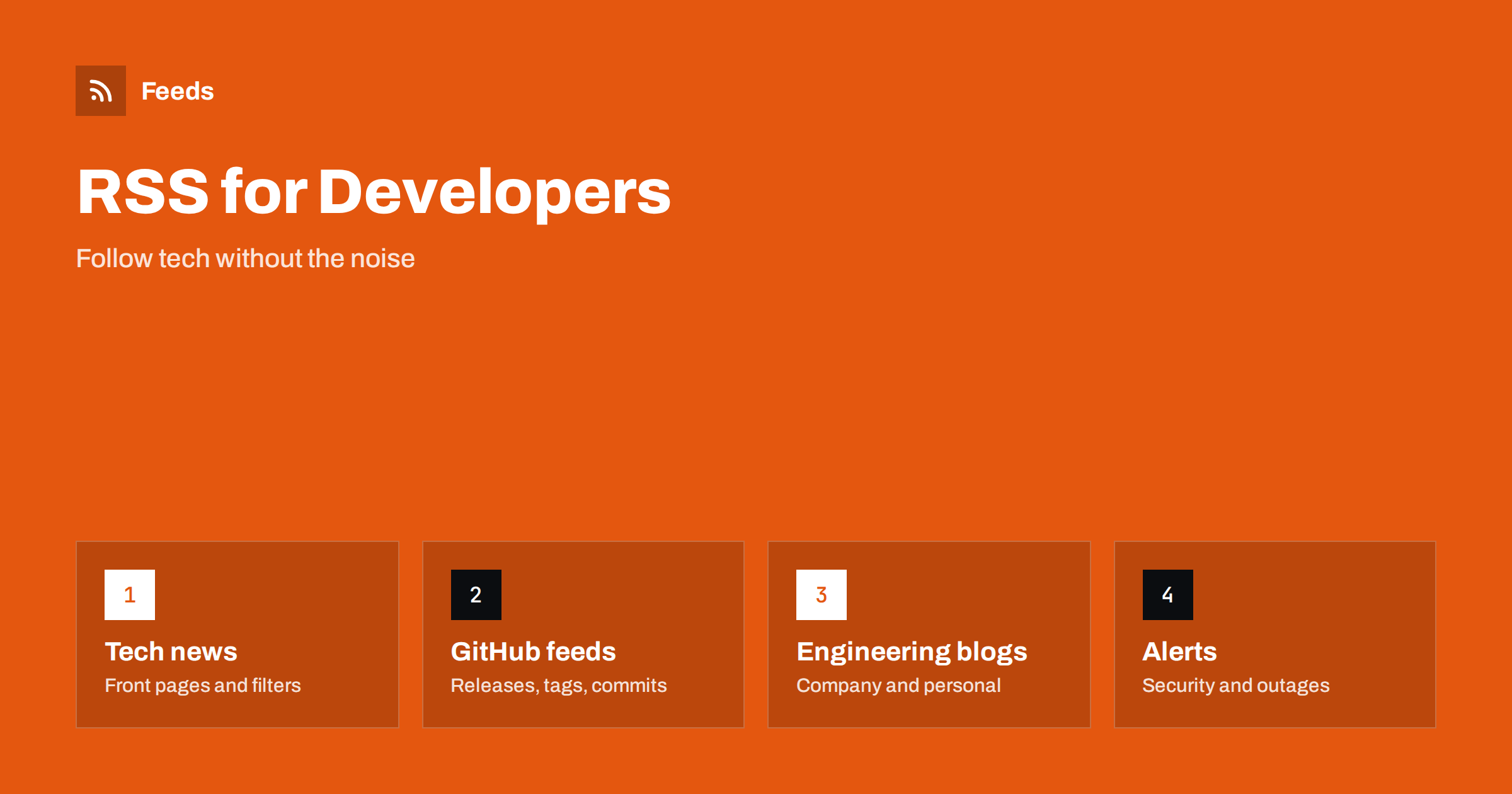
Short answer: Developers can use RSS to follow tech news, repository releases and commits, engineering blogs, security advisories and service status pages in one place. Many developer sites still publish feeds, and GitHub offers Atom feeds for releases, tags and commits. Subscribe to a small set of sources, filter with keywords, send the few urgent items to a team channel and keep everything else in a calm reader that you open on your own schedule.
Why RSS still suits developers
Developer news is spread across social networks, forums, newsletters and thousands of blogs. Following it through algorithmic feeds means missing important posts and reading many unimportant ones. Email newsletters help to some extent, but they arrive when the sender decides and share the inbox you need for work. RSS gives you the opposite: a list you control, in chronological order, with nothing inserted by an algorithm. You decide what to follow, what to mute and when to read.
The format also fits the way developers like to work. A feed is plain text with a stable structure, so it is easy to filter, store, search and connect to other tools. If you want to see how an item is built, the anatomy of an RSS 2.0 feed shows every element. And if you are not yet using a reader, how to choose an RSS reader lists the features that matter.
Tech news and community sites
Many news and community sites for developers publish feeds of their front page or their newest posts. Hacker News, for example, has a feed of its front page, and many community sites offer feeds per topic or per tag. Look for the feed icon or the link in the page head, and if you cannot find it, RSS autodiscovery explains how readers locate feeds automatically. Because these sources publish many items a day, use filters. Keep the items that contain the languages, tools and topics you use, and drop the rest, as described in how to set up keyword alerts using RSS feed filters.
Forums and discussion boards are useful for spotting trends and for finding answers, and the approach for monitoring them is in how to monitor forums and community sites with RSS feeds. Read the headlines first and open only what is relevant; you can always search later. Be selective. A front page feed with a keyword filter is better than ten general news feeds that repeat the same stories.
GitHub feeds: releases, tags and commits
GitHub provides Atom feeds for repositories. You can follow the releases of a library, the tags, or the commits on a branch by adding the feed suffix to the right page address. In general the releases page of a repository has a feed at its address with “.atom” added, and the same pattern applies to tags and to the commits of a branch. Since sites change their address patterns now and then, confirm the exact form on the page itself before you build anything that depends on it.
These feeds are perfect for dependencies. Instead of checking ten repositories every week, subscribe to their releases and read a short list. For release notes and changelogs of products that publish them on a page, how to follow software changelogs and release notes with RSS covers the options. Feeds in Atom format work in nearly every reader, and the differences from RSS are explained in RSS versus Atom.
Engineering blogs and personal sites
The best technical writing often lives on company engineering blogs and on personal sites. Most of them publish a feed, and many static site generators create one by default, as explained in adding RSS to a static site. Add the blogs of the companies whose tools you use and of a few authors whose work you trust, and you will have a stream of high quality posts without any search.
When a site has no feed, you can create one from the page that lists its posts. The idea is described in how to create an RSS feed for a website without one. Remember to be respectful with the load you put on small sites: do not poll more often than the content changes.
A good habit is to read engineering blogs in batches. Save the long posts to a read-later list during the week and set aside an hour on the weekend for the three or four that look most useful. You will remember more from a few well chosen articles than from a hundred skimmed headlines, and your feed list stays an asset and not a burden.
Security advisories and outages
Some items cannot wait for a weekly read. Security advisories for the languages, frameworks and packages you depend on, and the status pages of the services you run on, are the most important examples. Many of them publish feeds. The planning steps are in how to monitor security advisories for your website stack and how to monitor SaaS status pages and outages with RSS.
Keep these sources in a separate folder with notifications switched on, and keep the rest quiet. For your own projects, also follow the feeds of the platforms you deploy on and of the registries that publish your packages, since a changed policy or a withdrawn version can break a build without warning. Fewer, more serious alerts are far more likely to be read. Test the path once: publish or wait for a real item, and confirm that it reaches the phone or the channel you expect, so that you do not find a silent failure during an actual incident.
Share the useful items with your team
A feed becomes more valuable when it serves a team. A shared channel that receives new releases of the main dependencies, or a weekly digest of the best articles, replaces many private bookmarks. Use a filter so that only the relevant items arrive, review the filter whenever a project changes its stack, and add a short note when something requires action. The setup for the common chat tools is covered in how to send RSS feed updates to a Slack channel and how to get RSS feed updates in Microsoft Teams channels.
Agree on a few rules. Which sources go to the channel, who removes noisy ones, and what counts as urgent. Without rules, a channel full of feed items becomes another thing people mute.
Keep it manageable
Newcomers to a team often ask where the group gets its information. Instead of a long list of links in a chat, hand them a starter file of subscriptions and a short note about which folders matter. They can import it into any reader in a minute and adjust it to their own interests later.
A developer’s feed list tends to grow without limit. Set a cap, for example fifty sources, and review it every quarter. Use folders for work, learning and fun, and keep the urgent folder very small. Export your subscriptions regularly in a standard file, as described in OPML files explained, so that you can move to another reader or share a starter list with a new colleague.
If a source is noisy, mute words, not the whole site. If you never open a folder for a month, close it. Write down why each source is on the list; when the reason has disappeared, so should the source. The goal is to know what matters in your field in a few minutes a day.
How RSS Feed Creator helps
Some useful developer pages have no feed: a documentation news page, a vendor blog built with a custom system or a status history. RSS Feed Creator turns the article list of such a page into a clean RSS feed with titles, images, summaries and dates, and uses an existing feed when the page has one. You see a preview of the items first. You can merge several sources into one feed (up to 10 on paid plans), keep only the items with your keywords and have duplicates removed automatically. The free plan allows up to 20 items per feed, and the details are on the pricing page.
Related reading
- Webhooks vs RSS polling: which to use for automation
- Building RSS automation workflows with n8n: a guide
- How to parse an RSS feed in Python, JavaScript and PHP
The bottom line
RSS gives developers a quiet and controllable way to follow their field. Subscribe to a few news sources with filters, to the releases of the repositories you depend on, to engineering blogs you trust and to security and status feeds that deserve alerts. Share the useful items with your team, review the list every quarter and keep it small.
KKK
Does GitHub provide RSS feeds?
It provides Atom feeds for several pages, such as the releases, tags and commits of a repository. Atom feeds work in nearly all feed readers. Confirm the exact address pattern on the page before you rely on it.
How do I follow Hacker News without reading everything?
Subscribe to its front page feed and add a keyword filter in your reader, so that only items about your languages, tools and topics appear.
What is the best way to follow dependency releases?
Subscribe to the release feeds of each repository or product in one folder. You will see new versions in a short list instead of checking each project by hand.
Can I send feed items to my team chat?
Yes. Most chat tools can receive feed items through an app or an automation, and a filter keeps the channel useful by sending only relevant items.
What if a developer blog has no RSS feed?
You can create a feed from the page that lists its posts, and then subscribe to it like any other feed.