ENEnglish
 LTLietuviškai
 DEDeutsch
 FRFrançais
 RUРусский
 ESEspañol
 PLPolski
 ITItaliano
 UKУкраїнська
 CSČeština
 PTPortuguês
 JA日本語
JA日本語 LVLatviešu valoda
 ETEesti
 HUMagyar
 IDBahasa Indonesia
 TRTürkçe
 HIहिन्दी
 ELΕλληνικά
 ARالعربية
 THไทย
THไทย VITiếng Việt
 RORomână
 MSBahasa Melayu
 BNবাংলা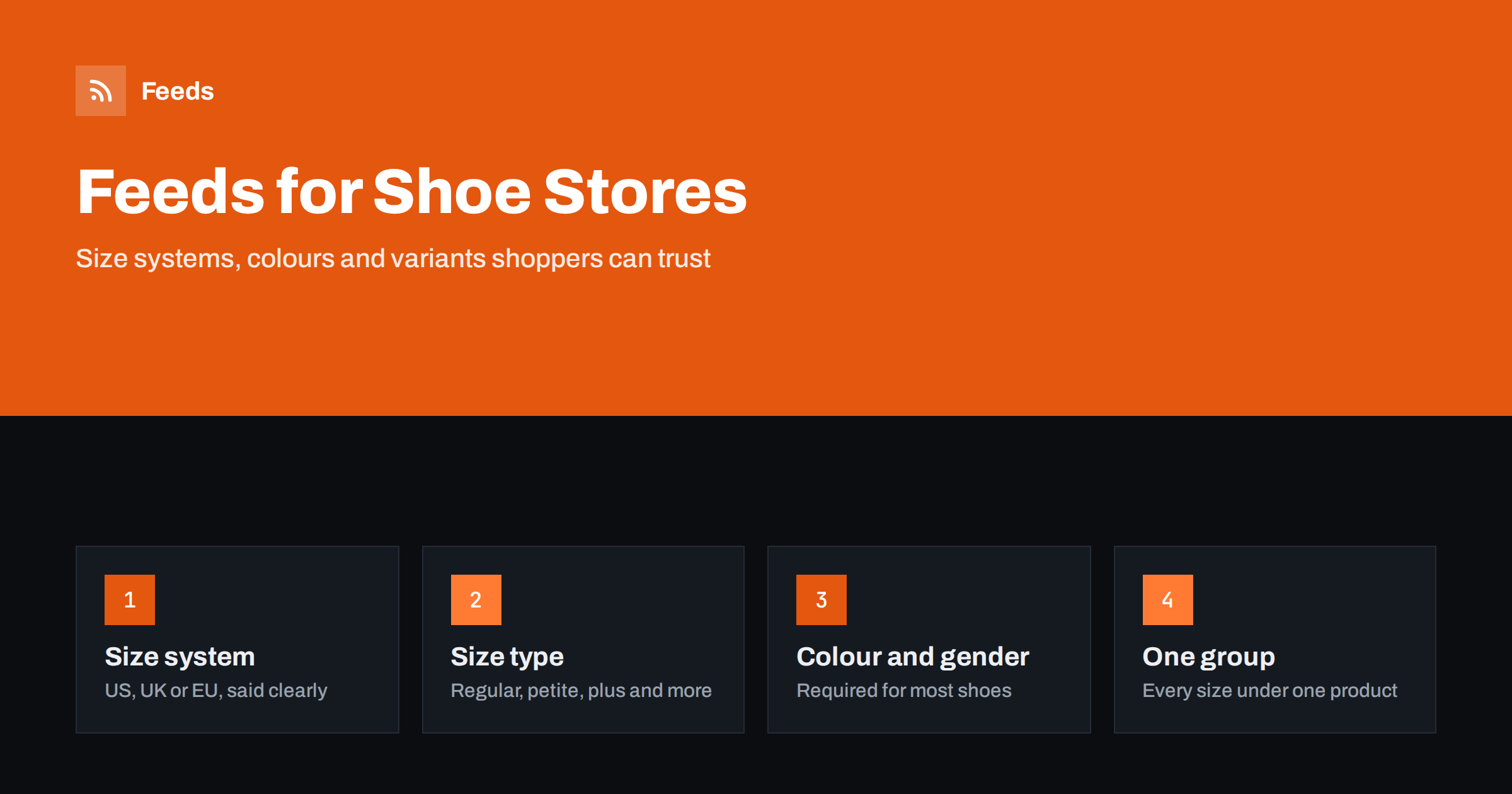
Short answer: A footwear feed works when every size and colour is its own item, grouped under one product, with the size system and size type stated, plus colour, gender and age group. Put brand, model, type and colour in the title, use the exact barcode (GTIN) of each size, show the product from the side in the main image and keep stock for each size up to date. Clear size data is the best protection against wrong clicks and returns.
Shoes look simple in a feed until you count the variants. A single trainer model may come in eight colours and fourteen sizes, which makes more than a hundred separate items. Each one has its own stock level and often its own barcode. Shoppers also search in very specific ways: by brand and model, by type such as “waterproof walking boots”, and by size. A feed that gets these details right shows the right pair to the right person. One that does not shows a size 42 to someone who wears 37 and produces returns.
The general rules for all stores are in the guide to required and recommended Google feed attributes, and the rules for clothing are in apparel product feeds: colour, size, gender and age group. Shoes follow the apparel rules and add some questions of their own.
Titles that match how people search for shoes
A reliable title pattern for footwear is brand, model, product type, key feature, colour and size. For example: “Brand Trail Runner Waterproof Hiking Boots, Dark Green, Size 43”. Put the words that identify the product at the start, because titles can be cut on small screens, and keep the size at the end so each variant has a unique title.
- Brand and model: shoppers often know the exact model and search for it by name.
- Type: say what the shoe is, such as running shoes, ankle boots, sandals or slippers. Do not rely on the model name alone.
- Feature: waterproof, wide fit or leather are useful when they are true and part of what people search for.
- Colour: use plain colour words, not only marketing names.
More title techniques are in product feed title optimization.
Size, size type and size system
Size is the most important attribute for shoes, and also the most confusing, because systems differ between regions. A size 8 in the UK is not a size 8 in the US or a size 8 in the EU system. To avoid confusion, Google and Meta let you state the size system the number belongs to. The size system tells the platform whether the number is, for example, a US, UK or EU size, so it can show the right one to the right shopper.
The size type describes the cut or the fit category of the size, with values such as regular, petite, plus, big and tall, or maternity. Most shoes are regular, so you may use it only when it applies, for instance for wide-fit lines or special ranges. Where a width is part of the product, such as narrow, regular or wide, put it in the title and the size value in a way that the platform accepts, and check the platform’s current guidance. The rules change from time to time, so verify them in the help pages before large uploads.
Whatever you choose, be consistent. Use the same size system across your whole catalogue, or state the system for each item, and match what your product page shows. If your page shows EU sizes and your feed shows UK numbers, shoppers will notice.
Colour, gender and age group
For clothing and shoes, platforms in many countries expect colour, gender and age group on every item. Gender values are male, female and unisex, and age group values include adult, kids, toddler, infant and newborn. Do not leave these out because a product seems obvious. A men’s boot and a women’s boot often look similar, and the platform needs the data to match searches such as “women’s ankle boots”.
For colour, use a clear word for the main colour and, where the shoe has more than one, list the main ones separated by a slash. Use the same colour term in the title and the feed, so the data is consistent. For children’s shoes, state the age group carefully, and match sizes to the way parents search: by age or foot length where you provide it.
Group sizes and colours correctly
Every combination of size and colour is a separate item with its own id, price and availability. A shared group id ties them together as one product with variants. Without the group id, the platform sees many separate listings and may show several nearly identical ones, which makes your catalogue look repetitive. The group should match what a shopper sees on your product page: one page, one group.
How item_group_id works is explained in product variants in feeds. When a single size sells out, only that item should become out of stock. The rest of the group should stay available, so shoppers can still find their own size. The options for sold-out items are in out-of-stock products in your feed.
Identifiers: one barcode per size
Branded shoes have GTINs, and usually a different one for each size and colour. Send the right barcode with each item, not the barcode of the first size for all of them. Include the brand and, where it helps, the manufacturer’s part number. If you sell own-brand or handmade shoes with no barcode, leave the GTIN empty and mark that identifiers do not exist. The rules are in GTIN, MPN and brand: product identifiers in feeds.
Images that show what is being sold
Shoe images are judged quickly. The main image should show the product clearly, without text, logos added over the picture or promotional badges. A side view of one shoe or a pair, on a plain background, is the usual choice. Additional images can show the sole, the back, the inside and the shoe being worn. Each colour needs its own images, so that a shopper who sees “black” gets a black shoe.
Image requirements for each platform are in product feed image requirements for Google and Meta. Use the largest well-compressed images you have, and check that links to them stay stable so they do not break when you update your store.
Returns, delivery and price
Footwear has higher return rates than many categories because fit is hard to judge online. The feed cannot fix that, but clear sizes and good images reduce avoidable returns, and your return policy is something shoppers check before buying. Make sure the return information in your account settings matches your real policy. Price and availability in the feed must match your product page, including any sale. If you run sales, the method for showing both prices is in sale prices in product feeds.
For shipping, set costs and delivery times in your account or in the feed, and make sure they apply to the countries you list. The two methods are compared in shipping in product feeds.
Seasonal ranges and peak periods
Footwear sells in seasons: sandals in spring, boots in autumn, school shoes before term. At the start of each season, add new models early so the platforms have time to review them. At the end, remove or hide the ranges you no longer sell, so shoppers do not click on old items. For the busiest weeks of the year, follow the preparation steps in preparing your product feed for peak season.
How RSS Feed Creator helps
RSS Feed Creator builds Google Merchant Center and Meta catalog feeds from a WooCommerce or Shopify store, or from a CSV file link for other platforms. You see a preview before anything is created, and rules for stock, titles and prices let you adjust the feed without editing every product. The same file works for Google and Meta, feeds refresh automatically, and plan limits are on the pricing page.
After the first upload, read the diagnostics in each platform and fix the warnings. Missing sizes, mismatched availability and missing colours are the issues that appear most often in shoe catalogues.
Related reading
- Product feed checklist: 25 checks before you submit
- Meta catalog ads: what your product feed must get right
- Products missing from your product feed? Causes and fixes
The bottom line
A shoe feed succeeds when the size is clear. State the size system, use size type where it applies, list colour, gender and age group, and give every size and colour its own item and its own barcode. Group the variants, show the shoe clearly in the main image and keep stock accurate for each size. The better the data, the fewer wrong clicks and returns you will see.
FAQ
Should each shoe size be a separate item?
Yes. Each size and colour should have its own item, id, availability and price, and all should share one group id so they appear as variants of one product.
Do I need to state the size system?
It is strongly recommended. A size number means different things in US, UK and EU systems, and stating the system lets platforms show the right size to the right shopper.
Do shoes need gender and age group?
In many countries yes, because shoes are treated as apparel. Fill in gender, age group and colour on every item to avoid warnings and improve matching.
Does every size have its own barcode?
For branded shoes this is usually the case. Send the barcode that belongs to the exact size and colour, not one barcode for the whole model.
What should the main image of a shoe show?
The product itself, clearly and without text or promotional badges. A side view on a plain background is the usual choice, with extra angles as additional images.