ENEnglish
 LTLietuviškai
 DEDeutsch
 FRFrançais
 RUРусский
 ESEspañol
 PLPolski
 ITItaliano
 UKУкраїнська
 CSČeština
 PTPortuguês
 JA日本語
JA日本語 LVLatviešu valoda
 ETEesti
 HUMagyar
 IDBahasa Indonesia
 TRTürkçe
 HIहिन्दी
 ELΕλληνικά
 ARالعربية
 THไทย
THไทย VITiếng Việt
 RORomână
 MSBahasa Melayu
 BNবাংলা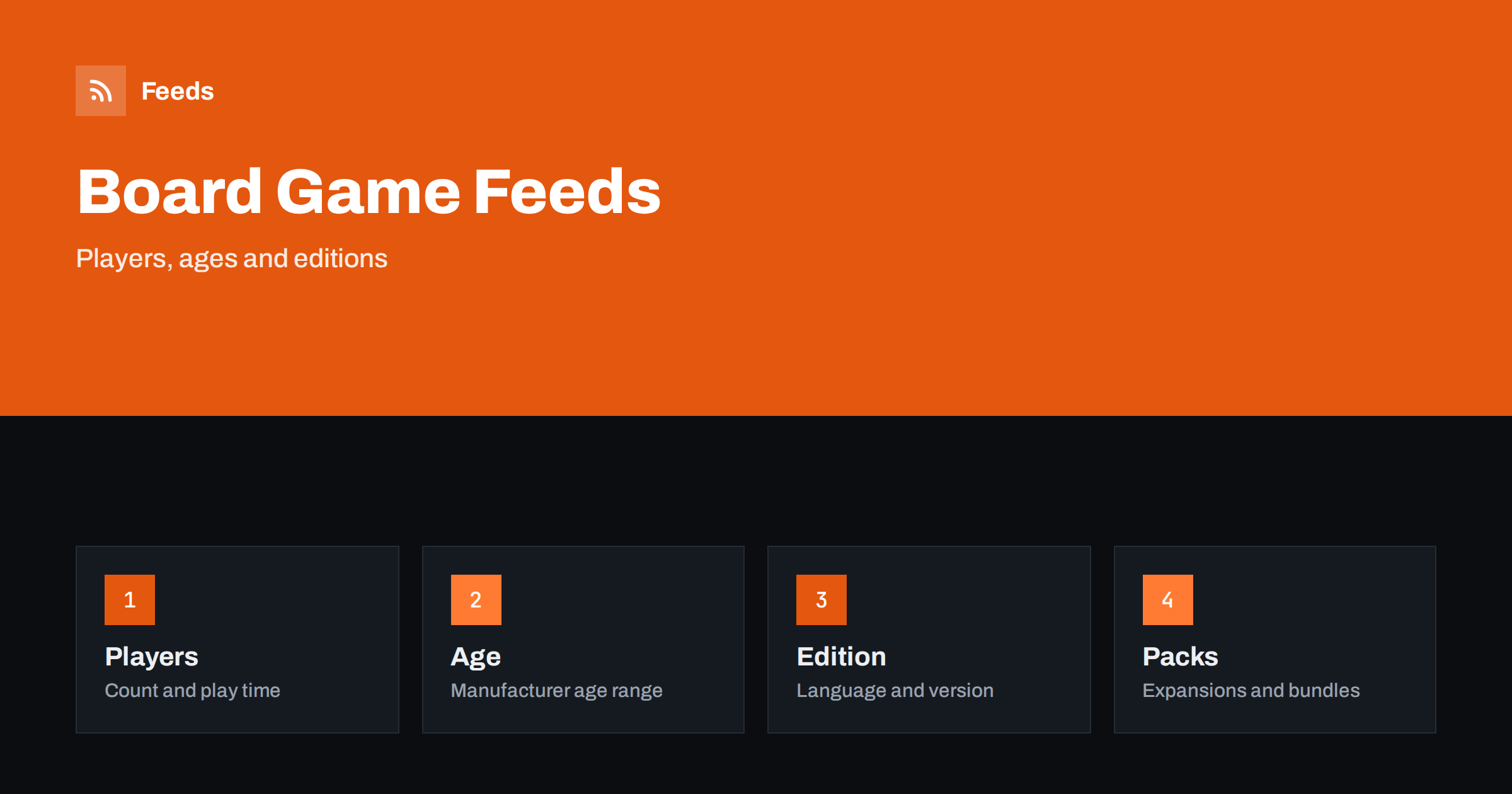
Short answer: Board games and puzzles are bought by title, edition and language, and shoppers often search for a specific game. A good feed starts titles with the game name and edition, adds a correct GTIN, states the language, age range, player count and play time in a consistent way and keeps base games, expansions and bundles clearly apart. Honest availability matters more than usual, because popular games sell out and are reprinted in new editions.
Why this category needs careful feeds
Many different products look nearly the same. A base game, its expansion, a collector’s edition, a travel version and a translated edition can have similar pictures and names. If the feed mixes them, a buyer who wants the base game may click an ad for an expansion that cannot be played alone, and the return follows. Puzzles add another problem: the same picture comes in several piece counts and formats.
Gifts raise the stakes, since the buyer is often not the player and relies on the age range and the language. The fundamentals are in what a product feed is, and this category simply needs more care with names and editions.
Titles that lead with the game and the edition
Start with the game name exactly as it appears on the box, then the edition or the type, the language when it matters and the most important distinction. “Game Name Base Game, English Edition, 2-4 Players” tells the buyer what they are getting. “Fun Family Game Night” tells them nothing. Put “expansion” or “requires base game” in the title of every expansion, so nobody buys one by mistake.
For puzzles, include the piece count and the title of the picture. Keep the order the same across the catalog, as explained in product feed title optimization, and avoid promotional words that do not describe the product.
Identifiers and editions
Most published games and puzzles have a GTIN on the box, and each edition and language has its own code. Send the correct one for the exact product on your shelf. Do not reuse a code from another edition because it looks similar, since platforms match items by identifier and a mismatch can lead to rejected items or the wrong product page in comparisons. For small publishers and crowdfunded games without a code, send the brand and the manufacturer part number.
Reprints and new editions change names and boxes, and the older edition may stay in your stock for months. List both as separate products with their own identifiers and clear titles. More on codes is in GTIN, MPN and brand: product identifiers in feeds.
Players, age and play time
These three attributes drive most purchase decisions. List the number of players as a range, the manufacturer’s age recommendation and the typical play time in a consistent format, for example in the title, in a product detail field or in the description. Use the values on the box and do not round them in a way that makes the game look more attractive. Shoppers use these details to decide if a game suits a family, a group of friends or a solo evening.
Platforms treat age targeting seriously for children’s products. Set the age group in the feed in line with the manufacturer’s recommendation, as discussed in product feeds for toy and baby stores. Richer detail fields are covered in product_highlight and product_detail.
Language and components
Language is a major source of complaints. A game with a lot of text on the cards is unplayable for a buyer who does not read the language, and a language-independent game is easy to sell to many markets. State the language of the rules and of the components in the title and on the page, and say so clearly if the game is language-independent. For shops that sell in several countries, the feed also needs the right currency and language, as explained in multi-country product feeds.
List what is in the box when it affects the price, such as miniatures, extra boards or promotional cards. A short, true description reduces questions and returns.
Expansions, bundles and sets
Keep the base game and its expansions as separate products and say how they relate. Bundles that you assemble, for example a game with an expansion or a puzzle with a mat, are separate products with their own identifier or none, and the feed should show them as a bundle. The rules are described in bundles and multipacks in product feeds.
When the same game comes in several variants, such as colours of a travel set, use a parent product with variants only when the product is really the same, and give each variant its own image and availability. How item_group_id works explains how to set it up.
Stock, preorders and reprints
Popular games sell out and return with reprints, and new releases may be announced months before they arrive. Mark preorders and backorders honestly with the correct date, as covered in preorder and backorder products in feeds, and do not show a sold-out game as available. Buyers wait for a restock, and a clear message works better than a disapproved listing.
Seasonal peaks, especially before holidays, need an early check of prices, shipping promises and stock. Preparing your product feed for Black Friday and peak season lists what to review. Keep the feed refresh frequent in busy weeks, since stock changes by the hour.
Collectors and gift buyers add a few more questions. A limited print run, a signed copy or a special box is only worth mentioning if it is true and still available, so keep these notes current and remove them when stock changes. Condition matters for second-hand and open-box games: state whether all components are present, and follow the guidance in used and refurbished products in feeds when you sell anything that is not new.
Images and landing pages
Use a clean picture of the box on a plain background, with extra pictures of components and play setups on the product page. Avoid images with promotional text, price badges or watermarks. The landing page must show the same edition, language, price and availability as the feed, as described in what feed links must lead to.
For puzzles, show the finished picture and the real size. If the page lists dimensions and piece size, the buyer can judge whether it fits a table or a frame. Accurate pictures and details cut returns more than any clever title.
A short weekly routine keeps the catalog healthy. Look at disapproved and limited products, check new arrivals for missing identifiers and compare the feed with the shop for a few popular titles. A shop with hundreds of editions and expansions benefits from rules and regular checks more than from manual edits, and product feed health metrics lists what to watch each week.
Think also about how shoppers compare. Someone looking for a game for a specific group usually filters by player count and age first and by price second. If those values are missing from the feed, your products are harder to find and harder to trust. Add them to the title or the detail fields, keep the format identical across the catalog and check a handful of products by searching the way a buyer would.
How RSS Feed Creator helps
RSS Feed Creator builds Google Merchant Center and Meta catalog XML straight from your store. WooCommerce and Shopify are read automatically, and any other store can use a CSV link. You can skip out-of-stock products, rewrite titles with rules so that the game, edition and language appear in the same order every time, and adjust prices. Before you submit anything, check the preview and the Merchant Center diagnostics to confirm that editions, expansions and bundles arrive as you expect. The free plan includes product feeds with up to 50 products, and the Store plan covers one store with 3 product feeds and up to 2,000 products. The details are on the pricing page.
Related reading
- Product Feeds for Toy and Baby Stores: Age Groups and Safety
- Product Feeds for Collectibles and Trading Card Stores
- Product Feeds for Video Game and Console Stores: A Guide
The bottom line
Good feeds for board game and puzzle shops put the game name and edition first, use the correct code for every edition, show players, age, language and play time consistently and keep expansions and bundles clearly separate. Mark stock and preorders honestly, check the preview and review the diagnostics after every large change. Precise details help buyers choose the right game the first time.
FAQ
Should expansions be separate products?
Yes. List each expansion as its own product and say in the title that it requires the base game, so nobody buys it by mistake.
How do I handle different language editions?
Treat each edition as a separate product with its own identifier, and state the language of the rules and components in the title and on the page.
What age should I put in the feed?
Use the manufacturer’s recommendation printed on the box, and set the age group in the feed to match. Do not adjust it to reach a wider audience.
What if a game has no GTIN?
Send the brand and the manufacturer part number, and never invent a code. Small publishers and crowdfunded games often have no barcode.
How do I show a sold-out game waiting for a reprint?
Mark it out of stock, or as a backorder with a correct date if you accept orders. Keep the product page honest about when stock is expected.