ENEnglish
 LTLietuviškai
 DEDeutsch
 FRFrançais
 RUРусский
 ESEspañol
 PLPolski
 ITItaliano
 UKУкраїнська
 CSČeština
 PTPortuguês
 JA日本語
JA日本語 LVLatviešu valoda
 ETEesti
 HUMagyar
 IDBahasa Indonesia
 TRTürkçe
 HIहिन्दी
 ELΕλληνικά
 ARالعربية
 THไทย
THไทย VITiếng Việt
 RORomână
 MSBahasa Melayu
 BNবাংলা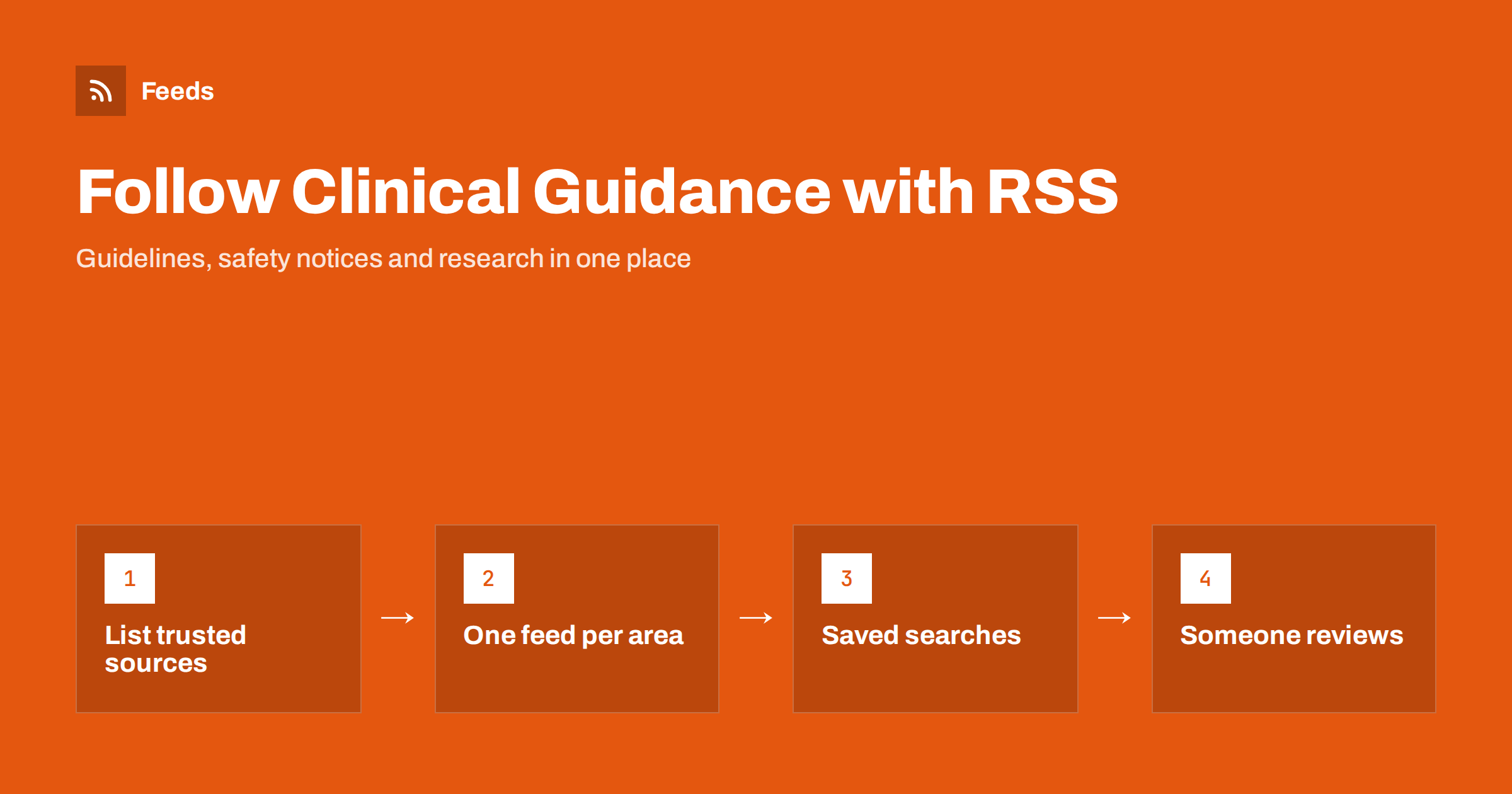
Short answer: Healthcare teams can follow clinical guidance by subscribing to the update and news pages of the organisations that matter to their practice: national health agencies, medicines regulators, professional societies and the journals in their specialty. Many offer RSS or e-mail alerts, research databases such as PubMed let you save a search as an RSS feed, and pages without feeds can be turned into one. Merge the sources by specialty, filter by your topics and make one person responsible for reviewing what arrives.
Why keeping up with guidance is so hard
Clinical guidance changes constantly. Guidelines are revised, medicines receive new safety warnings, vaccination schedules are updated and new research changes what counts as good practice. For a busy clinic, a practice or a hospital department, the volume is overwhelming, and the information is scattered across many websites, newsletters and journals.
Most teams rely on a mix of e-mail newsletters, conferences and colleagues mentioning changes. That works for big announcements, but smaller updates, such as a revised dose recommendation or a new safety notice for one medicine, are easily missed. When they are, the cost can be significant for patients and for the practice.
RSS does not replace professional judgment or formal update processes. What it does is make sure that new publications from trusted sources arrive in one place, quickly, without depending on someone remembering to check each website.
It also makes the process visible. When updates arrive in a shared feed, the whole team can see what came in and what was decided, instead of relying on one person’s inbox. That transparency is useful for training new staff and for showing that the practice keeps its procedures current.
This article is about the information workflow, not about any clinical decision. Which sources are authoritative for your practice, and how guidance is applied, is always a matter for qualified professionals and your organisation’s governance.
Sources worth following
Start with the organisations whose publications your practice is expected to follow, then add sources that give early warning or deeper detail.
- National health agencies: guideline publications, updates and public health notices.
- Medicines and device regulators: safety communications, recalls, shortages and changes to product information. Several regulators, including the US Food and Drug Administration, publish RSS feeds for these updates.
- Professional societies: clinical guidelines, position statements and consensus documents in your specialty.
- Journals: new issues and online-first articles, usually available as table-of-contents feeds.
- Research databases: saved searches on your specialty topics delivered as feeds.
- Public health surveillance: outbreak notices and seasonal updates relevant to your patients.
Product safety notices from regulators overlap with recalls of consumer products; our guide on tracking product recalls and safety notices with RSS covers that side. Journal feeds are explained in how to follow academic journals and research with RSS alerts.
Research alerts from saved searches
PubMed, the widely used biomedical literature database, lets you turn a search into an RSS feed: you run a search, choose to create a feed and receive new matching articles in your reader as they are indexed. Many other databases and publishers offer similar saved-search alerts by e-mail or feed.
- Write a focused search for each topic, such as a condition combined with a treatment or a guideline type.
- Test the search first and check that recent results are relevant.
- Create the feed and limit it to a manageable number of new items.
- Review the search terms every few months, as terminology and interests change.
Broad searches produce more articles than anyone can read. It is better to have several narrow feeds, each linked to a clear question, than one feed that collects everything with a disease name in it.
Remember that a new article is not new guidance. A single study, however interesting, rarely changes practice on its own, and research feeds are best treated as background reading for the people who follow a topic closely. Guideline and regulator feeds are the ones that usually lead to action, so it makes sense to keep them separate from research alerts and review them with higher priority.
Turning guidance pages into feeds
Not every organisation offers RSS. Many publish their guideline updates, news and safety communications on web pages that list items with a title and date but no feed. Those pages can be turned into feeds with a page-to-feed tool, which reads the list and checks it regularly for new entries.
- Use the page that lists new or updated guidance, sorted by date if possible.
- Check the preview to make sure each publication appears as a separate item.
- Prefer official pages over third-party summaries, so the feed always points to the primary source.
- If a page loads its list with scripts and shows nothing in a preview, look for a news or publications page from the same organisation.
Our guide on how to create an RSS feed for a website without RSS explains the options. For reports and documents published as files, see how to get alerts when a website publishes new reports or PDFs.
Filtering by specialty and topic
National agencies and regulators publish for every specialty at once. A general practice, a dental clinic and a cardiology department need very different subsets. Filtering keeps the feed relevant and prevents alert fatigue.
| Feed | Typical filter words |
|---|---|
| Medicine safety | Names of medicines and classes you commonly prescribe |
| Guidelines | Conditions and procedures in your specialty |
| Devices | Equipment types you use, such as monitors or implants |
| Public health | Infections, vaccines or seasonal topics relevant to your patients |
Merge sources into one feed per area, then keep only items that mention your words. Start broad and narrow down over a few weeks, because a missed safety notice matters more than a few irrelevant items. For techniques, see how to set up keyword alerts using RSS feed filters and how to reduce noise in RSS alerts without missing anything.
Sharing updates with the team
Information that arrives in one person’s reader does not change practice. Decide how updates reach the people who need them and who is responsible for reading them.
- A named reviewer: one person per area checks new items, for example weekly, and decides what needs action.
- A team channel: filtered feeds posted to a dedicated channel in your team chat, where updates can be discussed.
- A regular digest: a weekly e-mail summary for clinicians who do not use feed readers.
- A record: a simple log of what was reviewed and what changed in local procedures.
For the technical side, see how to get RSS feed updates in Microsoft Teams channels and how to send RSS feed updates to a Slack channel. Keep patient information completely out of these channels; they are for published guidance only.
Small practices can keep this very simple. A shared reader account or a single weekly digest, read by the lead clinician and discussed briefly at a team meeting, is often enough. Larger organisations may assign reviewers by specialty and link the feeds to their existing document control process, so that a relevant update automatically becomes a task to check local protocols.
Keeping the system reliable
A monitoring setup is only useful if it keeps working. Websites are redesigned, feed addresses change and saved searches stop returning results when databases change their systems. Build in a few checks:
- Review once a month that each feed still delivers new items.
- Keep a list of sources and feed addresses, so a colleague can take over.
- Do not rely on feeds alone for critical safety communications; keep the official e-mail alerts that regulators offer as a second channel.
- Remove sources that consistently bring nothing useful.
Our checklist on website monitoring mistakes that make RSS alerts useless lists more pitfalls to avoid.
How RSS Feed Creator helps
RSS Feed Creator (Feeds) turns public guidance, news and safety notice pages into clean RSS feeds without plugins or code on those websites, and uses a site’s existing feed when there is one. You can merge several sources into one feed per area, keep only items with your topics or medicine names and drop items with words you do not want. Duplicates are removed automatically, feeds refresh on their own, and paid plans send an alert if a page changes and a feed stops finding items. The feeds work in any RSS reader or team tool. You can create a feed on the free plan.
Related reading
- How to track government and regulator updates with RSS
- Monitoring hundreds of sources with RSS without chaos
- Set up website monitoring with RSS in 30 minutes
The bottom line
Clinical guidance is published openly but spread across many sources. Follow the agencies, regulators, societies and journals that matter to your practice, use saved research searches as feeds, turn pages without RSS into feeds, filter by specialty and make one person responsible for reviewing what arrives. RSS gets the information to your team quickly; your professional processes decide what it means for practice.
FAQ
Can I get PubMed search results as an RSS feed?
Yes. PubMed lets you create an RSS feed from a search, so new matching articles appear in your reader. Keep the search focused so the feed stays manageable.
Do medicines regulators offer RSS feeds?
Several do, including the US Food and Drug Administration for safety communications and other updates. Where a regulator only publishes a web page, the page can usually be turned into a feed.
Should RSS replace official safety e-mail alerts?
No. Keep official e-mail alerts for critical safety information and use RSS as an additional, filterable channel that brings sources together.
Who should review incoming guidance updates?
A named person for each area, such as a lead clinician or pharmacist, who checks new items regularly and decides what needs action. A simple log of decisions helps the whole team.
Is it safe to post updates in a team chat?
Yes, for published guidance and notices. Never mix patient information into these channels; they should contain only public sources and the team’s discussion of them.