 ENEnglish
 LTLietuviškai
 DEDeutsch
 FRFrançais
 RUРусский
 ESEspañol
 PLPolski
 ITItaliano
 UKУкраїнська
 CSČeština
 PTPortuguês
 JA日本語
JA日本語 LVLatviešu valoda
 ETEesti
 HUMagyar
 IDBahasa Indonesia
 TRTürkçe
 HIहिन्दी
 ELΕλληνικά
 ARالعربية
 THไทย
THไทย VITiếng Việt
 RORomână
 MSBahasa Melayu
 BNবাংলা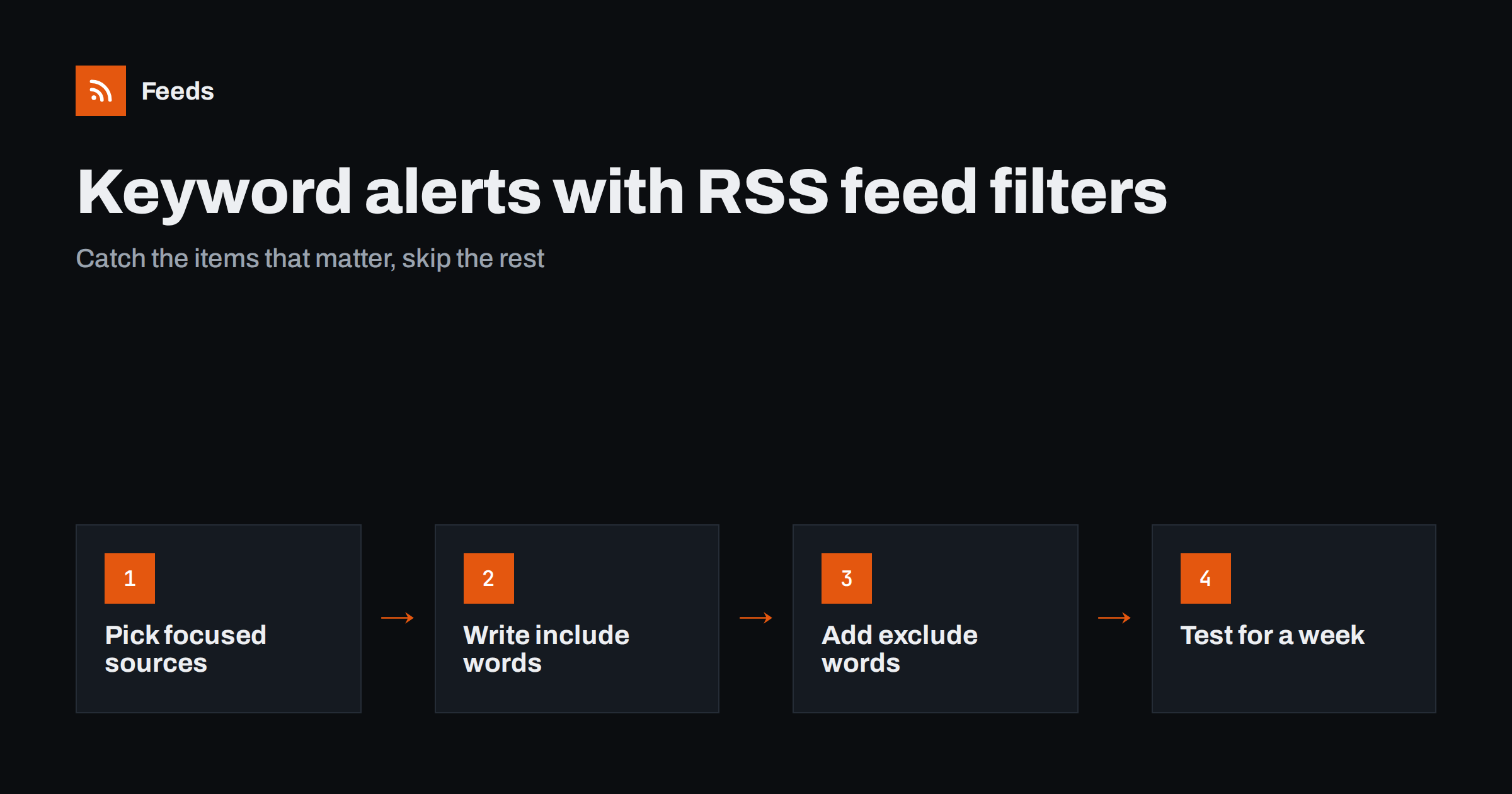
Short answer: To set up keyword alerts with RSS, collect feeds for the sources you trust, merge them into one stream, and apply filters that keep items containing your chosen words and drop items containing words you never want. Send the filtered feed to a reader, email or chat channel. Test the filters against a week of real items before relying on them, because the first version is almost always too loose or too strict.
Keyword alerts are one of the most useful things you can build with feeds. Instead of reading every article from twenty sources, you only see the items that mention your brand, your competitors, a regulation or a technology you care about. Unlike search-engine alert services, a feed-based setup is fully under your control: you choose the sources, you see exactly why an item matched, and you can adjust the rules in minutes.
How RSS keyword alerts work
The mechanism is simple. Every feed item has a title and usually a summary. A filter looks at that text and decides whether the item passes. A keyword alert is just a filtered feed delivered somewhere you will see it.
- Sources: each website you follow provides a feed, either its own or one generated from a list page.
- Merge: the feeds are combined into one stream in date order, with duplicates removed.
- Filter: items are kept or dropped based on include and exclude words.
- Delivery: the result goes to a reader, an email digest, a team channel or another tool that reads RSS.
Because every step is visible, you can always answer the question “why did I get this alert?” That transparency is what makes feed-based alerts easy to trust and easy to improve.
Step 1: Choose sources before words
The quality of alerts depends more on sources than on keywords. A perfect filter on a poor source still produces poor alerts. Start by listing where relevant news actually appears.
- Trade publications in your industry, ideally the specific sections that cover your niche.
- Competitor pages: blogs, newsrooms, changelogs and careers pages.
- Official sources: regulators, standards bodies, public procurement portals and associations.
- Community sources: forums, Q&A sites and developer communities where your product category is discussed.
- Local or regional news if your business depends on a particular area.
For each source, find the narrowest page that still contains everything relevant. A “technology” section filtered for your keywords produces far fewer false matches than a whole news site.
Step 2: Write include words that are specific
Include words decide what reaches you. The rule of thumb is to use terms that are distinctive in the context of your sources.
- Brand and product names are usually excellent, unless they are common words. A brand called “Apex” will match unrelated mountains, cars and sports teams.
- Competitor names work well, with the same caveat.
- Technical terms and standards such as a regulation’s short name or a protocol name are often highly specific.
- Multi-word phrases reduce false matches for ambiguous words: “solar inverter” rather than “inverter”.
- Spelling variants matter: British and American spellings, hyphenated and joined forms, abbreviations and full names.
Keep the list short to begin with. Five precise terms beat thirty vague ones, and you can add more once you see what real items look like.
Step 3: Use exclude words to cut known noise
Exclude words remove items even when they contain an include word. They are the fastest way to fix a noisy alert.
- Promotional formats: “webinar”, “sponsored”, “giveaway”, “deal of the day”.
- Irrelevant meanings of your keywords: for an alert on “Java” as a programming language, excluding “coffee” and “island” may help.
- Recurring columns you never read, such as weekly roundups that repeat older news.
- Job listings, if the source mixes them with news and you only want news.
Be careful with broad exclusions. Excluding a common word can quietly remove important items, and you will never see what you missed. Add exclude words one at a time, based on actual unwanted items.
Step 4: Test against real items
Before you depend on an alert, run it in parallel with your normal reading for about a week. Compare what the filter kept with what you would have wanted.
| Symptom | Likely cause | Fix |
|---|---|---|
| Too many irrelevant items | Ambiguous include word or broad source | Use a phrase, narrow the source page, add an exclude word |
| Known important item missing | Word only in the full text, or spelled differently | Add variants or a broader term; check the item summary |
| Same story several times | Several sources cover it | Merge sources so duplicates are removed; accept some overlap |
| Alert suddenly silent | Source feed stopped finding items | Check the source feed’s newest item date |
Remember that filters usually see only the title and summary in the feed, not the full article. If a source has very short summaries, a keyword that appears only deep in the article text will not trigger the alert. In that case, add terms more likely to appear in headlines.
Step 5: Deliver alerts where they will be acted on
An alert nobody sees is worthless, and an alert that interrupts people constantly gets muted. Match the delivery channel to the urgency.
- Urgent and rare, such as mentions of your brand in major media or a competitor launch: a team chat channel or push notification.
- Important but not urgent, such as industry news on your topics: a feed reader folder reviewed daily.
- Background awareness, such as broad market news: a daily or weekly digest.
Split alerts by urgency rather than putting everything in one stream. One noisy stream teaches people to ignore all of it.
Three example alert setups
Seeing complete setups makes it easier to design your own. These examples use invented names but realistic structures.
A software company tracking its market
Sources: the product sections of three trade publications, four competitor blogs and changelogs, and one large developer forum. Include words: the company’s product name, the three main competitors’ names, and two technical standards the product supports. Exclude words: “webinar”, “podcast episode” and “sponsored”. Delivery: competitor items to a sales channel in team chat, everything else to a reader folder reviewed each morning by the product marketing manager.
A consultancy following regulation
Sources: the news and consultation pages of two regulators, the announcements page of an industry association and the policy section of a business newspaper. Include words: the short names of four regulations, “consultation”, “guidance” and “deadline”. Exclude words: none at first, because missing an item is worse than reading an extra one. Delivery: a daily email digest to the whole advisory team, with a weekly review of whether any items were missed.
A local business watching its area
Sources: the local news site’s business section, the town council’s announcements page and a regional events listing. Include words: the town name, the names of two nearby districts, “planning”, “road works” and the business’s own name. Exclude words: “obituary” and “sports”. Delivery: a feed reader on the owner’s phone, checked at lunch.
Notice that none of these setups follows everything. Each one starts from a small set of trusted sources and uses a handful of words chosen for a clear reason. That is what keeps alerts readable months later.
Keeping alerts useful over time
Schedule a short review every month. Look at the last few weeks of alerts and ask three questions: which items led to an action, which were ignored, and was anything important learned from somewhere else first? Remove words that produce only noise, add sources where you were scooped, and check that every source feed still shows recent items. Ten minutes a month keeps an alert system trusted, and trust is what makes people read it.
How Feeds helps with keyword alerts
Feeds covers the source and filter parts of this setup. It creates RSS from any public page, including sites that have no feed of their own, and it uses an existing feed when a site has one. You can merge several sources into one feed, keep items with your words or without them, and duplicates are removed automatically. The filtered feed is a normal RSS link that works in any reader or tool, so delivery can be whatever your team already uses. Merging and source limits vary by plan; see pricing for details.
Related reading
- How to Monitor Websites for New Content Automatically
- How to Turn an RSS Feed into an Automatic Email Newsletter
- How to Create an RSS Feed for a Website Without RSS
The bottom line
Good keyword alerts come from focused sources, a short list of specific include words, a few exclude words based on real noise, and a delivery channel matched to urgency. Build the first version quickly, test it for a week, and adjust. Because everything runs on plain RSS, you can see why each item matched and change the rules at any time.
FAQ
Can I filter an RSS feed by keyword?
Yes. Many readers and feed tools let you keep only items that contain certain words or remove items that contain others. The filtered result can itself be a new feed that you use anywhere.
Do RSS keyword filters search the full article?
Usually they check the title and the summary in the feed item, not the full article on the website. If important terms only appear deep in articles, add words that are likely to appear in headlines or summaries.
How are RSS keyword alerts different from search engine alerts?
Search engine alerts cover a broad index but give you little control over sources and timing. RSS alerts only cover the sources you choose, but they are transparent, fast for those sources, and easy to tune.
How many keywords should an alert have?
Start with about five specific terms and a couple of exclude words. Add more only when you see real items that were missed or real noise that got through.
Why am I getting the same news several times?
Several sources often cover the same story with different links. Merging sources into one feed removes exact duplicates, and narrowing the source list to the outlets you trust most reduces the rest.


