 ENEnglish
 LTLietuviškai
 DEDeutsch
 FRFrançais
 RUРусский
 ESEspañol
 PLPolski
 ITItaliano
 UKУкраїнська
 CSČeština
 PTPortuguês
 JA日本語
JA日本語 LVLatviešu valoda
 ETEesti
 HUMagyar
 IDBahasa Indonesia
 TRTürkçe
 HIहिन्दी
 ELΕλληνικά
 ARالعربية
 THไทย
THไทย VITiếng Việt
 RORomână
 MSBahasa Melayu
 BNবাংলা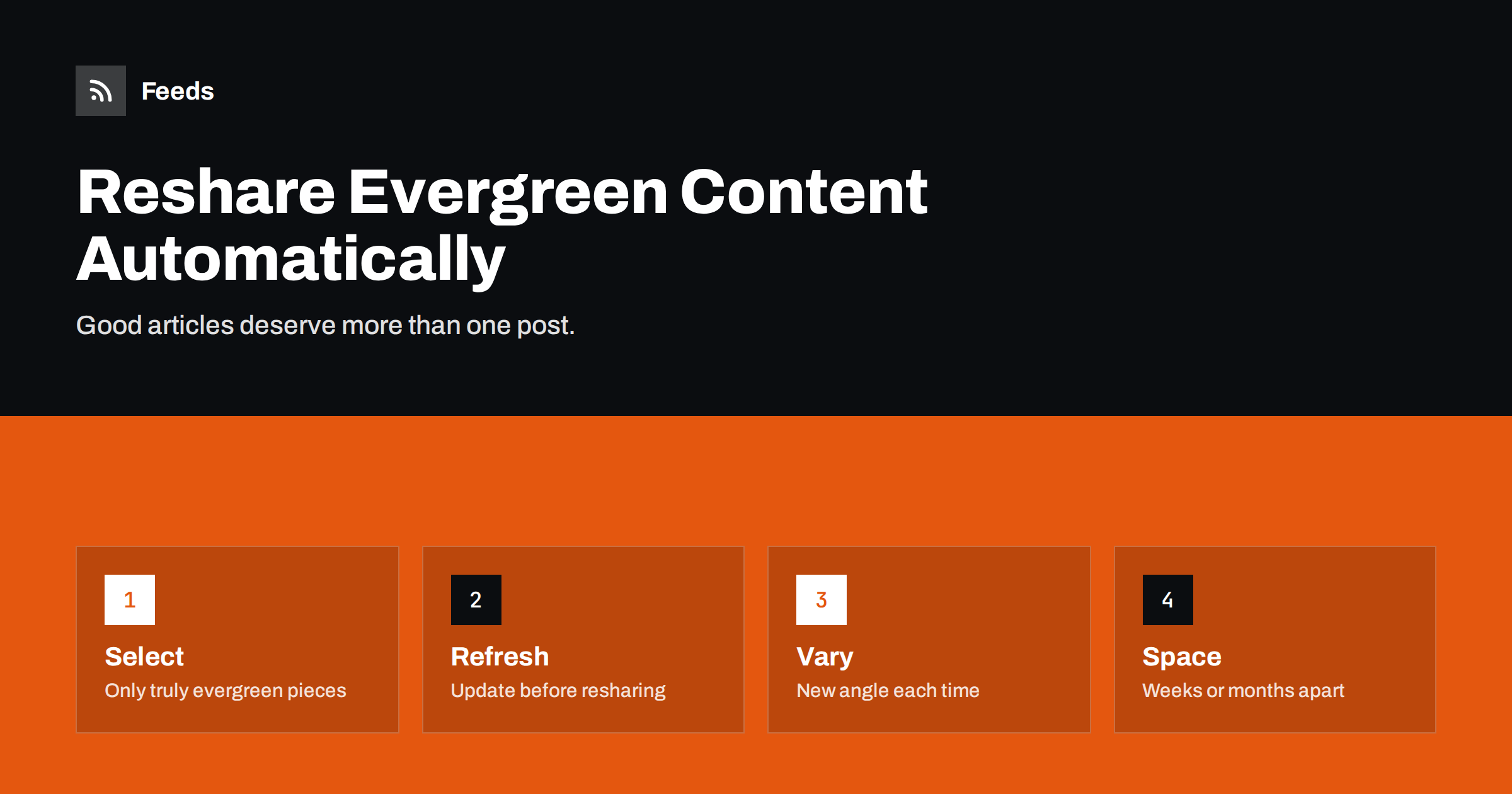
Short answer: Evergreen content, such as guides, how-tos and explainers that stay useful for years, can be reshared automatically by putting selected articles into a recurring queue or a dedicated “evergreen” feed that a posting tool cycles through on a schedule. Choose only articles that are genuinely still accurate, update them before they go out again, write several different post texts for each, space reshares weeks or months apart and mix them with new content so your timeline never looks repetitive.
Why one post per article is not enough
When you publish an article, feed-based automation shares it once on each network. For news, that is right: news is short-lived. For a thorough guide that answers a question people keep asking, one post is a waste. Most of your followers did not see it the first time, new followers have joined since, and the problem it solves is still current.
Resharing evergreen content gives your best work a longer life. It keeps quiet periods on your social pages filled with useful posts instead of silence, and it brings steady traffic to pages that deserve it. For small teams who cannot publish new articles every day, a good evergreen rotation can be the difference between an active and an abandoned-looking account.
Search engines are not the only way people discover older articles; social resharing is one of the few ways to put an older article in front of people who are not actively searching for it, but who would find it useful.
The risk is equally clear: done carelessly, resharing looks like a bot repeating itself. The same headline every two weeks, outdated advice and a timeline full of old links damage trust faster than silence would.
What counts as evergreen
An article is evergreen if a reader who finds it a year from now will still benefit from it without being misled. Typical examples:
- How-to guides and tutorials for stable processes.
- Explainers of concepts, terms and standards.
- Checklists and frameworks.
- Answers to frequent customer questions.
- Comparisons of approaches rather than of specific product versions.
Not evergreen: news, announcements, event posts, time-limited offers, articles about specific software versions, prices or regulations that change often, and anything with “this year” in the title. Those should never enter an evergreen rotation, or only after being rewritten.
Building an evergreen library
- Review your archive and shortlist articles that are evergreen and that performed reasonably well, or that you know are useful even if they did not.
- Check each one: are facts, screenshots, links and recommendations still current? Update what is outdated and change the “last updated” date on the page if your site shows one.
- Tag them in your CMS, for example with an “evergreen” tag or category. Many CMSs then provide a feed for that tag, which can serve as the source for resharing.
- Write several post variations for each article: a question, a key tip, a surprising fact from the article, a short quote. Three to five variations let each reshare feel new.
- Record the library in a simple list with the article, variations and last reshare date.
Example: five variations for one guide
Suppose your evergreen library includes a guide called “How to write a returns policy for a small online shop”. Instead of reposting the title every time, prepare variations that each highlight a different part of the article:
- The question: “Not sure what your returns policy must include? Our guide walks through it step by step.”
- A key tip: “One line that prevents many disputes: state clearly who pays return shipping. More in our returns policy guide.”
- A common mistake: “Many small shops copy a big retailer’s returns policy and promise more than they can deliver. How to write one that fits your business.”
- A checklist angle: “Returns policy checklist: time limit, condition of items, refunds or exchanges, shipping costs, exceptions. The full guide explains each.”
- An update note: “We refreshed our returns policy guide with a new section on digital products.”
Each variation links to the same article but speaks to a slightly different reader. Someone who ignored the question version may click on the mistake version months later. Over a year, with eight-week intervals, the guide appears six or seven times per network, each time with a fresh angle.
Writing variations takes perhaps ten minutes per article. For a library of twenty strong guides, that is an afternoon of work that feeds a rotation for a year or more.
How to automate resharing
Recurring queues in posting tools
Many social media management tools offer evergreen or recycling queues: you add posts to a category, set time slots, and the tool cycles through the category repeatedly. This is the simplest method and supports post variations directly.
Feed-based rotation
Some RSS-to-social tools can repost older items from a feed, for example a random item from the evergreen tag feed once a week. It is simple to set up, but check whether the tool supports text variations and minimum intervals per item, or it will produce identical posts.
Spreadsheet-driven workflows
An automation platform can read a spreadsheet of articles and variations, pick the item with the oldest last-shared date, post one variation and update the date. It takes more setup but offers full control over rotation logic.
Rules that prevent spam
- Minimum interval per article, such as eight weeks on the same network, longer for smaller libraries.
- Never the same text twice in a row. Rotate variations, and retire variations that performed poorly.
- A fixed share of evergreen posts, for example no more than one in three posts. New content always takes priority.
- Different networks, different timing, so the same article does not reappear everywhere on the same day.
- Pause during news events or crises, when cheerful evergreen tips can seem out of place.
- Remove articles as soon as they become outdated, until they are updated. An outdated guide reshared with confidence does more harm than no post at all, because it teaches followers not to trust your links.
Keeping evergreen content current
An evergreen library needs maintenance. Put a review date on each article, typically every six to twelve months, and check links, facts and screenshots. Automated link checkers can flag broken links; analytics show which articles still attract readers from search.
Assign the reviews to people who know the subject. A marketing coordinator can check links and formatting, but only a subject expert can tell whether a recommendation from two years ago is still good advice. Keep a short note of what was changed at each review; it helps the next reviewer and makes “updated” claims in posts truthful.
Updating an article before resharing it has a double benefit. Readers get accurate information, and you can honestly frame the reshare as news: “Updated for this year” or “We added a new section on X”. That is far more engaging than simply reposting.
Measuring whether resharing works
Use UTM parameters that distinguish reshares from first posts, for example utm_campaign=evergreen. Compare clicks and engagement of evergreen posts with new-content posts. If evergreen posts perform almost as well, which is common for strong guides, your rotation is adding real value. If they perform much worse, reduce frequency, improve variations or shrink the library to the strongest articles.
Also watch negative signals: unfollows, hides and comments like “you posted this already”. A few are normal; a pattern means the rotation is too aggressive.
Feeds and your evergreen workflow
For resharing, the source is usually your own site’s evergreen tag feed. Feeds can help when that content lives on several sites or sections: it merges several sources into one feed, keeps only items with chosen keywords and removes duplicates, and it creates feeds from pages without RSS, such as a resources page on an older site that lists your guides. The resulting feed can serve as the input for a rotation tool. See the pricing page for plans.
Related reading
- Scheduled Posts vs Feed-Triggered Automation Explained
- How Often Should Automated Feeds Post to Social Media?
- How to Automate Social Media Posts from an RSS Feed
- How to Measure Whether Content Automation Is Worth It
The bottom line
Resharing evergreen content extends the life of your best work and keeps social pages active between new articles. Select only genuinely evergreen pieces, update them before they go out again, write several variations for each, space reshares widely, keep them a minority of your posts and measure the results. Done that way, followers see useful reminders rather than repetition.
BUJ
How often can I reshare the same article?
For most accounts, every two months or less often per network is a sensible starting point, with longer intervals for small libraries. Watch engagement and adjust.
Is resharing old content considered spam?
Not when done thoughtfully. Varied texts, long intervals, updated articles and a healthy mix with new content make reshares useful rather than spammy.
What makes an article evergreen?
It stays accurate and useful for a long time without depending on current events, specific versions or dates. How-tos, explainers and checklists are typical examples.
Should I update articles before resharing them?
Yes. Check facts, links and screenshots first. An update also gives you a genuine reason to share the article again.
Can a feed be used for evergreen rotation?
Yes. A feed of articles tagged as evergreen can be the source for tools that repost older items, provided they support variations and minimum intervals.
How many evergreen articles do I need for a rotation?
Even ten to twenty strong articles can support a rotation if intervals are long and each article has several post variations. Quality matters far more than the size of the library.


