 ENEnglish
 LTLietuviškai
 DEDeutsch
 FRFrançais
 RUРусский
 ESEspañol
 PLPolski
 ITItaliano
 UKУкраїнська
 CSČeština
 PTPortuguês
 JA日本語
 LVLatviešu valoda
 ETEesti
 HUMagyar
 IDBahasa Indonesia
 TRTürkçe
 HIहिन्दी
 ELΕλληνικά
 ARالعربية
 THไทย
 VITiếng Việt
 RORomână
 MSBahasa Melayu
 BNবাংলা
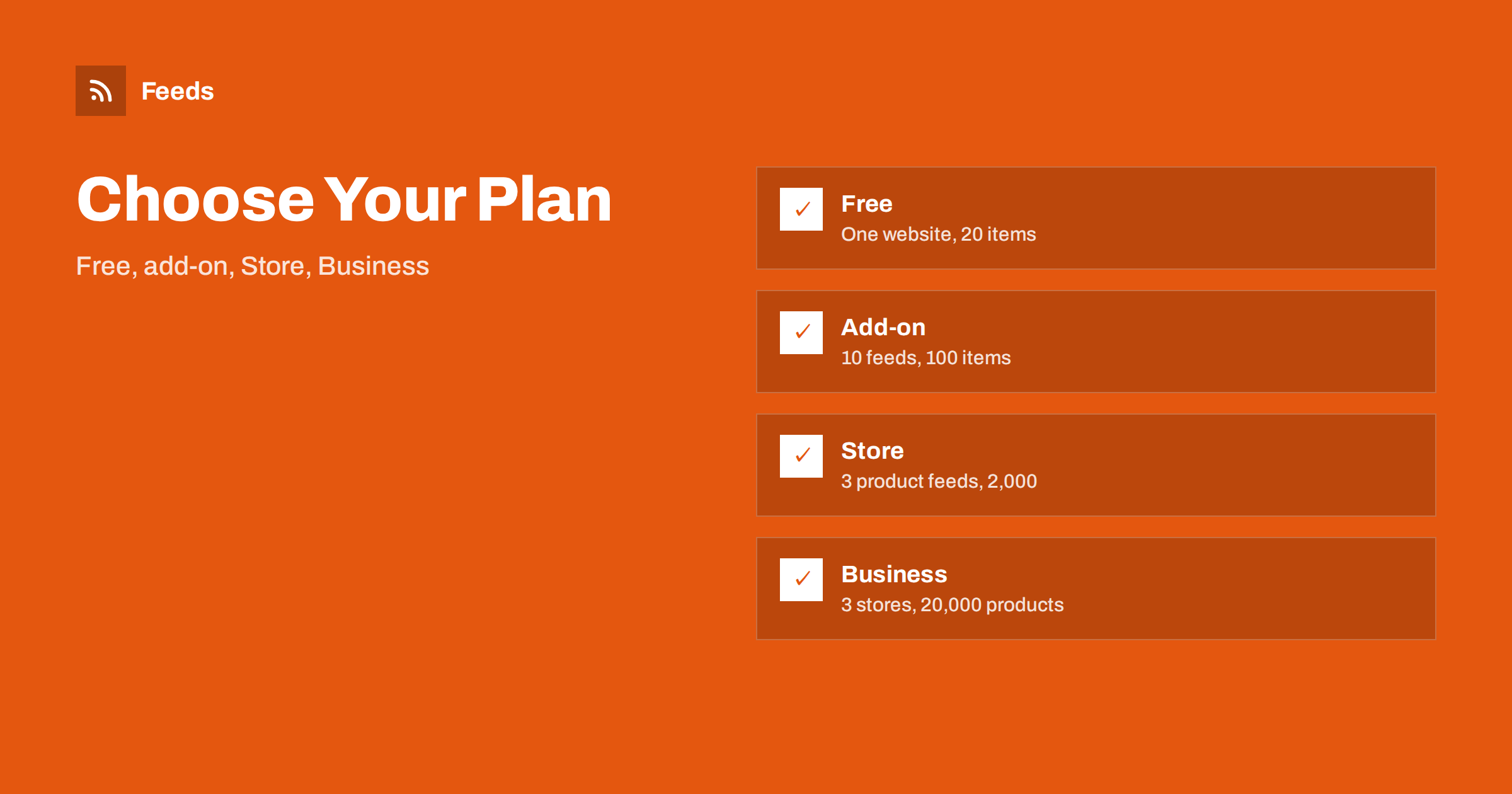
Short answer: RSS Feed Creator has four plans. Free (€0) lets you try one website with up to 20 items per feed and product feeds of up to 50 products. The PostRSS add-on (€5 a month) is for publishers who post from sites without RSS. Store (€19 a month) covers one store with 3 product feeds and up to 2,000 products. Business (€39 a month) covers 3 stores and 10 feeds with up to 20,000 products. Choose by what you need to feed and how fresh it must be.
Start by listing what you need
Before you compare plans, write down three things: how many pages you want to turn into feeds, whether you also sell products in an online store and how often the data must update. A person who follows five news pages for research has different needs from a shop with two thousand products and a Google Merchant Center account.
Two numbers usually decide the plan: the number of items per feed and the number of products. If you are not sure, start free. The free plan shows you the preview before anything is created, and upgrading later does not erase the feeds you have made. If you are new to the tool, how page-to-feed tools find the articles on a web page explains the idea.
A sensible test has three parts. First, create a feed from the page you care about most and check the preview. Second, add the link to your reader and watch it for a few days. Third, try a keyword filter and see whether the feed becomes shorter and more useful. If all three work, you know the tool suits you, and you can decide on a paid plan with facts instead of guesses.
Free: try it on one website
The free plan costs nothing and is meant for trying the tool on one website. It includes RSS from any page, up to 20 items per feed, product feeds with up to 50 products, keyword filters and product rules, and a refresh every 3 hours. You can create a feed, see how the preview works and use the link in a reader or tool.
It is a good fit for a first test, for personal reading lists and for a small shop that wants to check how its products look in a feed. The limits are real, so if you need more items, faster refresh or merging, you will want to move up. Feeds keep working within the free plan limits even if you later cancel a paid plan.
Think about the number of sources you really follow. Ten feeds from pages is plenty for many people, since one feed can already combine several sources. Merge related pages into a single feed and keep separate feeds only for topics that you read at different times. That way the limit of ten goes further than it first appears.
The add-on for publishers: €5 a month
The add-on is made for PostRSS users who publish from sites without RSS. It gives you 10 feeds from pages, up to 100 items per feed, merging of up to 10 sources, a refresh every 30 minutes and an alert when a page changes and a feed breaks. It is meant for people who turn partner or supplier pages into feeds and send them to social networks.
The feeds work in any RSS reader or tool, so you do not have to use PostRSS to benefit, but the plan is built around that use. If your work is monitoring news, tracking competitors or collecting sources for a team, the higher item limit, the 30-minute refresh and the broken-feed alert are the main advantages. Related ideas are in monitoring hundreds of sources with RSS without chaos.
Use the three feeds wisely. A common split is one feed for Google Merchant Center, one for Meta and a third for a test or a special selection, such as a sale. Keep the rules for stock, titles and prices consistent across them, unless a platform needs something different, and write down each difference so that it does not surprise you later.
Store: €19 a month for one shop
Store is built for product feeds from one store. It includes 1 store, 3 product feeds, up to 2,000 products, Google Merchant and Meta catalog formats, rules for stock, titles and prices, and a refresh every 30 minutes. Three feeds let you separate cases, for example one for Google, one for Meta and one for a special catalog.
It suits a small or medium shop on WooCommerce or Shopify, or any shop that can provide a CSV link. To set it up, see WooCommerce product feed for Google Shopping or Shopify product feed for Google Merchant Center. If you are weighing whether to split your catalog, one product feed or several helps.
Count stores and feeds before you buy. Three stores with ten feeds in total give about three feeds per store, which covers Google and Meta plus one extra. If you manage client shops, name each feed clearly with the client and the platform, and keep a simple list of what belongs to whom.
Business: €39 a month for several stores
Business is for several stores and marketplaces. It includes everything in Store, plus 3 stores, 10 feeds, up to 20,000 products, marketplace formats on request and priority support. It fits agencies that manage clients, merchants with more than one brand and larger catalogs.
For agencies, a good process matters as much as the plan. Product feed management for agencies describes how to keep many clients organized, and marketplace product feeds explains what marketplace formats involve. Marketplace formats are available on request, so contact the team if you need a particular one.
A quick example helps. A blogger who wants to follow eight supplier pages and read them in one place can start free and move to the add-on if the item limit or refresh becomes a problem. A shop with 1,200 products on WooCommerce and an ads account fits Store. An agency with three client shops and several marketplaces fits Business.
How to choose between the plans
Use a short decision path. If you only follow content from pages and need up to 20 items per feed, the free plan is enough. If you need more feeds, up to 100 items and merged sources, look at the add-on. If you sell products and your catalog is below 2,000 items in one store, choose Store. If you have more stores, more products or need priority support, choose Business.
Keep growth in mind. A shop that adds products every season can outgrow a limit, and a content team that adds sources can outgrow the number of feeds. Check your numbers every quarter, and upgrade when you hit a limit, not before. Because plans are monthly, you are not locked in.
Refresh speed and why it matters
Free feeds refresh every 3 hours, and paid plans every 30 minutes. For news, a 3-hour delay is fine for reading, but for alerts or social posting you may want fresher items. For product feeds, speed matters when stock changes quickly: a sold-out item that stays in the feed for hours sends customers to a page they cannot buy from. An out-of-date feed is also refreshed when it is read, which reduces the gap.
See how often do RSS feeds update and how often should a product feed update for general guidance. In both cases, the refresh of the platform that reads your feed also matters.
Keep your invoices and your plan details in one place, and note the renewal date. If your needs change, upgrade or cancel at any time; the feeds you created remain available within the free limits.
Prices, billing and cancelling
Prices are in euros without VAT. You can pay by card, PayPal, bank transfer, Western Union or MoneyGram, and yearly billing gives 2 months free. Card and PayPal activate the plan at once; bank transfers activate it as soon as the payment arrives. You can cancel at any time, and your feeds keep working within the free plan limits.
When you press Upgrade, you sign in or create a free account, choose monthly or yearly billing and pick a payment method. All details are on the pricing page. If you are unsure, start with the free account and upgrade later.
Related reading
- How to Create an RSS Feed for a Website Without RSS
- How to Merge Multiple RSS Feeds into One Clean Feed
- Product Feed Management for Agencies: Many Clients, One Process
The bottom line
Pick the plan by the number of feeds, items and products you need and how fresh the data must be. Start free, move to the add-on for more page feeds and merging, to Store for one shop and to Business for several stores. Plans are monthly, prices are in euros without VAT and you can cancel at any time.
FAQ
What does the free plan include?
RSS from any page, up to 20 items per feed, product feeds up to 50 products, keyword filters, product rules and a refresh every 3 hours.
Who is the add-on for?
For PostRSS users who publish from sites without RSS. It includes 10 feeds, 100 items per feed, merging of up to 10 sources and a 30-minute refresh.
What is the difference between Store and Business?
Store covers 1 store, 3 product feeds and 2,000 products. Business covers 3 stores, 10 feeds, 20,000 products, marketplace formats on request and priority support.
Which payment methods are accepted?
Card, PayPal, bank transfer, Western Union and MoneyGram. Yearly billing gives 2 months free.
What happens if I cancel?
Your feeds keep working within the free plan limits.


